Configure outcomes
Choose how a luck-based game decides who wins: by chance, on a schedule, or in a draw after it closes.
On a luck-based game, the Outcomes tab decides the result of each play. You choose the mode under How Winners Are Determined.
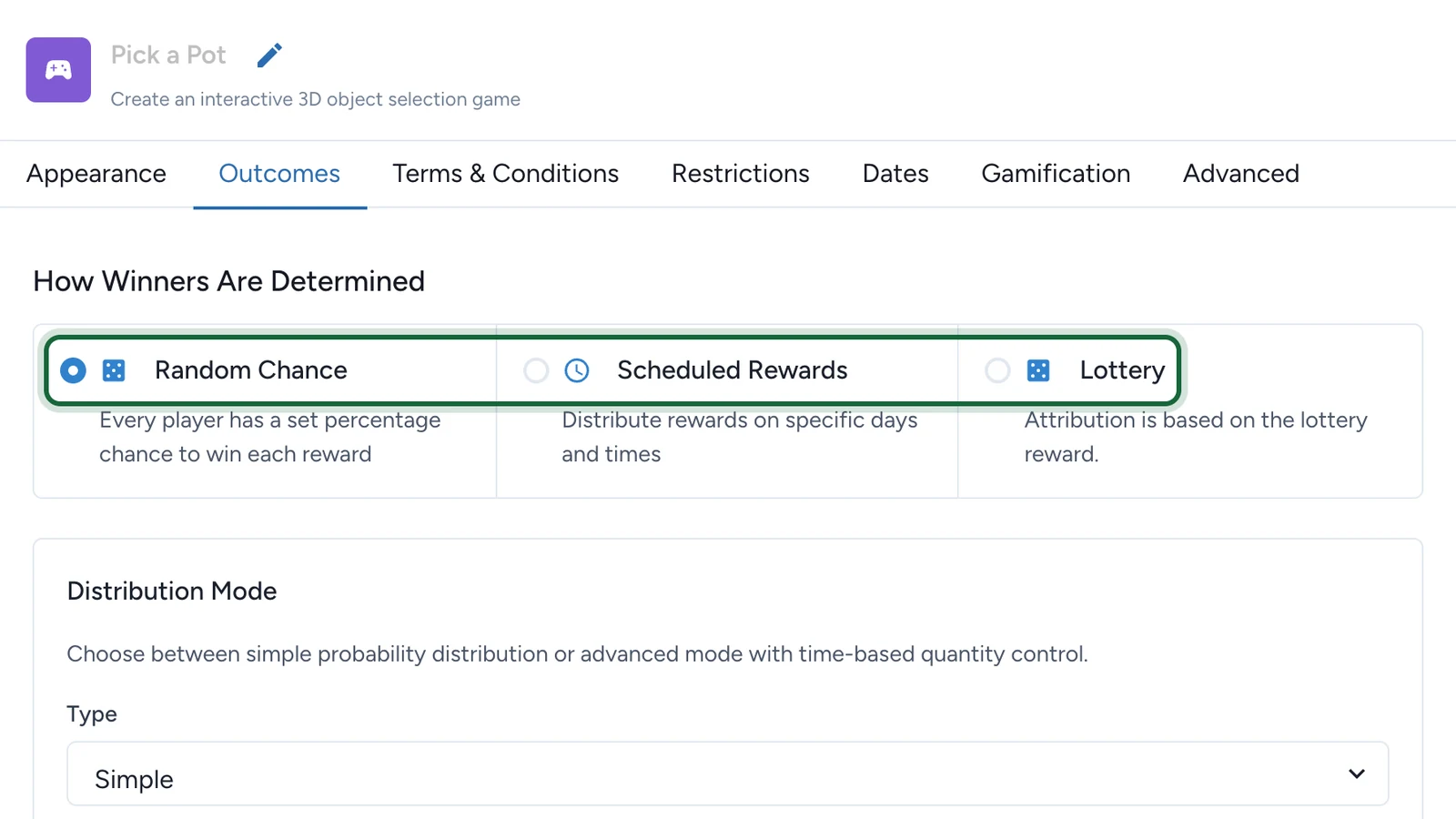
The three modes
| Mode | What players get | Choose it when |
|---|---|---|
| Random Chance | A result straight away, from the odds you set | The game should feel spontaneous |
| Scheduled Rewards | A result straight away, but prizes can only be won at moments spread between two dates | Stock has to last, such as a few prizes a day |
| Lottery | An entry in a draw, with no result on the spot | You'd rather draw the winners after the game closes |
Which games offer which mode
| Game | Random Chance | Scheduled Rewards | Lottery |
|---|---|---|---|
| Wheel of Fortune | Yes | Yes | No |
| Scratch Card | Yes | Yes | No |
| Reveal Card | Yes | Yes | No |
| Simple Game | Yes | Yes | Yes |
| 3D Selection | Yes | Yes | Yes |
Skill-based games have no Outcomes tab: the best-ranked players win. See Leaderboard rewards.
Simple or Advanced
Random Chance and Scheduled Rewards each have a Type, under Distribution Mode or Rewards distribution.
| Mode | Simple | Advanced |
|---|---|---|
| Random Chance | The odds apply for the whole campaign, until the reward runs out | The odds apply only inside attribution slots: time windows, each with its own quantity |
| Scheduled Rewards | Winning moments are spread at random between a Start Date and an End Date | Each winning option gets its own attribution slots |
Stock left over in one attribution slot carries into the next. See Attribution slots.
Winning and losing options
Random Chance and Scheduled Rewards decide each play from a list of options: winning options, each linked to a prize, and a losing outcome.
- At least one winning option, each with a Luck Based Reward.
- One losing outcome at most. With none, every player wins something.
- Scheduled Rewards needs exactly one losing outcome: players who play between two winning moments land on it.
- Under Random Chance, the probabilities total 100%, losing outcome included.
- Under Scheduled Rewards, every linked reward has a set quantity, not unlimited.
Lottery has no options. You write the message players see after entering, and link exactly one lottery reward made for this game: see Lottery rewards.