The customer activation platform.Every interaction becomes a qualified contact. Book a demo

Instant Win rewards

Configure global Instant Win rewards or Instant Win rewards linked to one touchpoint, then choose the right trigger and schedule.

In this article, you'll configure Instant Win rewards either as a global reward driven by Reward Trigger or as a reward linked directly to one luck-based touchpoint.

Two common setups

SetupHow it is triggeredBest when
Global Instant Win rewardThe reward's own Reward Trigger watches sign-up or participation across all or selected touchpoints.One reward should react to campaign-wide activity instead of one game's winning option.
Reward linked to one touchpointOne luck-based touchpoint triggers the reward directly through its winning option and attribution settings.One specific game owns the instant-win experience.

When to use this reward type

Use this method when the participant should know the result immediately instead of waiting for a later draw or ranking resolution.

Typical examples include:

  • instant-win promotions
  • wheel, scratch, or reveal mechanics
  • quick chance-based experiences where the result is part of the play moment

Example campaign uses

  • Global Instant Win reward: give a welcome goodie after a participant joins any workshop.
  • Global Instant Win reward with a threshold: give a voucher after a participant completes 3 sponsor-booth visits.
  • Reward linked to one touchpoint: let a Wheel of Fortune reveal the reward immediately inside that game.

Before you begin

  • You know whether the reward should be global or linked to one touchpoint.
  • If the reward is linked to one touchpoint, the target touchpoint already exists in the campaign.
  • You know whether the reward should use a single continuous window or several scheduled windows.
  • Campaign dates, and where relevant touchpoint dates, are already in place.

Configure a global Instant Win reward

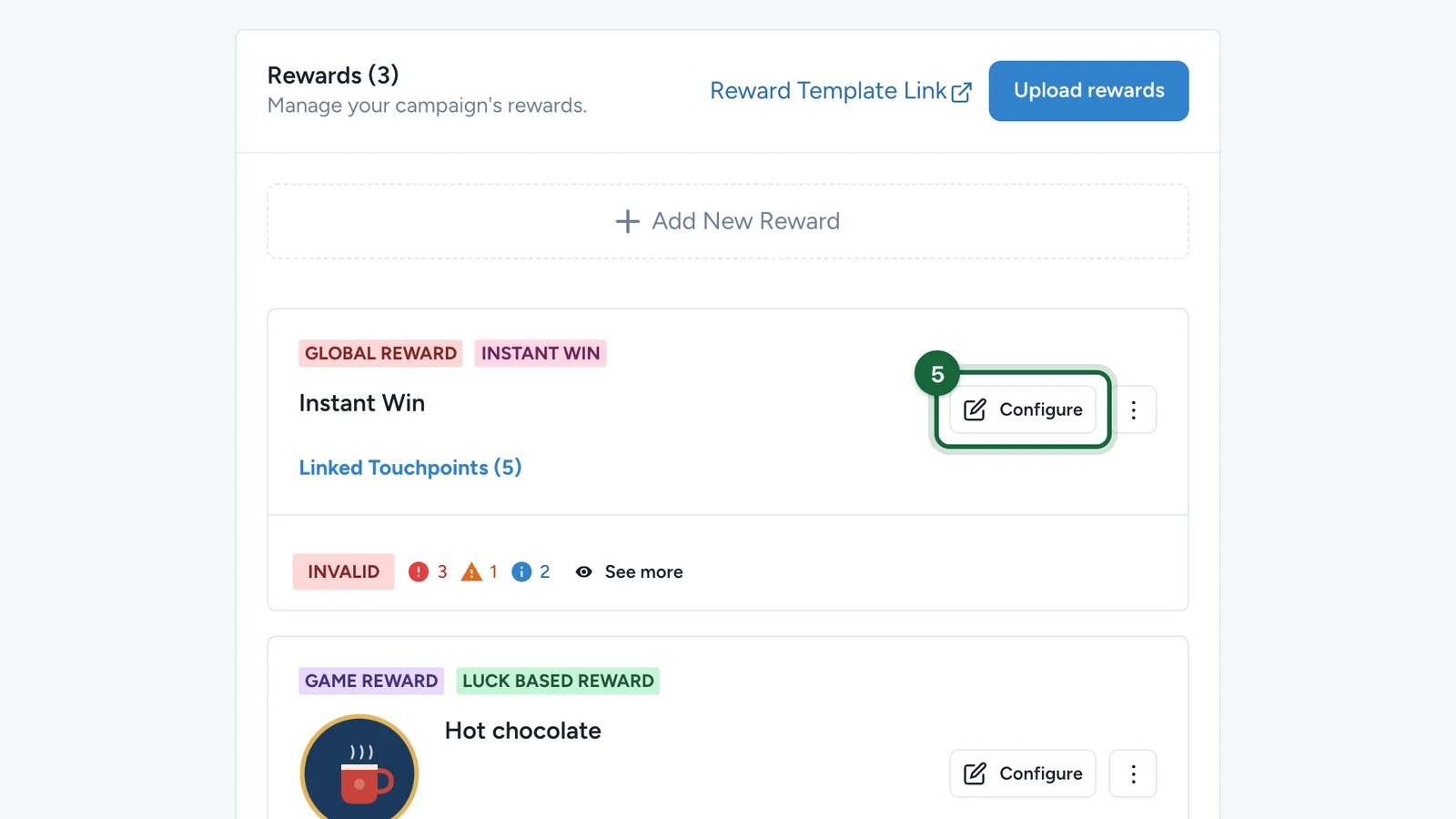
Create the reward from Build -> Rewards

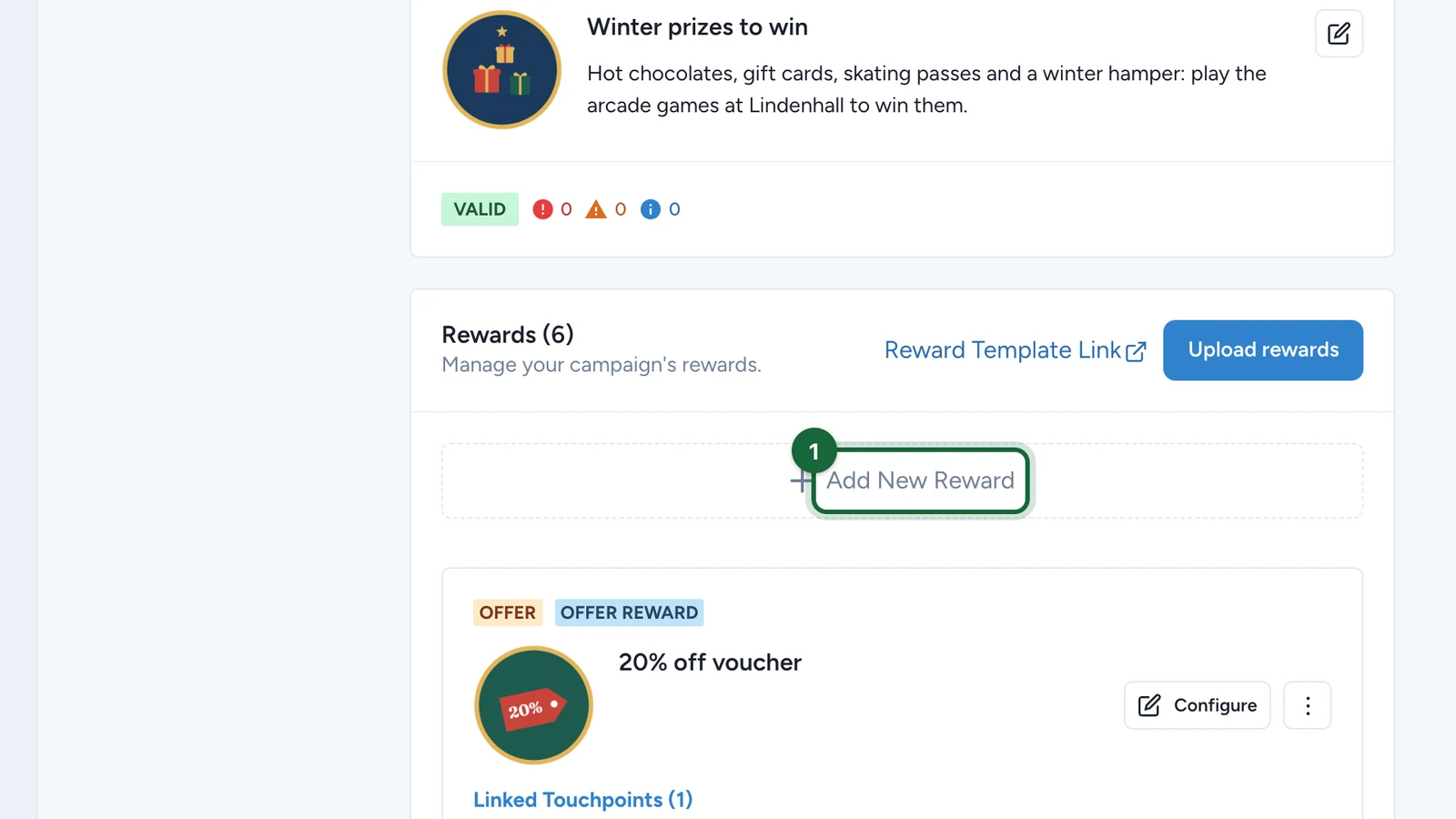
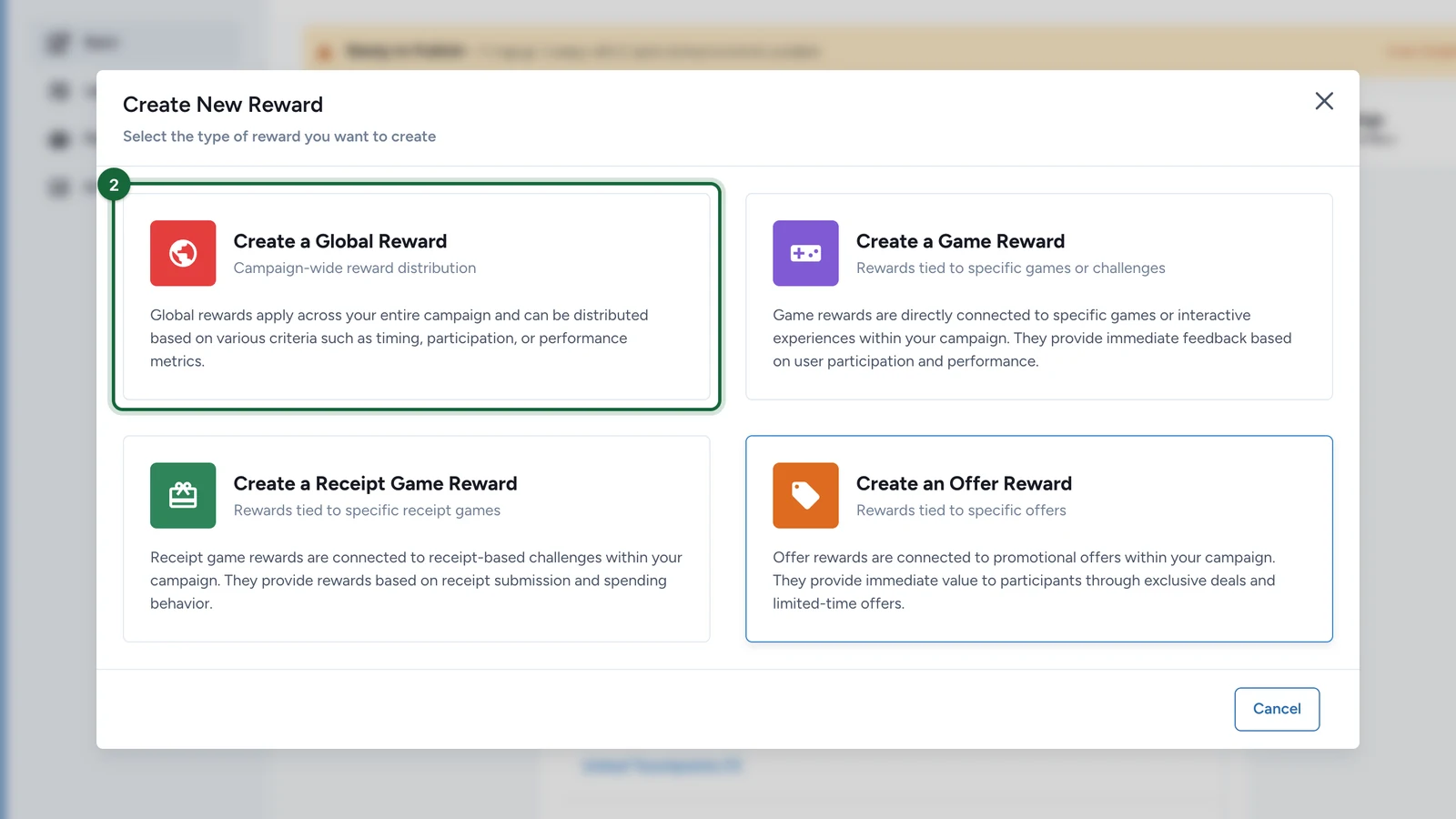
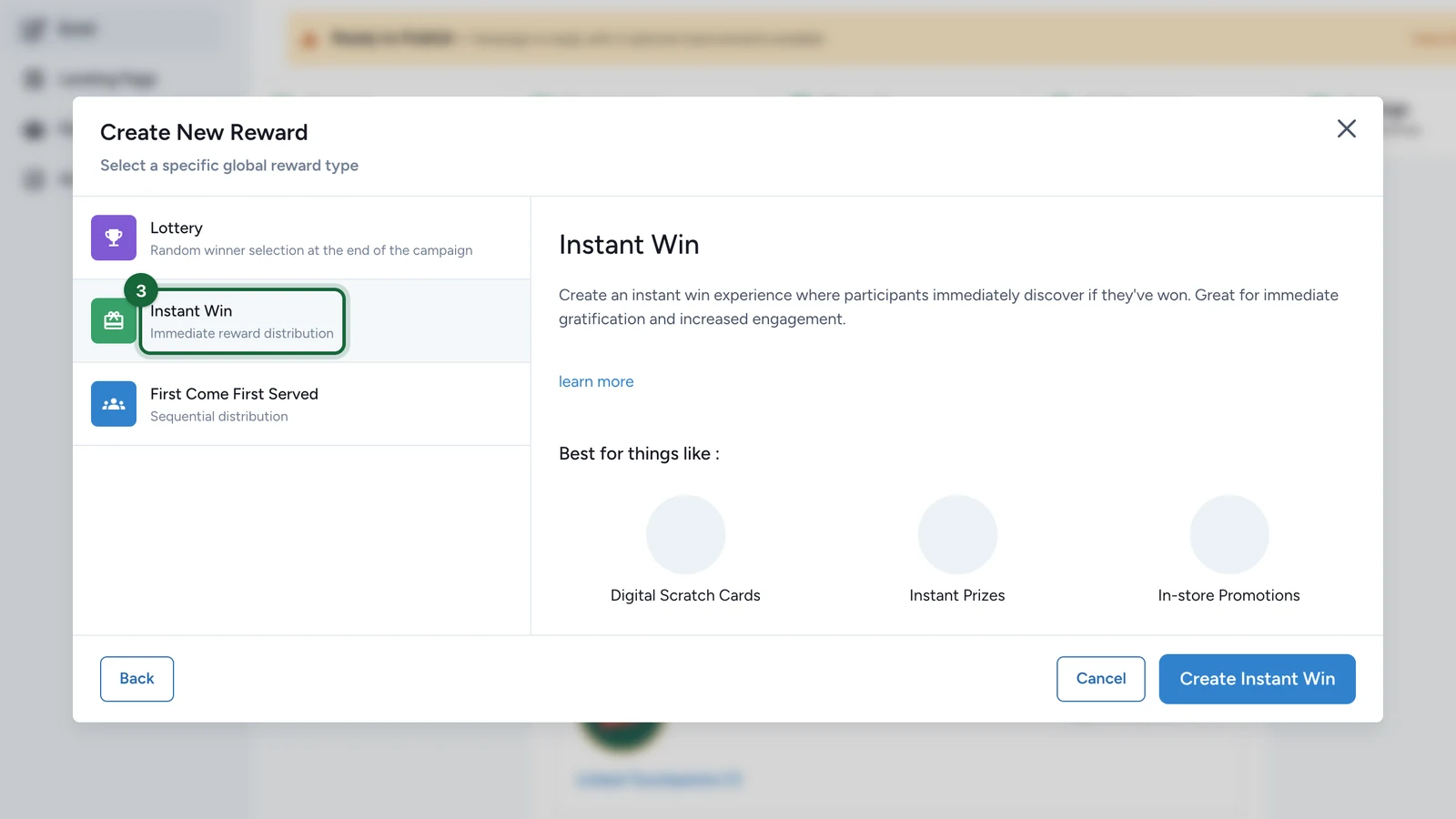
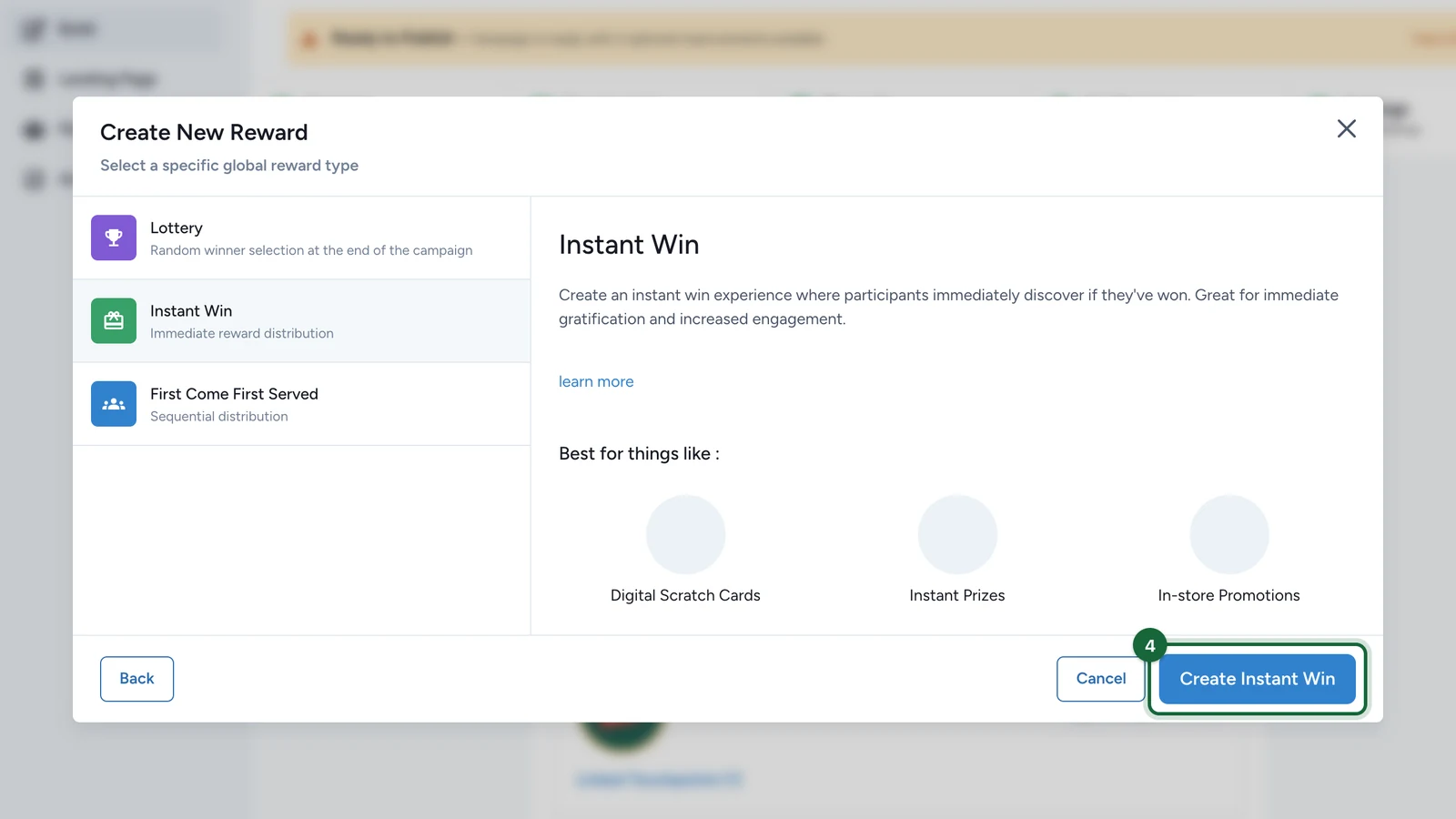
Open Build -> Rewards, click Add New Reward, then choose the Instant Win reward type.

Fill the reward basics

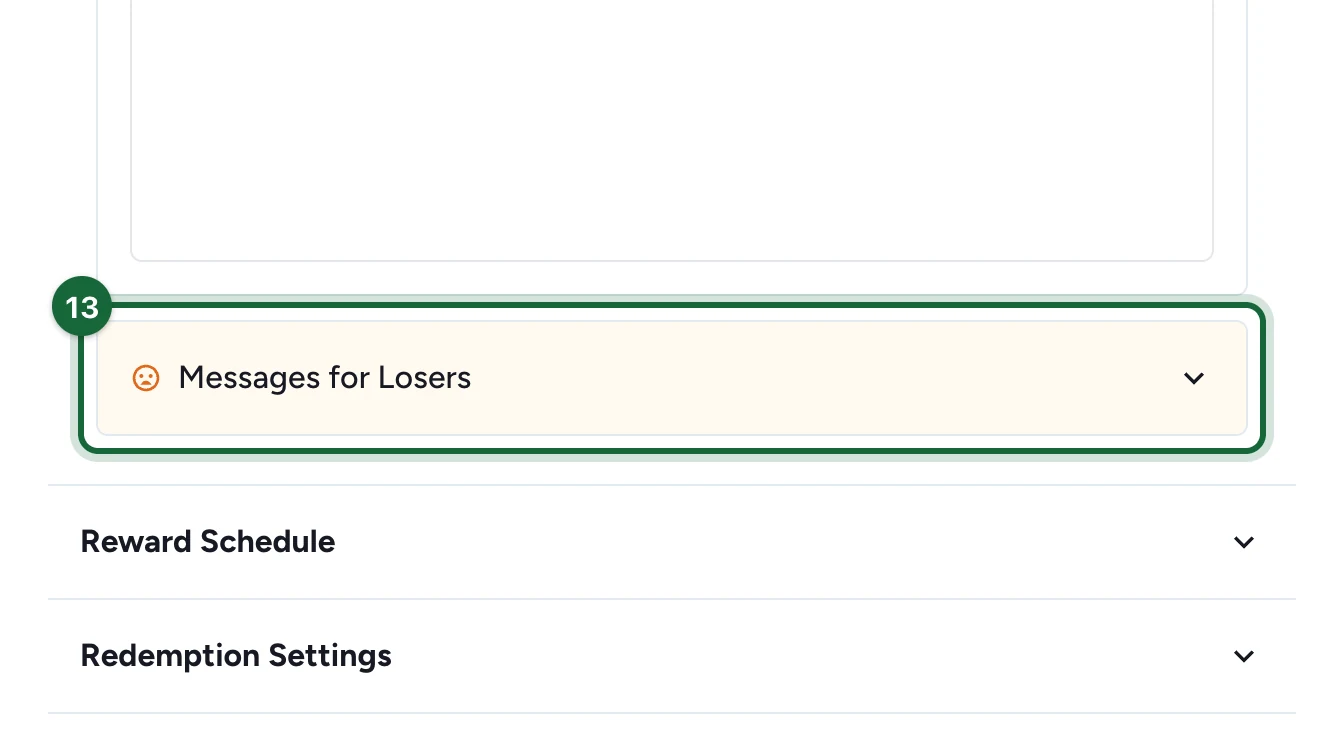
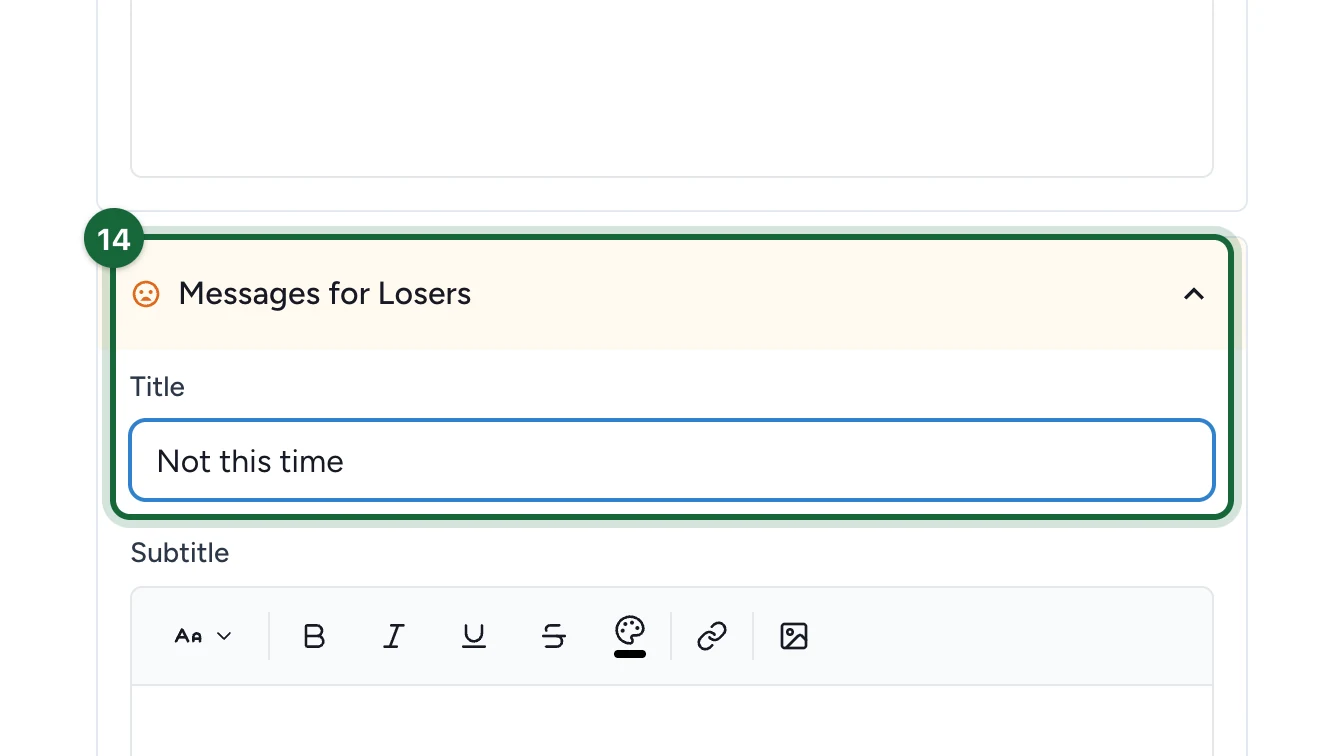
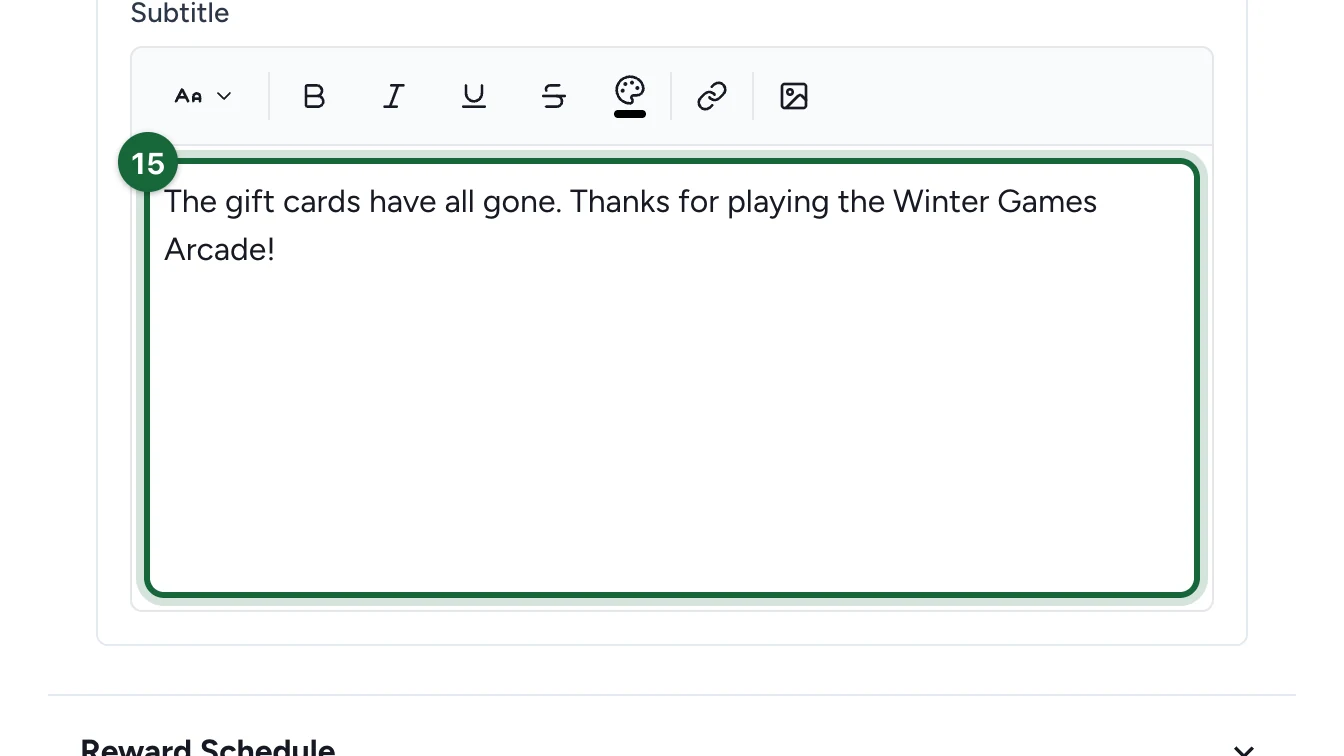
Set the title, subtitle, icon, quantity, winner message, and non-winner message.

For a global Instant Win reward, both the winner and loser outcomes matter because the reward resolves immediately once the trigger rule is checked.

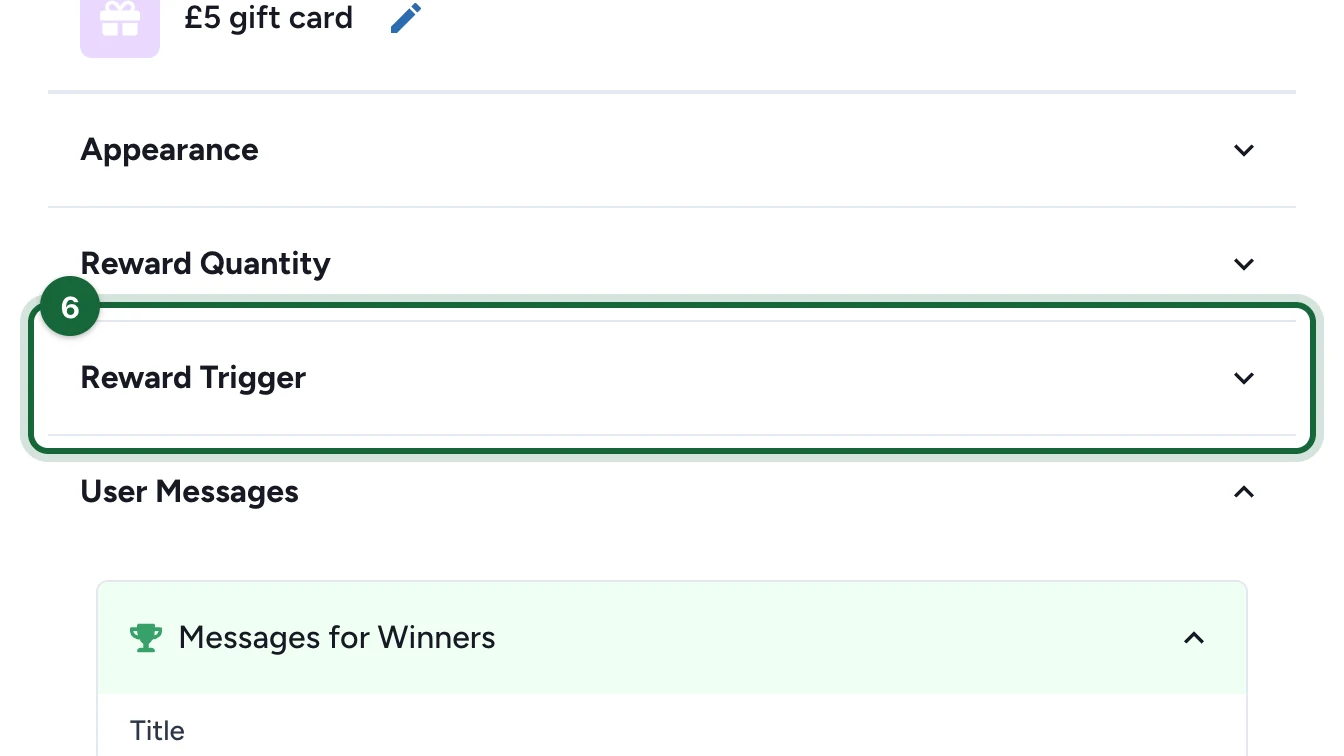
Open Reward Trigger

For a global reward, the reward itself decides when evaluation happens. You do not attach it to one game's winning option.

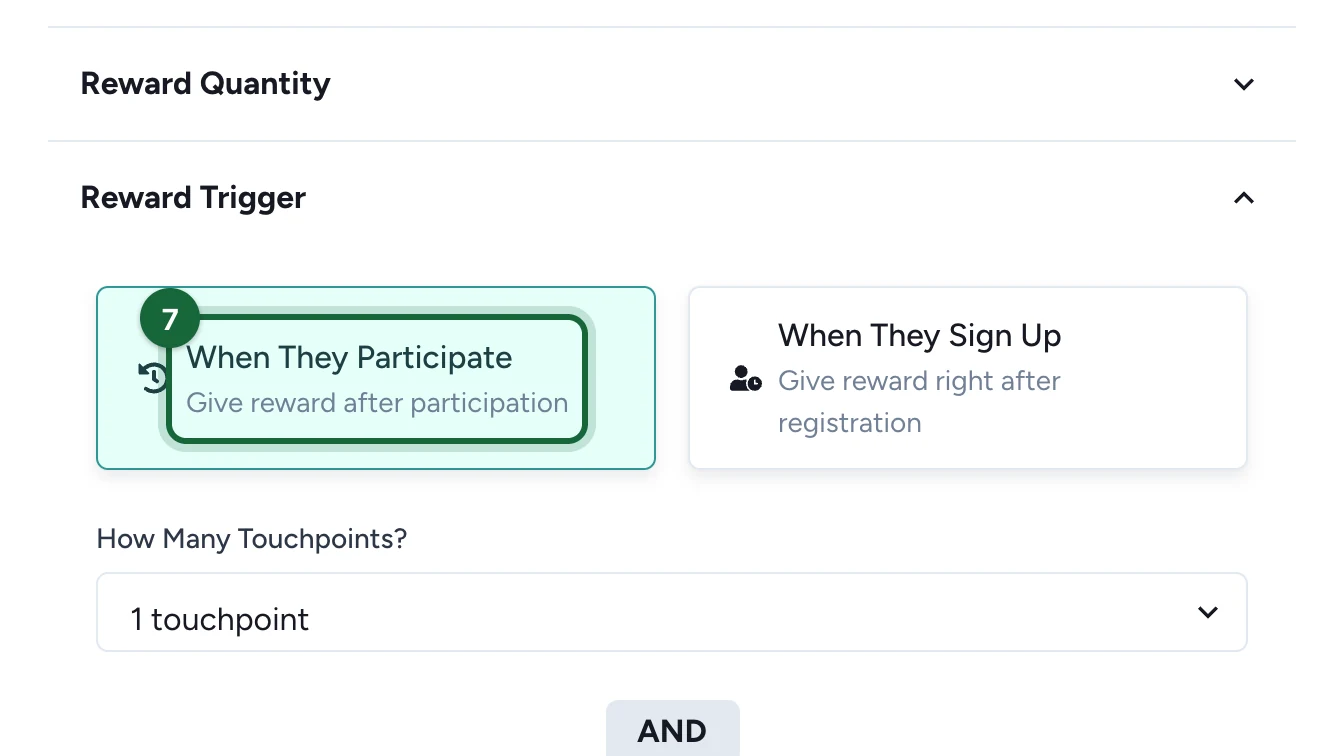
Choose When They Sign Up or When They Participate

Use When They Sign Up when the reward should evaluate without waiting for completed touchpoints.

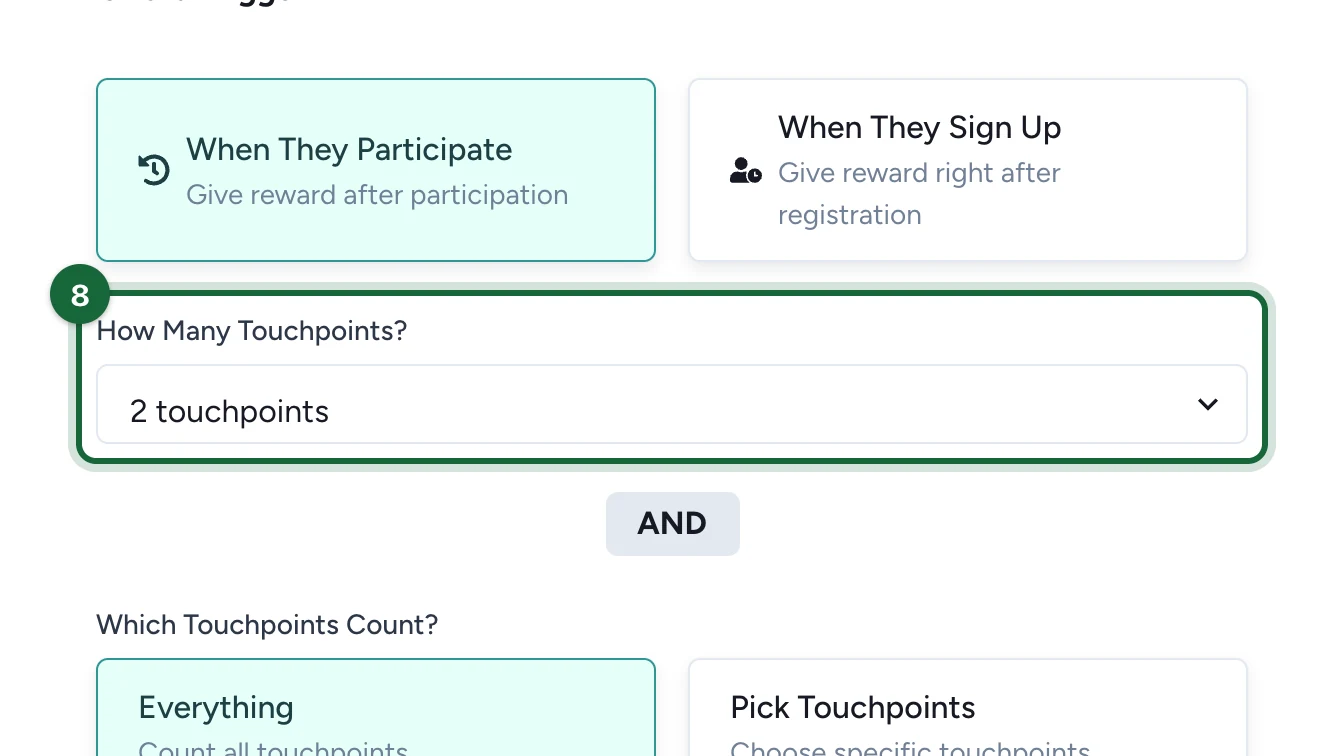
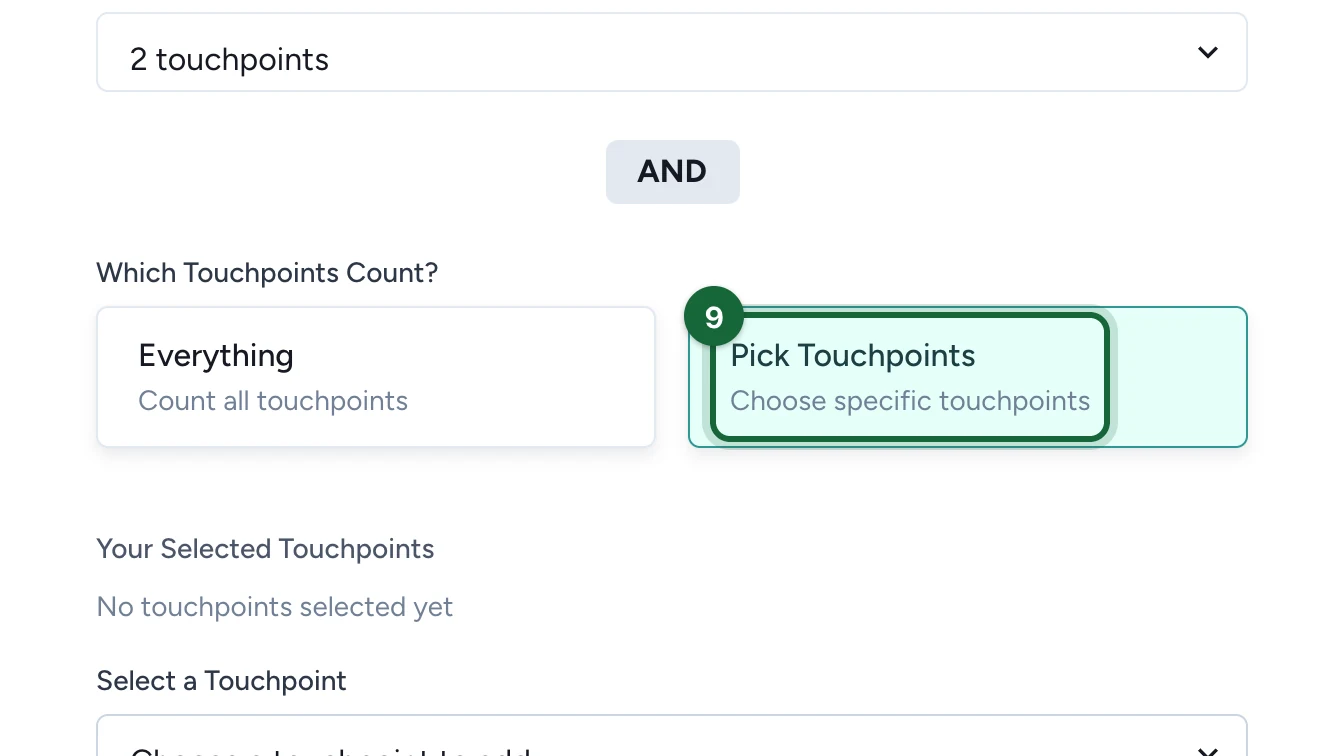
Use When They Participate when the reward should wait for touchpoint activity, then set:

  • How Many Touchpoints?
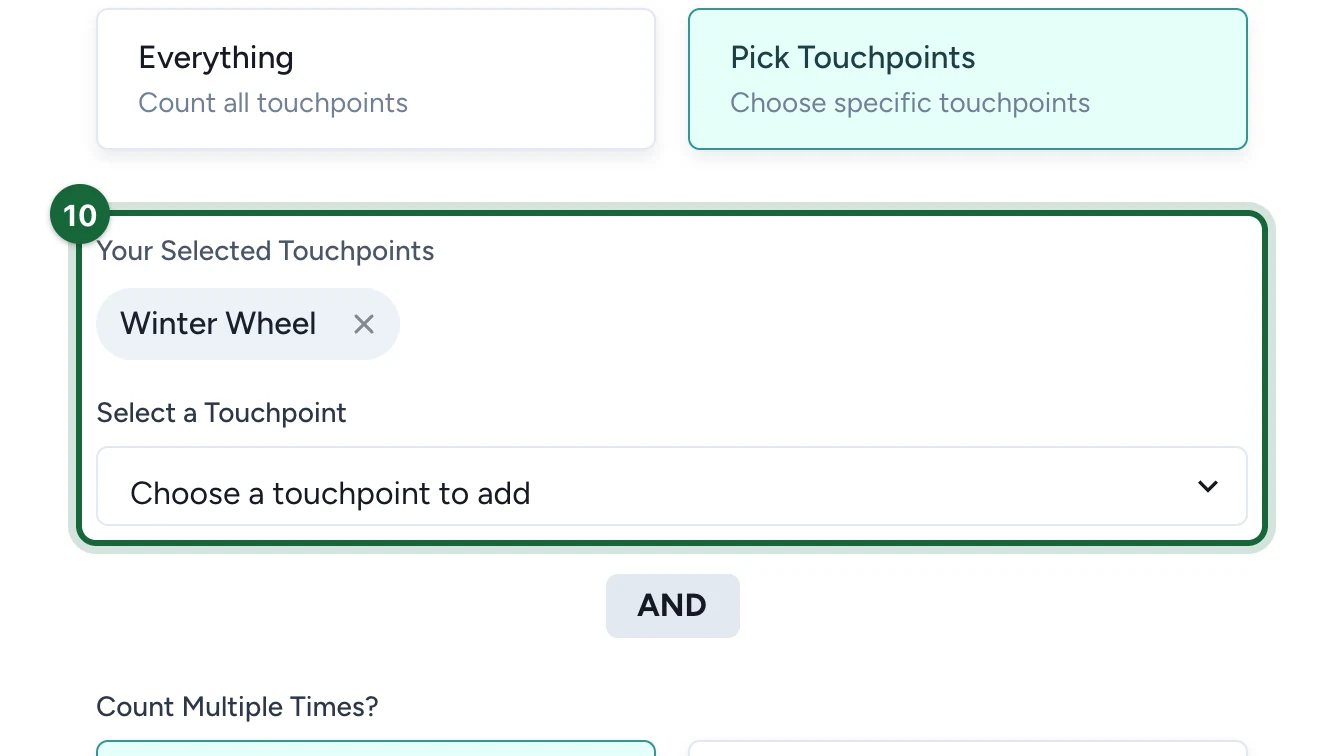
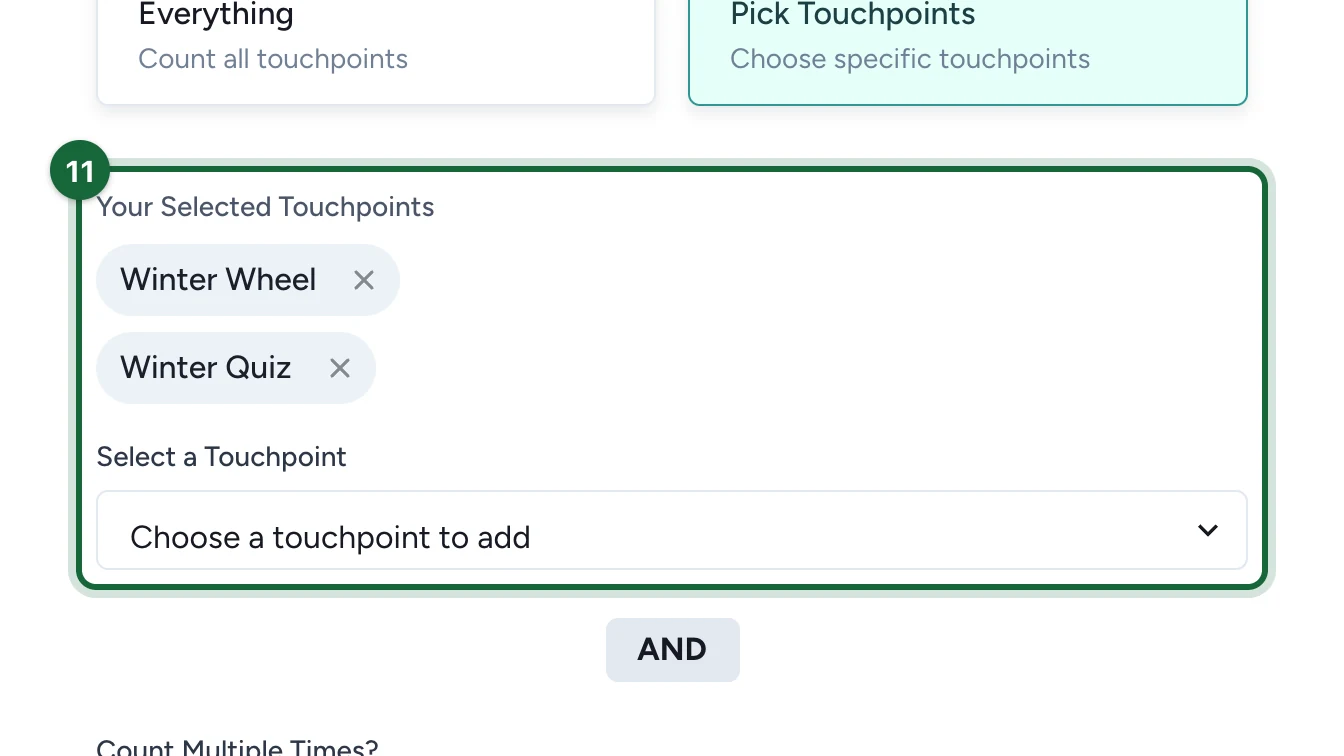
  • Which Touchpoints Count? with Everything or Pick Touchpoints
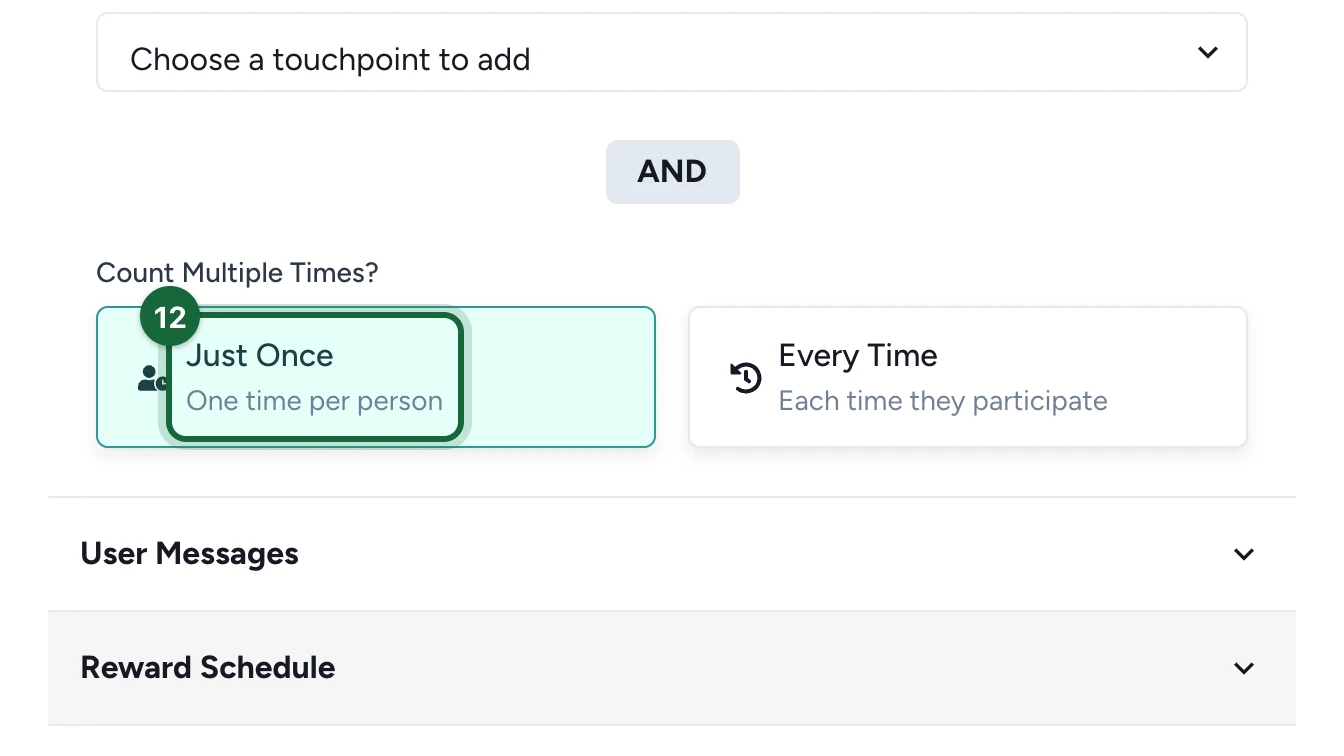
  • Count Multiple Times? with Just Once or Every Time

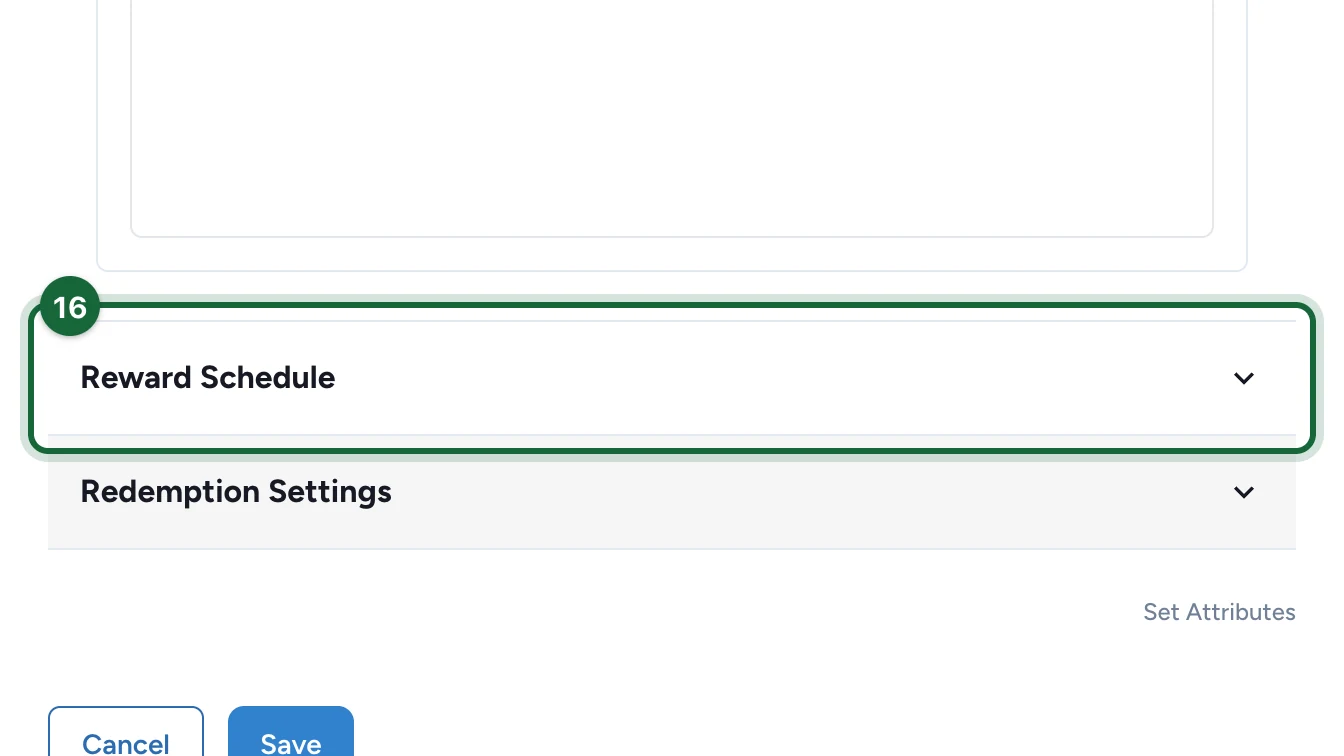
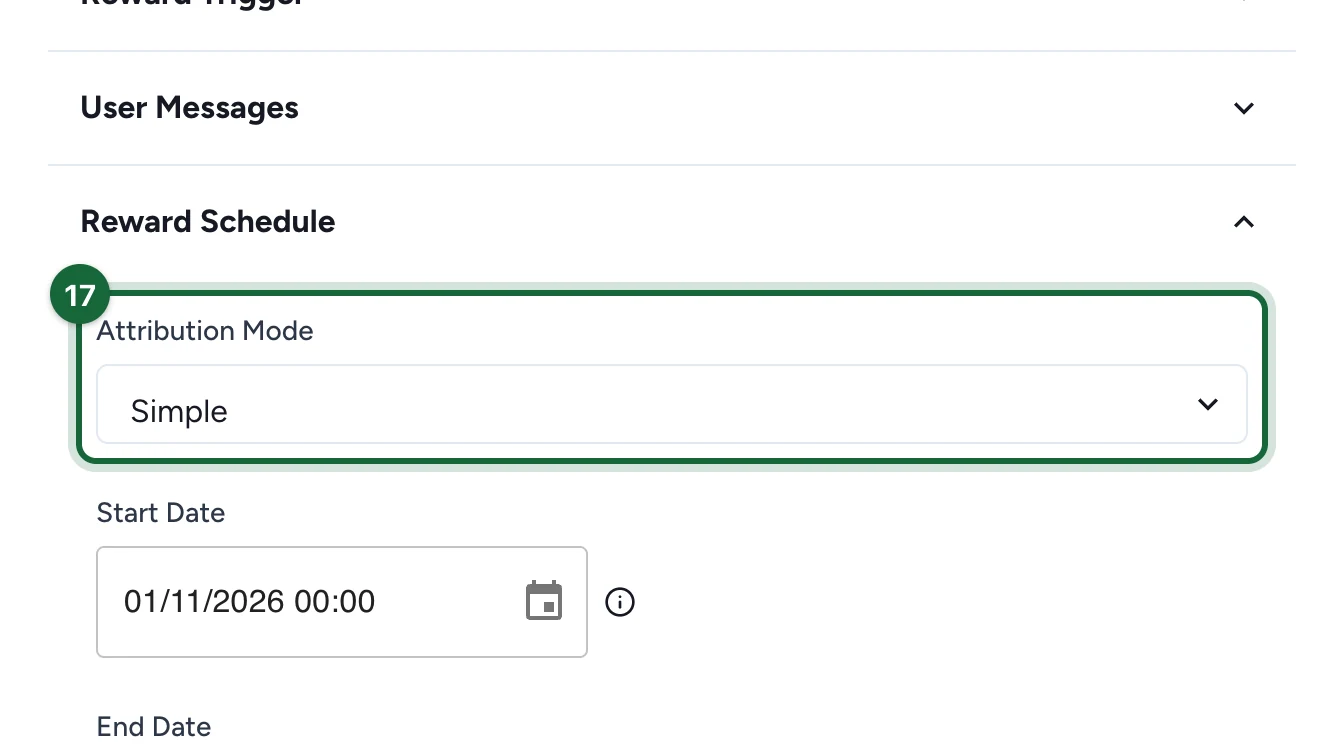
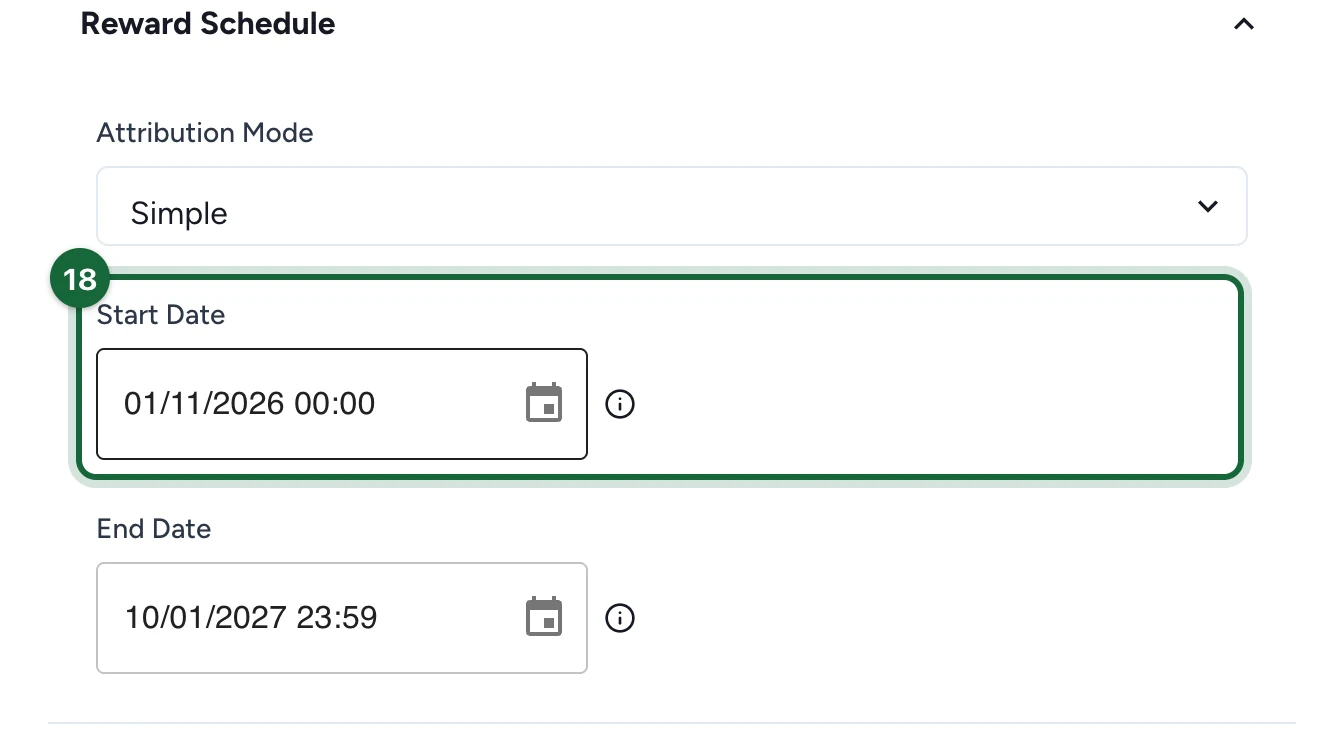
Configure the reward's own Instant Win schedule

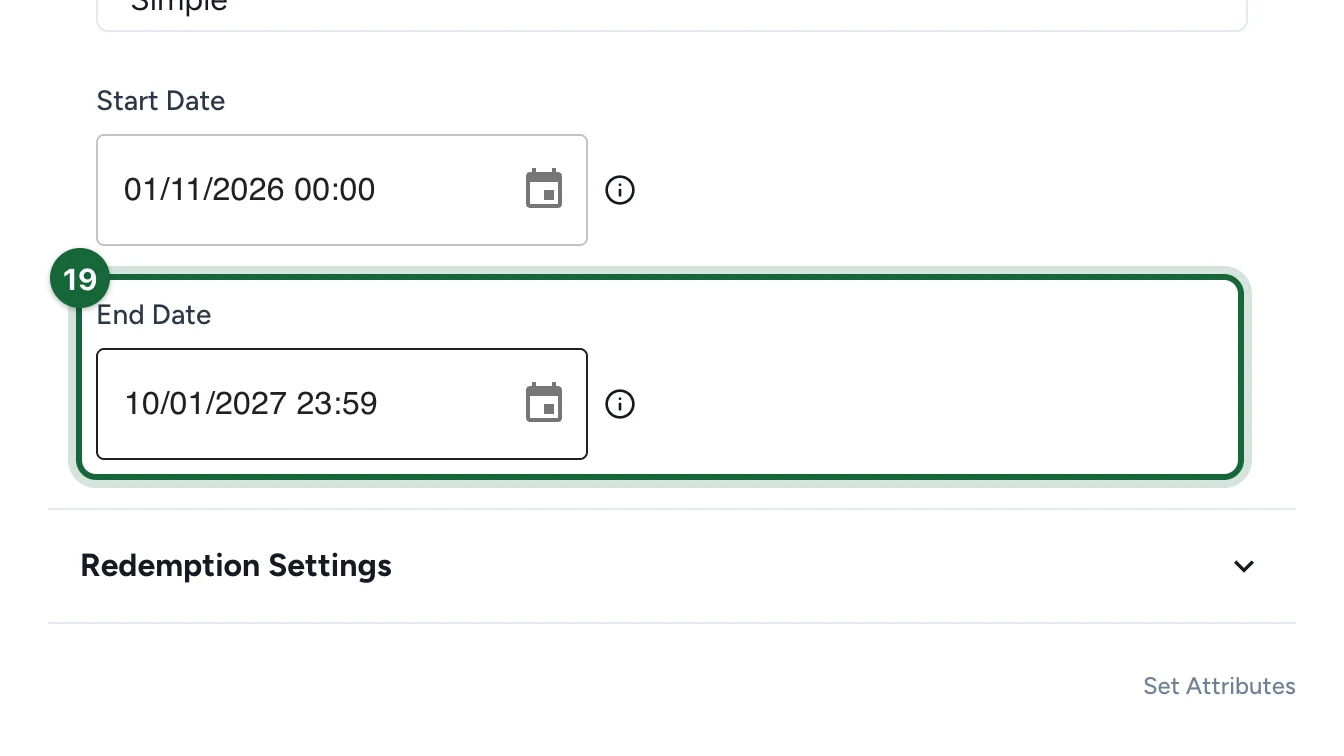
For a global Instant Win reward, the reward exposes its own schedule:

  • Simple: one Start Date and one End Date
  • Advanced: several attribution slots, each with its own dates and quantity

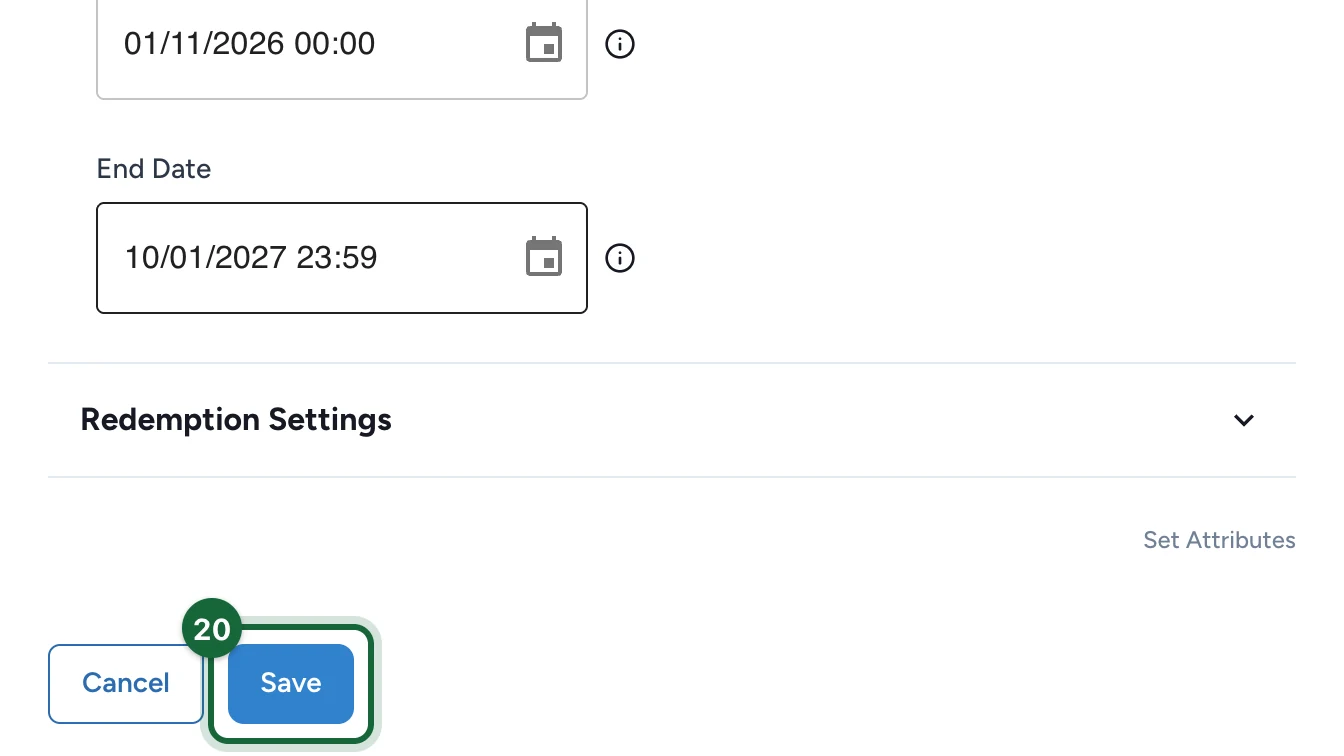
Save, validate, and test

Save the reward, validate the campaign, then run a controlled test while the reward window is active.

Configure an Instant Win reward linked to one touchpoint

Create or select the reward in Build -> Rewards

Create the reward first, or select the reward that should belong to this luck-based touchpoint.

Open the touchpoint and add the reward to the winning option that should distribute it.

If the reward is not linked to a winning option, participants cannot earn it from that game.

Configure the touchpoint's own attribution logic

For a reward linked to one touchpoint, immediate win logic is controlled from the touchpoint itself: time-based, probability-based, or lottery-mode setup all live in the touchpoint configuration.

Save, validate, and test the touchpoint

Save the reward and the touchpoint, then test the participant path from that touchpoint.

How the global trigger behaves

This is what makes cross-touchpoint Instant Win campaigns possible:

  • When They Sign Up means the reward can be evaluated without waiting for a touchpoint count.
  • When They Participate means OmniLab waits until the participant has enough qualifying touchpoint claims to satisfy How Many Touchpoints?.
  • Which Touchpoints Count? lets you count either all eligible touchpoints or only the touchpoints you pick.
  • Count Multiple Times? decides whether the same touchpoint counts once or can keep increasing progress with repeated claims.
  • Disabled touchpoints and Offer Pass do not count toward this minimum.
  • Once the trigger is satisfied, OmniLab checks the reward's own Instant Win schedule. If a reward time is available, the participant wins immediately. If not, the participant gets the non-winner outcome.

Simple versus Advanced Instant Win schedule

ModeBest whenWhat you configure
SimpleThe reward should be available across one continuous window.Start Date and End Date
AdvancedDistribution should change over time during the campaign.Attribution slots with their own dates and quantities

This schedule applies to the global Instant Win reward. For a reward linked to one luck-based touchpoint, timing and distribution are controlled from that touchpoint's own setup.

Common validation issues

Validation messageMeaningFix
Reward '{{reward_name}}' cannot be won because there are not enough eligible touchpointsThe global trigger asks for more eligible touchpoints than the campaign can provide.Lower How Many Touchpoints? or add more eligible touchpoints to the campaign.
Instant Win schedule for reward '{{reward_name}}' is missingThe reward has no usable schedule yet.Configure the Instant Win schedule before publishing.
Instant Win schedule for reward '{{reward_name}}' starts before the campaign datesThe reward would become available before the campaign opens.Move the schedule inside the campaign window.
Instant Win advanced schedule for reward '{{reward_name}}' has no attribution slotsAdvanced mode is selected but no slots are configured.Add at least one attribution slot.
Attribution slots {{slot1_index}} and {{slot2_index}} for reward '{{reward_name}}' overlapTwo scheduled windows conflict in the global reward schedule.Adjust the slot dates so they do not overlap.
Reward '{{reward_name}}' cannot be earned - not linked to any gameFor a reward linked to one touchpoint, the reward exists but no game can award it yet.Link the reward to a winning option in the intended touchpoint.

Was this helpful?

Optional comments help us improve this page for future authors and readers.

On this page