Exclusive rewards
Group rewards into sets, so a participant who wins one reward of a set can't win the others for the rest of the campaign.
By default, a participant can win every reward they qualify for. Here, Lindenhall puts its hot chocolate and its £5 gift card in one set, so each player of the Winter Games Arcade takes home one of them at most.
Create a set
In Build > Rewards:
-
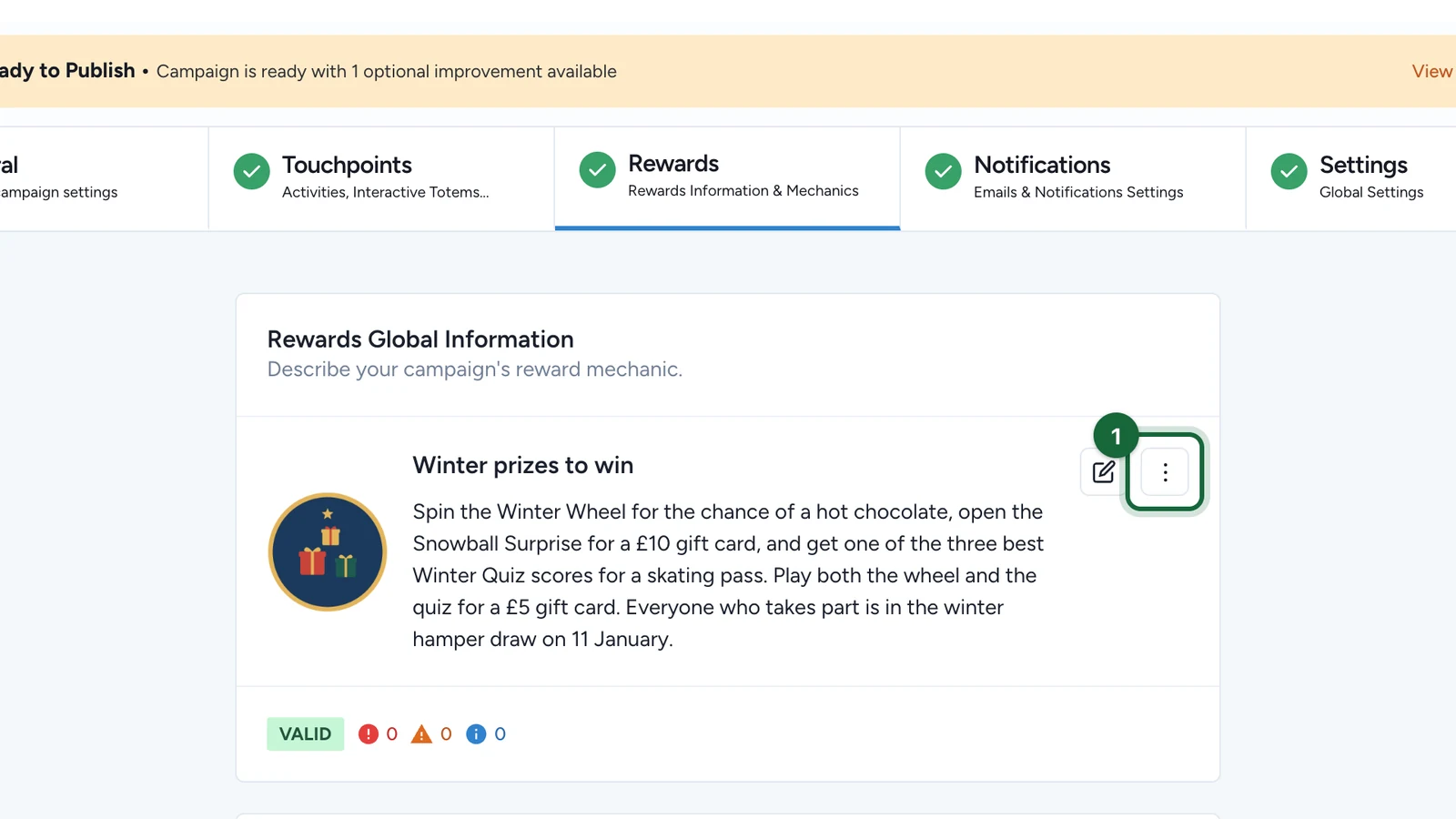
On the Rewards Global Information card, select the More button (⋮).
-
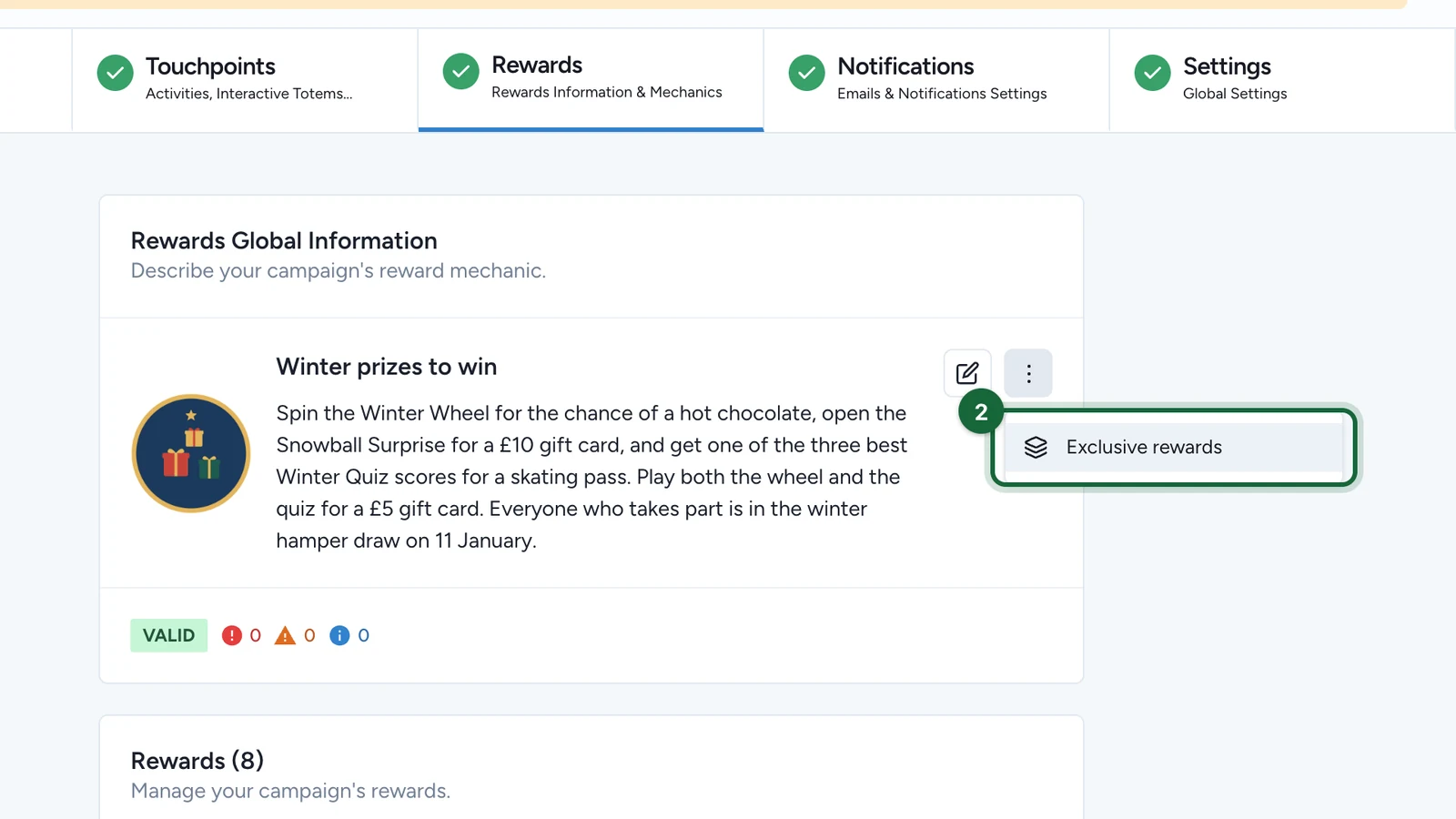
Select Exclusive rewards.
-
Select Create exclusive set.
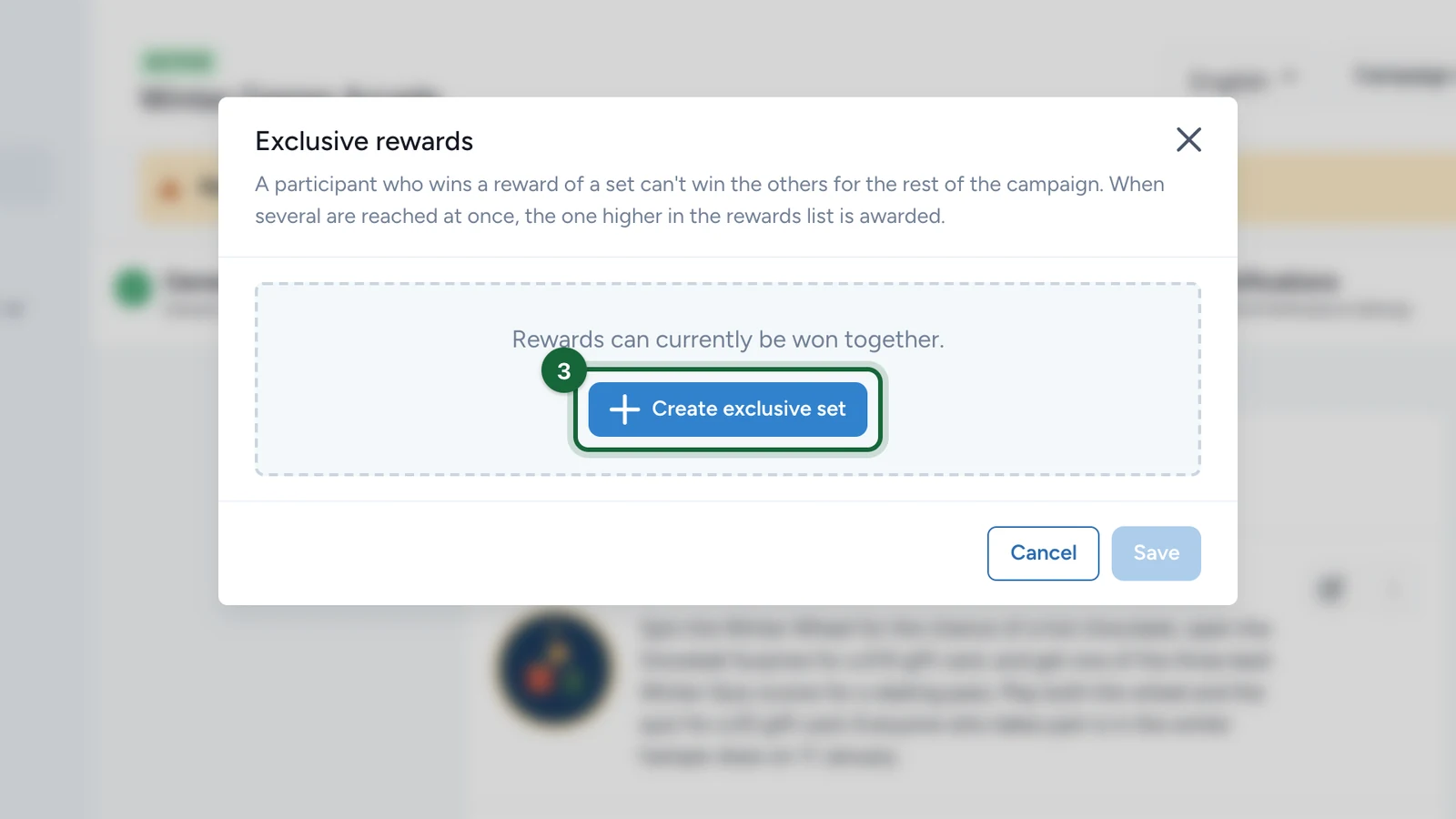
The button stays greyed until the campaign has two rewards that can join a set.
-
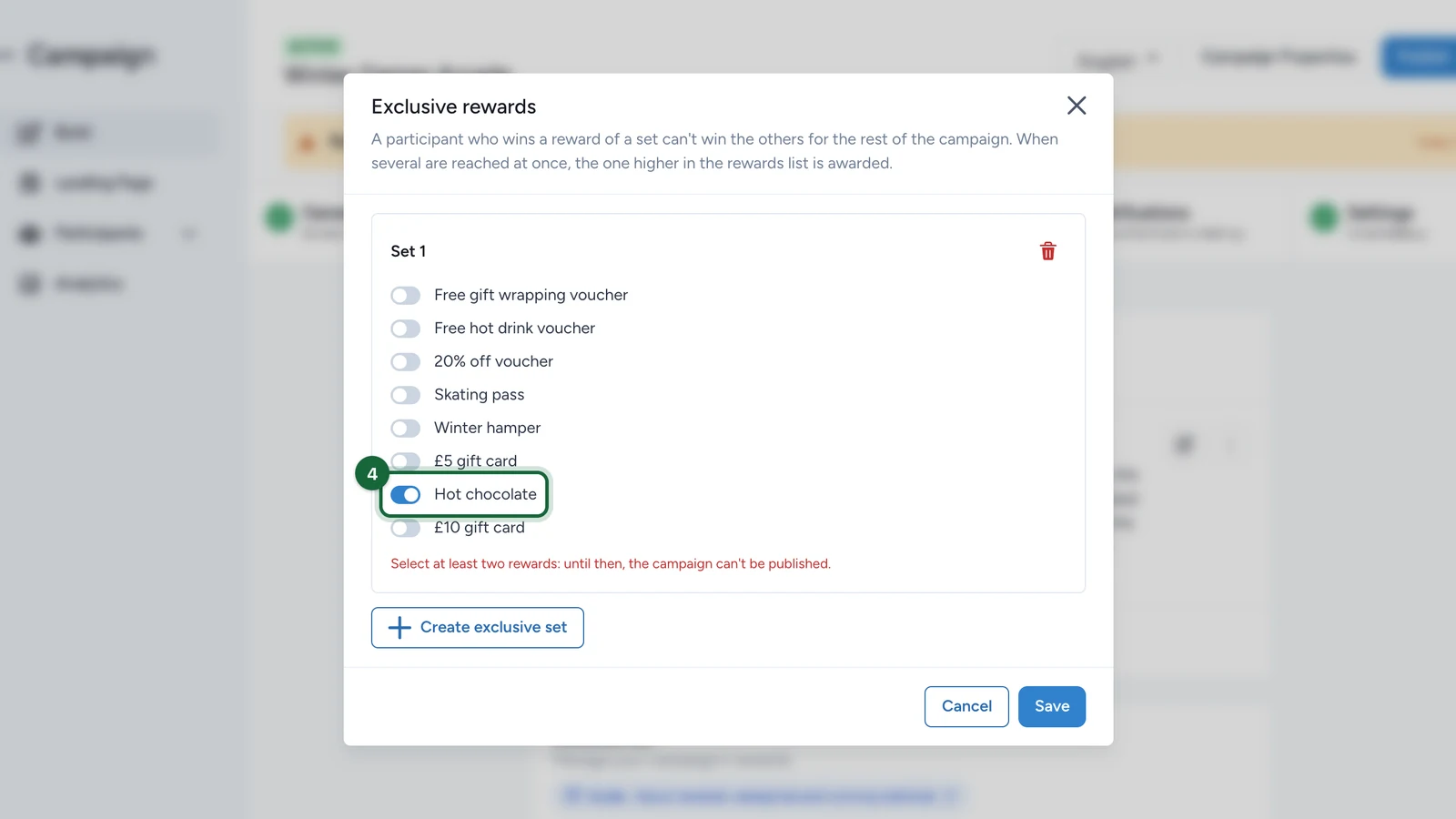
In Set 1, switch on the first reward, here Hot chocolate.
-
Switch on the second reward, here £5 gift card.
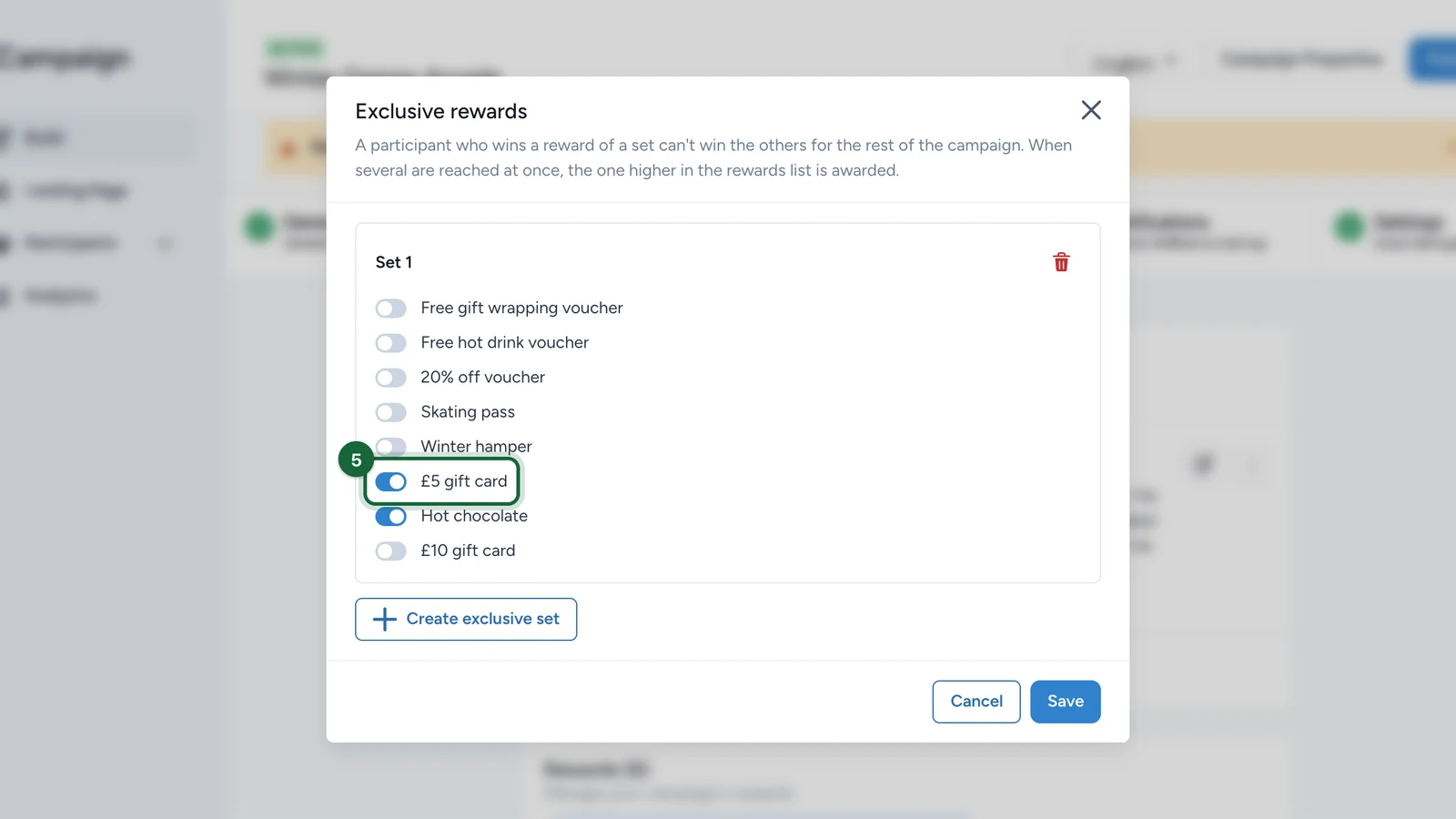
A set needs two rewards at least. Until it has them, a red note under the set says the campaign can't be published.
-
Select Save.
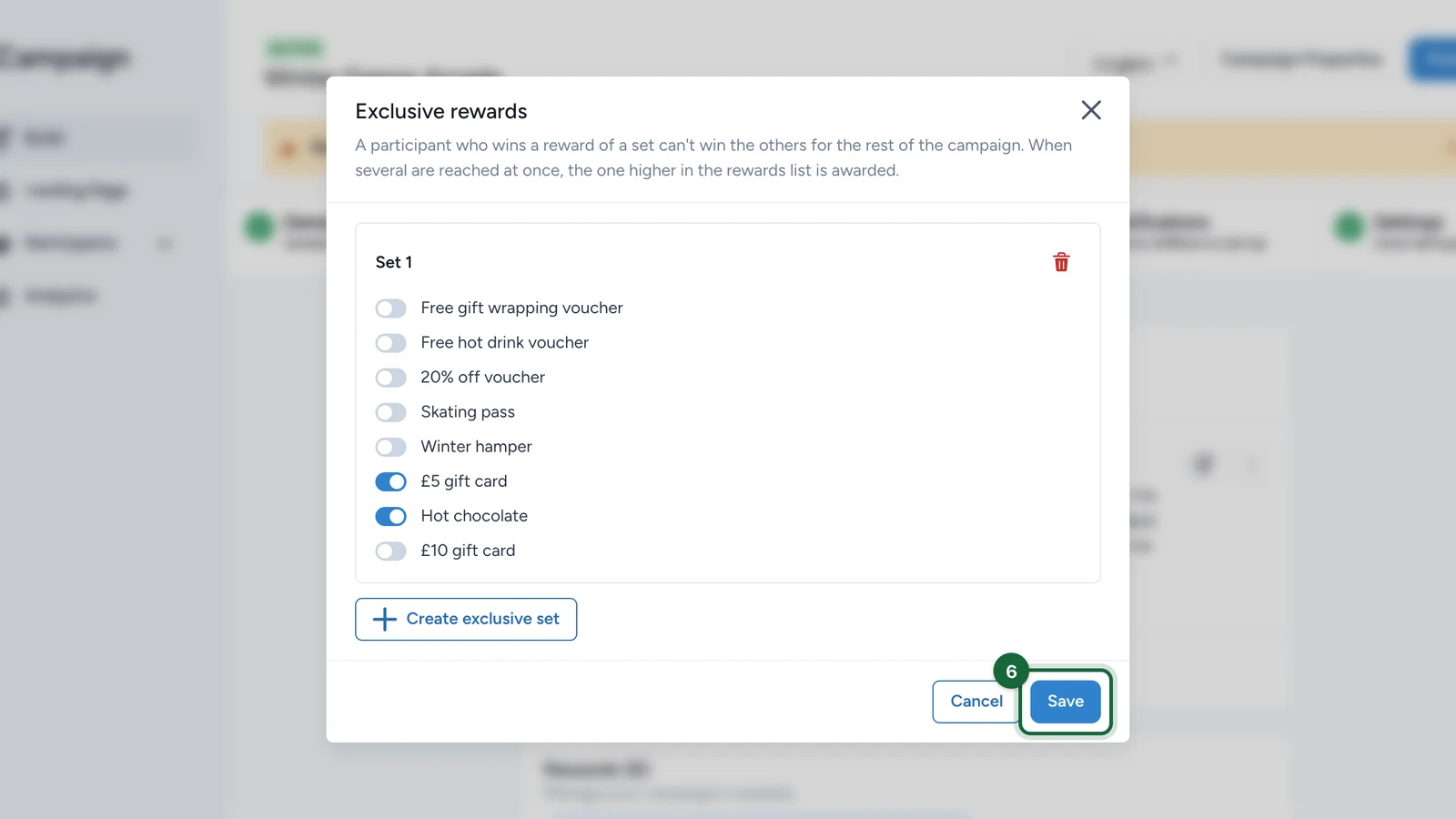
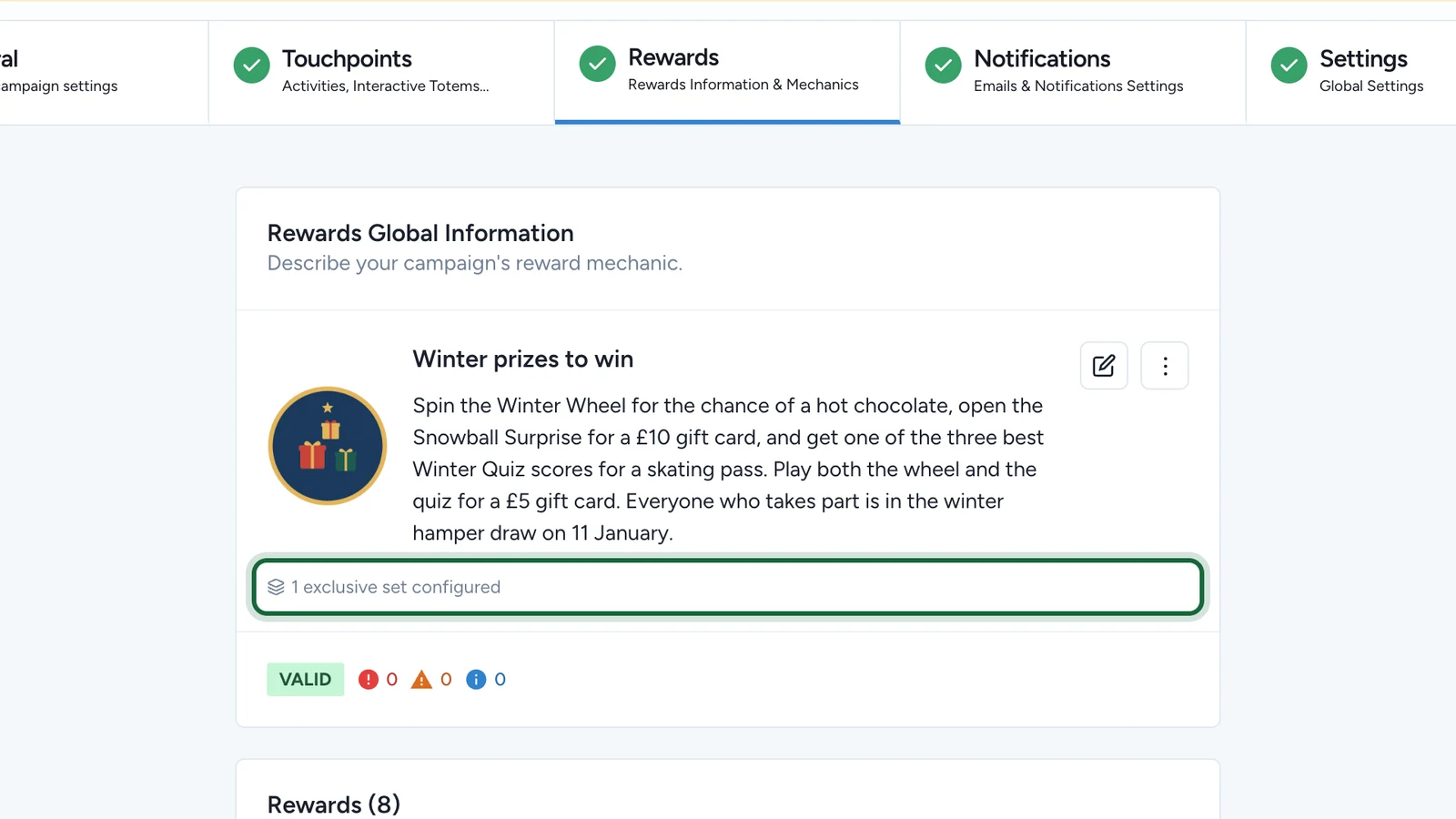
The card now reads 1 exclusive set configured. Publish the campaign again for the set to apply to participants.
Create exclusive set adds another set. The bin icon, Remove set, deletes one. Cancel, or closing the window, drops what you haven't saved.
Which reward a participant gets
- One reward per set, for the whole campaign. Once someone wins a reward of the set, they can't win any reward of that set again, the same one included. Wins from before you created the set count too.
- The higher one in the list, when several are reached at once. If one participation reaches several rewards of the set, the reward placed higher in Build > Rewards is awarded. To change the order, use Move Up or Move Down in a reward card's More menu.
- The next one, when the higher one isn't won. If that reward is sold out or its instant draw is lost, the next reward of the set in the list gets its chance.
- No message for a reward that's closed to them. The participant gets no win, no loss and no email for it.
What each type of reward does
For a participant who already won a reward of the set:
| Reward | What happens |
|---|---|
| Luck Based Reward, in a game set to Random Chance | The game never lands on a prize of the set: that chance goes to the losing outcome |
| Luck Based Reward, in a game set to Scheduled Rewards | The play loses, and the winning moment stays for the next player |
| Lottery | They stay eligible, but the draw never picks them, even with Include Everyone |
| Performance Based Reward | They stay eligible, but declaring the winners never picks them |
| Any other type | They don't win it |
When you declare lottery or leaderboard winners, the window counts the people left out: Excluded, already won another reward of this exclusive set. See Run a lottery draw.
Rewards that can't join a set
The window greys out their switch and shows why:
- A reward already in another set, marked In Set 1, for example. A reward belongs to one set only.
- A receipt game reward, marked Receipt game. The receipt game applies its own rules: to give a shopper one prize at most, use its Exclusive rule. See Global outcome rules.
- A First Come First Served reward won every day, marked Won every day. That's one with Renewable Daily Chances and Allow retry after daily limit reached both on. Turn off Allow retry after daily limit reached to add it to a set.
A disabled reward stays in its set: people who won it still can't win the others.
If publishing is blocked
| Message | What to do |
|---|---|
| Exclusive set … has … reward(s): a set needs at least two | Switch on a second reward in that set, or remove the set. Disabled rewards count |
| Reward '…' can be won every day: it can't be part of an exclusive set | Open Exclusive rewards and select Save: the reward leaves its set. To keep it in, first turn off its Allow retry after daily limit reached |
| Receipt game reward '…' can't be part of an exclusive set | Open Exclusive rewards and select Save: the reward leaves its set |
| Game '…' has no losing option, but one of its prizes is a reward of an exclusive set | In the game's Outcomes tab, add a losing outcome. Or take the game's prizes out of the set |
One more message only warns: Exclusive set … has … active reward(s). A disabled reward in that set still keeps its winners from the others. Leave it if that's what you want; otherwise, enable the reward or add an active one to the set.
Good to know
- Duplicating the campaign, or creating a campaign from it as a template, keeps its sets.