Validation & publishing
What blocks a campaign from going live, what only needs a look, and how to fix each one.
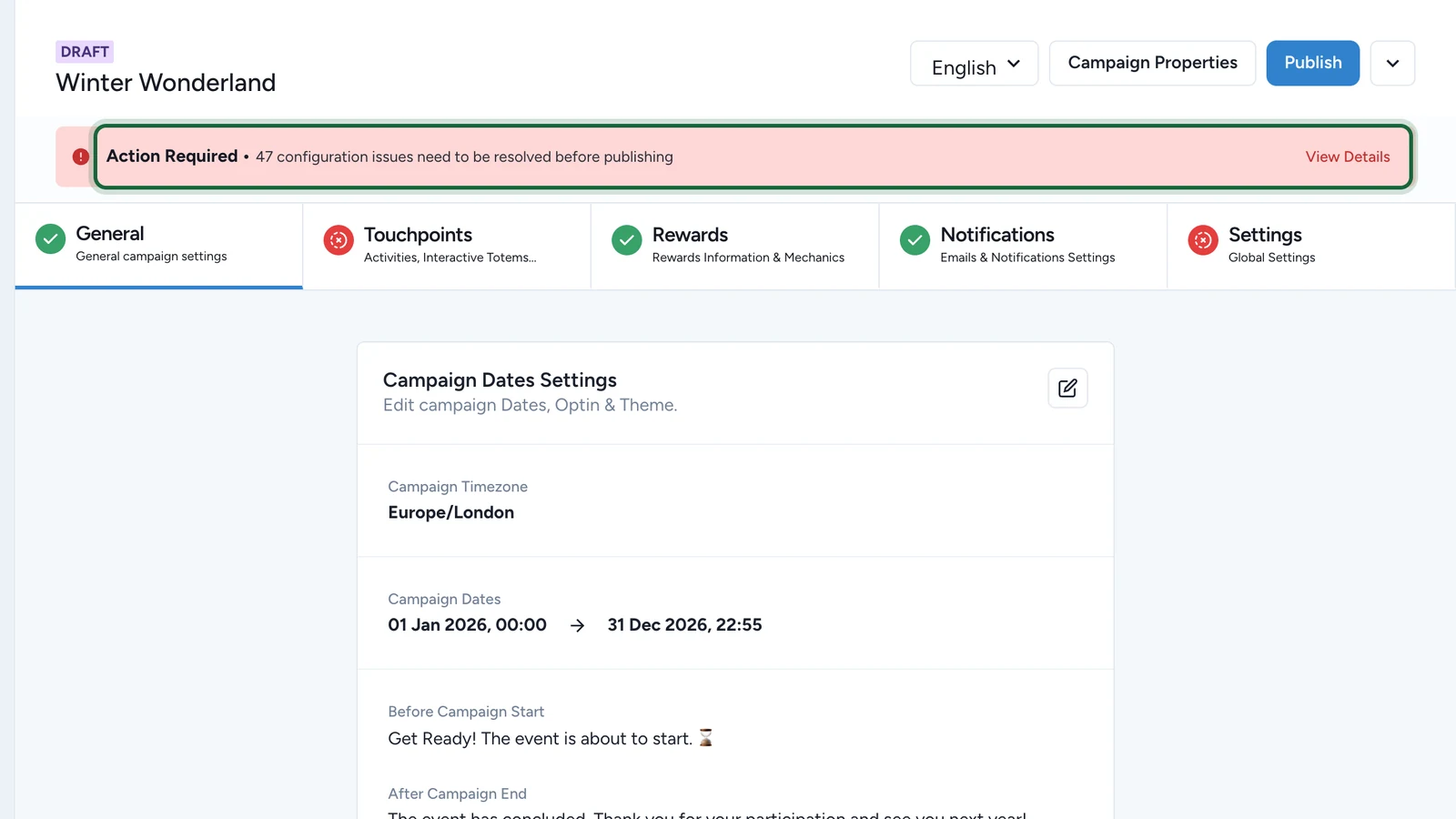
When you select Publish, Studio checks the whole campaign. Errors block publishing, warnings and suggestions don't. The check also runs as you build: the banner at the top of the campaign shows how many issues are left.
| Level | What it means | Can you publish? |
|---|---|---|
| Error | Something required is missing or contradicts itself | No |
| Warning | It works, but check it | Yes |
| Suggestion | It works, and could be better | Yes |
Check and publish
-
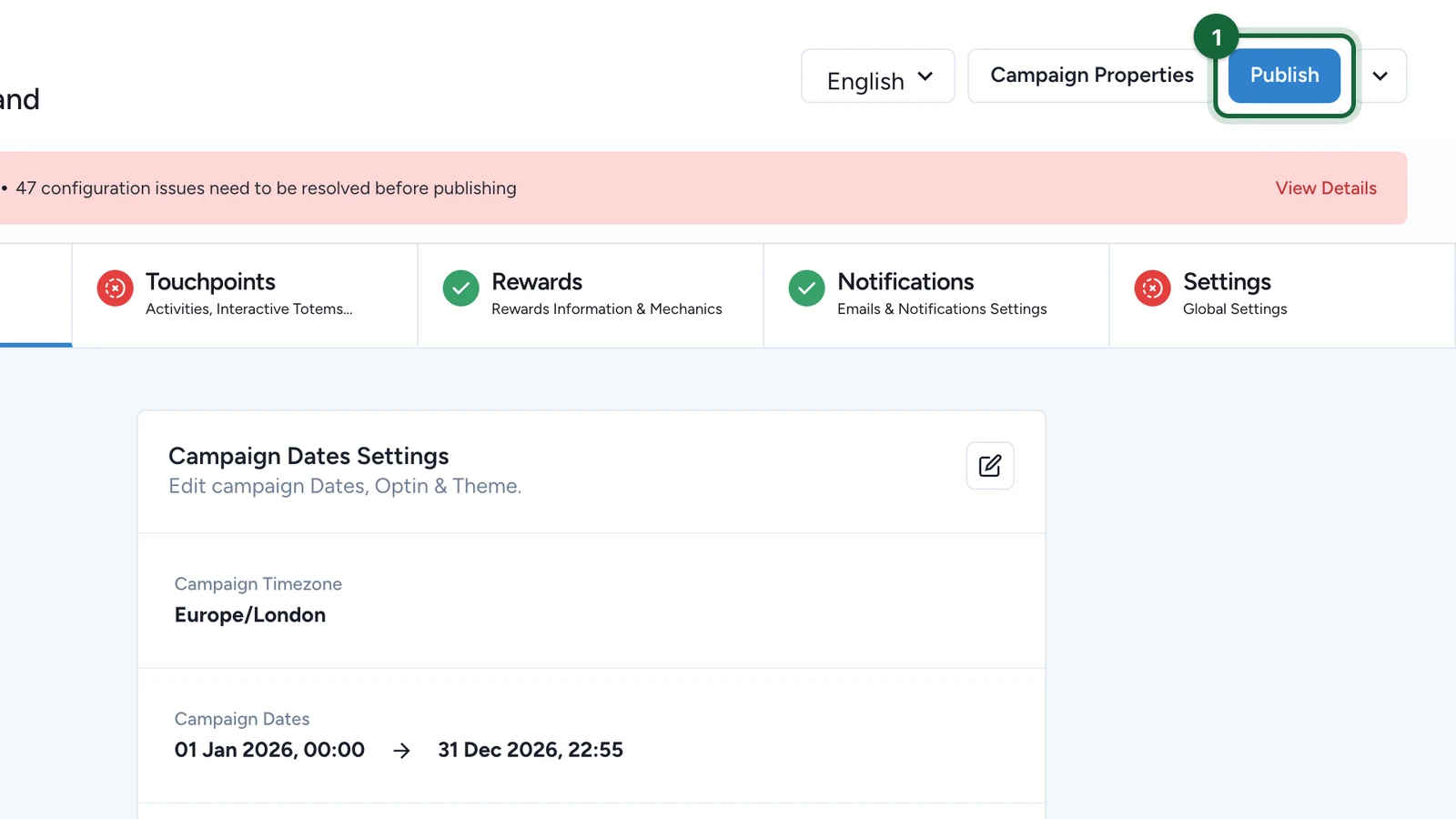
At the top of the campaign, select Publish.
-
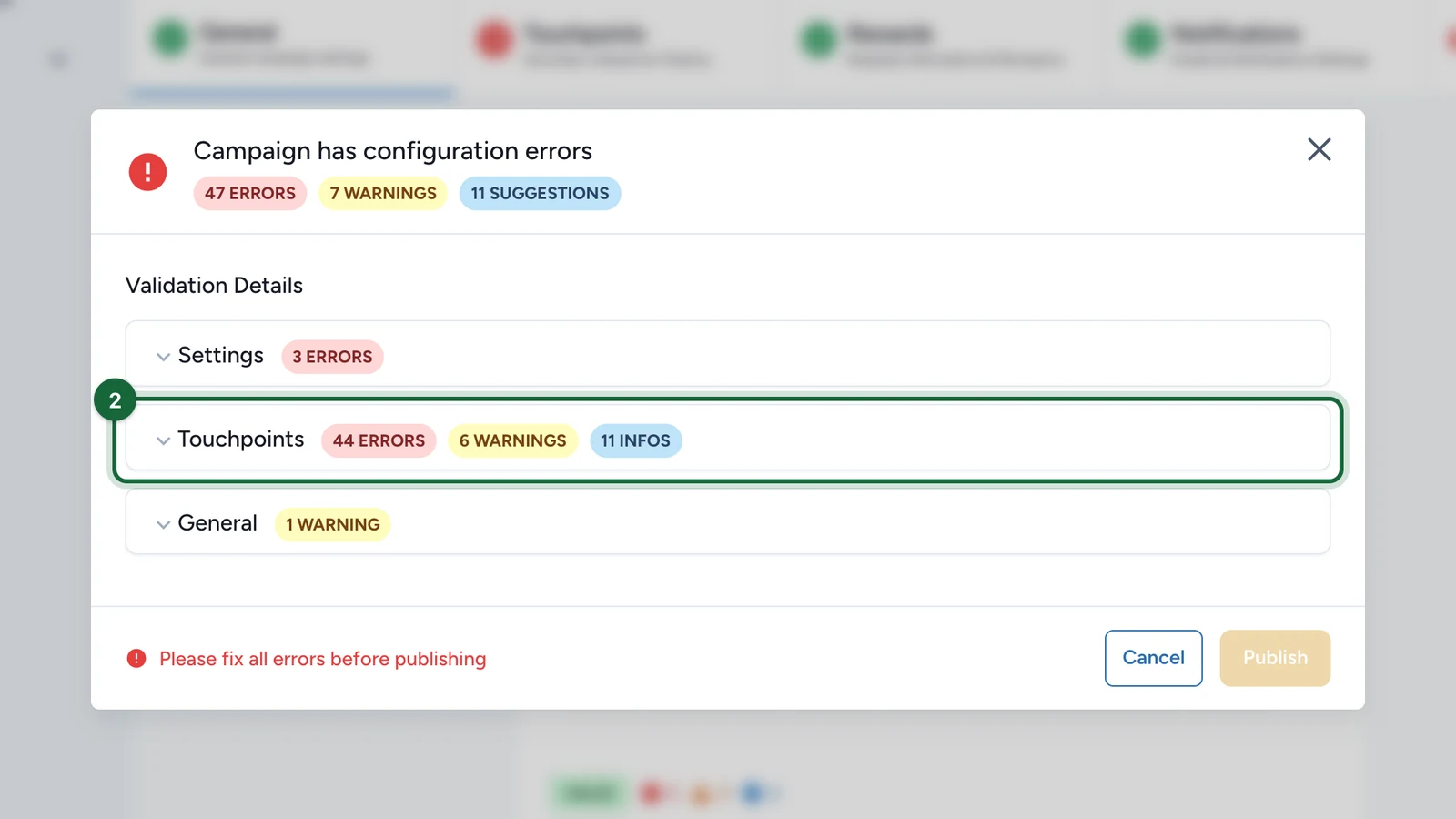
If the window says Campaign has configuration errors, open the area with errors, such as Touchpoints.
-
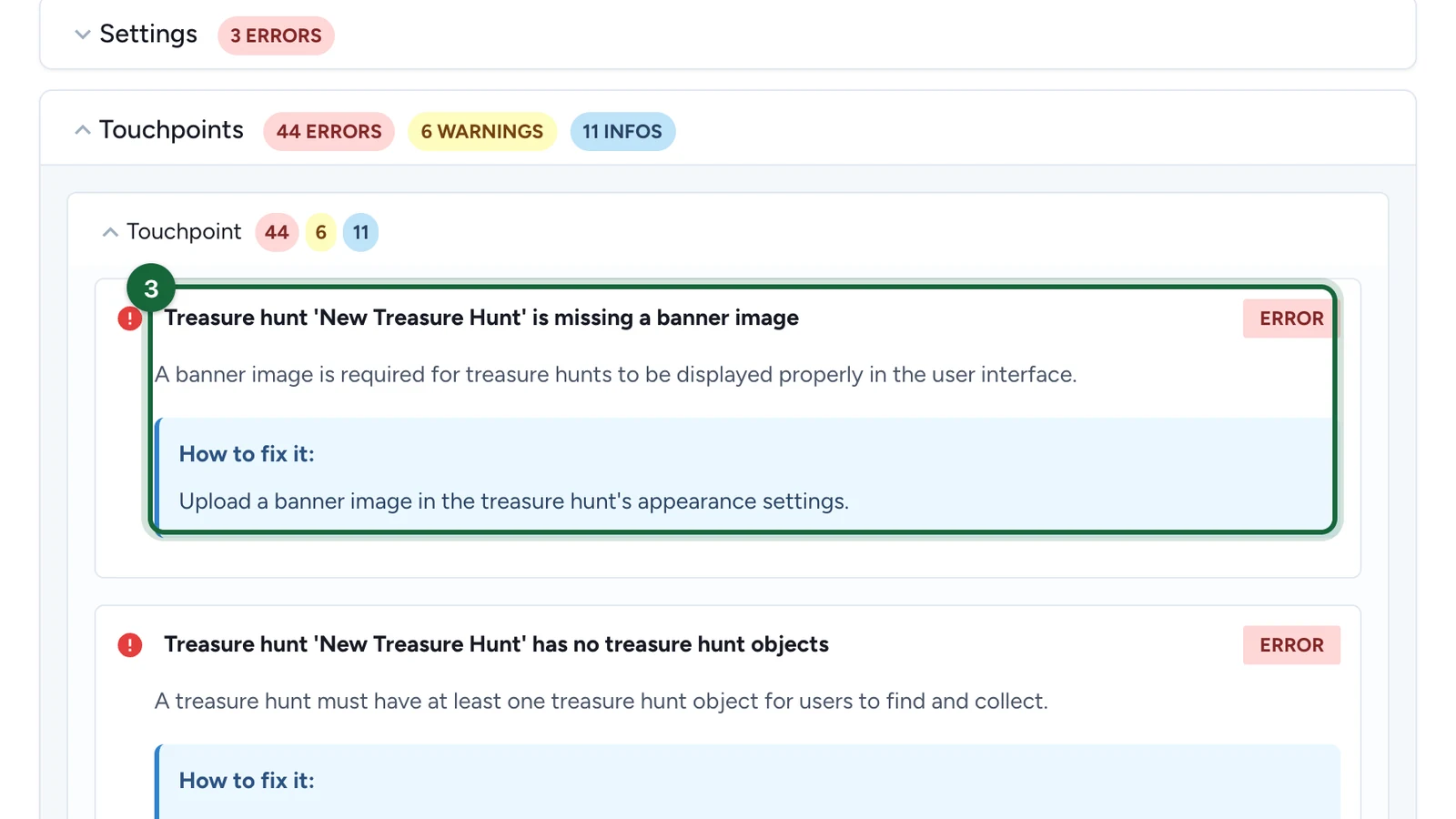
Read each error and its How to fix it line, then fix it in that area.
-
When the window says Campaign is ready to publish!, read any warnings, then select Publish.
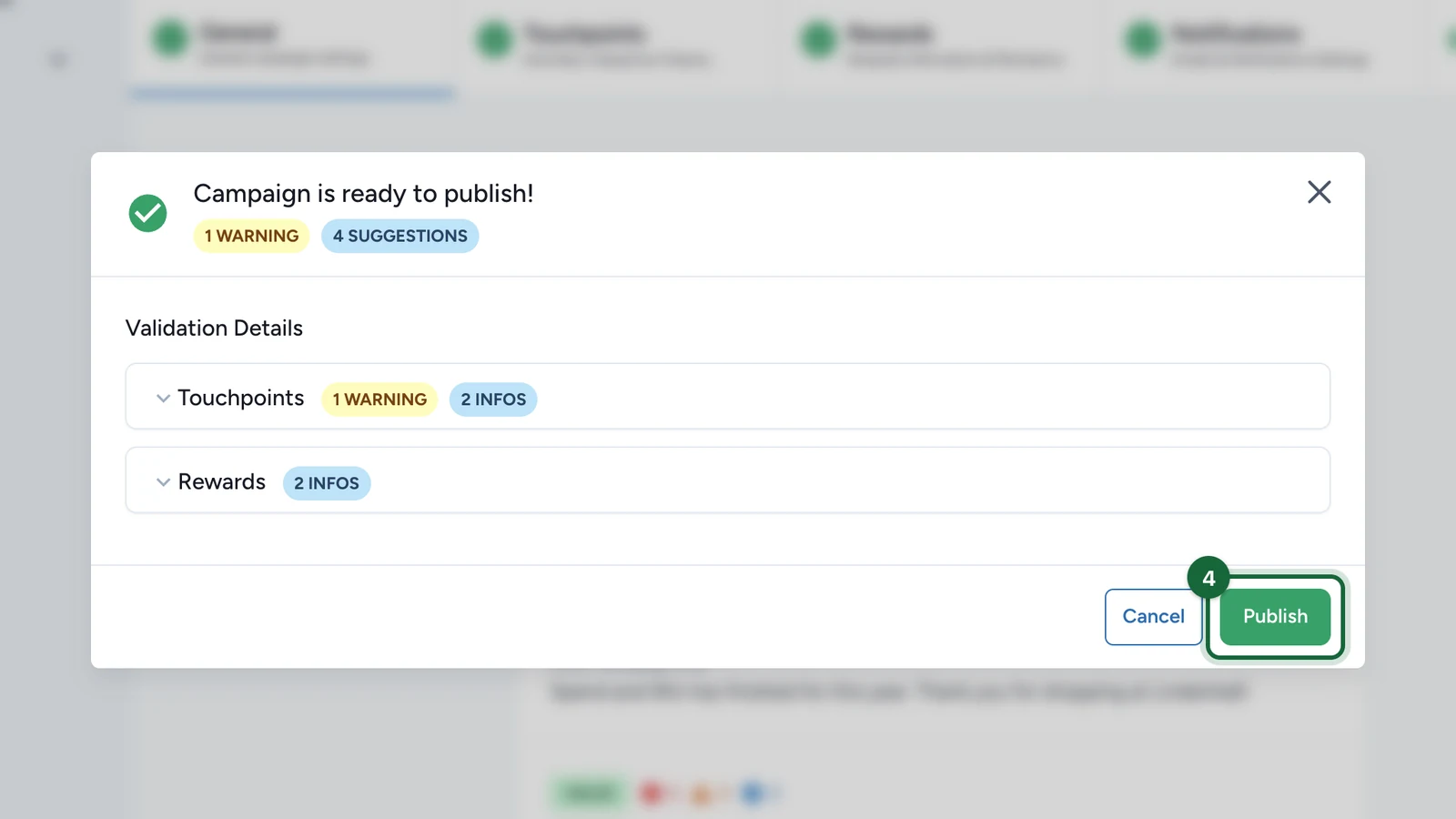
Warnings often point at something shoppers will notice. An already published campaign is updated by publishing again.
The areas
Issues are grouped by the part of Studio to fix them in: General, Opt-in & Consent, Touchpoints, Rewards, Notifications, Settings and Dates. Auth is the exception: it covers your organisation's sign-in settings, such as double opt-in, which an administrator fixes.
If publishing is blocked
- No touchpoints configured: add at least one in Touchpoints.
- Pre-campaign or post-campaign message missing: add both in Dates.
- Campaign timezone not recognised: choose one in Build > General > Campaign Dates Settings.
- Missing translations for a field: fill it in for every language the campaign uses.
- Not enough coupons prepared for a reward: load more codes in the reward's redemption settings.
- A bookable Activity has no Booking Confirmation email: turn it on in Notifications.
- Booking reminder on, but no cancellation email: turn on the cancellation email in Notifications.
- A receipt game's prize has no attribution slot, or a slot outside the dates: see Winning options and attribution slots.
- A luck-based game has no winning option, no losing option, or two losing options: see Game validation errors.
- An old Activity that can't be published: rebuild it, see Event validation errors.
- Double opt-in is on but nothing sends the confirmation email: an administrator sets it up, see Double opt-in.
- An add-on code doesn't match your organisation: in Build > Settings > Advanced Settings > Addons, enter your organisation's key.
Terms and conditions disabled is a warning, not a blocker: see Opt-in.