Link rewards to touchpoints

A quick map of where to link each reward category so participants can actually earn it.

Use this page as a quick lookup for where to link each reward, by category, so participants can earn it. If you want the full picture of how the link works first, read How rewards connect to touchpoints.

The short version: a Global Reward is linked from inside the reward, using its Reward Trigger. A Game, Offer, or Receipt Game reward is linked from inside the touchpoint you chose when you created it.

Activities, hunts, and objects have no in-panel reward link

Activity (event) touchpoints, OmniLab Treasure Hunts, and Treasure Hunt Objects never own a reward directly — there's no reward-selection area in their settings. Reach them with a Global Reward and Reward TriggerPick Touchpoints.

Before you begin

  • The reward already exists in BuildRewards.
  • You know the reward's category (Global, Game, Offer, or Receipt Game).
  • The target touchpoint already exists.

Linking map

Reward category / typeWhere the link livesWhat to remember
Global Reward (Lottery, Instant Win, First Come, First Serve)Inside the reward: Reward TriggerEverything or Pick TouchpointsThe only way to reward an Activity, Treasure Hunt, or Treasure Hunt Object.
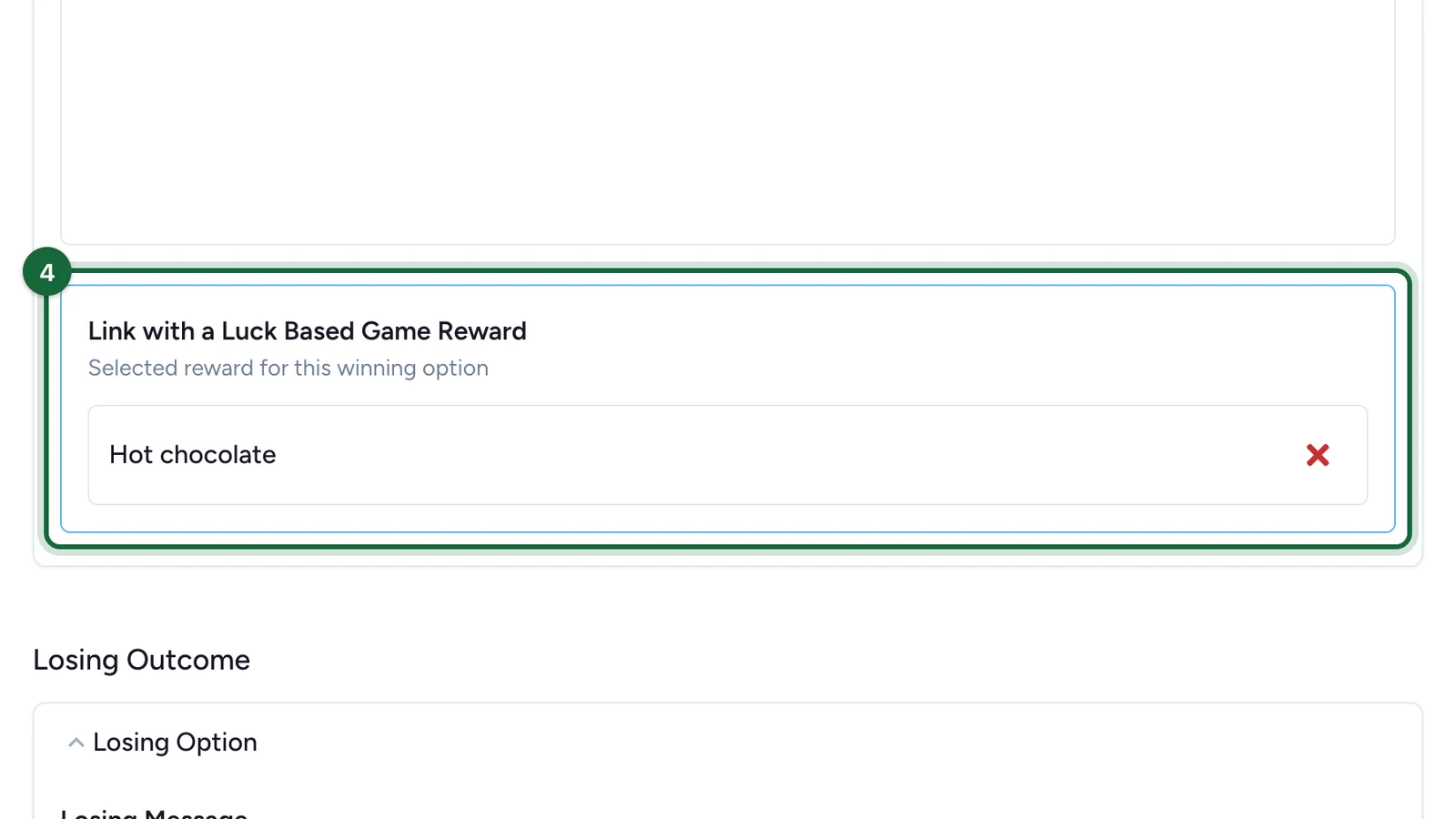
Game RewardLuck Based RewardThe game's winning optionUse logic compatible with the game's time- or probability-based distribution.
Game RewardPerformance Based RewardThe game's Performance RewardsKeep one performance reward per game when possible.
Game RewardLotteryPick the game when you create the rewardThe chosen game feeds the draw; pick winners later.
Offer RewardThe offer's associated rewardKeep the reward dedicated to that offer.
Receipt Game RewardThe receipt game's winning optionsKeep the reward aligned with that receipt game's own rules.
Activity / EventNo in-panel link — use a Global Reward's Reward TriggerPick TouchpointsActivities never own a reward directly.
Treasure HuntNo in-panel link — target the Treasure Hunt touchpoint with a Global Reward's Reward TriggerPick TouchpointsFires when the hunt is completed; set the completion rule (all objects or a custom count) in the hunt builder.
Treasure Hunt ObjectNo in-panel link — target that object with a Global RewardPick TouchpointsPick only that object to reward finding it.

Open the reward's Reward Trigger

In BuildRewards, open the Global Reward and find Reward Trigger. You don't open a touchpoint for this — the reward itself decides what it reacts to.

Choose which touchpoints count

Set Which Touchpoints Count? to Everything for campaign-wide activity, or Pick Touchpoints to target specific ones under Your Selected Touchpoints.

Validate

Save and validate the campaign. The reward should no longer flag a linking error.

Open the touchpoint you chose at creation

These rewards are tied to one touchpoint. Open that game, offer, or receipt game.

Select the reward in the matching area

  • Luck-based game: add the reward to the winning option.
  • Performance game: add the reward to Performance Rewards.
  • Offer: select the reward as the offer's associated reward.
  • Receipt game: select the reward in its winning options.

Save and validate

Save both sides and validate the campaign to confirm the reward is earnable.

If something's blocked

  • The reward can't be earned — it's not linked to any game — add it to the intended winning option in that game.
  • A performance reward isn't linked to a performance game — add it to Performance Rewards for the intended game.
  • You can't find a reward field on an event, hunt, or object — there isn't one. Create a Global Reward and target it with Pick Touchpoints.
  • An Offer is missing an associated reward — open the offer and select its associated reward.
  • A Global Reward isn't reaching a touchpoint — confirm Which Touchpoints Count? includes it and How Many Touchpoints? isn't set too high.

Was this helpful?

Optional comments help us improve this page for future authors and readers.

On this page