How rewards connect to touchpoints

Understand where each reward category links, and why a Global Reward is the only way to reward some touchpoints.

A reward only does something once it is connected to a touchpoint. How that connection works depends entirely on the reward's category. This article explains the mental model so you always know where to set up the link.

The one rule to remember

When you create a reward, the category you pick decides where it links:

  • A Global Reward is linked from inside the reward itself, using its Reward Trigger.
  • A Game, Offer, or Receipt Game reward is tied to the one touchpoint you choose, from inside that touchpoint.

Some touchpoints have no reward area of their own

Activities (events), Treasure Hunts, and Treasure Hunt Objects do not have a place to add a reward in their own settings. The only way to reward them is a Global Reward that targets them through Reward Trigger -> Pick Touchpoints. If you go looking for a "link a reward" button inside an event or a treasure hunt, you won't find one — that is by design.

Where each reward reaches a touchpoint

TouchpointHow a reward reaches it
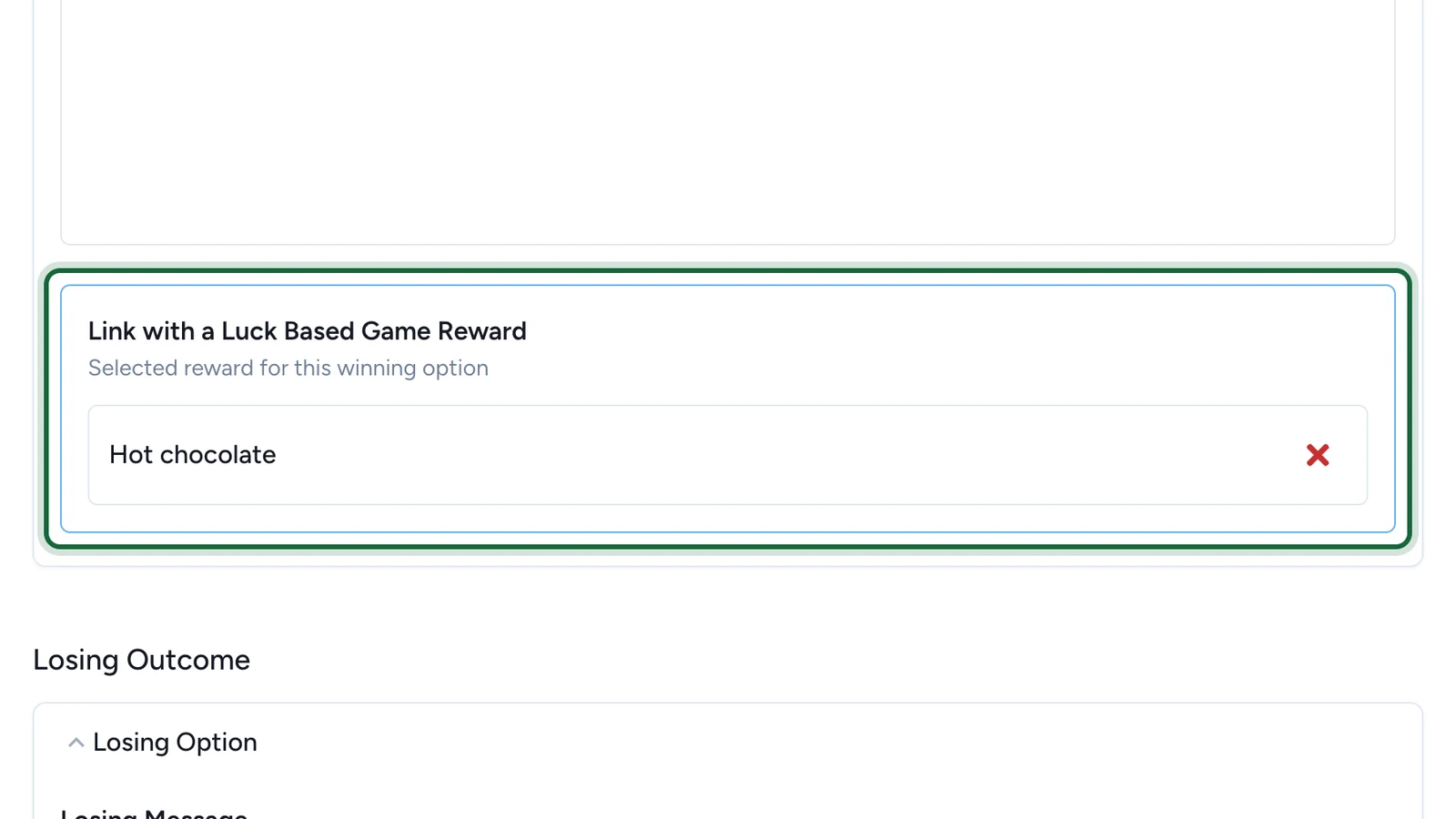
Luck-based game (Wheel, Scratch, Reveal, 3D Selection, Simple Game)A Game Reward -> Luck Based Reward, set on the game's winning option
Skill / performance game (Memory, Quiz, Form, Catcher)A Game Reward -> Performance Based Reward, added to the game's performance rewards
A game drawn at the endA Game Reward -> Lottery, where you pick that game when you create the reward
Offer (inside an Offer Pass)An Offer Reward, set as the offer's associated reward
Receipt GameA Receipt Game Reward, set in the receipt game's winning options
Activity / EventA Global Reward, targeting the Activity via Pick Touchpoints
Treasure HuntA Global Reward, targeting the hunt via Pick Touchpoints
Treasure Hunt ObjectA Global Reward, restricted to that object via Pick Touchpoints

A Treasure Hunt shows the rewards that target its objects, so rewarding the objects is how you reward the hunt.

How a Global Reward targets touchpoints

A Global Reward carries its own Reward Trigger. This is where you decide who becomes eligible and which touchpoints count. You will see these choices:

Choose when the participant qualifies

When They Sign Up makes the reward evaluate as soon as someone registers. When They Participate waits for real touchpoint activity first.

Set how many touchpoints count

Use How Many Touchpoints? to require a number of touchpoints before the reward applies — for example, "after any 3 touchpoints."

Choose which touchpoints count

Which Touchpoints Count? offers two options:

  • Everything — every eligible touchpoint in the campaign contributes.
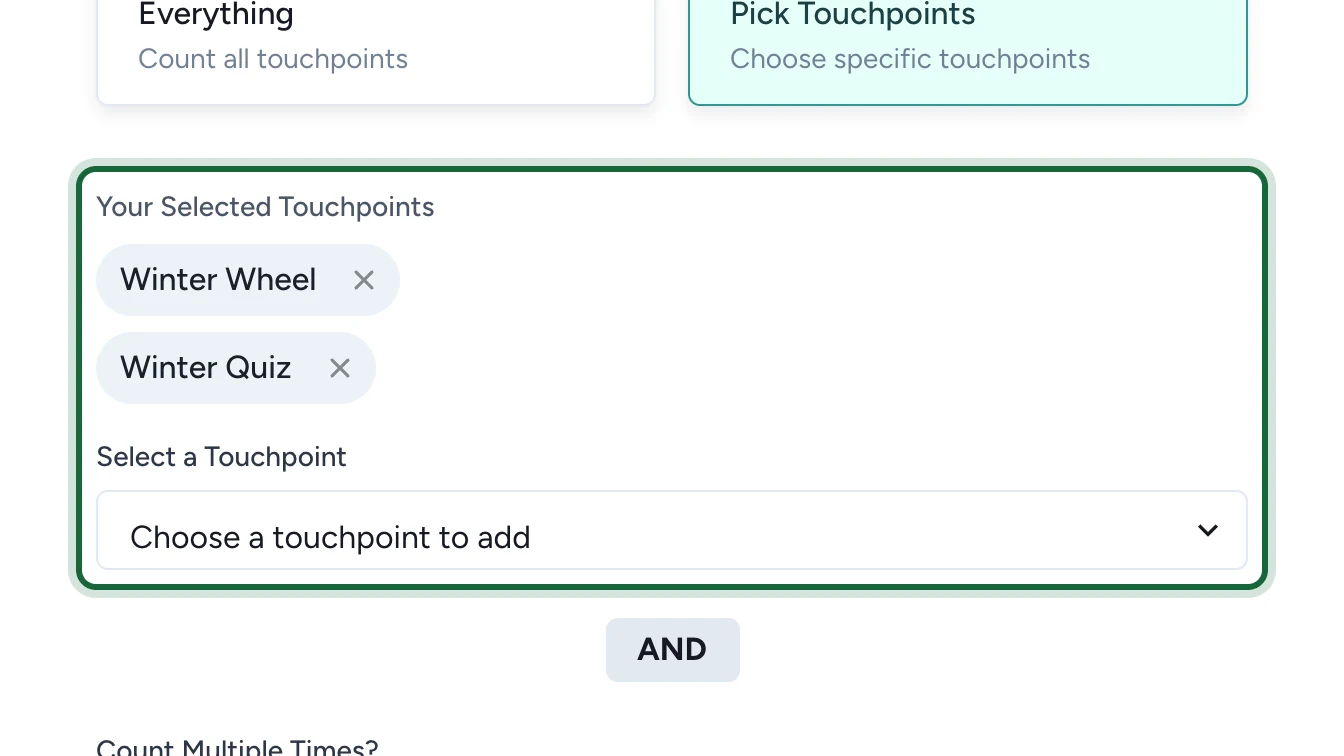
  • Pick Touchpoints — only the touchpoints you add under Your Selected Touchpoints contribute. This is how you target one specific event, hunt, or object.

Decide if it can be earned repeatedly

Count Multiple Times? lets you choose Just Once per person or Every Time they participate.

Reward one specific touchpoint or overall progress

To reward a single touchpoint — say, one event or one treasure hunt object — use Pick Touchpoints and add just that touchpoint. To reward overall progress, use Everything (or pick several) and set How Many Touchpoints? to the threshold you want.

Worked examples

  • Lottery for an event: create a Global Reward -> Lottery, open Reward Trigger, choose When They Participate, set Which Touchpoints Count? to Pick Touchpoints, and add your event. Attendees become eligible when they participate; run the draw later.
  • Reward a treasure hunt object: create a Global Reward (for example Instant Win), and under Pick Touchpoints add only that object.
  • Reward finishing the whole hunt: create a Global Reward, choose Everything (or pick the hunt's objects), and set How Many Touchpoints? to the number of objects to collect.

If something's blocked

  • You can't find where to link a reward on an event, hunt, or object — these touchpoints have no reward area. Create a Global Reward and target them with Pick Touchpoints.
  • Your Global Reward isn't reaching the touchpoint — confirm Which Touchpoints Count? includes it, and that How Many Touchpoints? isn't higher than the number of touchpoints that actually count.
  • A Game, Offer, or Receipt Game reward looks unlinked — open the touchpoint you chose at creation and confirm the reward is selected there (winning option, performance rewards, associated reward, or receipt winning options).

Was this helpful?

Optional comments help us improve this page for future authors and readers.

On this page