About touchpoints in a campaign
The 14 touchpoint types you can add, what each card in Build shows, and which settings every touchpoint shares.
2 min read
A touchpoint is one thing a participant does in your campaign: play a game, book an event, upload a receipt, unlock content. A campaign holds one touchpoint or several, each with its own settings.
The types you can add
Add New Touchpoint offers 14 types.
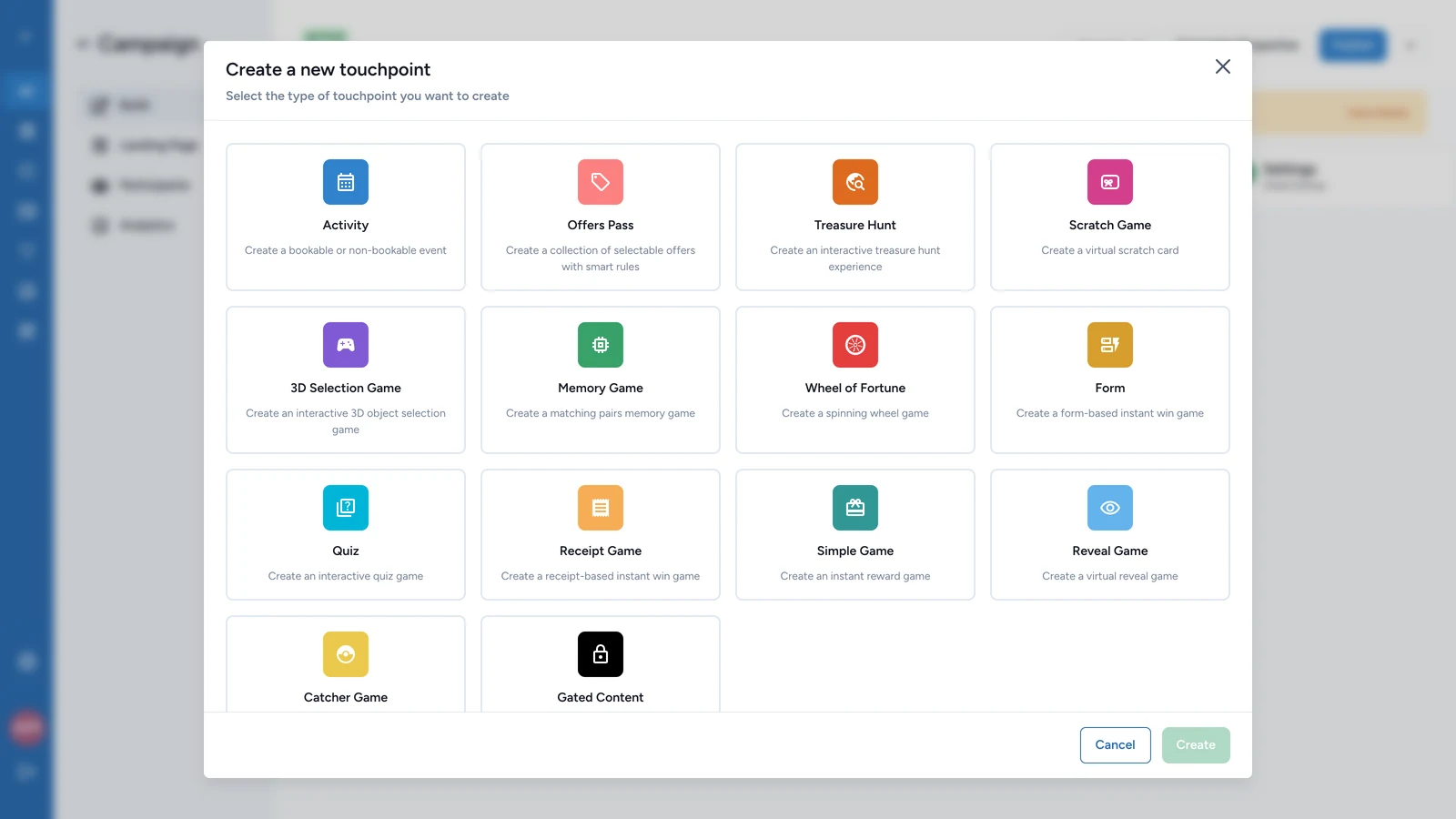
| Type | What participants do | Set it up in |
|---|---|---|
| Wheel of Fortune, Scratch Game, Reveal Game, Simple Game, 3D Selection Game | Try their luck for a prize | Luck-based games |
| Quiz, Memory Game, Catcher Game, Form | Play for a score, or answer questions | Skill-based games |
| Gated Content | Sign up to unlock a page | Gated Content |
| Offers Pass | Pick from a set of offers | Offers Pass |
| Activity | Book an event, then check in | Events |
| Treasure Hunt | Find objects around your venue | Treasure Hunts |
| Receipt Game | Upload a receipt to win | Transactions |
Two kinds of item live inside another touchpoint and aren't in this list. A Treasure Hunt holds its objects, and an Offers Pass holds its offers. You add those from inside their parent.
What a touchpoint card shows
Each touchpoint appears as a card on the Touchpoints tab of Build.
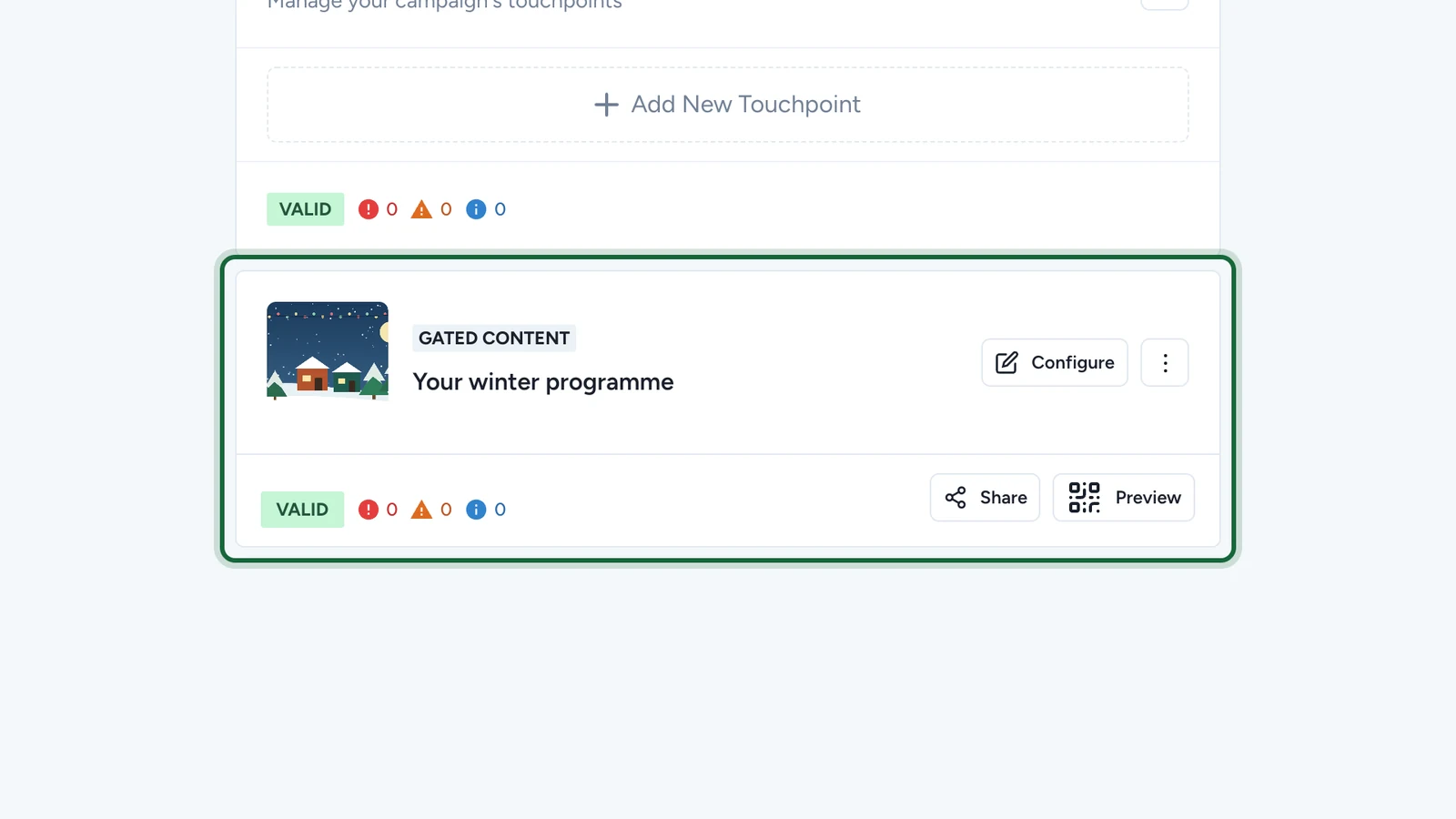
- The type, such as GATED CONTENT, and the title participants see.
- Configure opens the settings. The three-dot menu moves, duplicates, turns off or deletes the touchpoint.
- VALID or INVALID, with counts of errors, warnings and tips. An invalid touchpoint blocks publishing: see Validation and publishing.
- Share gives the touchpoint's own link. Preview shows a QR code to open it on your phone.
Settings every touchpoint shares
Each type has its own tabs, and most share these:
- Restrictions: how often people can take part. See Restrictions.
- Dates: a window of its own inside the campaign dates. See Touchpoint dates override.
- Gamification: the badge participants collect. See Gamification badges.