Hunt progression analytics
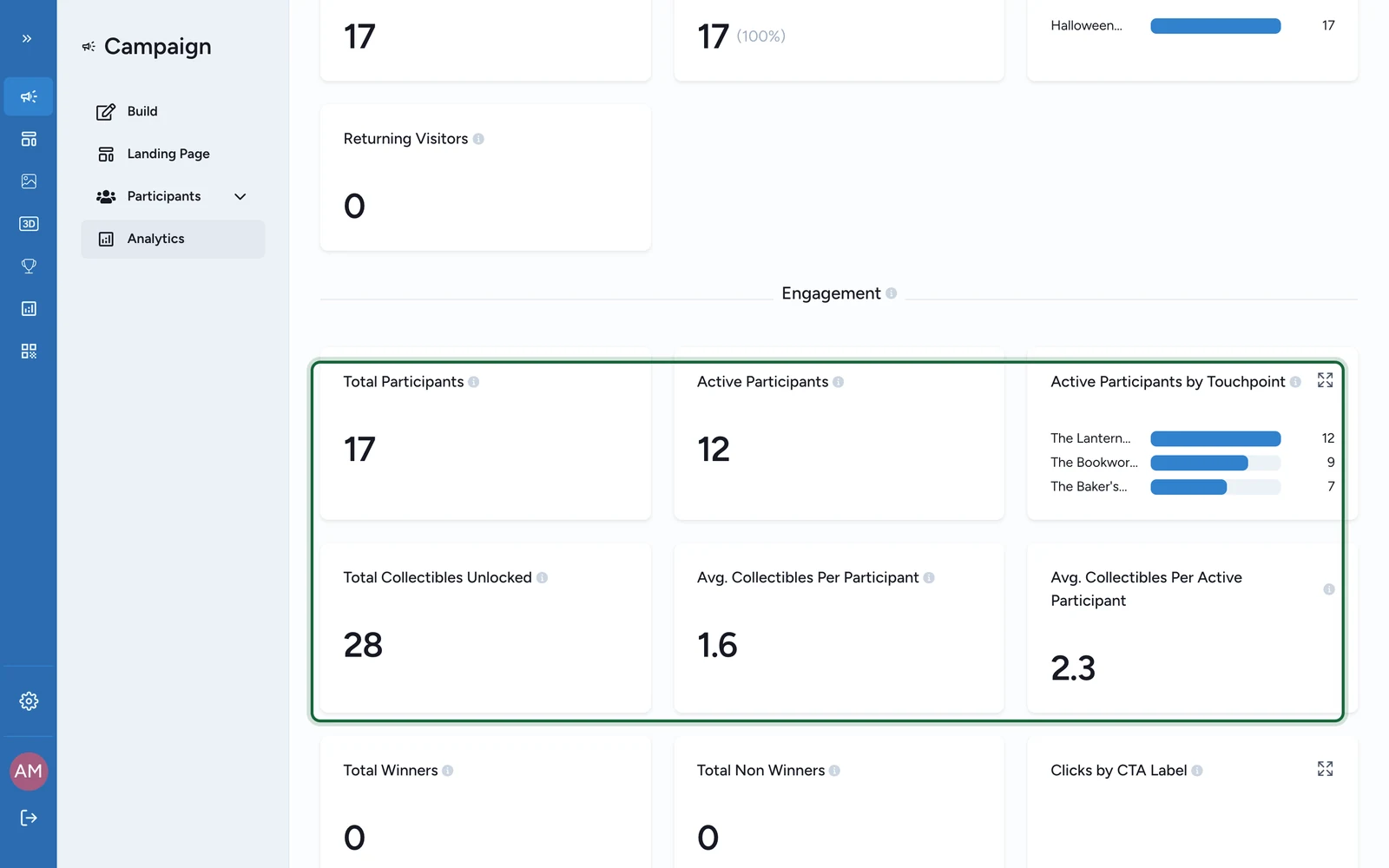
Use analytics snapshots and exports to understand how participants move through a Treasure Hunt.
In this article, you'll see how to measure Treasure Hunt performance with the current OmniLab reporting surfaces and when to switch from dashboards to exports for deeper analysis.
What you can measure today
The current Treasure Hunt reporting workflow is strongest for:
- overall hunt activity at campaign or touchpoint level
- completion and participation patterns over time
- exported participant or form datasets for deeper analysis
- dashboard snapshots you need to share with other teams
Use exports for deeper journey analysis
If you need a custom object-by-object view or a tailored progression analysis, the most reliable approach is to export the underlying data and analyze it outside OmniLab.
Match the question to the reporting surface
| Question | Best place to look | Why it works |
|---|---|---|
| How much overall activity did the hunt generate? | Campaign Analytics | Best for the top-level performance view over a date range. |
| How did engagement change during the activation? | Campaign Analytics | Good for trend snapshots and stakeholder reporting. |
| Which participants completed the hunt or submitted form data? | Participants exports | Best when you need record-level detail. |
| Which form answers came from the hunt? | Participants -> Participation forms data | Best for operational follow-up or spreadsheet analysis. |
| Do I need a custom route or object analysis? | Export the data to CSV | Best when you need to slice the hunt more deeply than the dashboard view. |
Use the dashboard for the fast read
Start with campaign analytics when you want the quickest answer to questions like:
- Was the hunt active enough during the campaign period?
- Did engagement rise after a placement change or launch push?
- Is the overall experience worth extending, repeating, or promoting harder?
This is the right surface for daily checks, team updates, and top-level performance snapshots.
Use exports for the deeper read
Exports are the better choice when you need to:
- identify the participants behind the results
- hand off data to another team
- analyze form submissions in a spreadsheet
- build a custom view of progression or completion outside the dashboard
The current backoffice export pattern is straightforward:
- use
Analyticswhen you want a PDF snapshot - use
ParticipantsorParticipation forms datawhen you want CSV detail
See Exports & reports for the broader export workflow.
What to look for in the results
Treasure Hunt analytics are most useful when they help you improve the real-world route:
- In
Sequentialhunts, look for the first stage where participants seem to fall away. - In
Any Orderhunts, compare whether some locations attract more activity than others. - If AR objects underperform, review device support and on-site testing before you change the creative concept.
- If completion is low, review the difficulty of hints, questions, and physical placement together rather than in isolation.
Related
Exports & reports
Choose the right export surface when the dashboard view is not enough.
Real-time dashboards
Use the wider Platform analytics guide for dashboard workflows and date ranges.
Test the hunt
Good testing makes post-launch reporting much easier to interpret.
Object placement — QR codes in the venue
Use reporting to refine the physical route and placement strategy over time.