The customer activation platform.Every interaction becomes a qualified contact. Book a demo

Test the hunt

Run a draft preview, check the route on real devices, and catch issues before launch.

In this article, you'll test the Treasure Hunt end to end before launch, using the current preview flow and a practical device checklist.

Prerequisites

  • The hunt and at least one object are configured.
  • The final or near-final assets are in place.
  • You have access to the phones or tablets participants are most likely to use.

Preview is for testing, not for launch

Use preview to test a draft version of the hunt before publication. The live launch still depends on the publish step, where validation runs and errors can block release.

What to test before you publish

At minimum, test:

  • the hunt entry point
  • at least one object link or QR code
  • the 3D or AR display on a real device
  • the interaction flow for each question type you use
  • the progression logic for Any Order or Sequential
  • the completion rule and unlock message

Test the hunt

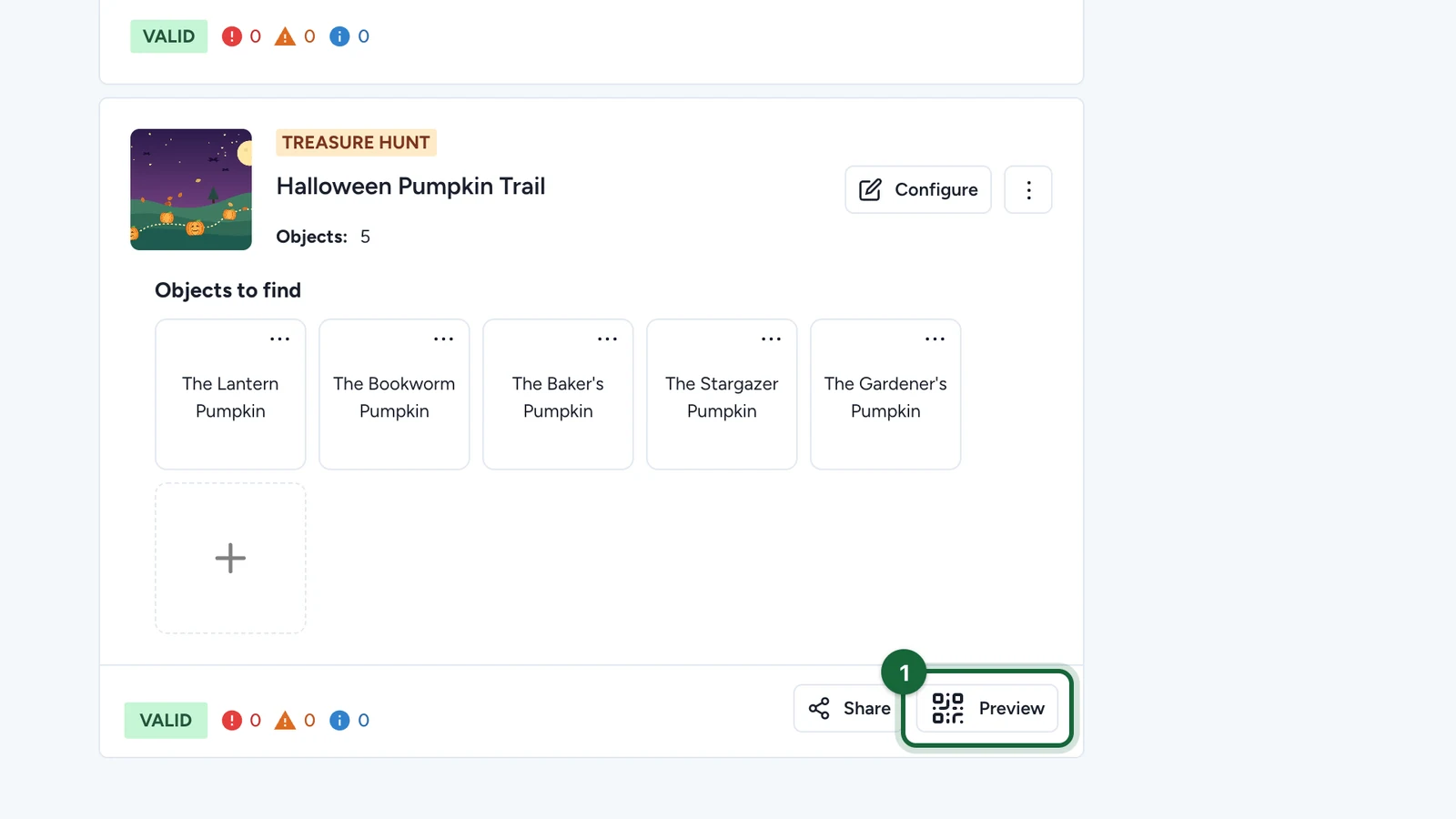
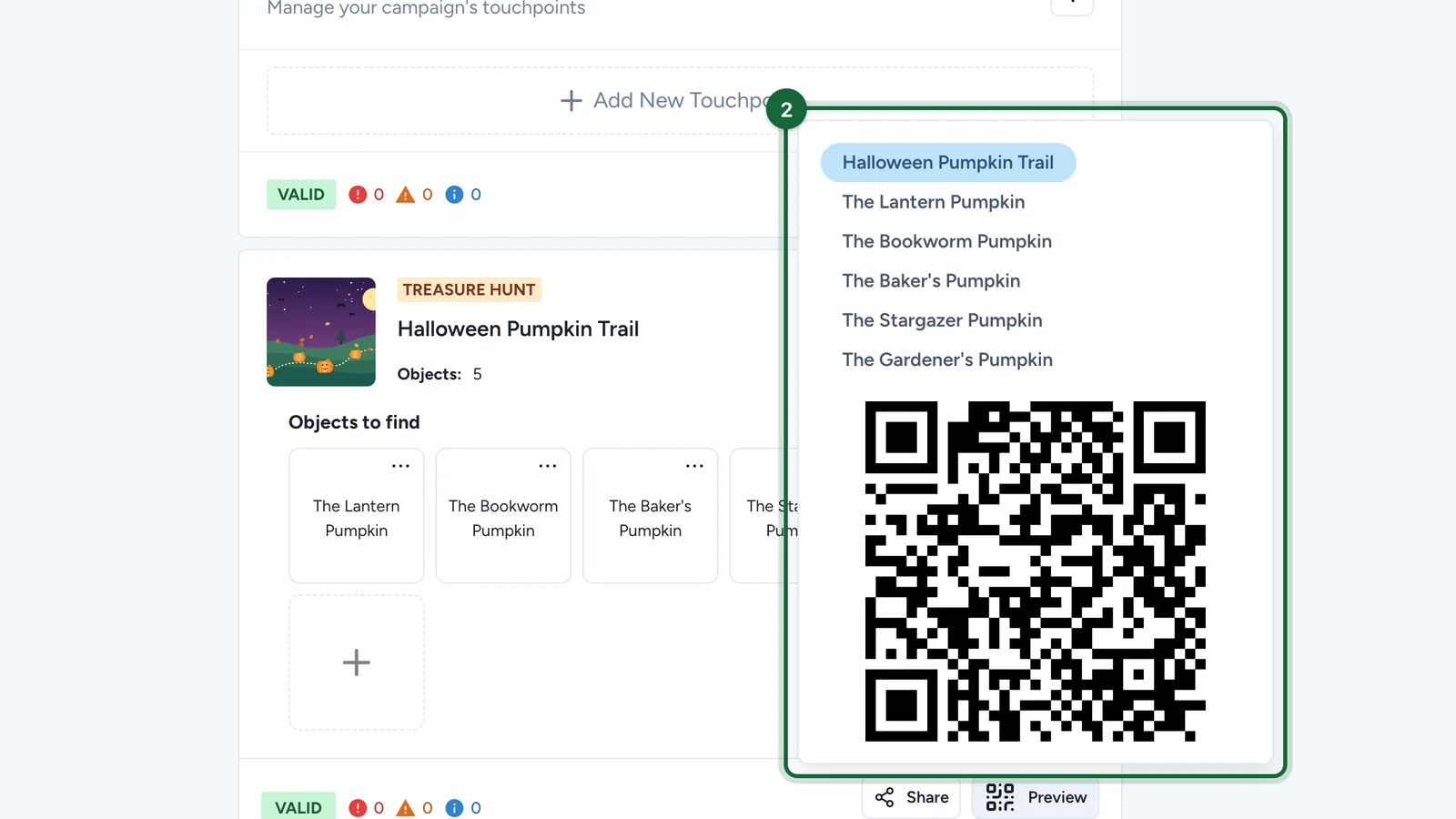
Run the draft preview

Open the campaign preview flow and launch the hunt in preview mode.

This lets you test the participant journey before the campaign is live.

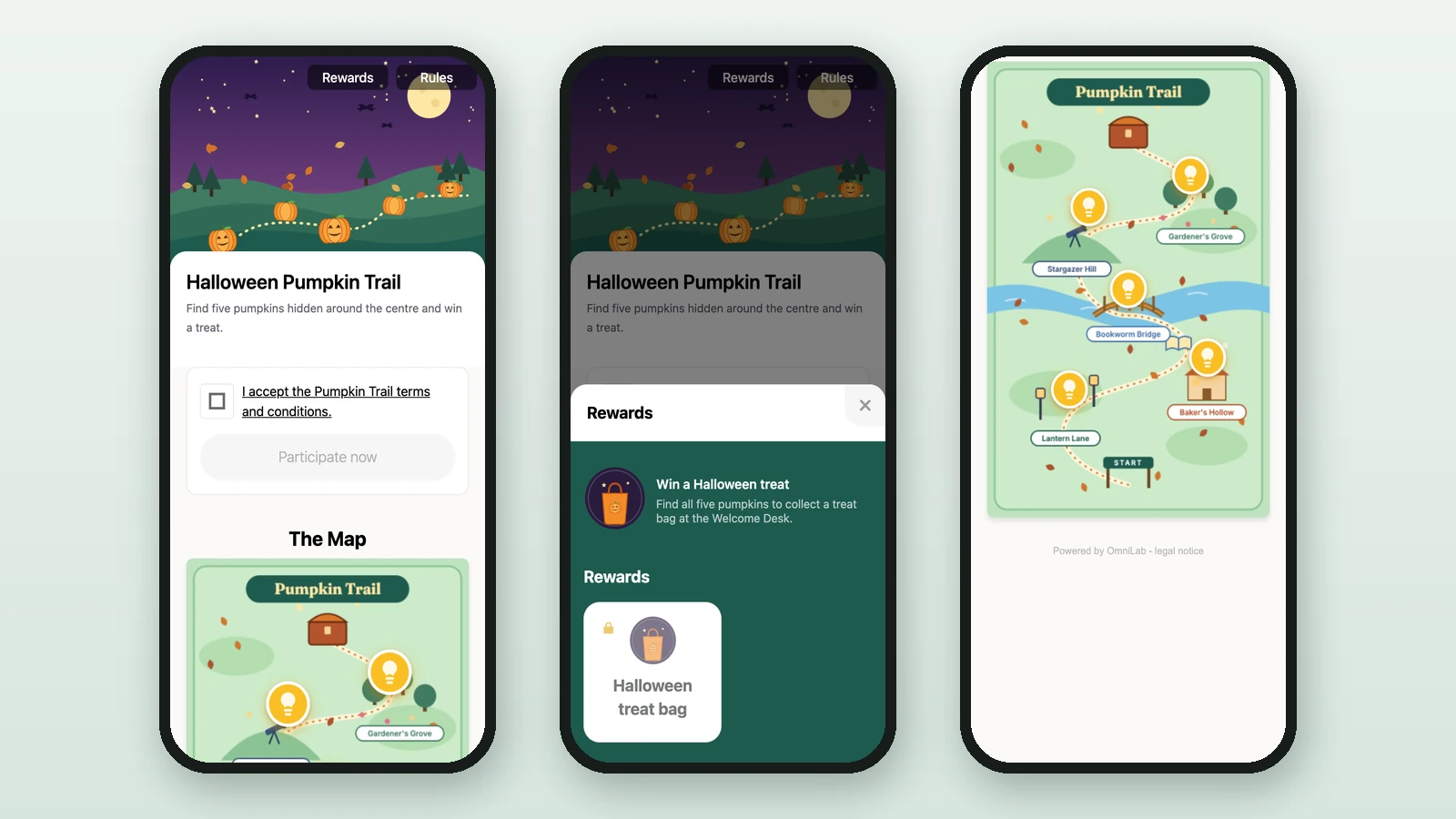
Check the participant route from start to finish

Start at the hunt entry point, then move through the route exactly as a participant would.

Confirm:

  • the banner, title, and subtitle look right
  • the route makes sense
  • each object opens correctly
  • the final completion state appears as expected

Test the experience on real devices

If the hunt uses AR First, test on supported mobile devices and at least one device that does not support the AR handoff.

Confirm:

  • supported devices show the AR path correctly
  • unsupported devices still open the in-page viewer
  • the AR button is absent where AR is not available

Verify the question logic

Test every interaction type you use:

  • Direct should collect without answer fields
  • Multi Choice should accept exactly one correct option
  • Text Answer should validate the expected answer

Also test any hunt completion question you added in Treasure Hunt Configuration.

Test the route rules in the venue

Use the actual object links or QR codes you plan to distribute and walk the route in the real space.

For Sequential hunts, make sure later steps stay locked until the earlier ones are completed. For Any Order hunts, make sure each stop still feels clear even when participants start from different places.

Recheck scan and permission behavior

If the experience depends on printed QR codes or camera-based AR, test the permission flow on the device from a participant's point of view.

That means confirming:

  • the camera can scan the printed QR code reliably
  • the browser or device allows camera access where needed
  • participants are not blocked by confusing permission prompts

Quick launch-readiness checklist

The hunt is usually ready to publish when:

  • every object opens correctly
  • the 3D or AR asset loads on the intended devices
  • the order and completion rules behave as designed
  • the live QR placements make sense in the venue
  • no unanswered validation errors remain

Was this helpful?

Optional comments help us improve this page for future authors and readers.

On this page