The customer activation platform.Every interaction becomes a qualified contact. Book a demo

Publish a hunt

Run validation, fix the blockers, and publish the Treasure Hunt when it is ready to go live.

In this article, you'll publish a Treasure Hunt, understand how the validation step works, and fix the most common hunt-specific blockers before launch.

Prerequisites

  • The hunt and its objects are configured.
  • The route has been tested in preview.
  • The final hunt and object QR codes are ready or nearly ready.

Publish the hunt

Run one final preview

Before you publish, preview the hunt once more from the campaign.

Preview is the right place to catch flow, copy, and route issues before you ask validation to clear the campaign for launch.

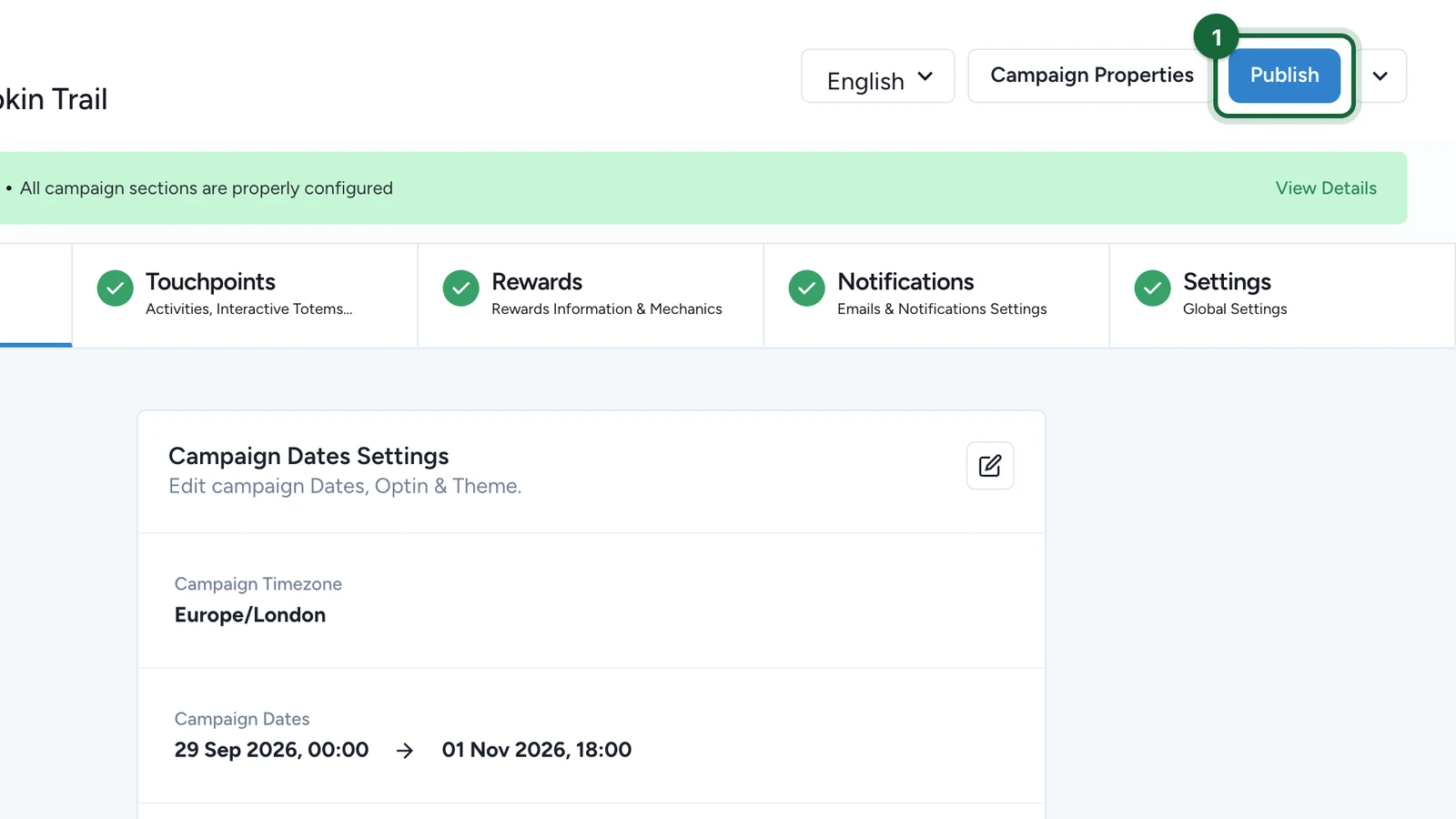
Click Publish at the campaign level

Publishing happens at the campaign level, not from one object on its own.

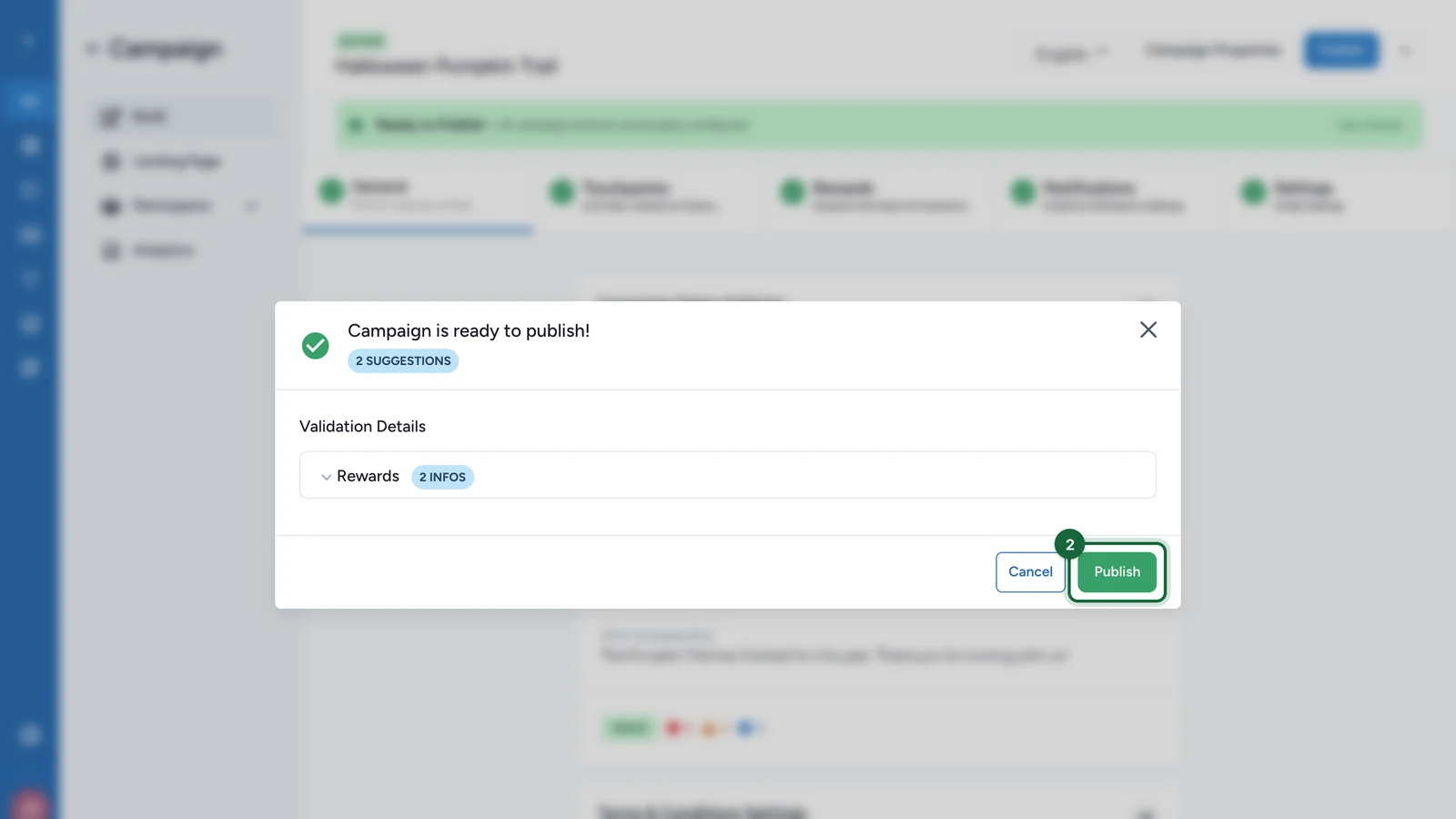
When you click Publish, OmniLab runs validation across the campaign and the Treasure Hunt configuration inside it.

Read the validation results

Errors block publication. Warnings and suggestions can still be published, but they deserve review before you continue.

For Treasure Hunts, validation usually points you back to one of three places:

  • the hunt container
  • a specific object
  • a shared Platform setting such as notifications or legal setup

Fix the blockers and publish again

Return to the area named by validation, fix the missing or invalid setup, then run Publish again.

Repeat until no errors remain.

Common Treasure Hunt publish blockers

Validation messageWhat it meansFix
Treasure hunt '{{treasure_hunt_name}}' is missing a banner imageThe hunt entry point has no banner.Upload the banner in General.
Treasure hunt is missing a titleThe hunt title is empty.Add the title in General.
Treasure hunt '{{treasure_hunt_name}}' is missing a subtitleThe hunt subtitle is empty.Add the subtitle in General.
Treasure hunt '{{treasure_hunt_name}}' has no treasure hunt objectsThe hunt exists, but participants have nothing to collect.Add at least one item in Objects to find.
Treasure hunt object '{{treasure_hunt_object_name}}' is missing a visualization modeThe object does not yet know whether it should run in 3D or AR.Choose the object's experience mode.
Treasure hunt object '{{treasure_hunt_object_name}}' in {{visualization_mode}} mode requires an assetThe object has no 3D model attached.Select the object asset.
Treasure hunt object '{{treasure_hunt_object_name}}' is missing interactivity configurationThe object does not yet know how participants should interact with it.Configure Direct, Multi Choice, or Text Answer.
Treasure hunt object '{{treasure_hunt_object_name}}' has {{answer_count}} answers but multi-choice questions require exactly 3 answersA multi-choice question has the wrong number of answers.Keep exactly 3 answer options.
Treasure hunt object '{{treasure_hunt_object_name}}' has {{good_answer_count}} correct answers but multi-choice questions require exactly 1 correct answerToo many or too few answers are marked correct.Mark exactly 1 answer as correct.
Treasure hunt object '{{treasure_hunt_object_name}}' has {{answer_count}} answers configured but question type is 'No Question'The object is set to direct collection but still has answers filled in.Remove the answers or switch to a question-based type.

When preview and publish are different

Preview lets you experience a draft version of the hunt before launch. Publish is the release checkpoint that runs validation for the whole campaign.

That means a hunt can look correct in preview but still be blocked from going live if the campaign fails validation somewhere else.

Was this helpful?

Optional comments help us improve this page for future authors and readers.

On this page