Configure interactivity (questions and answers)
Decide whether each object is collected on sight or after a question, and set up the answers.
Decide how participants collect each object: instantly on discovery, or only after they answer a question. The right choice sets the pace and difficulty of your hunt.
Prerequisites
- The Treasure Hunt Object already exists.
- You know whether the object should be collected instantly or only after a participant answers something.
Choose the right interaction type
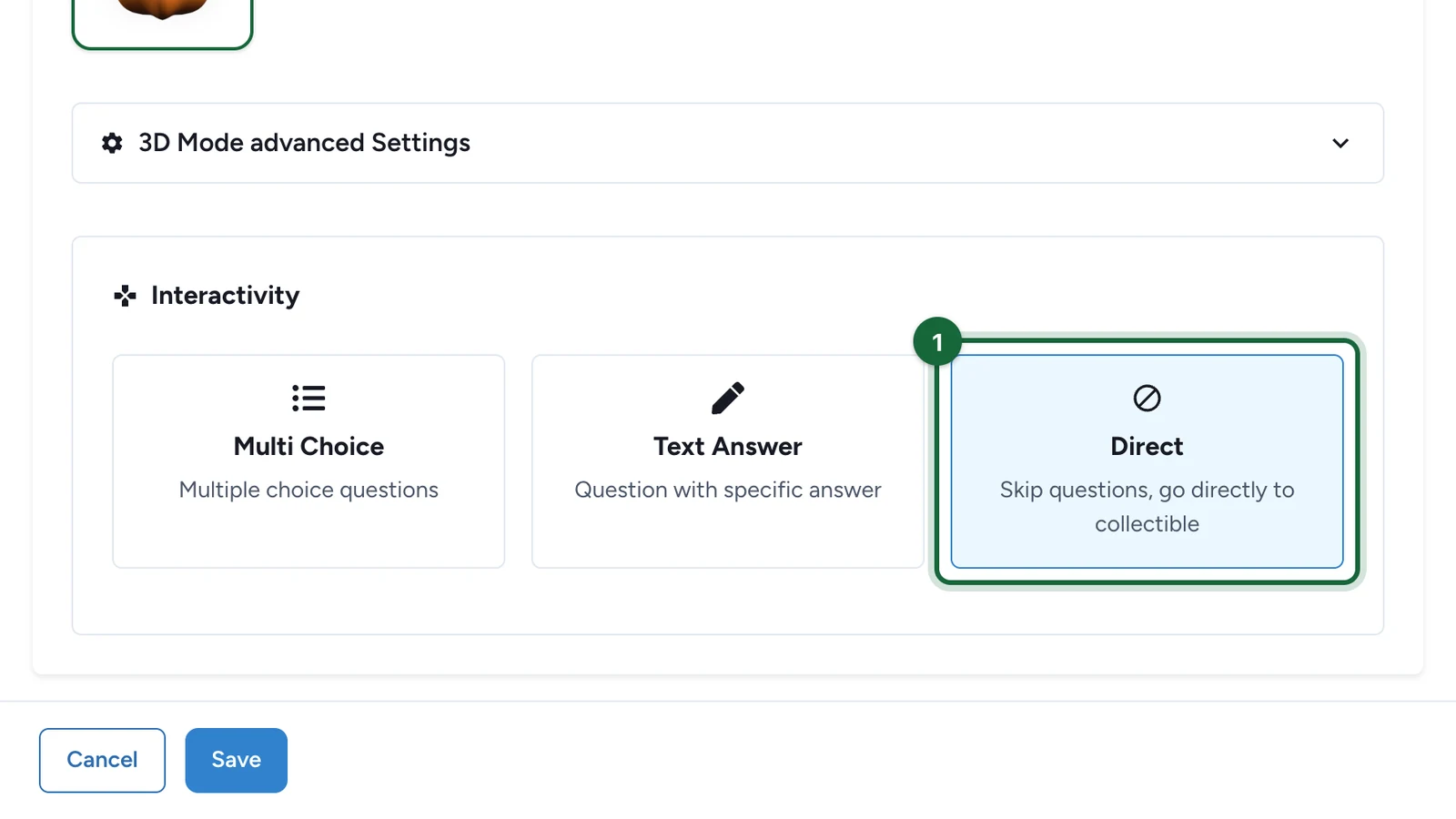
Every object uses one of these interaction types. If you just want the fastest experience, choose Direct.
| Interaction type | Use this when | Rules |
|---|---|---|
| Direct | The discovery itself is the reward, with no question step. | Do not add answers. |
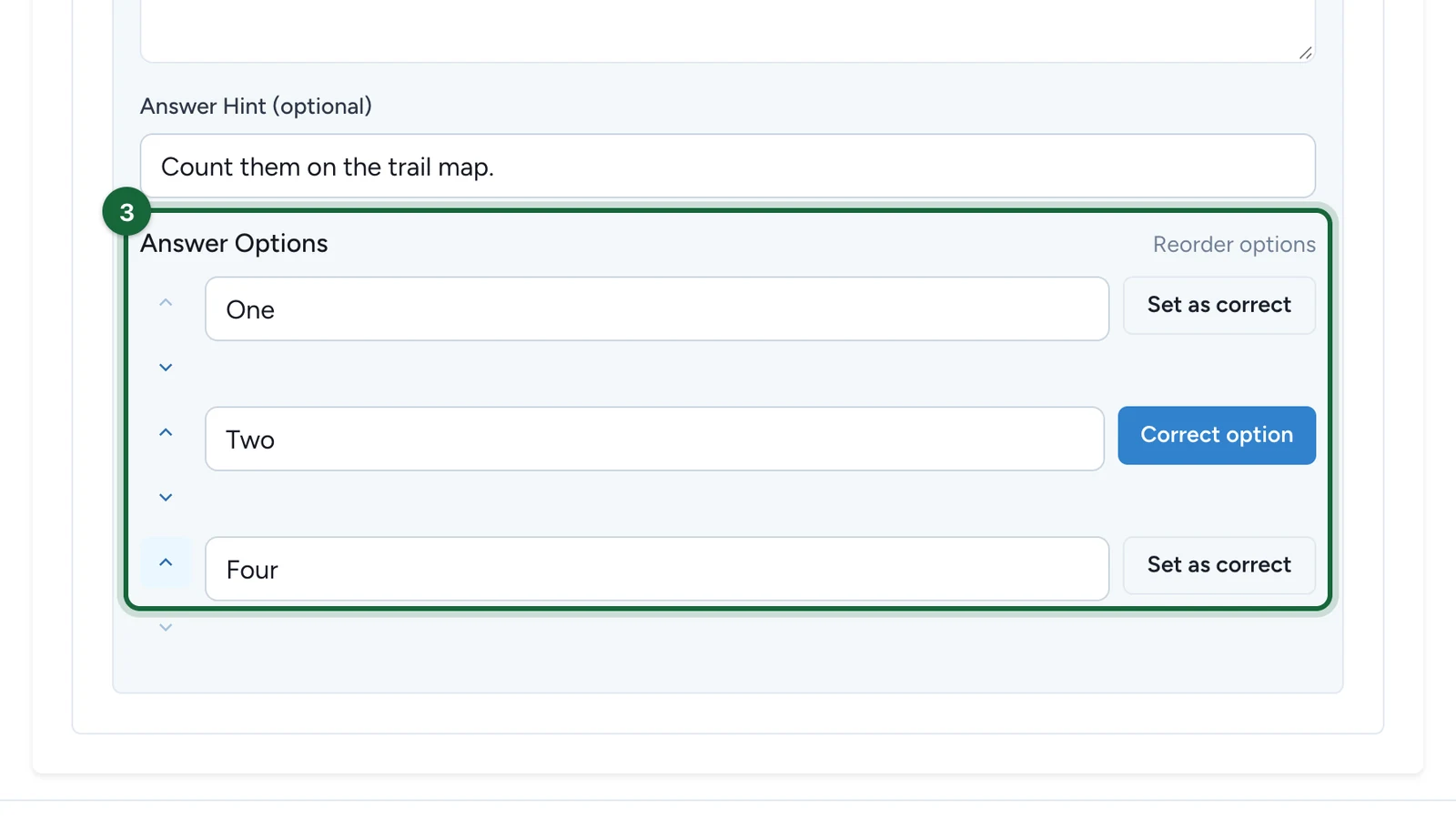
| Multi Choice | You want a quick visual or knowledge question. | Exactly 3 answers, and exactly 1 marked correct. |
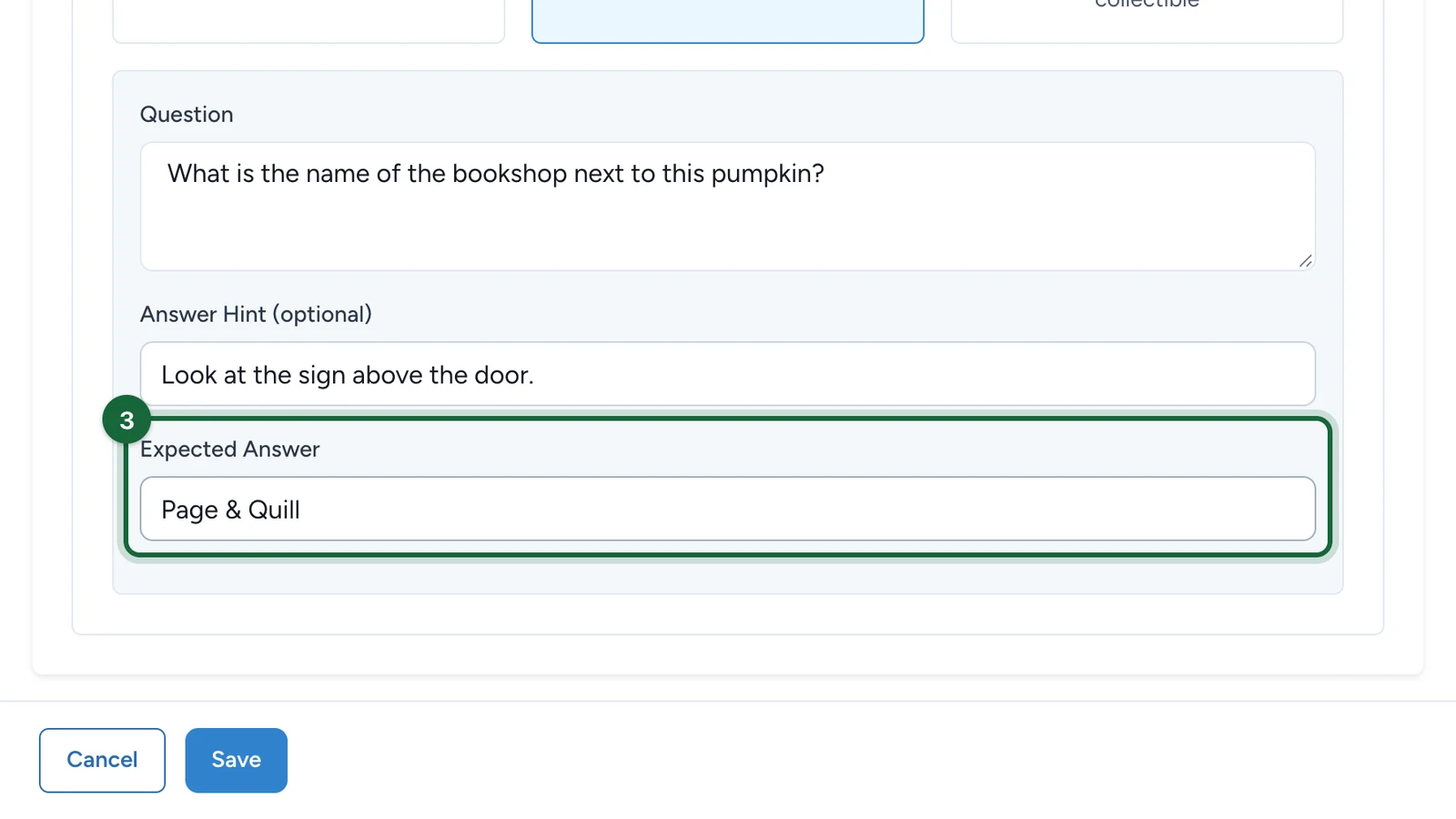
| Text Answer | Participants type a short answer such as a code word, object name, or clue solution. | Exactly 1 expected answer, marked correct. |
Use Direct when finding the object is the reward. Use a question when you want participants to pause, observe, or solve something before they collect the object.
Configure the interaction
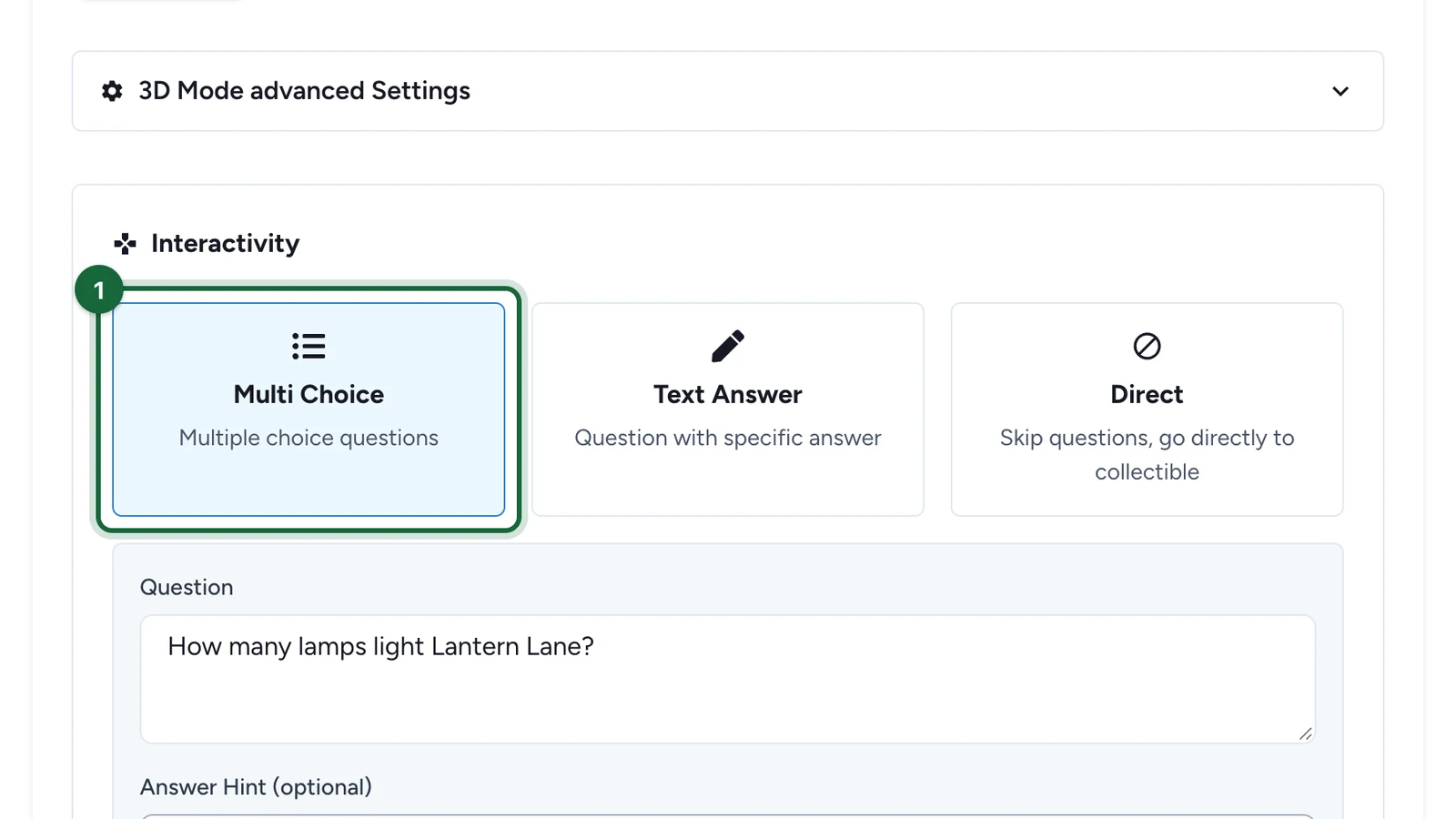
Open the object's Interactivity section
Open the Treasure Hunt Object you want to edit, then go to Interactivity.

Choose the interaction type
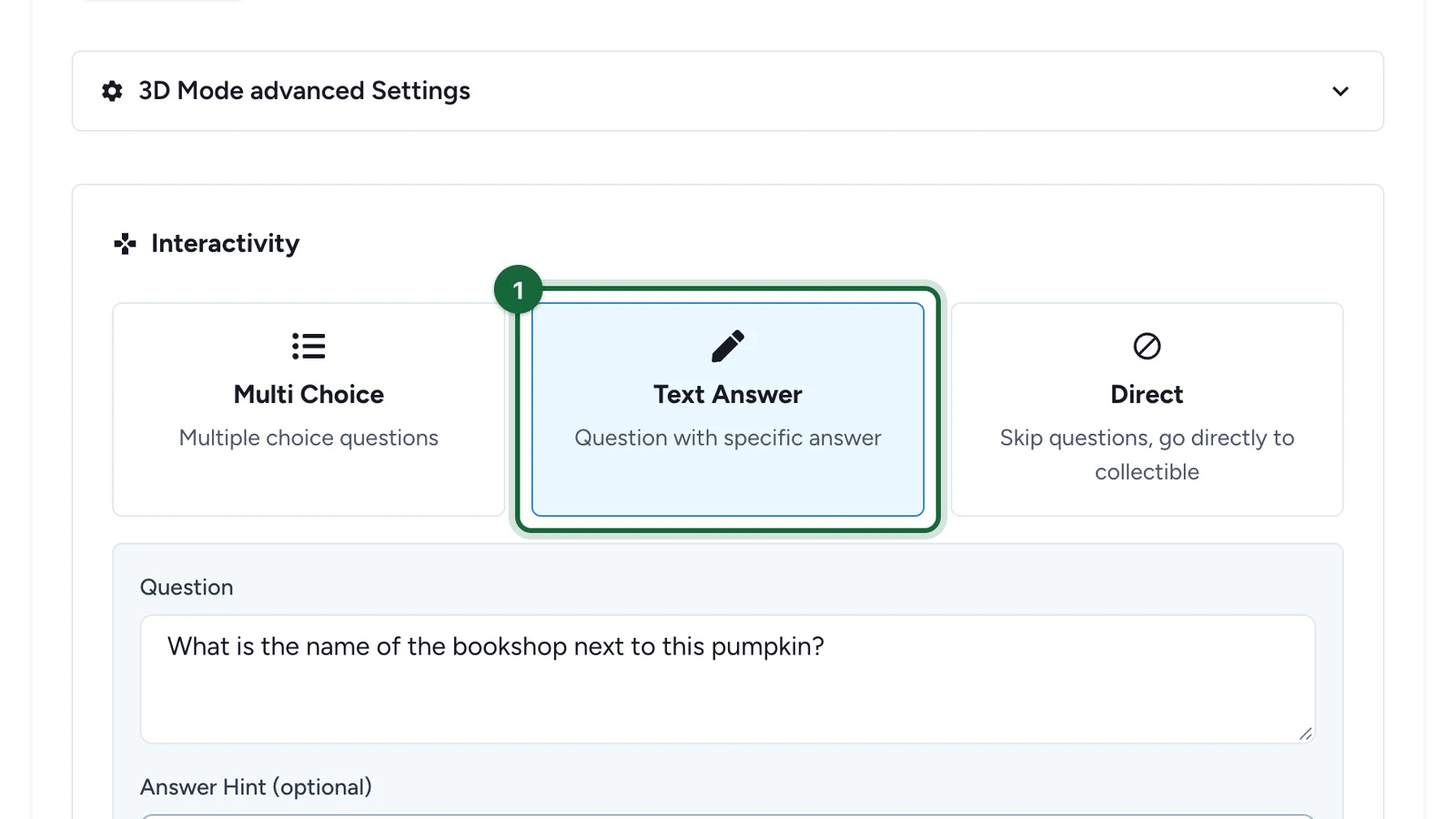
Select Direct, Multi Choice, or Text Answer.
Make this choice based on the participant moment you want:
- collect immediately
- pick one of three answers
- type the expected answer
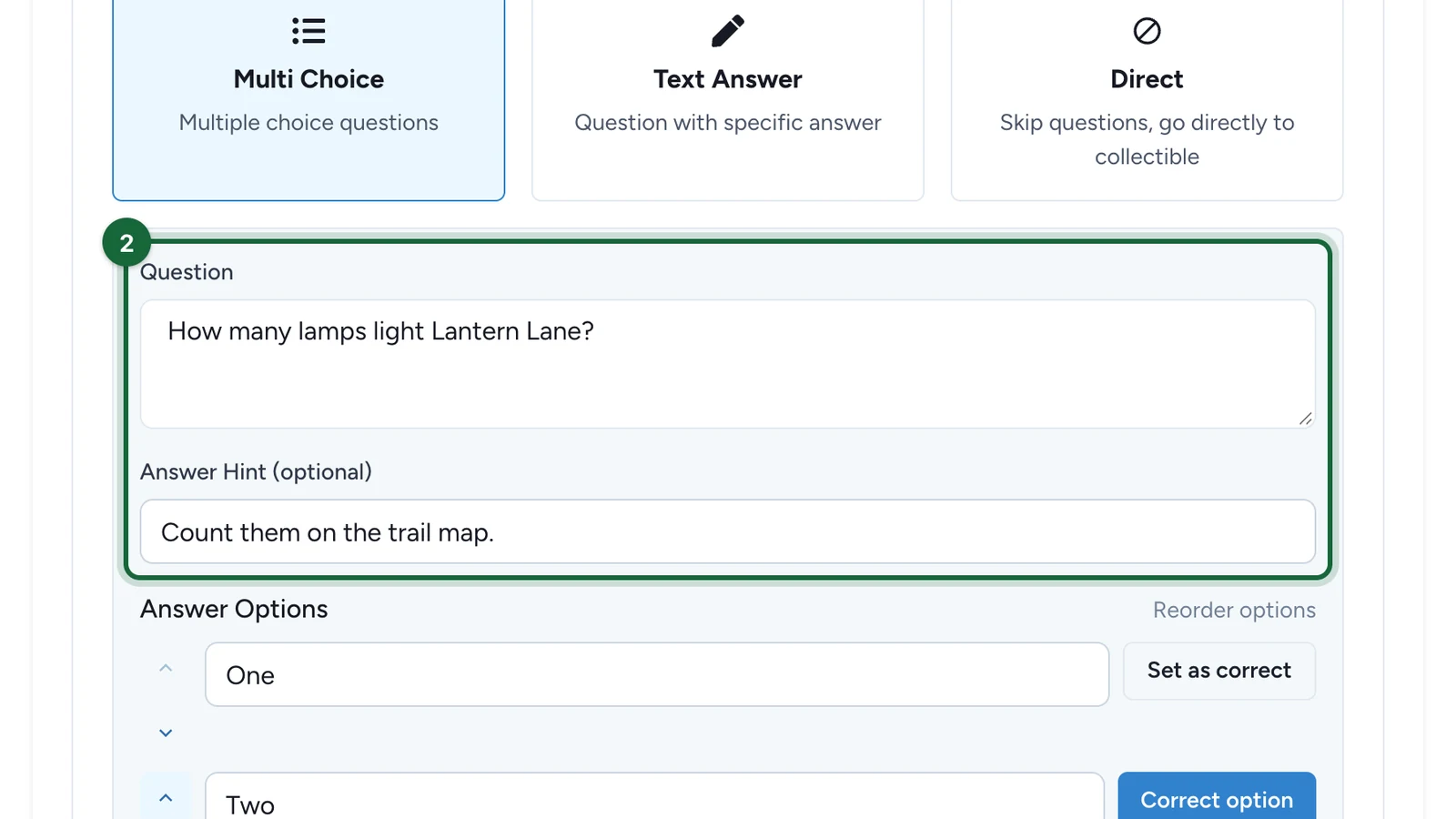
Add the question content
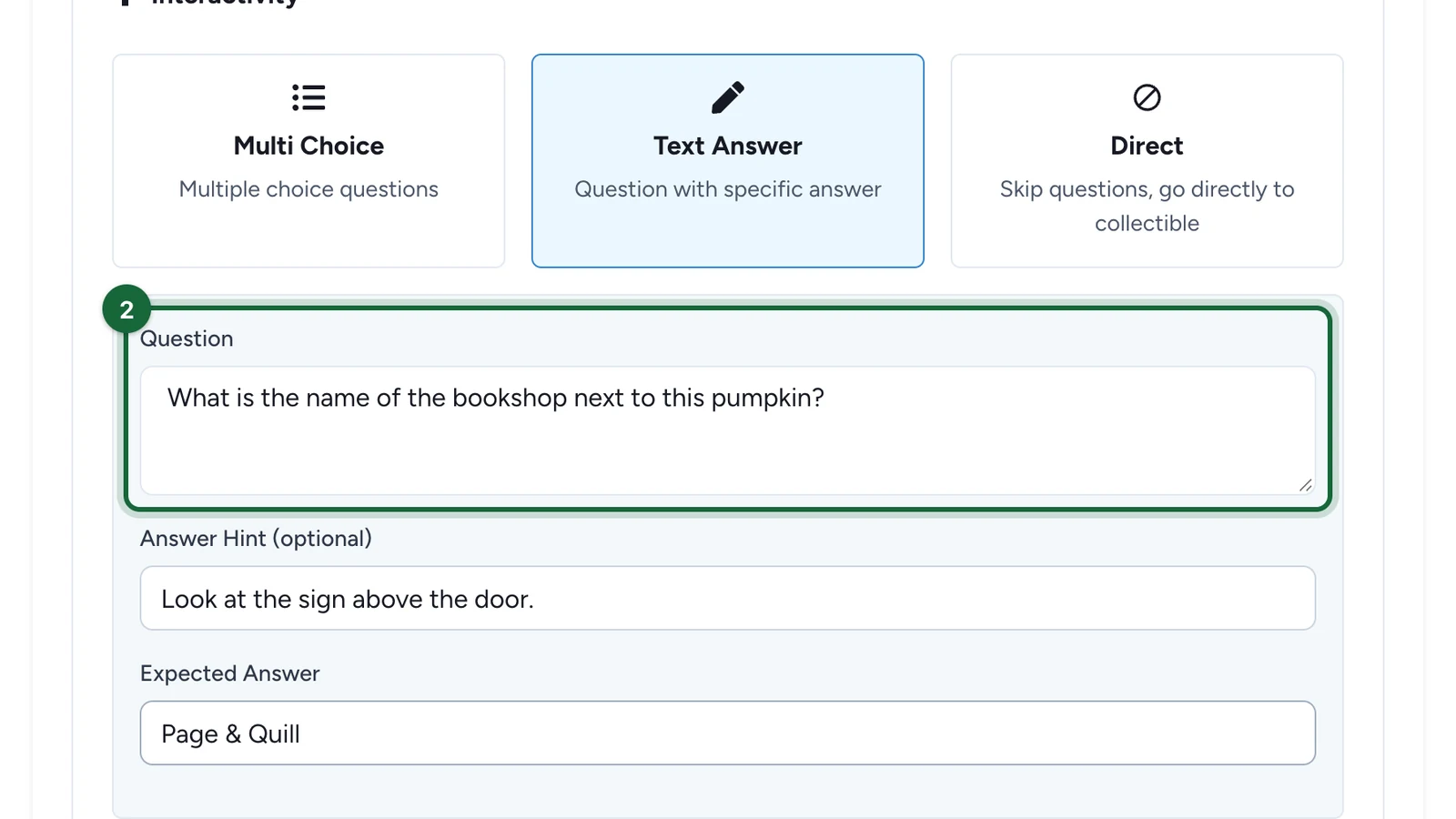
If you use Multi Choice or Text Answer, add the question text participants should answer.
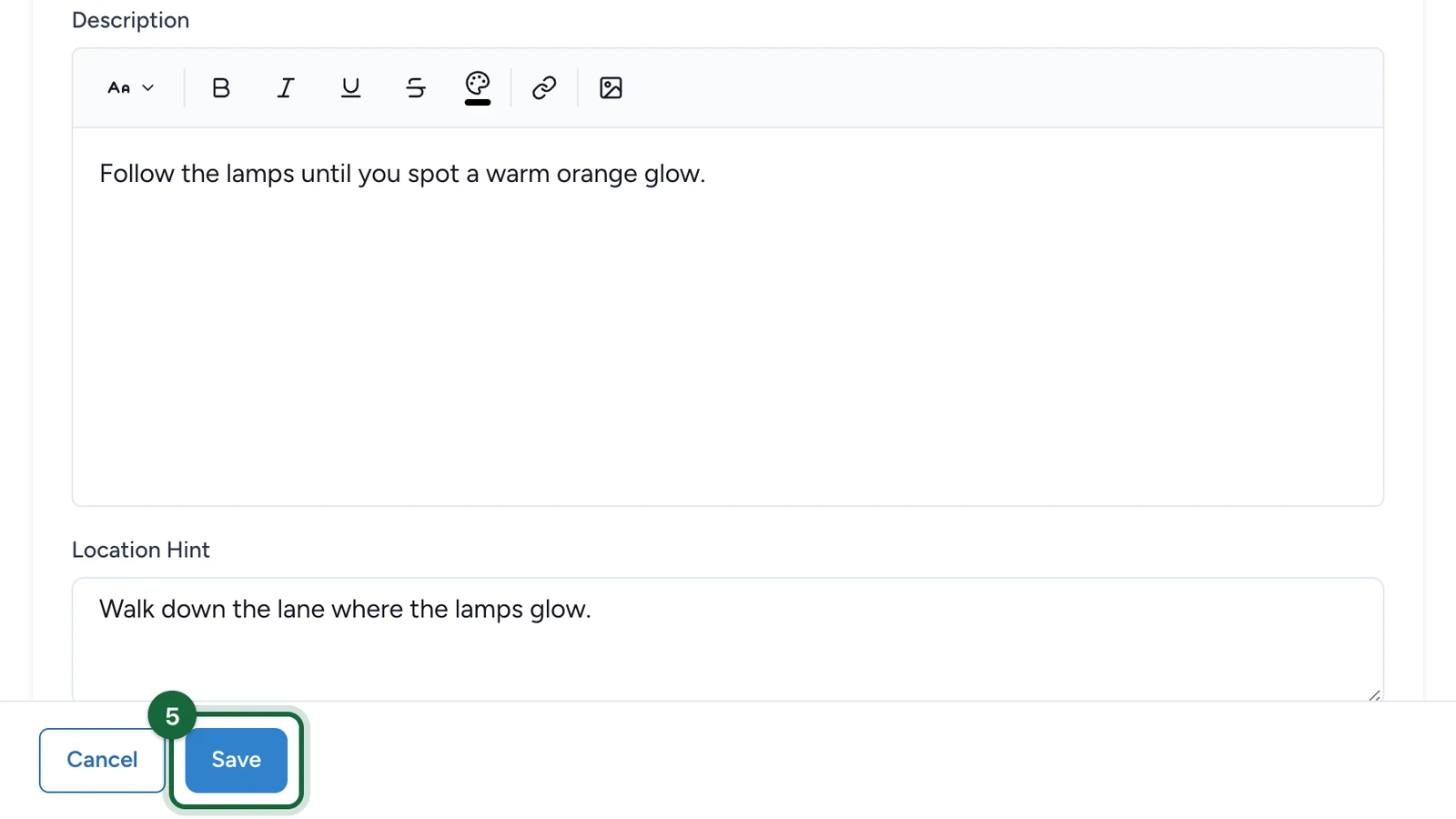
You can also add an answer hint when you want to guide people without revealing the full solution.

Apply the answer rules for the chosen type
Follow the rules exactly:
- Direct: no answers
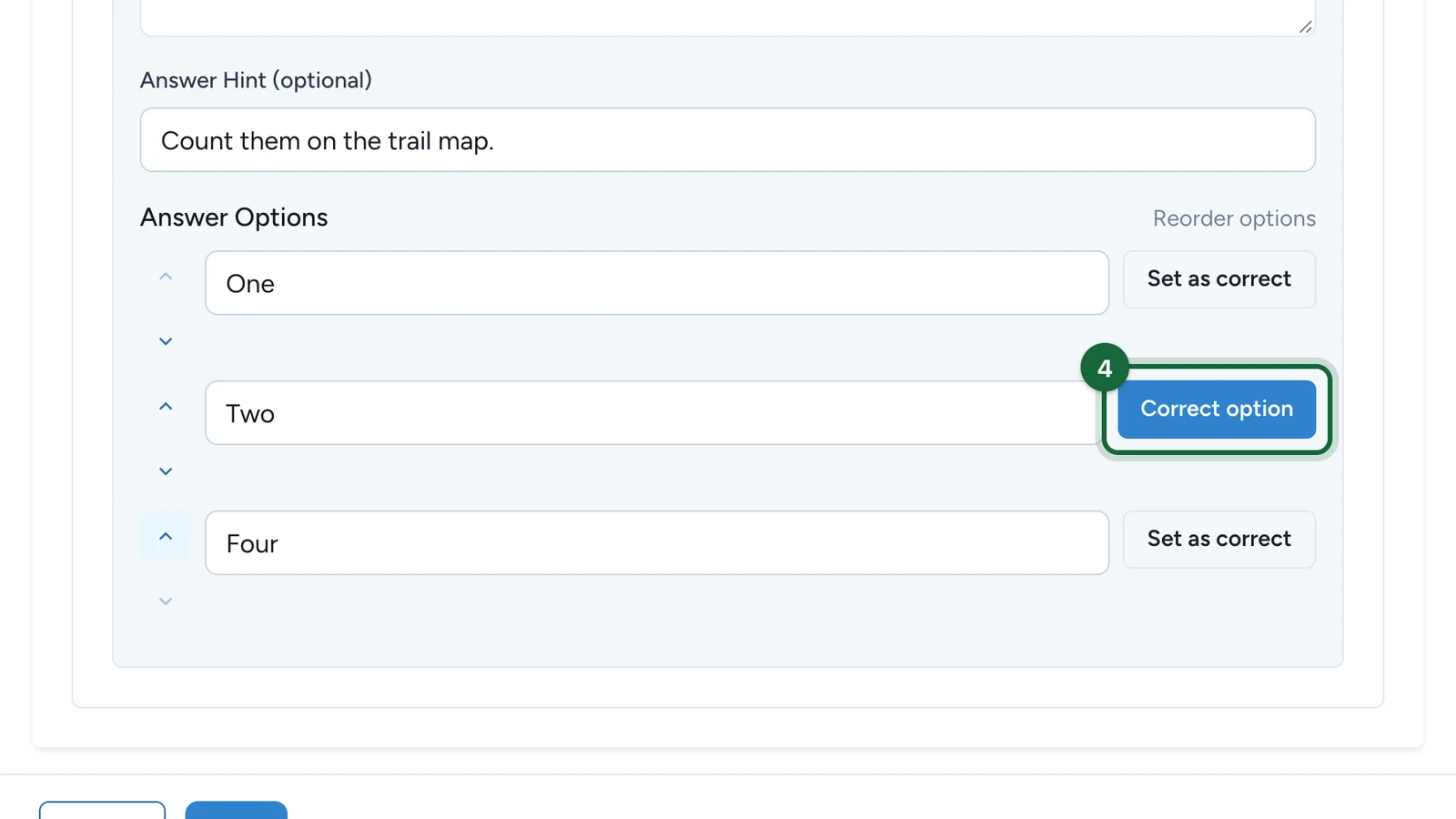
- Multi Choice: 3 answers, with 1 marked as correct
- Text Answer: 1 expected answer, marked as correct
These rules are strict, so it is worth double-checking them before you move to launch testing.
Save and test the object
Open the object once as a participant would and confirm the interaction behaves as expected.
This is the fastest way to catch unclear wording, a weak hint, or an accidental wrong answer.
Example ways to use each type
| Type | Example |
|---|---|
| Direct | Scan a mural code and immediately collect the mascot hidden in that zone. |
| Multi Choice | Ask "Which animal is on the poster next to this QR code?" with three choices. |
| Text Answer | Ask the participant to type the last word on a sign or the code hidden in the display. |
If something's blocked
A few common reasons and how to fix them:
- No interaction type is selected — the object does not know how participants should interact. Choose Direct, Multi Choice, or Text Answer.
- A question object has no question text — add the prompt participants should answer.
- One of the answer fields is empty — fill in the missing answer text before saving.
- A Multi Choice object has the wrong number of answers — set up exactly 3 answer options.
- A Multi Choice object has the wrong number of correct answers — mark exactly 1 answer as correct.
- A Text Answer object has the wrong number of expected answers — keep exactly 1 expected answer.
- The expected Text Answer is not marked as correct — open the answer and mark it as correct.
- A Direct object still has answers set up — remove the answers or switch to a question type.
- No answer hint is set — if the publish check flags a missing hint, add a short clue that guides participants without giving away the full solution.
Related
Configure hunt objects — 3D mode
Combine the interaction with a 3D-first object experience.
Configure hunt objects — AR mode
Apply the same question rules after an AR-first discovery moment.
Your first treasure hunt
See a simple first example using one object and one question.
Publish a hunt
Review the final validation flow before launch.