Export transaction data
Where to download a receipt game's shoppers, prizes and spend, and where its receipt totals come from.
The Receipt Host App has no download button. Here is where each kind of data for Lindenhall's Spend and Win comes from.
Choose the source
| You want | Where | You get |
|---|---|---|
| Shoppers who took part, with each prize's status | Participants > All Participants > Download: see Export participants | CSV |
| One prize's winners | Filter by rewards before you download: see Export a prize's winners | CSV |
| Each shopper's approved spend | Participants > Leaderboard: see Download each shopper's spend | CSV |
| One shopper's receipts, to read | Participants > Leaderboard, then the eye icon on their row: Receipt Submission Details lists each receipt's store, status, amount and photo | On screen only |
| Receipt totals, total spend and prize stock | Progression in the Receipt Host App: see Track a receipt game in Progression | On screen only |
| Each receipt as it's sent, decided or edited | Receipt submission events, for your developer: see Webhook event reference | Webhook |
| The campaign dashboard | Analytics > Export PDF: see Export a dashboard snapshot |
The participants file has one row per shopper. It holds their contact details and opt-in, and a status and date column for each prize. It has no receipts or amounts. Receipt Submission Details is read-only: approve or refuse receipts in the Receipt Host App.
Download each shopper's spend
-
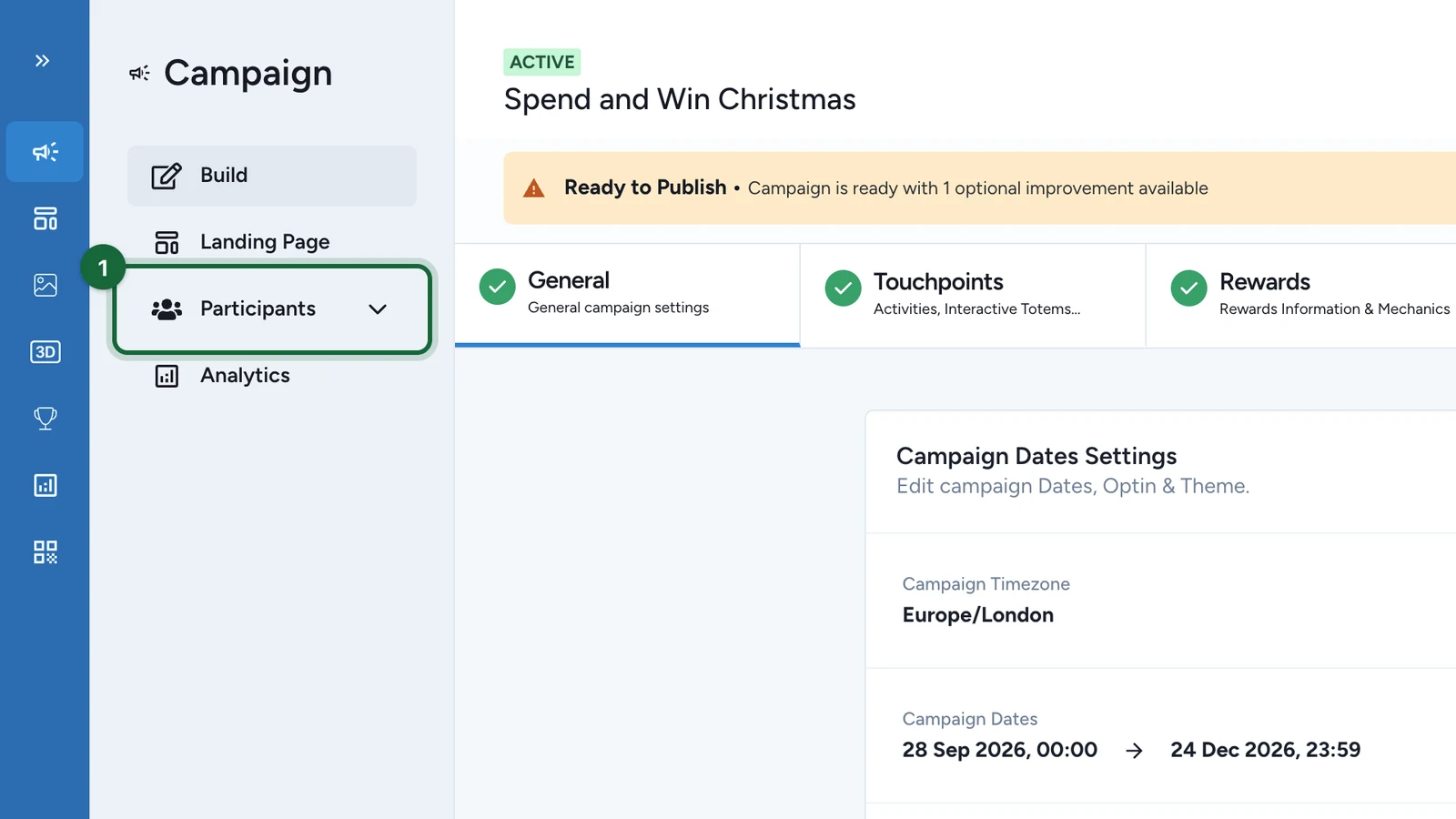
In the campaign, select Participants.
-
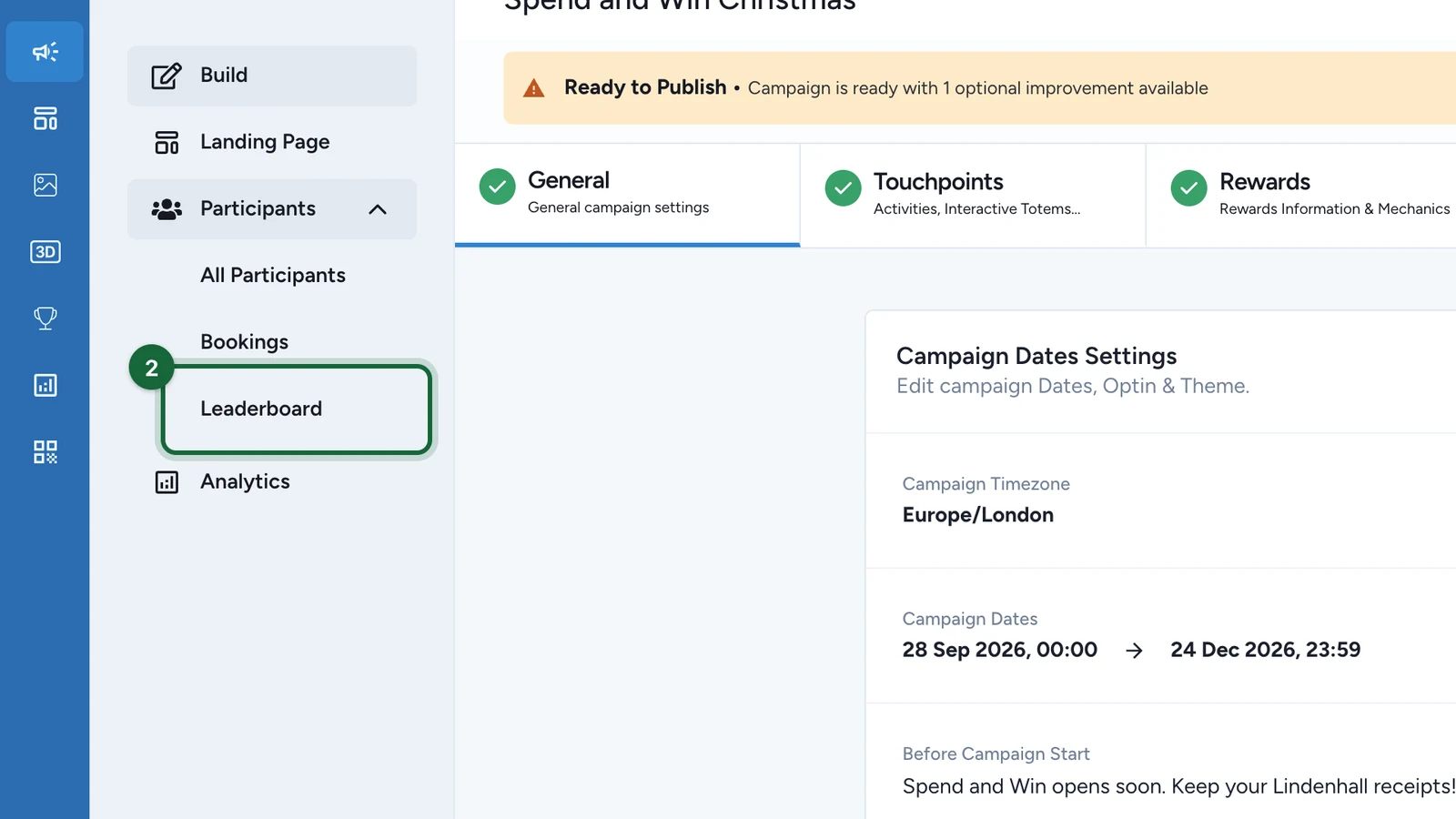
Select Leaderboard.
-
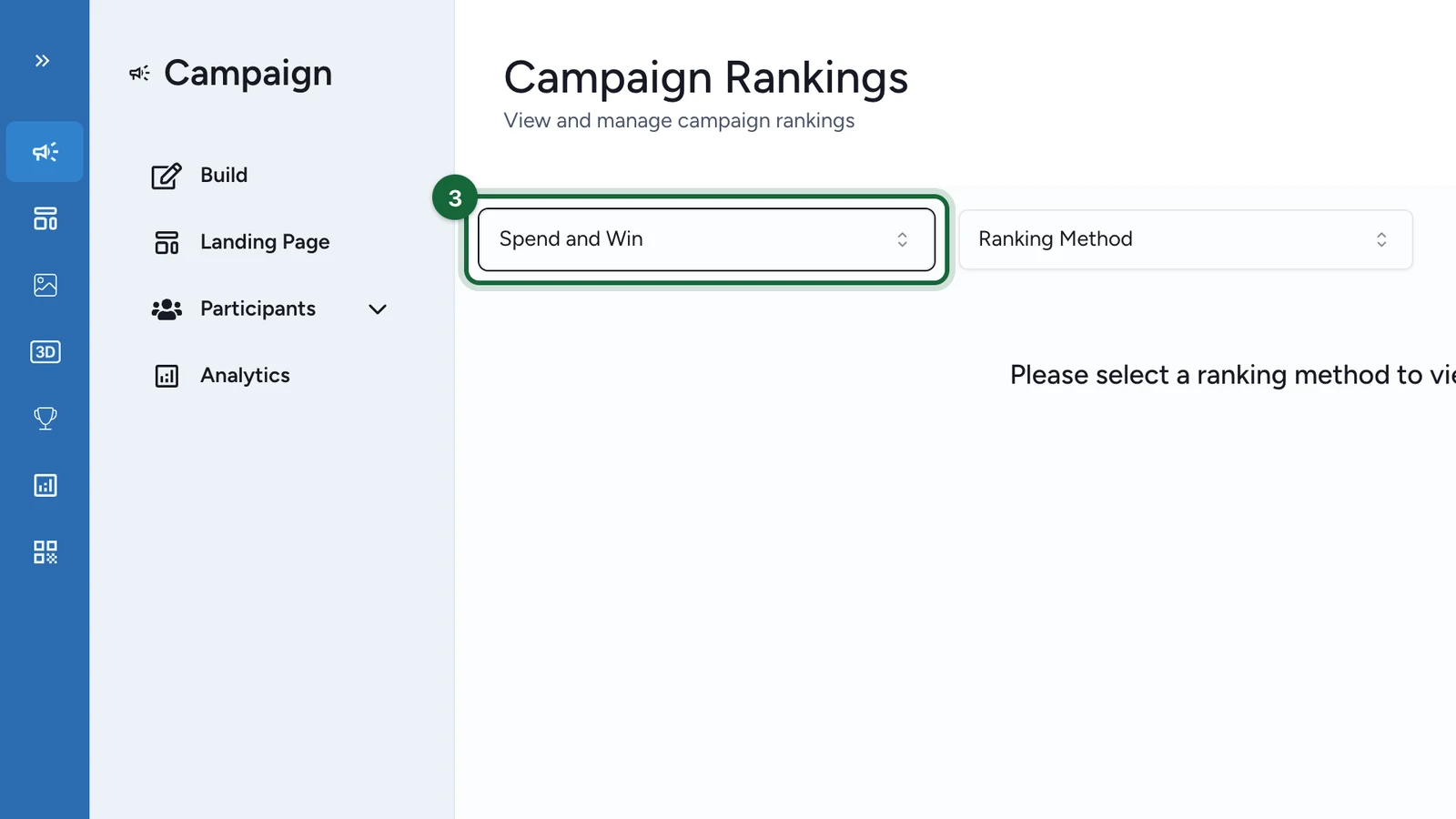
Choose the game, here Spend and Win.
-
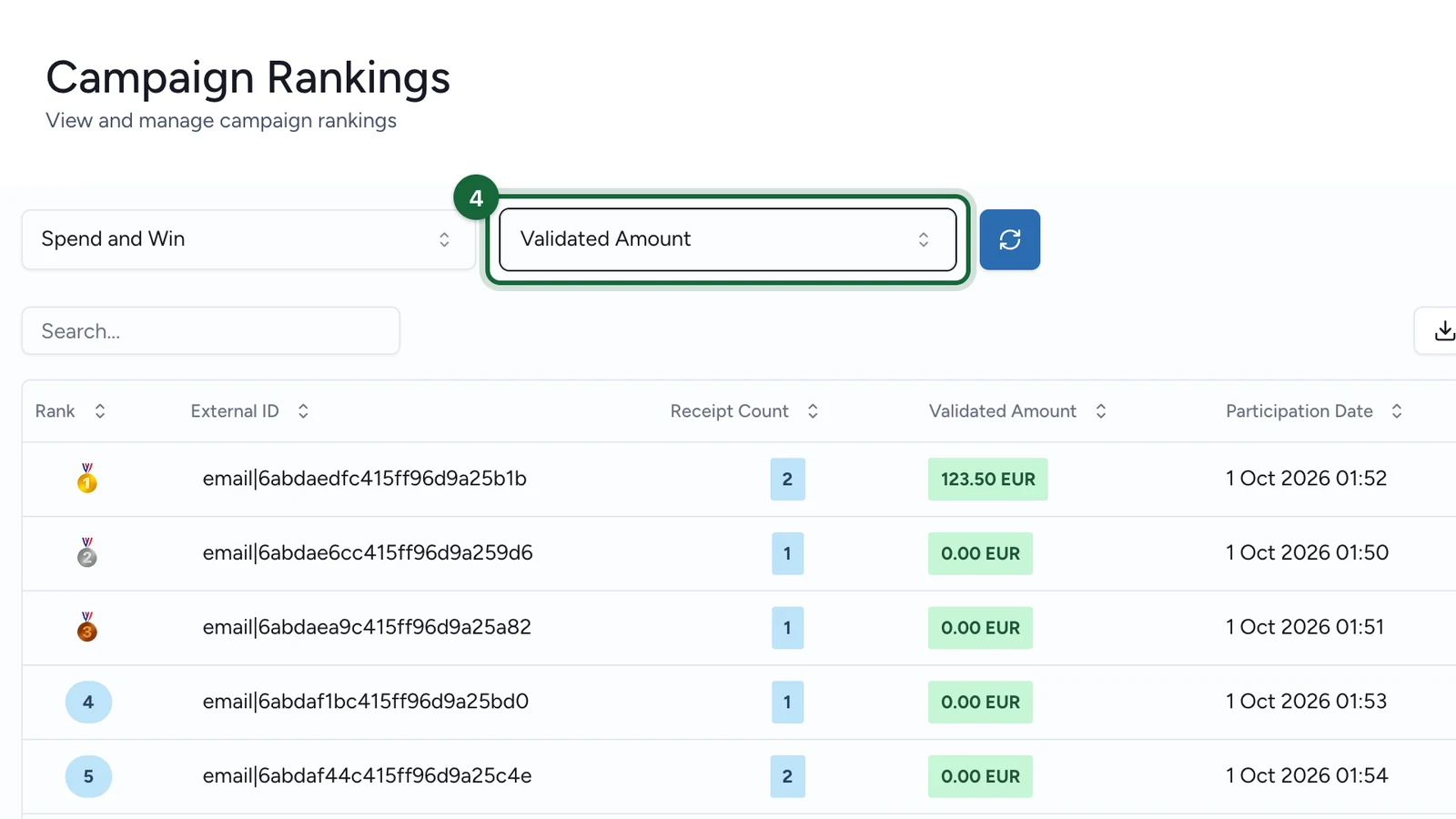
In Ranking Method, choose Validated Amount.
-
Select Download.
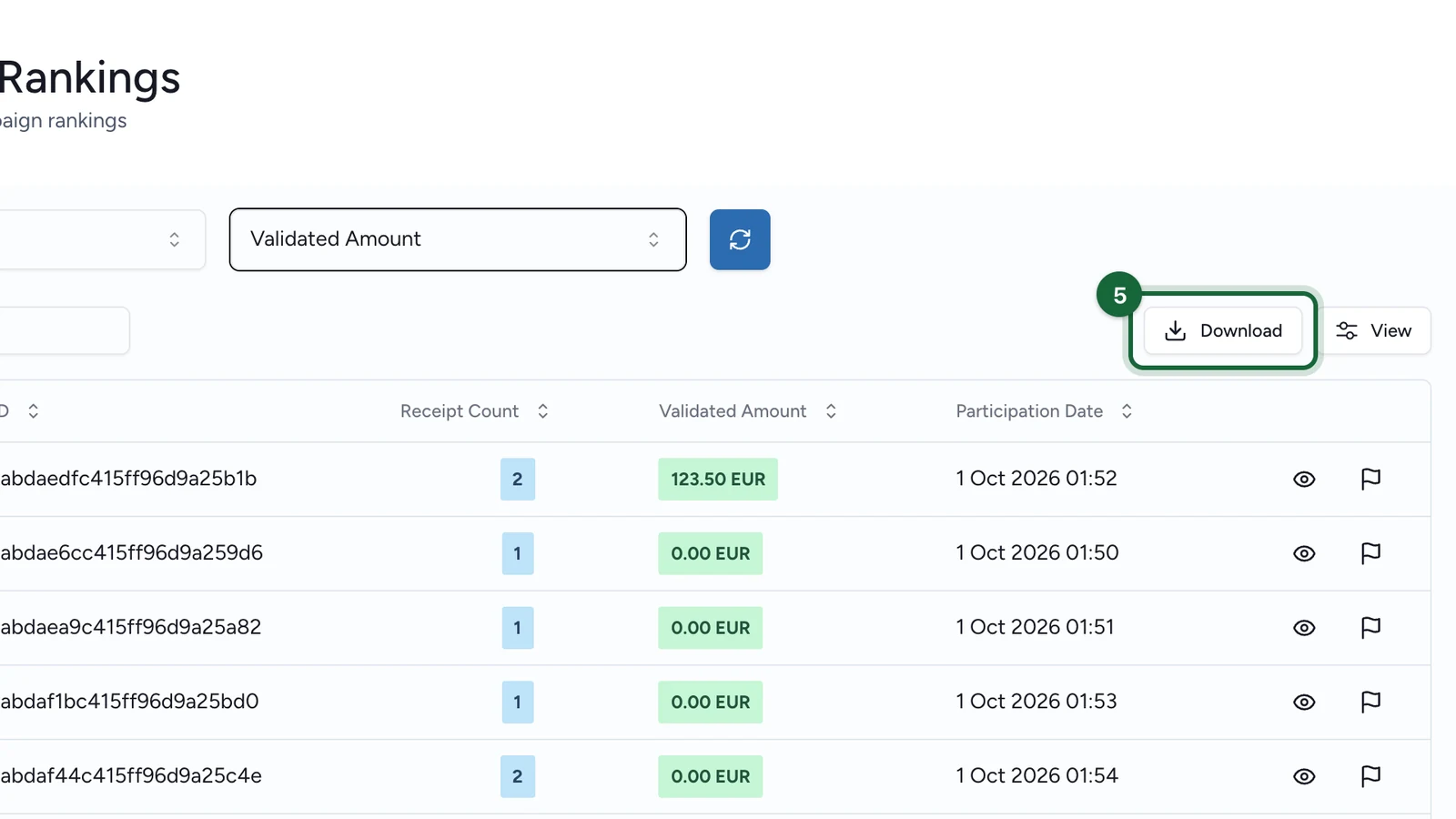
The file ranks the shoppers, with each one's email, Validated Amount and Receipt Count. Receipt Count in the file counts approved receipts only, so it can be lower than the count on screen, which includes every receipt sent.
Good to know
- Progression closes with the Receipt Host App: see when the app closes.
- To keep every receipt's store and amount, ask your developer to collect the receipt submission events from launch.