Winner lists & exports
Download the right Games fulfilment file from Participants, Leaderboard, and reward coupon tools, with on-demand exports only in the current UI.
Games winner files come from campaign-level operator views. In practice, use Participants for reward-state exports, Leaderboard for ranking evidence, and the reward's own tools when fulfilment depends on secure codes or redemption.
Current Games exports are on demand
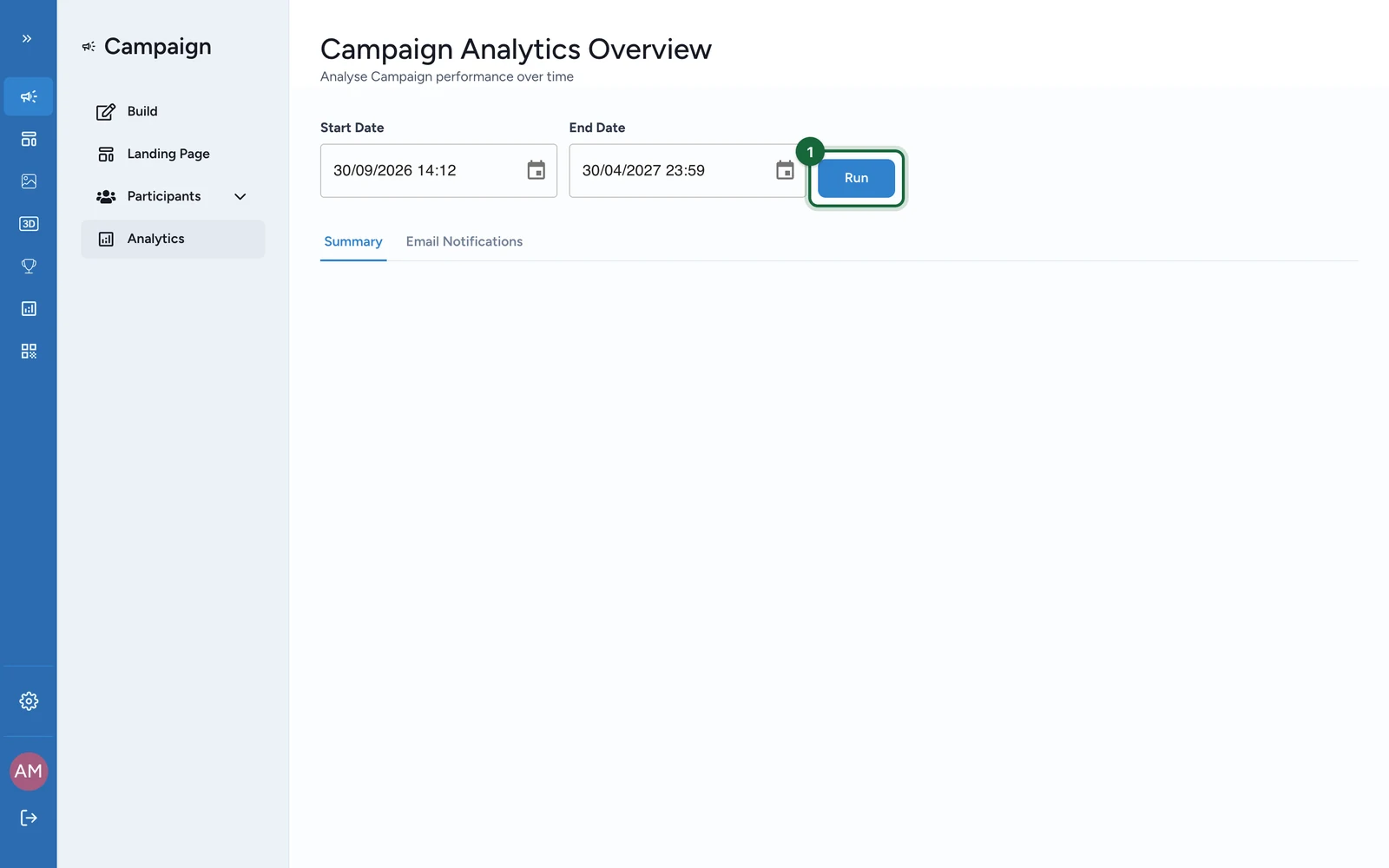
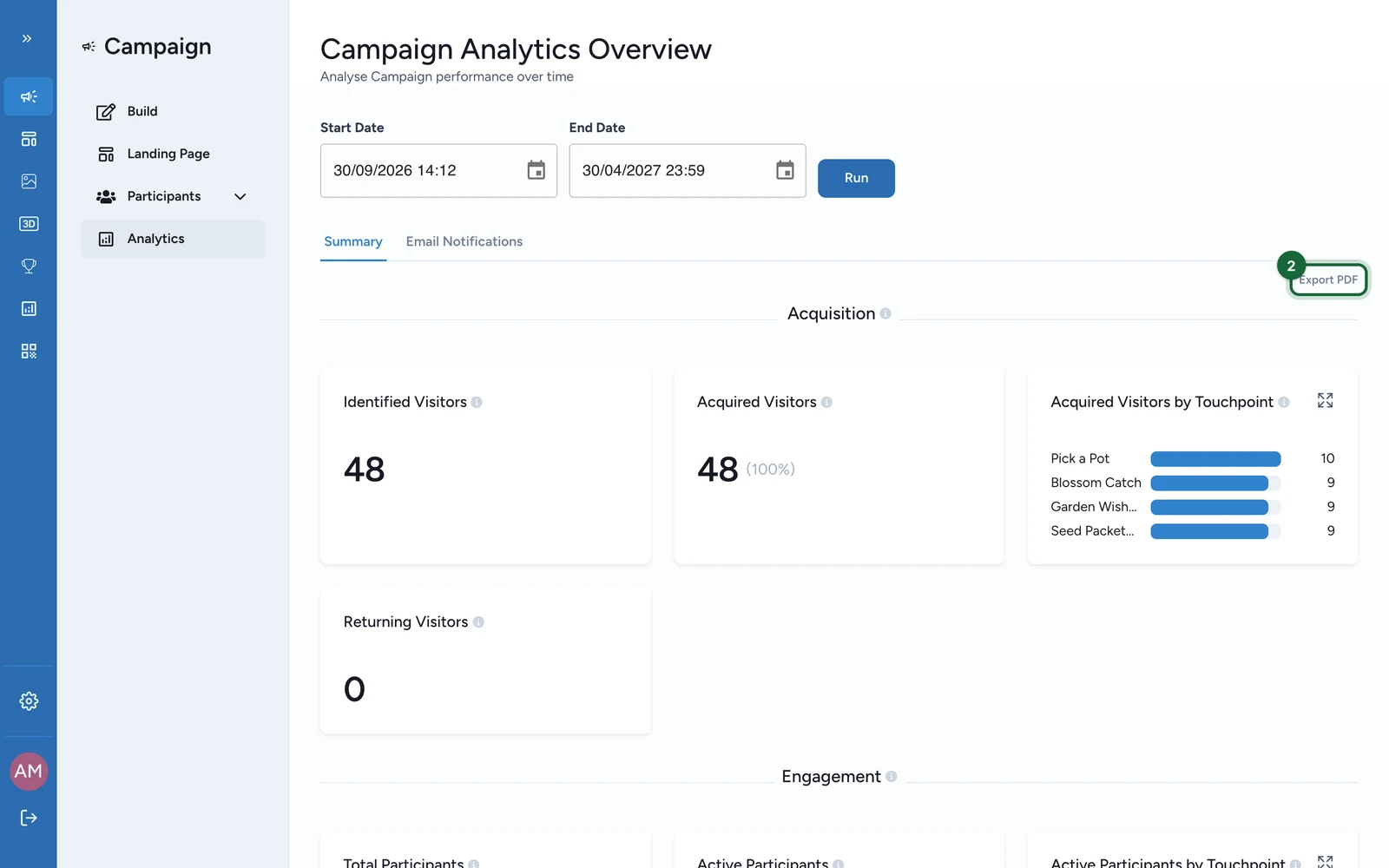
The current backoffice UI exposes CSV downloads for Games datasets and PDF export for dashboard snapshots. OmniLab can automate winner communication through notifications, but it does not expose a scheduled Games winner CSV or Excel export in the current UI.
Choose the right output
| Need | Best surface | Current output | What you get |
|---|---|---|---|
| main fulfilment list for instant wins or lotteries | Participants -> All participants data | CSV | participant identity, one status column per reward, one Last Reward Status Time column per reward, touchpoint claim counts, and ranking when relevant |
| submitted answers tied to the game | Participants -> Participation forms data | CSV, or ZIP of CSVs when exports split by touchpoint | Contact ID, Form Template Name, Submission Date/Time, Touchpoint, plus submitted fields |
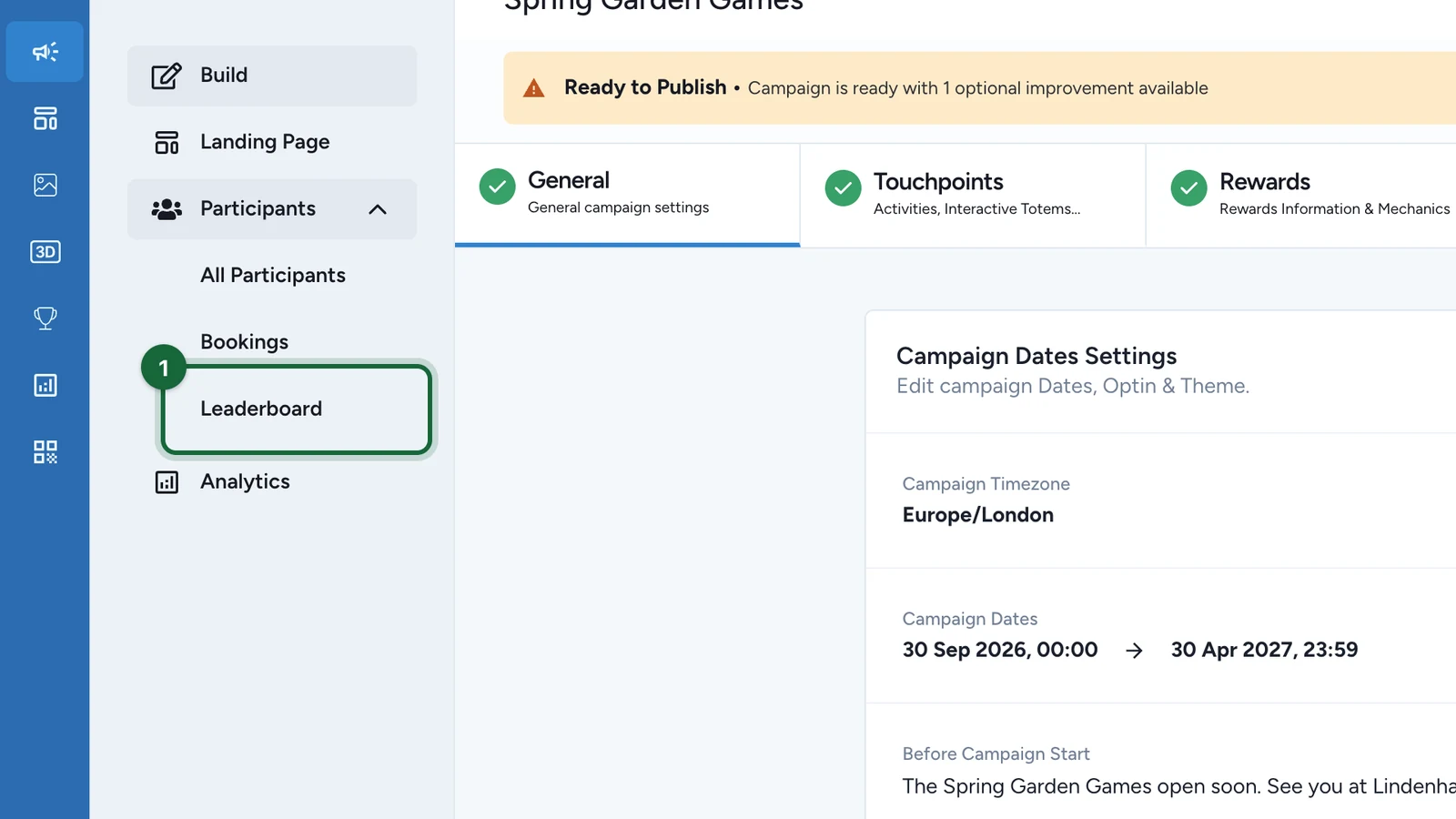
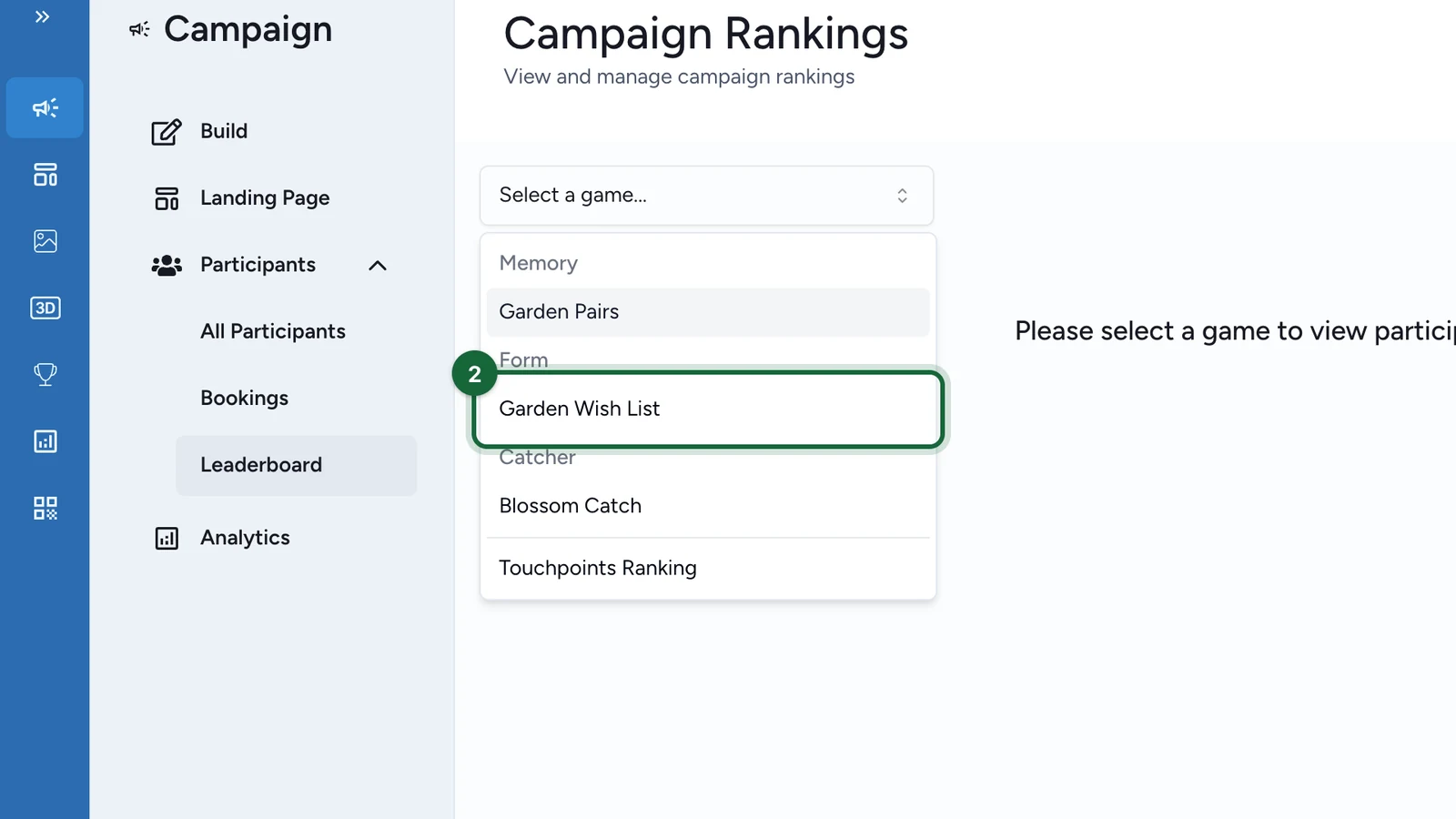
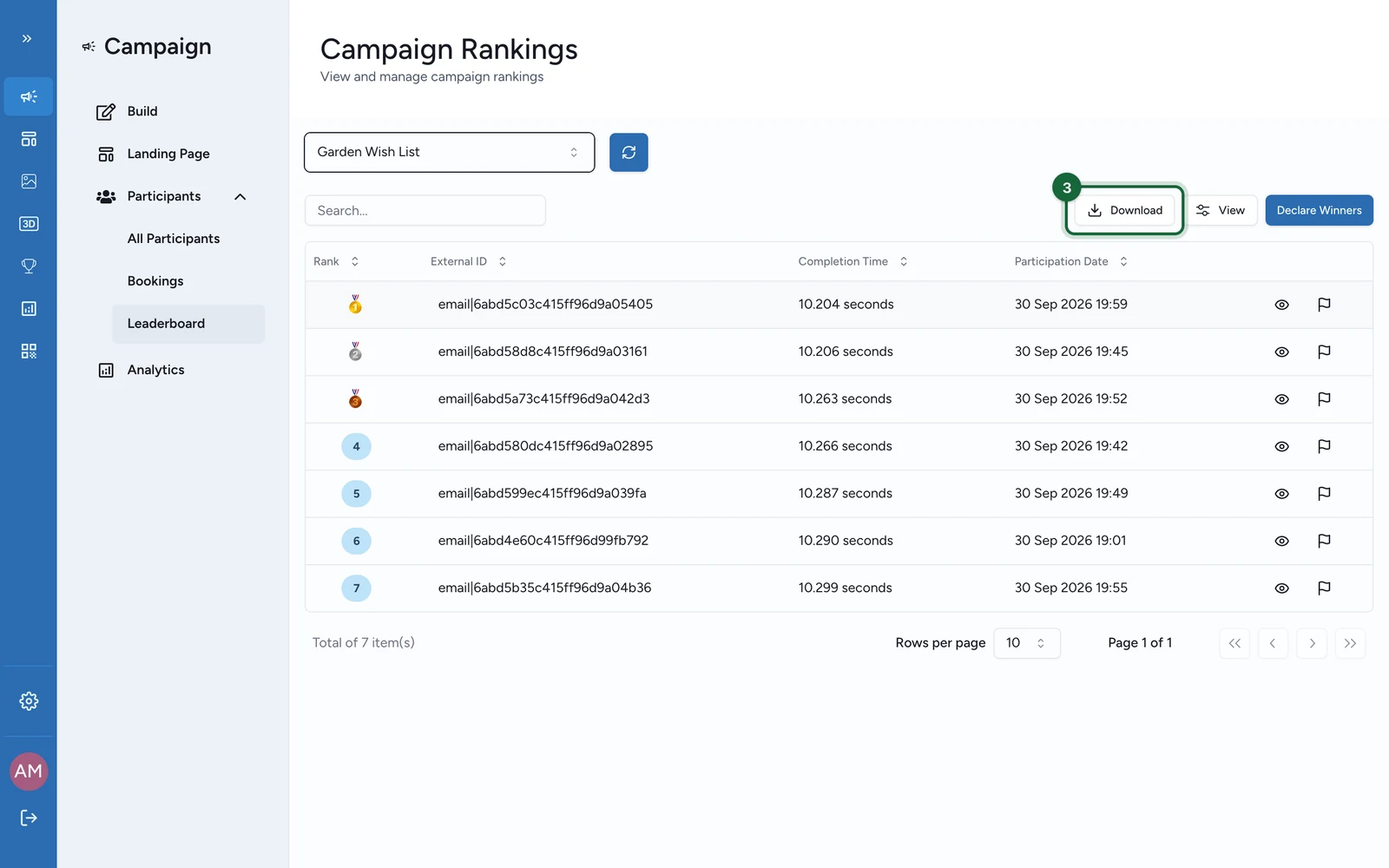
| ranking evidence for performance games | Leaderboard | CSV | Rank, Contact, External ID, Email, Participation Date, and game-specific columns such as Completion Time, Score, Touchpoints Unlocked, or form answers |
| shareable campaign snapshot | Analytics | high-level monitoring only, not a winner-by-winner fulfilment file | |
| secure code follow-up | reward Manage Coupons | reward-level tools | code availability plus Issued and Redeemed follow-up |
Where each fulfilment field comes from
| Field you need | Best source | Notes |
|---|---|---|
| winner email | All participants data or Leaderboard CSV | Leaderboard is best for performance-game winners; Participants is best for mixed reward workflows. |
| reward name and outcome | All participants data | Reward states appear as reward-specific columns, so filtering by Reward before export keeps the file easier to use. |
| winner timestamp | All participants data | Use the reward-specific Last Reward Status Time column. |
| coupon code | reward Manage Coupons | Secure codes stay on the reward, not inside the standard Games export. |
| redeemed or not redeemed | reward Manage Coupons and reward follow-up | Combine reward-level claim tracking with the participant export when fulfilment depends on redemption status. |
Build a fulfilment-ready winner file
Resolve the reward first
If the reward is a lottery, open Participants and use Run Draw.
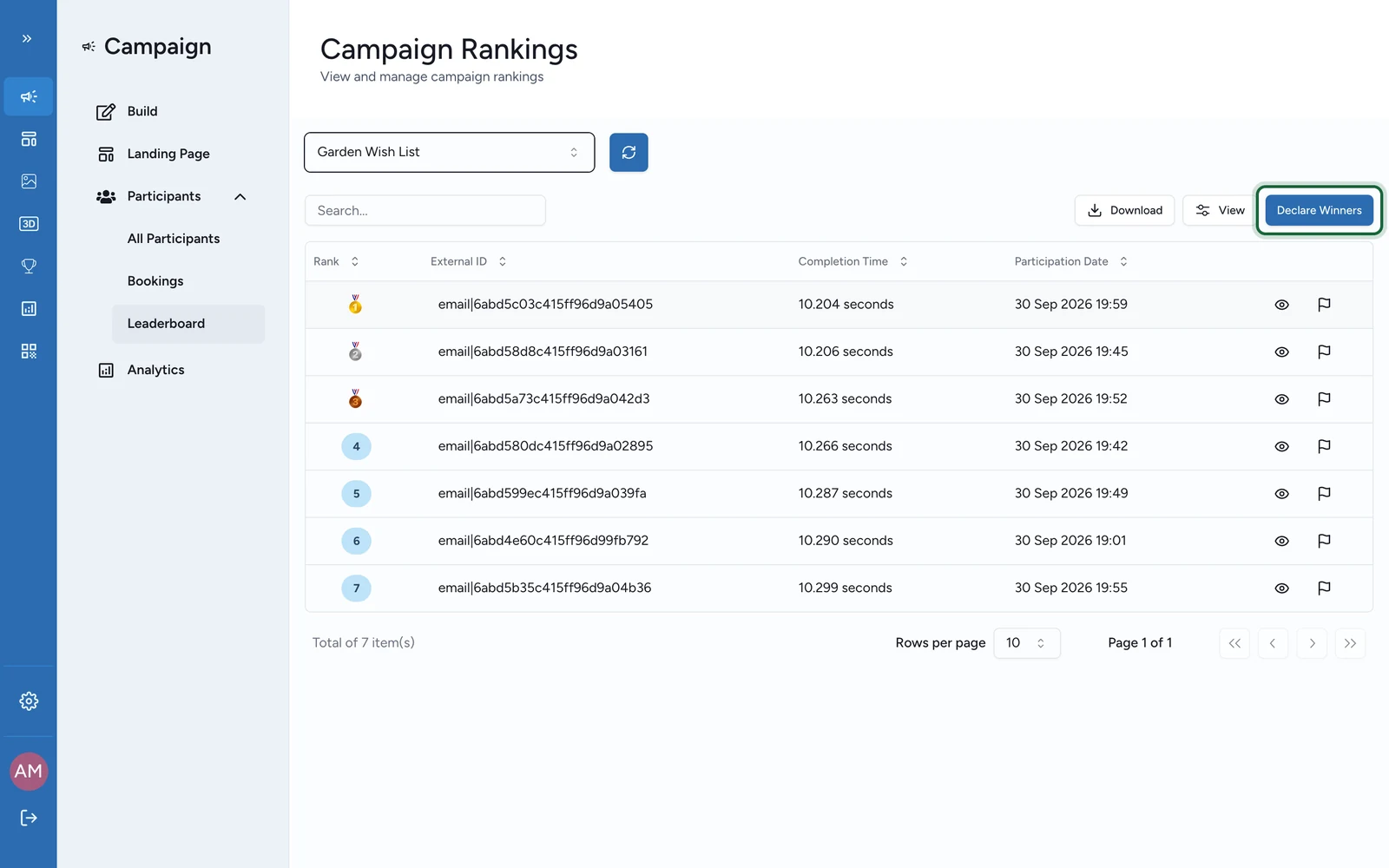
If the reward is leaderboard-based, open Leaderboard and use Declare Winners.
Filter one reward or one game
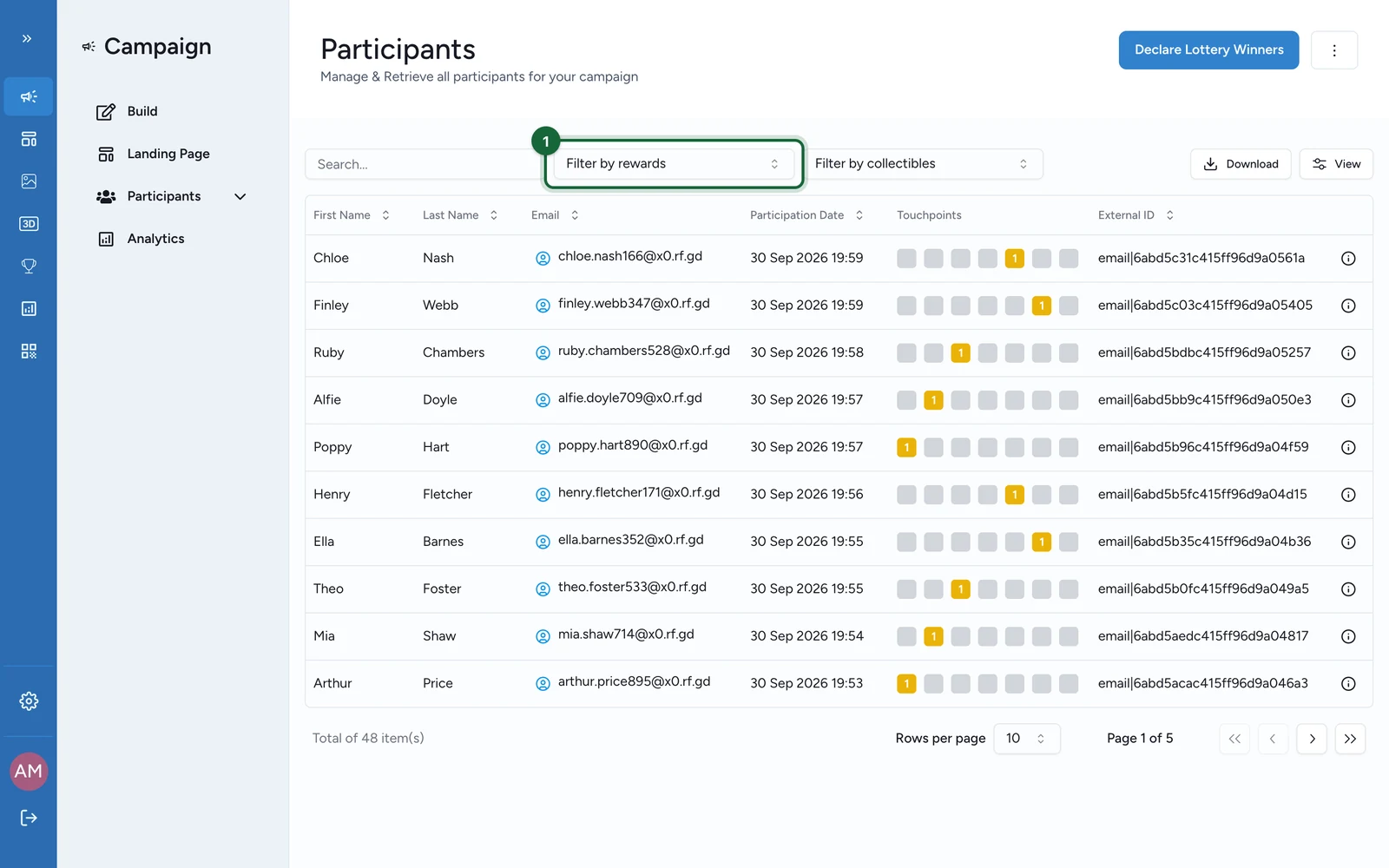
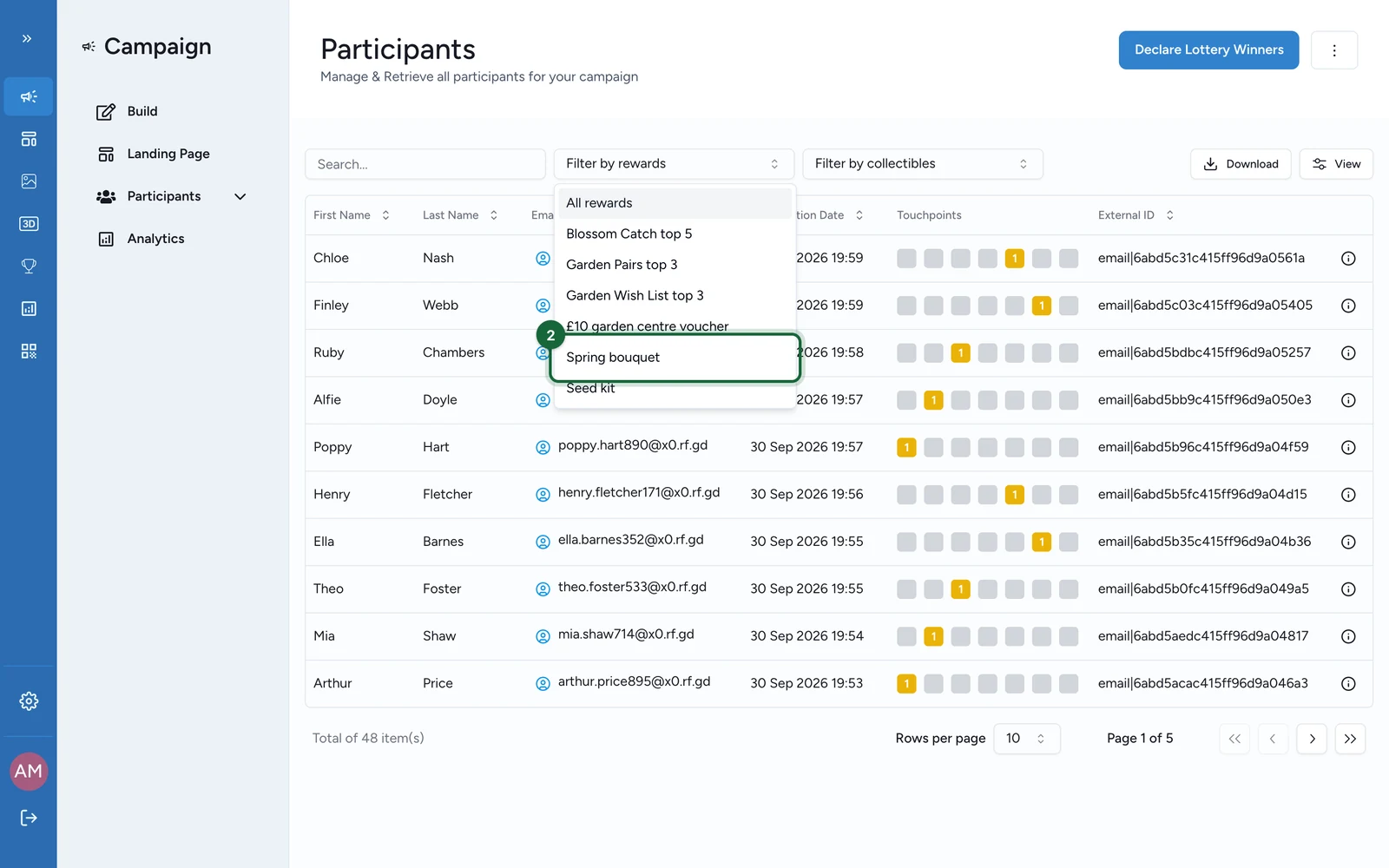
In Participants, filter by Reward and, if needed, by Touchpoint before you export.
Download the working file
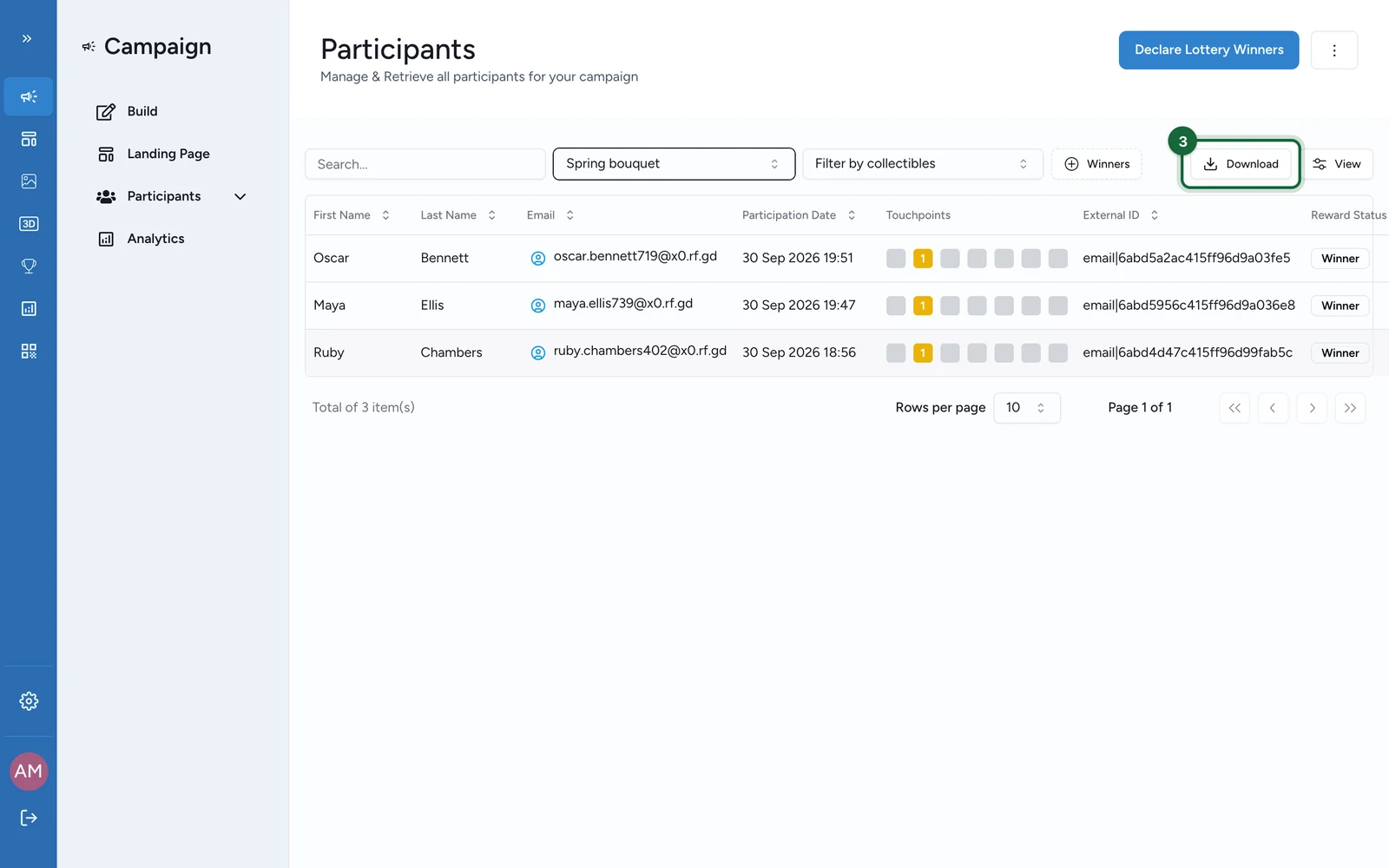
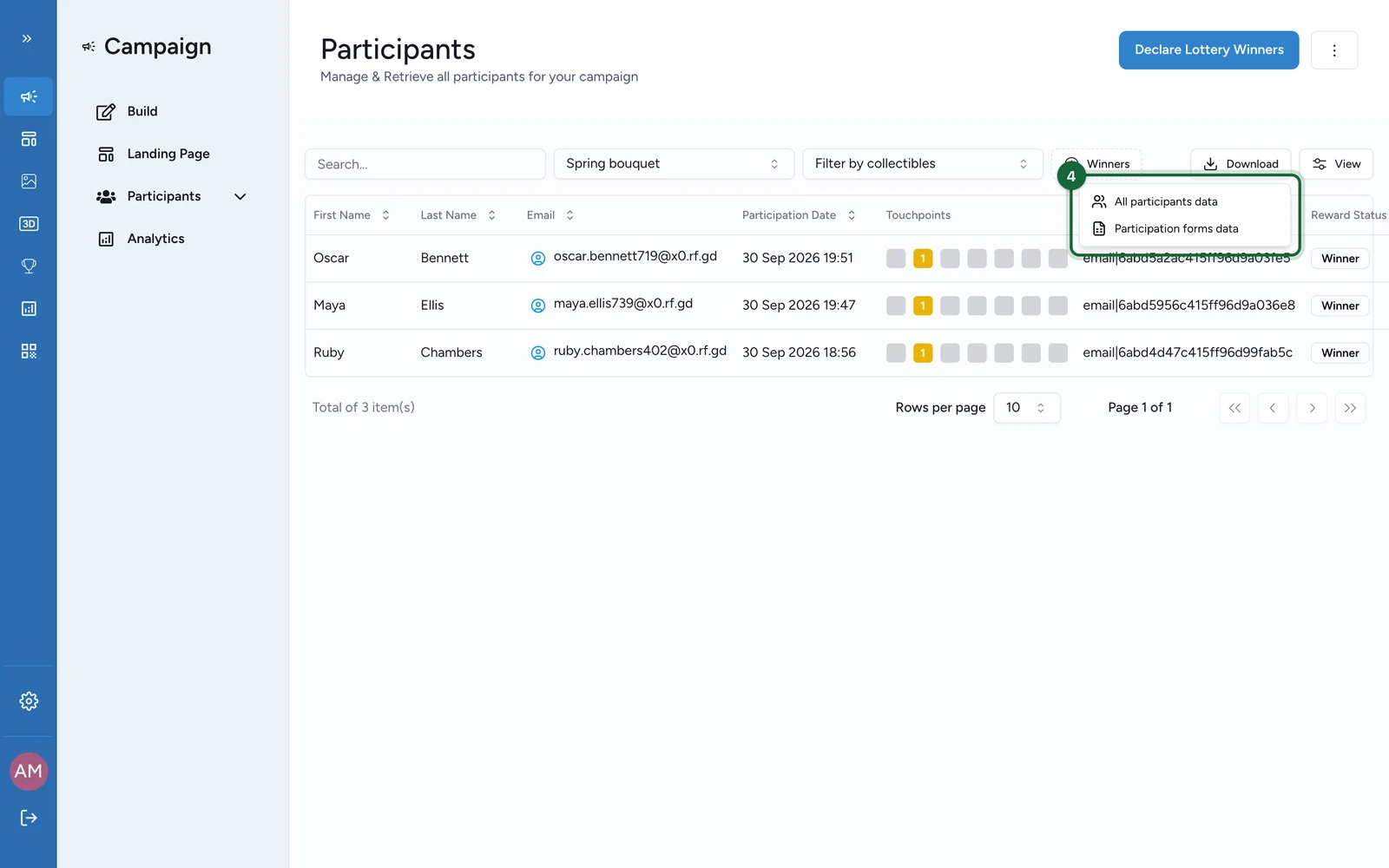
Use All participants data for the main fulfilment list.
Add Participation forms data or the relevant Leaderboard CSV if the fulfilment team also needs answers, score evidence, or ranking proof.
Add code or redemption follow-up when needed
For Secure Mode rewards, open Manage Coupons so you can reconcile codes, claims, and redeemed volume before you hand the file over.
Use notifications for automated communication
If your campaign sends winner follow-up automatically, rely on Winner, Eligible, or Reward Redeemed notifications. The communication can be automated even though the export itself remains manual.
Practical notes for game campaigns
Participation forms dataexports as one CSV when the participation form is configured once per campaign, or as a ZIP split by touchpoint when submissions are touchpoint-specific.Leaderboardexports are especially useful forMemory,Quiz,Form,Catcher, andTouchpoints Ranking.CSVis the current structured export format for Games; the current UI does not provide a dedicated Excel download.- There is no scheduled Games winner export in the current UI, so recurring handoffs need a downstream process after download.
Related
Exports & reports
Compare PDF and CSV export surfaces across the campaign.
Coupons & redemption
Pair participant exports with coupon and claim tracking when winners need codes.
Notification types reference
Plan winner, eligible, and reward-redeemed communication around the export workflow.
Reward attribution tracking
Understand how winner and eligible states move before you export them.