Acceptance policy overview

Understand which receipt checks run before a submission can count in the challenge.

Use the acceptance policy to set the checks every uploaded receipt must pass before it can count toward a reward. It keeps low-quality or out-of-scope receipts out of your challenge, so the rewards you hand out are based on data you can trust.

How acceptance and validation work together

These two steps run in sequence, and they answer different questions.

StepWhat it decidesTypical result
Acceptance policyWhether the receipt meets the challenge requirements.Pass or fail
Validation policyWhat happens to a receipt that passed.Counts right away, or waits for someone to review it

A receipt can fail acceptance before anyone on your team ever sees it. That is why these checks are worth setting up carefully.

What happens to an uploaded receipt

When a participant uploads a receipt, OmniLab first reads the text from the image automatically (the step we call OCR). If it finds enough data, the acceptance policy runs its checks. The receipt then lands in one of these outcomes:

  • Unreadable image — the receipt is marked incomplete before the checks even run.
  • Duplicate image — the receipt is rejected as a duplicate right away.
  • Passes, automatic review — the receipt counts immediately.
  • Passes, manual review — the receipt waits for someone on your team to review it.
  • Fails — the receipt is rejected.

What the policy can check

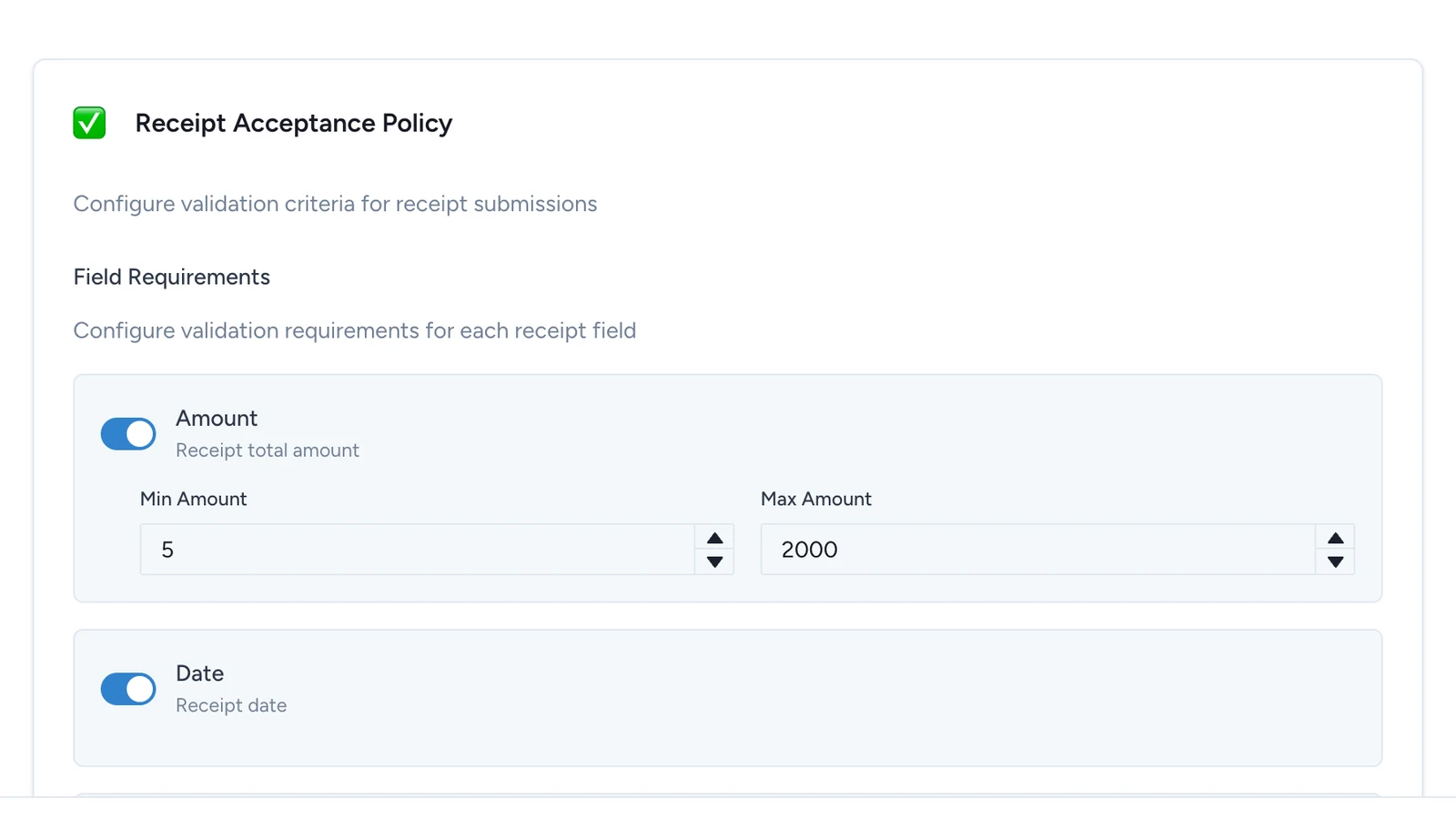
The Receipt Acceptance Policy screen centers on Field Requirements, where you choose which details a receipt must contain:

  • Amount
  • Date
  • Merchant
  • Zip Code

Each required field can carry more specific checks: minimum and maximum amounts, allowed or blocked merchants, exact-match behavior, and allowed or blocked zip codes.

Depending on how the challenge is set up, the policy can also apply broader checks such as receipt age, the submission window, and how confident the automatic text reading was.

Questions to answer before you start

Settle these before you turn on any checks:

  • Which details must always be present for the reward decision to be trustworthy?
  • Is the campaign open to any retailer, or only to a partner list?
  • Do you need a minimum spend, a maximum cap, or both?
  • Is the challenge limited to a store network or a geographic area?
  • Should borderline cases go to your team for review, or be rejected straight away?

Example

Say the campaign promise is: "Spend at least 25 EUR at participating beauty stores this weekend to unlock a pouch."

A policy that matches that promise usually requires:

  • Amount present, with a minimum of 25
  • Merchant present, limited to the partner list
  • Date present, so the challenge can trust when the purchase happened
  • Zip Code if only some store locations qualify

What the acceptance policy does not do

The acceptance policy does not decide:

  • which Reward unlocks
  • how many times a Reward can still be won
  • whether your team can force a stock unlock later
  • which email is sent

Those decisions live in your challenge rules, winning options, global outcome rules, and notifications.

Was this helpful?

Optional comments help us improve this page for future authors and readers.

On this page