Configure field requirements

Choose which extracted receipt fields must be present before a submission can continue.

Use field requirements to set which receipt details must be present before a receipt can count. It is the fastest way to keep low-quality or incomplete receipts out of your challenge, so reward decisions stay reliable.

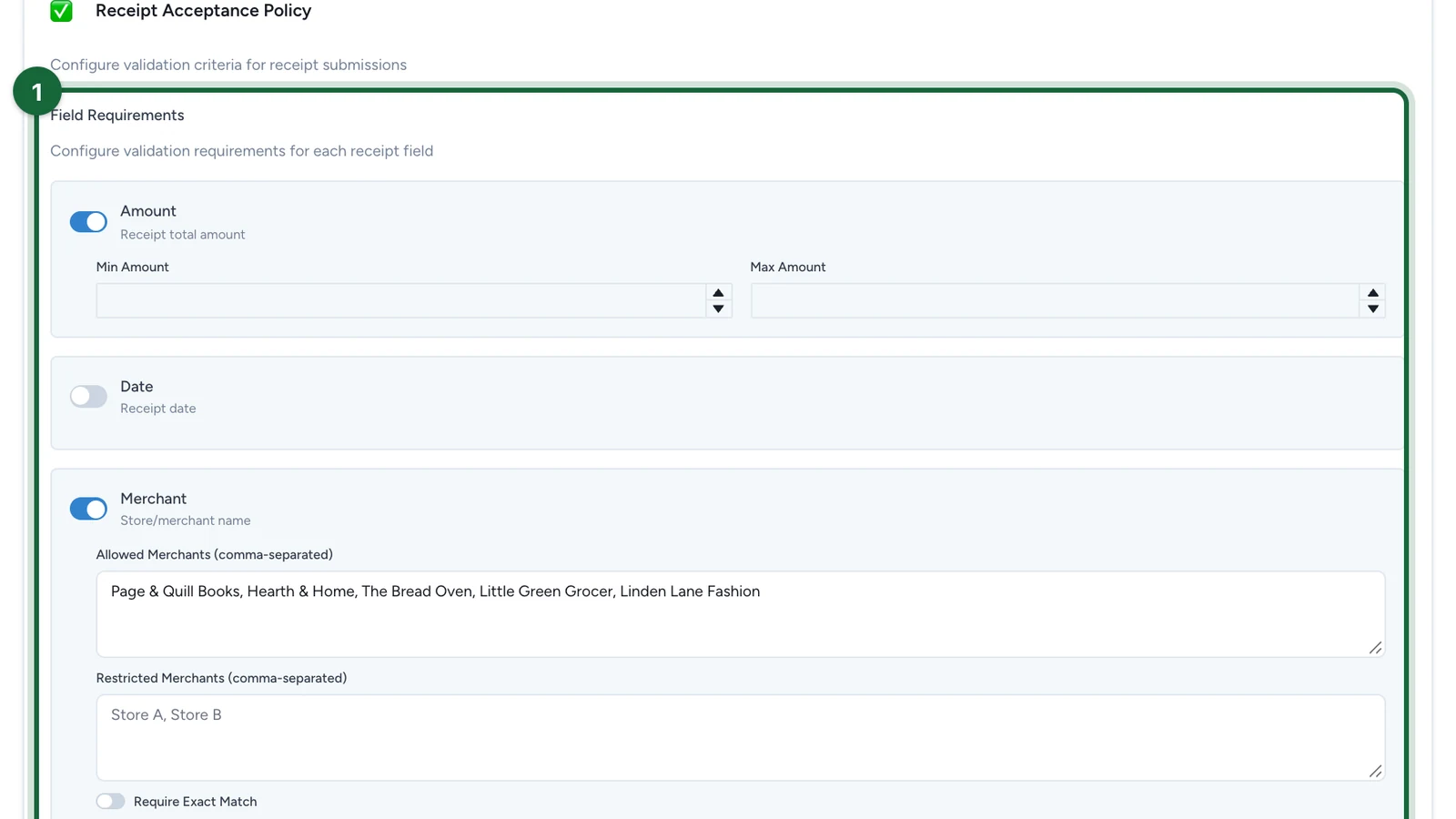
On the Receipt Acceptance Policy screen, you can require four fields:

  • Amount
  • Date
  • Merchant
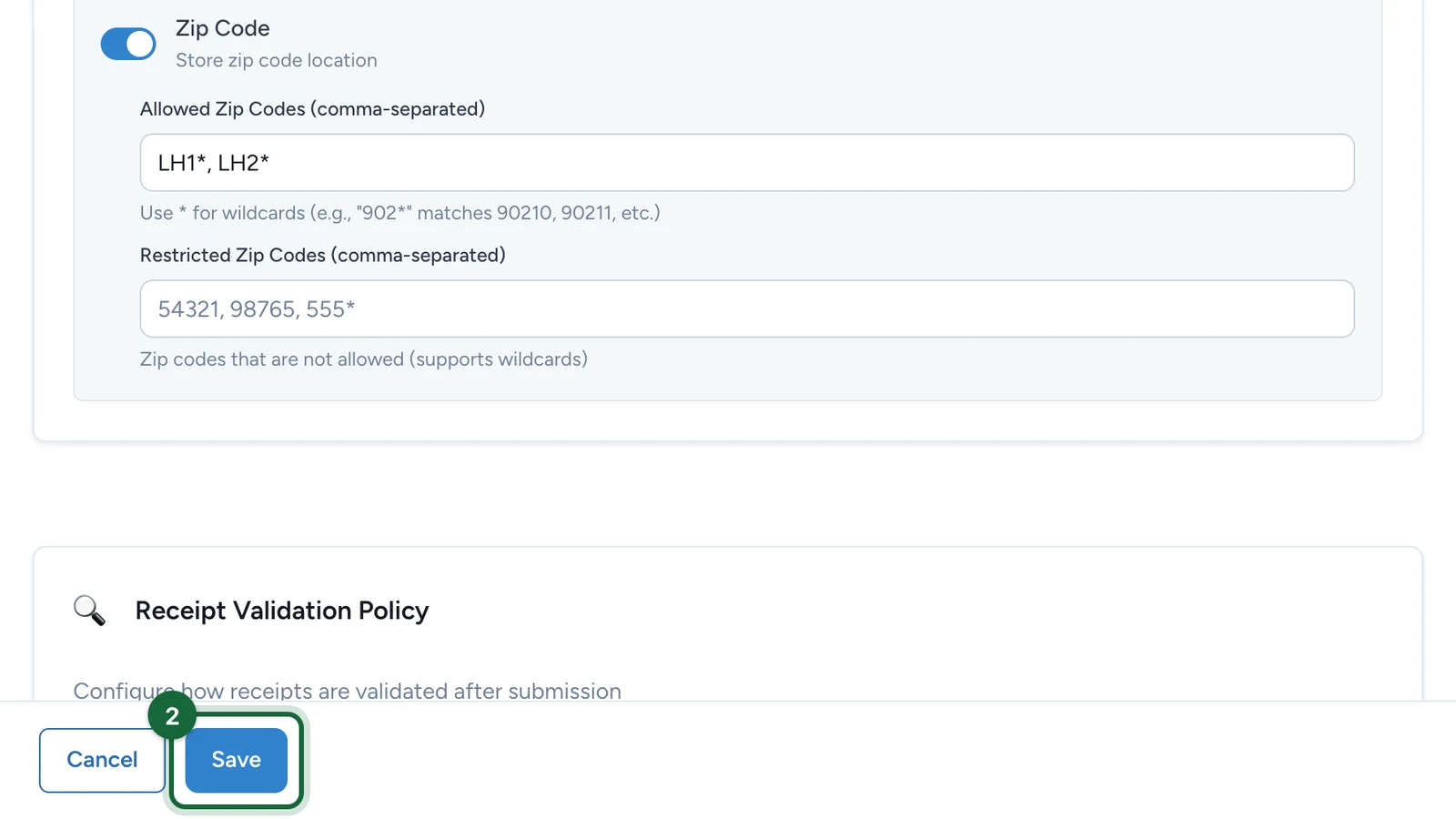
  • Zip Code

Turn on the fields you need

Open the receipt challenge

Go to Build, then Touchpoints, open your receipt challenge, and go to Configuration.

Find the policy

Scroll to Receipt Acceptance Policy.

Require the fields that matter

Under Field Requirements, switch on each detail that must be present.

Add field-specific rules

Set the more detailed checks where they apply, such as a minimum amount or an allowed merchant list.

What each field is for

FieldRequire it when
AmountThe reward depends on a spend threshold, which covers most challenges.
DateThe purchase timing matters for fairness or for an audit later.
MerchantOnly some retailers qualify, or your team must confirm the store.
Zip CodeOnly some store locations or areas qualify.

Good starting setups

Challenge typeStart withUse this when
Spend-based rewardAmount + MerchantThe reward unlocks at a spend threshold at a partner store.
Strict proof of purchaseAmount + Date + MerchantYou need to confirm what, where, and when.
Location-limited activationAmount + Merchant + Zip CodeThe campaign runs only in certain stores or areas.

If you just want a standard spend challenge, require Amount and Merchant.

If too many or too few receipts pass

A few common reasons and how to fix them:

  • No fields are required — the policy is too open and may accept poor-quality receipts. Require at least the details the challenge depends on (for most spend challenges, that is Amount and Merchant).
  • A key field is missing — if the challenge depends on spend thresholds or retailer eligibility, make sure Amount and Merchant are on. Add Date when purchase timing matters.

Recommendation

Start with the smallest reliable set. Requiring too many fields rejects good receipts; requiring too few makes reward decisions harder to trust.

Was this helpful?

Optional comments help us improve this page for future authors and readers.

On this page