Reward attribution tracking
Follow who won, who's still in the running, and whether prizes have been claimed.
Confirm who won each reward, who is still waiting for a result, and whether prizes have actually been claimed. The game decides who can win, but you track all of this from your campaign.
Reward resolution happens outside the game editor
You resolve lottery rewards from Participants with Run Draw, and leaderboard rewards from Leaderboard with Declare Winners. There is no separate reward-resolution panel inside the game configuration screen.
Where to track each answer
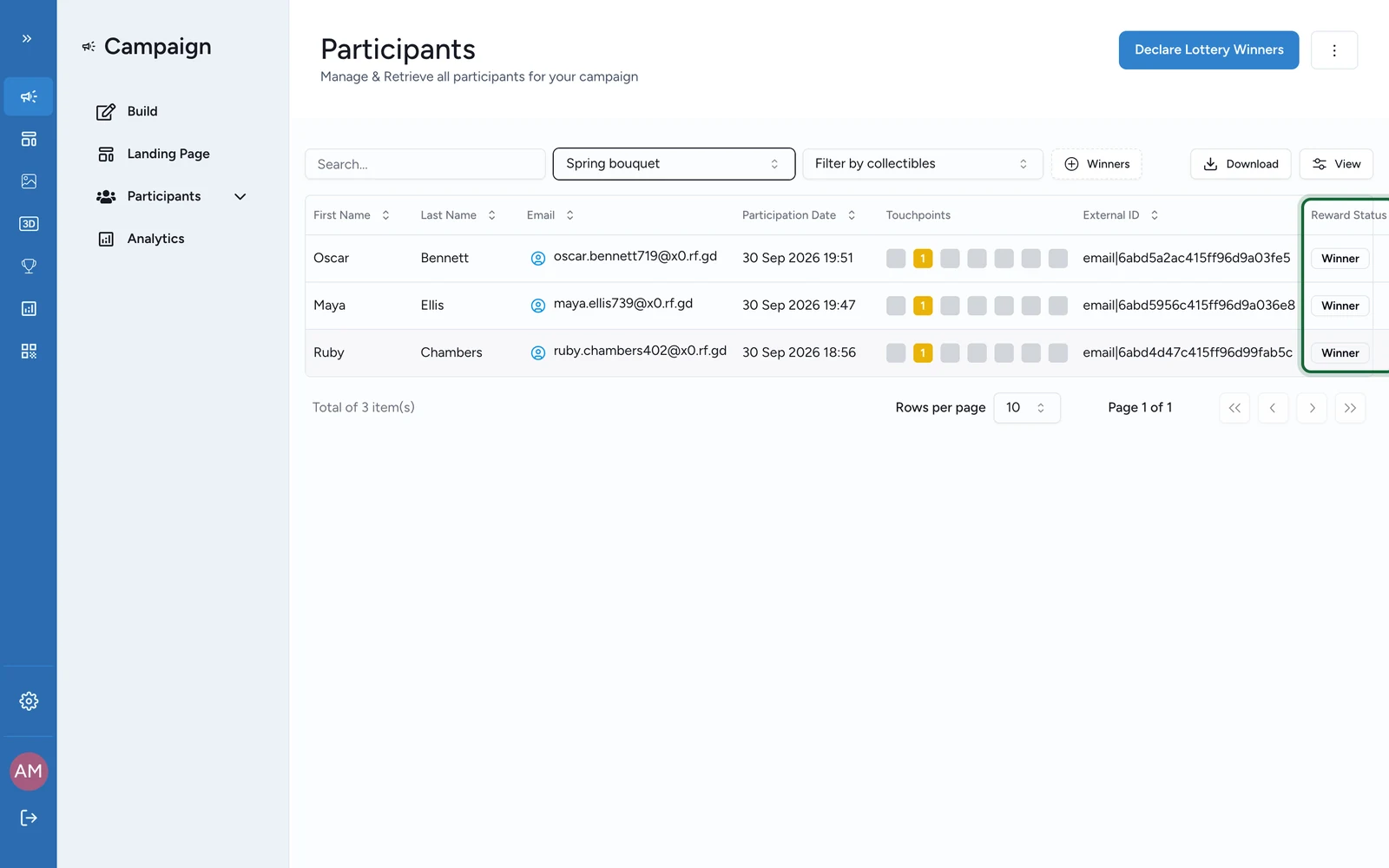
- Who won, which reward, and when? Open Participants. Filter by Reward and, if needed, by Touchpoint, then read Reward Status and Last Reward Status Time.
- How many wins are already resolved? Open Analytics, under Summary. Read Total Rewards Won, Total Winners, Total Non Winners, and the per-reward breakdowns.
- What is still waiting for a result? Use Analytics and Participants. Read Total Eligibles, Total Eligible By Reward Name, and the participant rows that still show Eligible.
- What will the draw resolve right now? Open Participants and select Run Draw. Review Number of Winners, Winner Eligibility, Winner Restrictions, and the eligible-participant counts shown before you confirm.
- What will leaderboard resolution award? Open Leaderboard. Check the ranking table, the chosen ranking method, and the Declare Winners action.
- Are secure rewards actually being claimed? Open the reward's Manage Coupons and its follow-up. Check code availability plus Issued, Redeemed, and Reward Redeemed after the win.
How each winning method appears in reporting
An Instant Win reward resolves during the play session. Use this when the player should find out they've won right away.
After a winning play:
- the participant moves straight to Winner or Loser
- Participants shows the reward state and the latest status time
- Analytics updates the reward totals and per-reward breakdowns
When the reward uses Coupons & redemption, code tracking stays on the reward itself, not on the game.
A lottery runs in two stages. Use this when you pick winners after the campaign rather than during play.
- The participant becomes Eligible.
- An operator later opens Participants and uses Run Draw.
While the draw is still pending, Eligible is the normal state. After the draw, compare Total Eligibles, Total Winners, and the participant-level states to confirm the outcome.
When the reward uses scheduled windows or attribution slots, the standard tables do not show a separate slot column. Use Last Reward Status Time to match each result back to the active reward window.
A Leaderboard reward resolves in two steps. Use this when the best performers should win.
- OmniLab ranks the participants.
- An operator opens Leaderboard and uses Declare Winners.
Use Leaderboard to review Rank, Participation Date, Completion Time, Score, or Touchpoints Ranking before you assign the reward. A strong result is only a candidate until winners are declared.
Read delayed rewards carefully
- Eligible means the participant is still in the pool, not that the reward failed.
- For lotteries, read pending draw volume from the Eligible totals and the counts shown in Run Draw.
- For leaderboard rewards, the ranking table shows performance first. The reward exists only after Declare Winners.
- For Secure Mode, pair participant status with Manage Coupons so you can tell won-but-not-claimed from claimed-and-redeemed.
Reconcile the numbers
Filter to one reward
In Participants, filter by a single Reward before you compare numbers. Add a Touchpoint filter when several games share the same campaign.
Compare totals against people
Compare Total Rewards Won, Total Winners, and Total Eligibles against the participant-level states.
Confirm the draw or declaration ran
For a lottery, confirm Run Draw has already been completed. For a leaderboard reward, confirm Declare Winners has already been completed.
Check claims for secure rewards
For Secure Mode, check coupon availability and redeemed volume before you conclude the game logic failed.
Related
What OmniLab measures
See where OmniLab Games reward outcomes fit in OmniLab's broader measurement model.
Lottery rewards
Review the delayed draw model that turns participants into eligibles first.
Leaderboard rewards
See how ranking-based rewards are configured before they are resolved.
Coupons & redemption
Track code-based fulfilment and reward redemption after the win.
Why didn't my reward distribute?
Diagnose missing wins, stale eligibles, and misaligned game-reward setups.