Download the QR code for a game
Get a QR code that opens one game, ready for a poster, a flyer or a screen in the centre.
1 min read
A game's QR code opens the game straight away, with no landing page first.
Download it
-
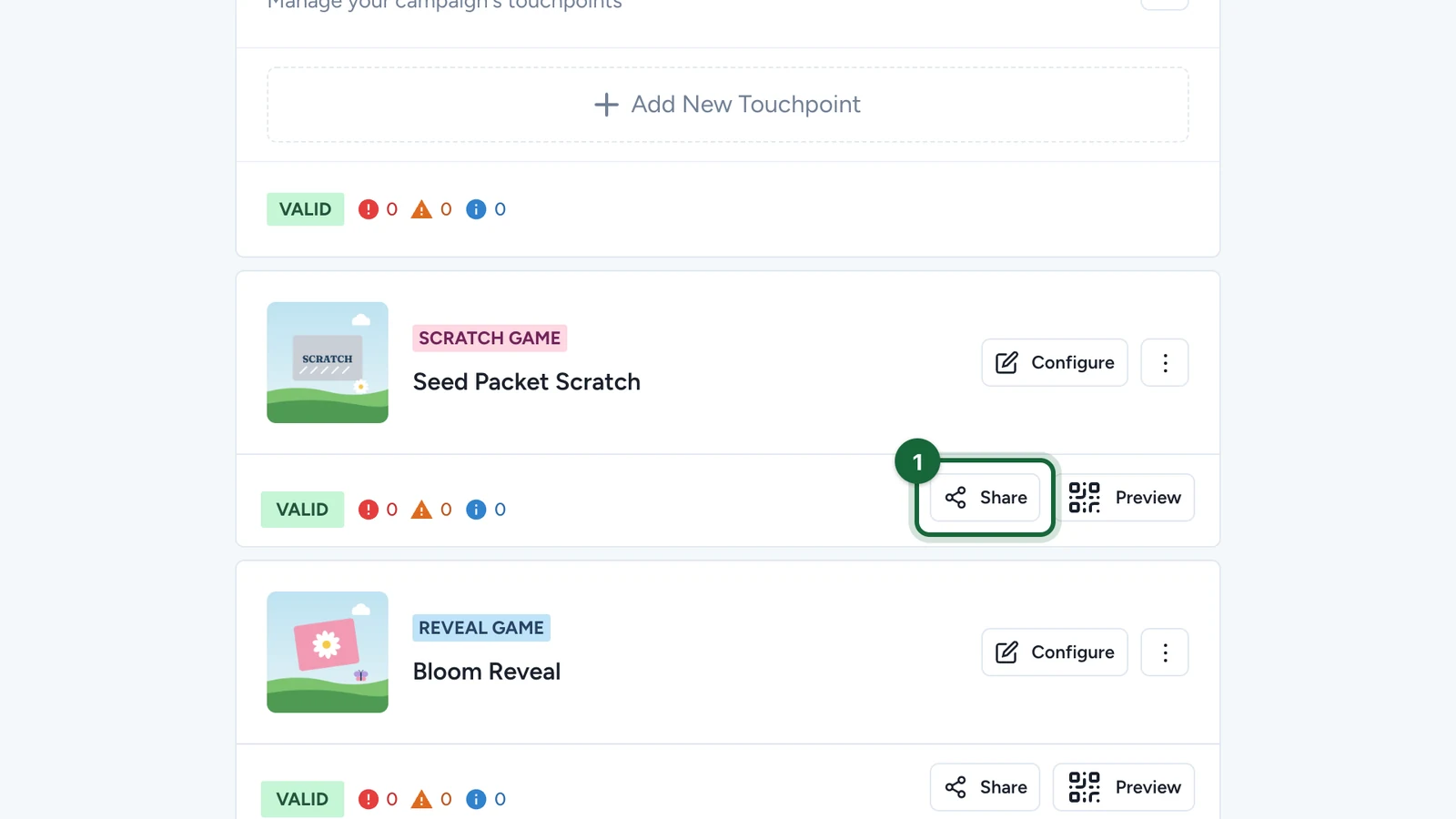
In Build > Touchpoints, select Share on the game.
-
Select Download PNG or Download SVG.
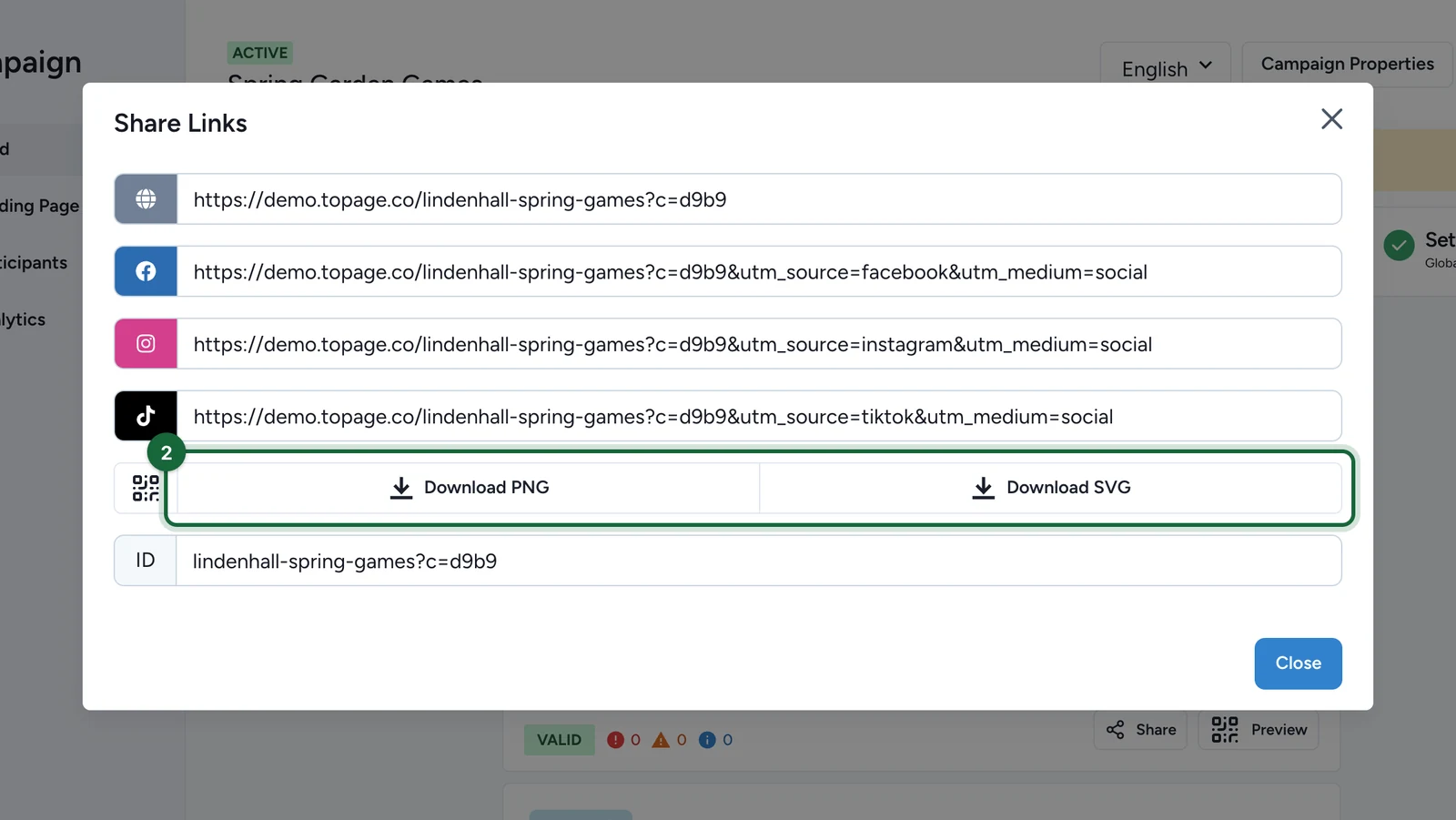
The SVG stays sharp at any print size.
Every game at once
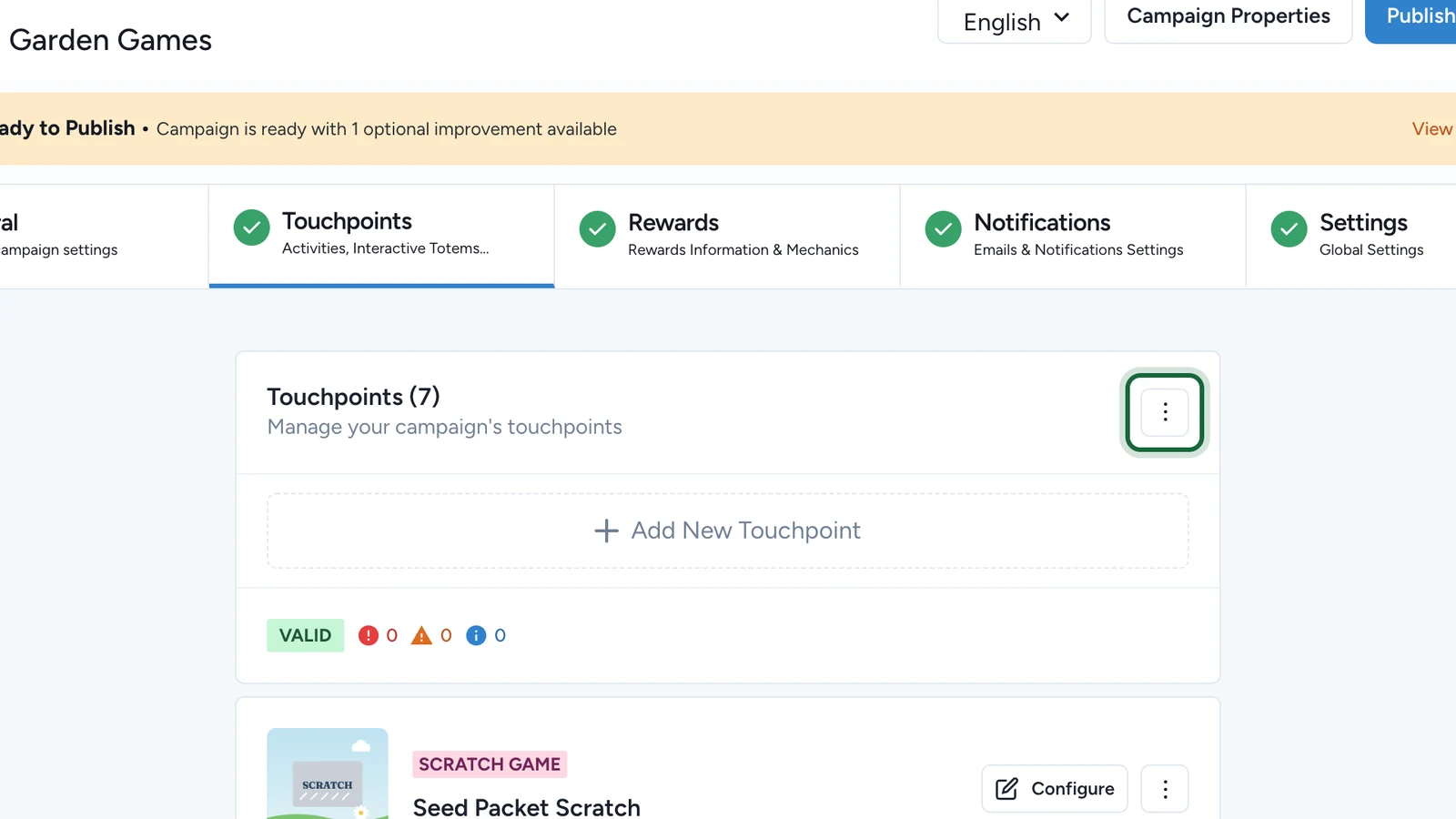
The menu button (⋮) at the top of Touchpoints downloads a QR code for each game, or creates dynamic QR codes for a place in the centre: see QR codes.
If your plan includes Smart Links and a printed code may need to point somewhere else later, print a Smart Link's code instead: the link can change, the print can't. See Smart Links.