Configure runtime and secrets
Set a function's timeout and memory, allow-list outbound hosts, add config keys, and store credentials in secret bundles.
Everything here belongs to one function, except secret bundles, which any function can bind. Here, Lindenhall's double opt-in function gets api.brevo.com and a brevo bundle.
Before you begin
- The function already exists. If not, start with Create and build a function.
- You are an Admin working in the Global organisation.
- Have the exact hostnames of any API your handler calls. Wildcards are not accepted.
Open the Settings tab
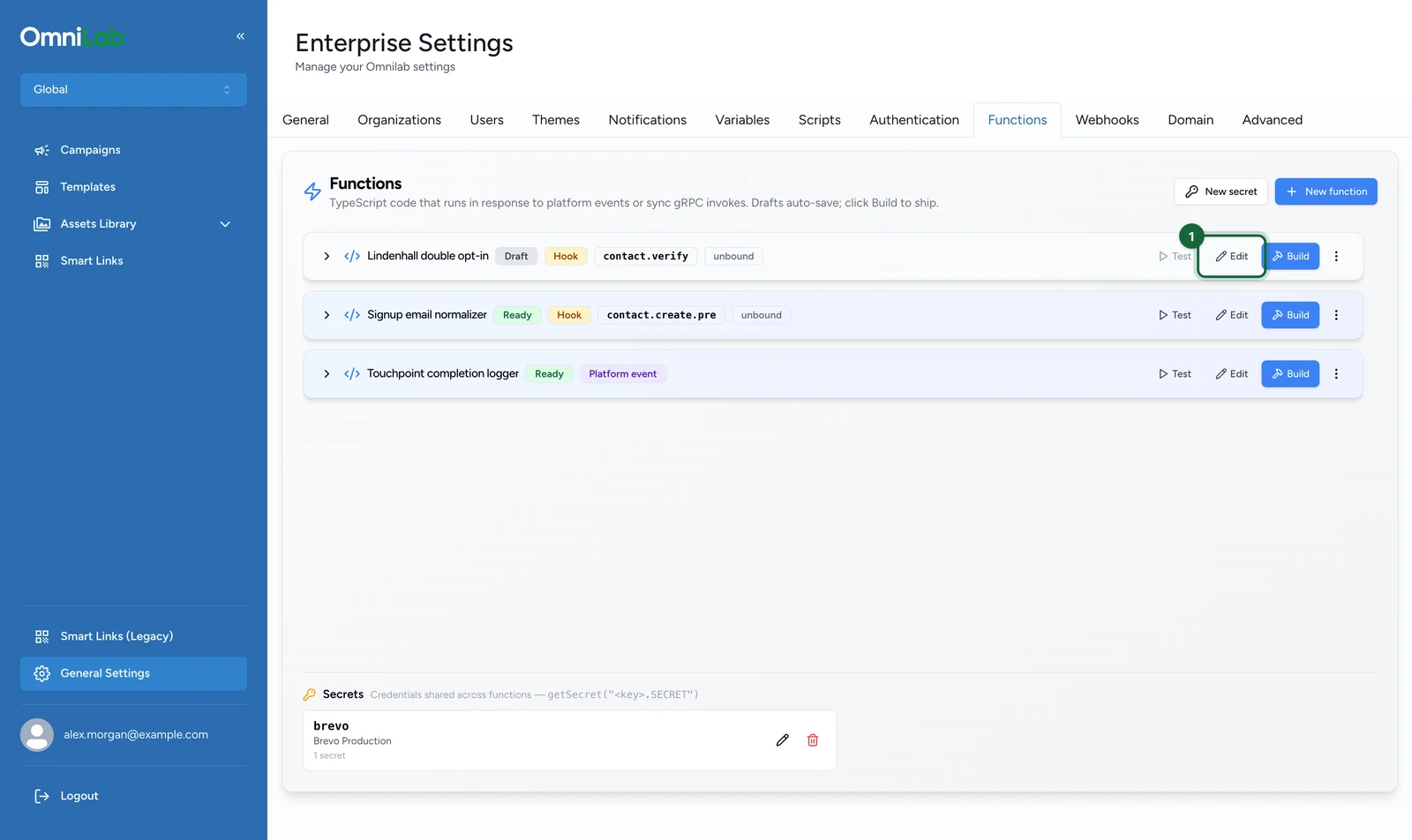
On the Functions tab:
-
On the function's row, select Edit.
-
Select the Settings tab.
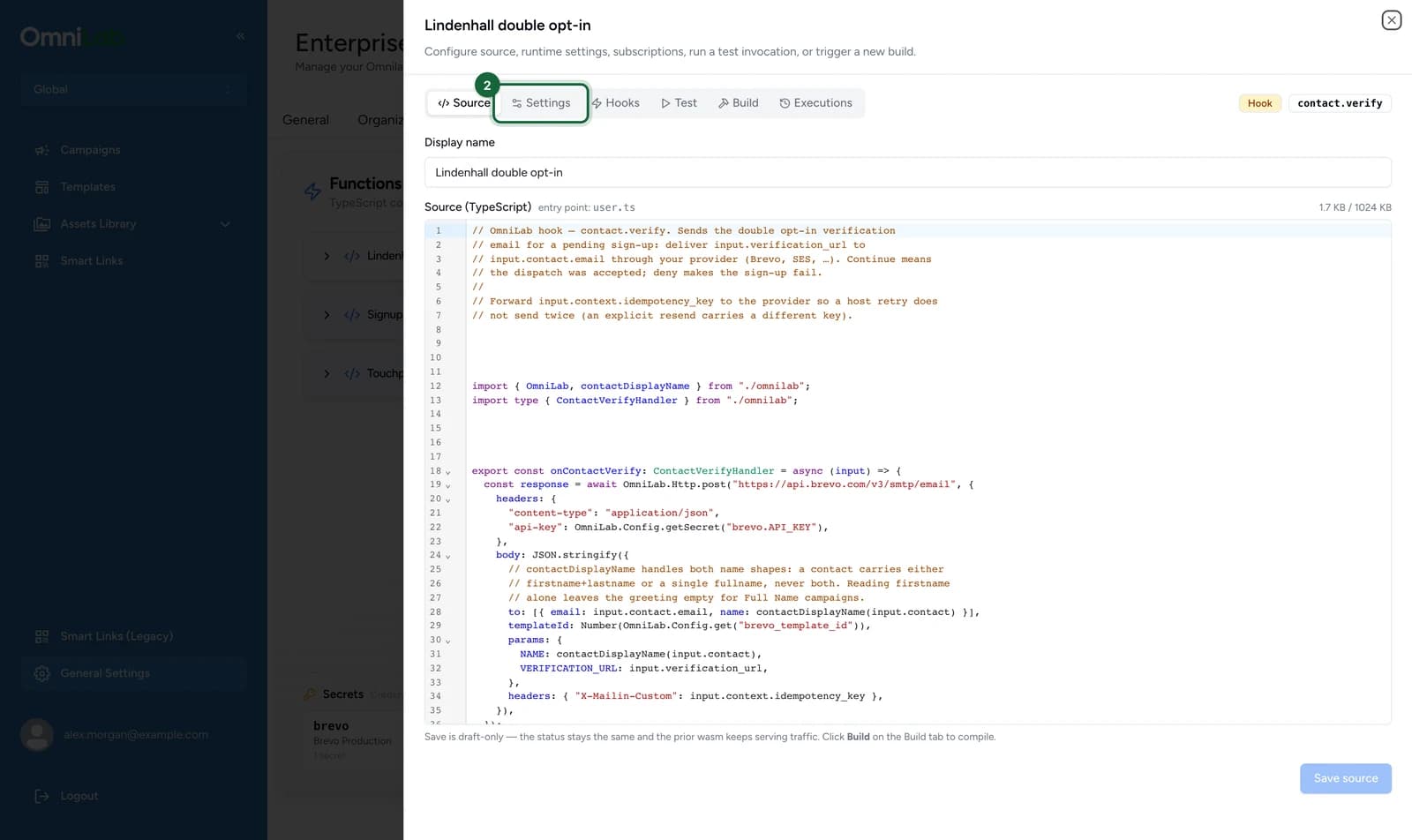
Changes on this tab apply from the next invocation, with no rebuild: none of them change your compiled code.
Runtime limits
The Runtime limits card bounds a single invocation.
| Setting | Range | Default | What it controls |
|---|---|---|---|
| Timeout (ms) | 50 – 2000 | 2000 | Wall-clock time your handler gets. A runaway loop is stopped when it runs out. |
| Max memory pages | 1 – 64 | 32 | Checked when you save, at 64 KiB per page, but not applied yet: every handler can currently use up to 4 MiB, whatever you set. |
Leave a field empty to use the default. The default timeout is already the ceiling, so you can only lower it.
Leave headroom for your provider's slowest responses
One HTTP request can take up to 1500 ms before it fails with TIMEOUT, and your code can catch that. Running out of handler time can't be caught, and on a hook it fails the operation. So keep Timeout (ms) above your provider's slowest responses plus your own work, never near its median. The default leaves 500 ms after a timed-out request.
The limits you can't change are in the SDK reference.
Allowed hosts
The Allowed hosts card is the outbound network allow-list. A missing host is the most common reason a working handler fails in production.
On the Settings tab:
-
Under Allowed hosts, enter the hostname, here
api.brevo.com.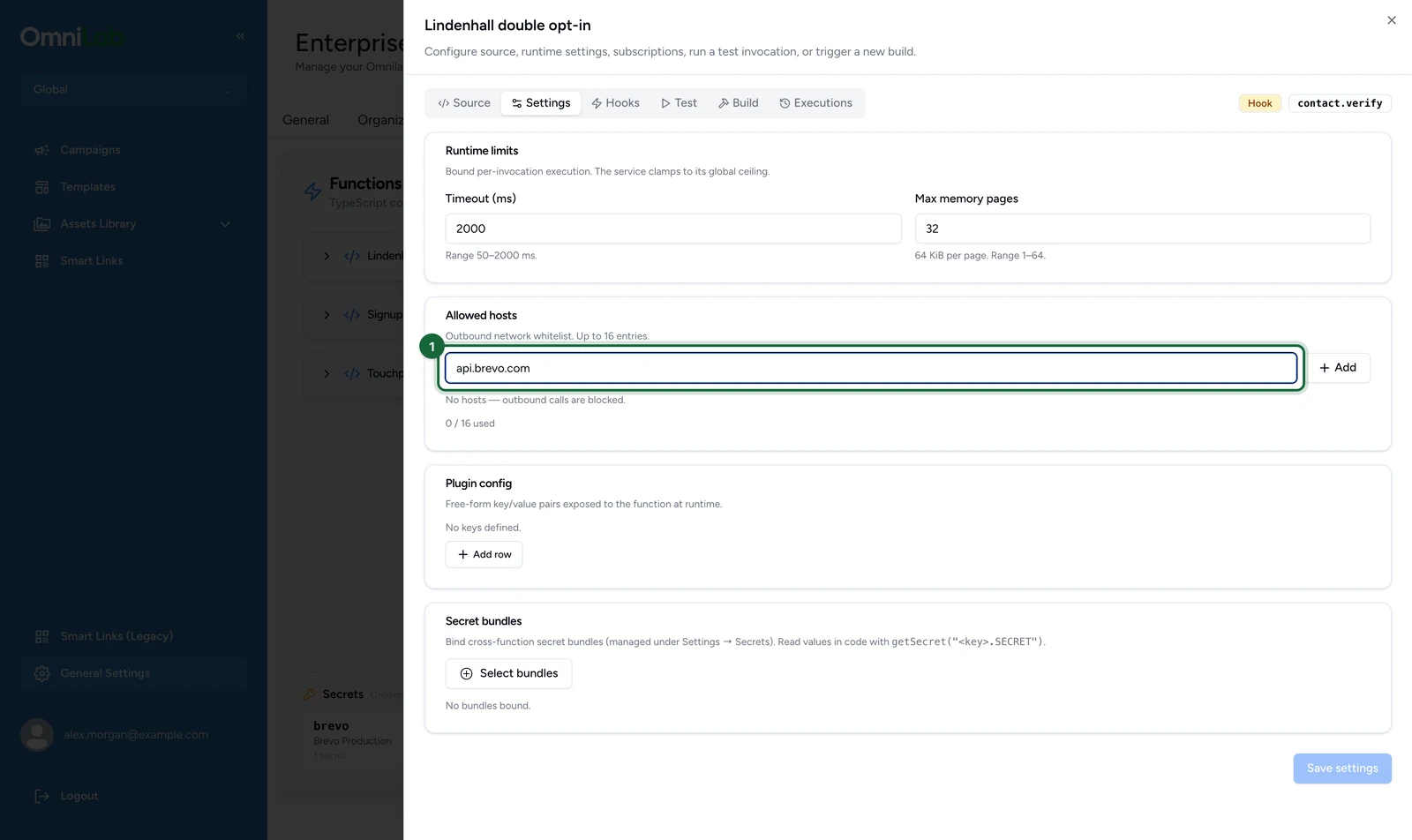
-
Select Add.
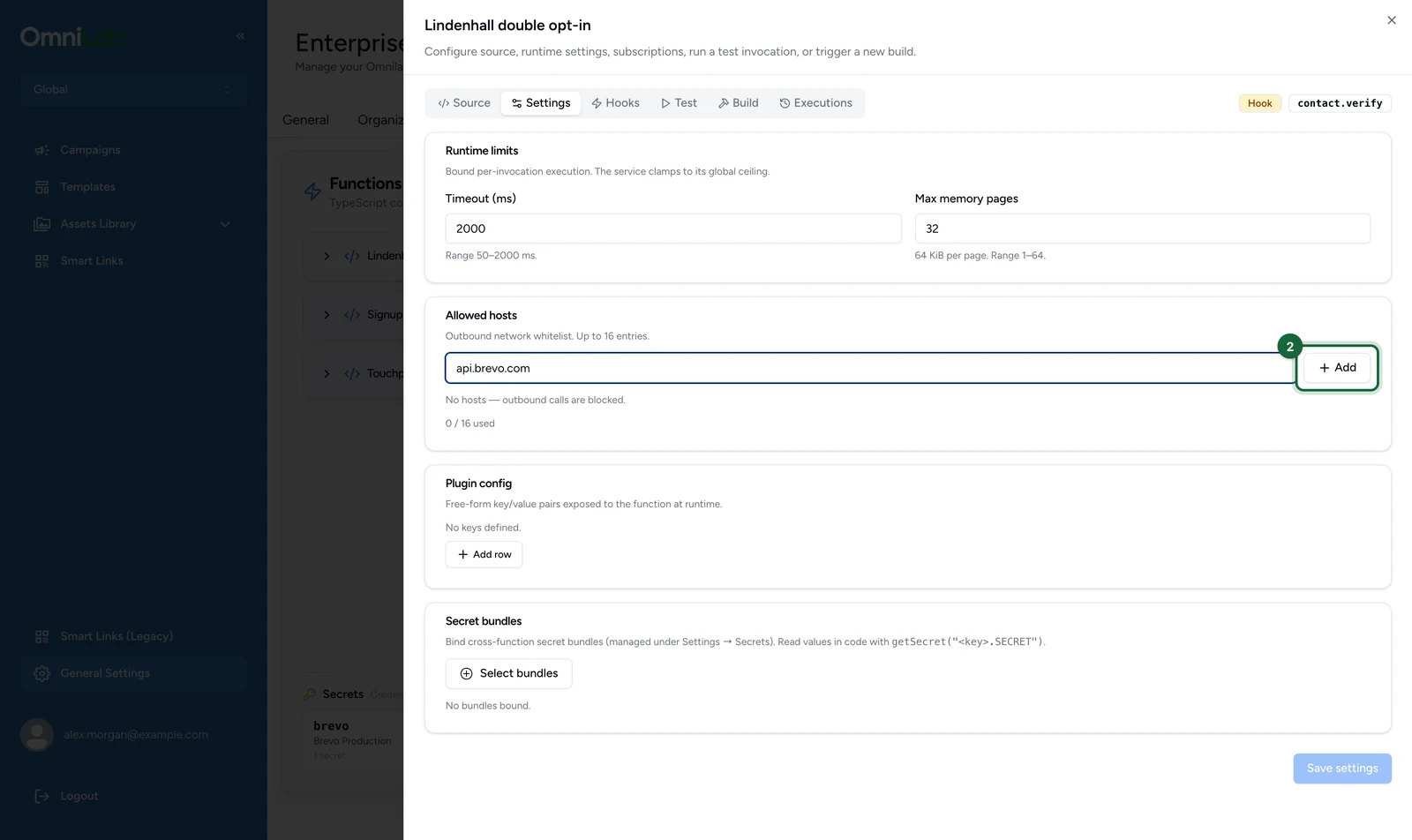
The host becomes a removable chip, and the counter goes up.
-
Select Save settings.
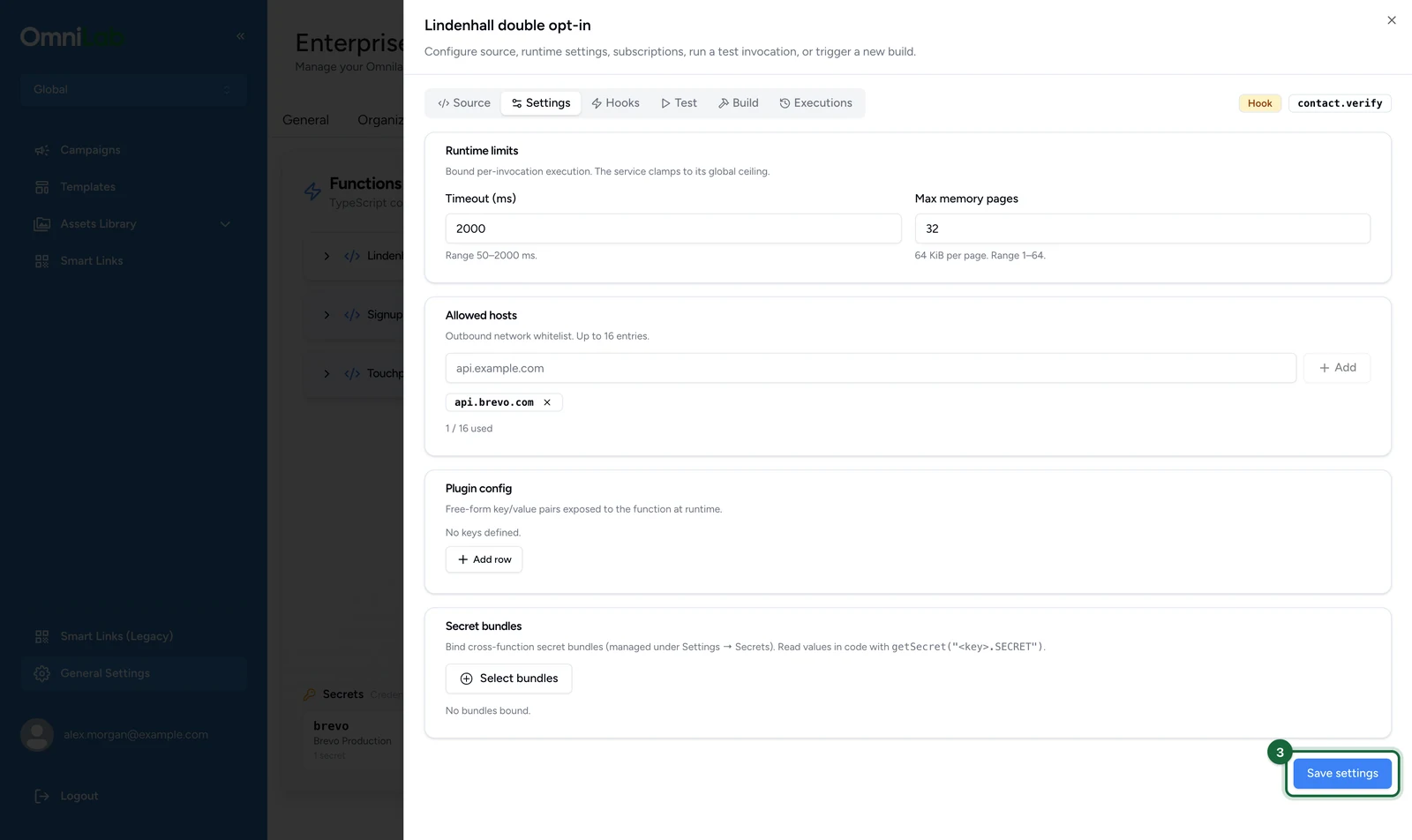
What the list accepts:
- A function with no allowed hosts is refused every outbound request. A new function starts this way.
- Entries are exact hostnames, matched case-insensitively, such as
api.example.com. Wildcards and raw IP addresses are refused when you save. - A host saved with a port or a path never matches a real request, because only the plain hostname is compared. Enter the hostname alone.
- Only
httpandhttpsare allowed. How many hosts you can list is in the SDK reference.
Private and internal addresses are always refused, even when listed: private ranges, loopback and link-local addresses. The check runs again after DNS resolution, so a public name that resolves to a private address is refused too. A blocked call raises EGRESS_BLOCKED in your handler.
Plugin config
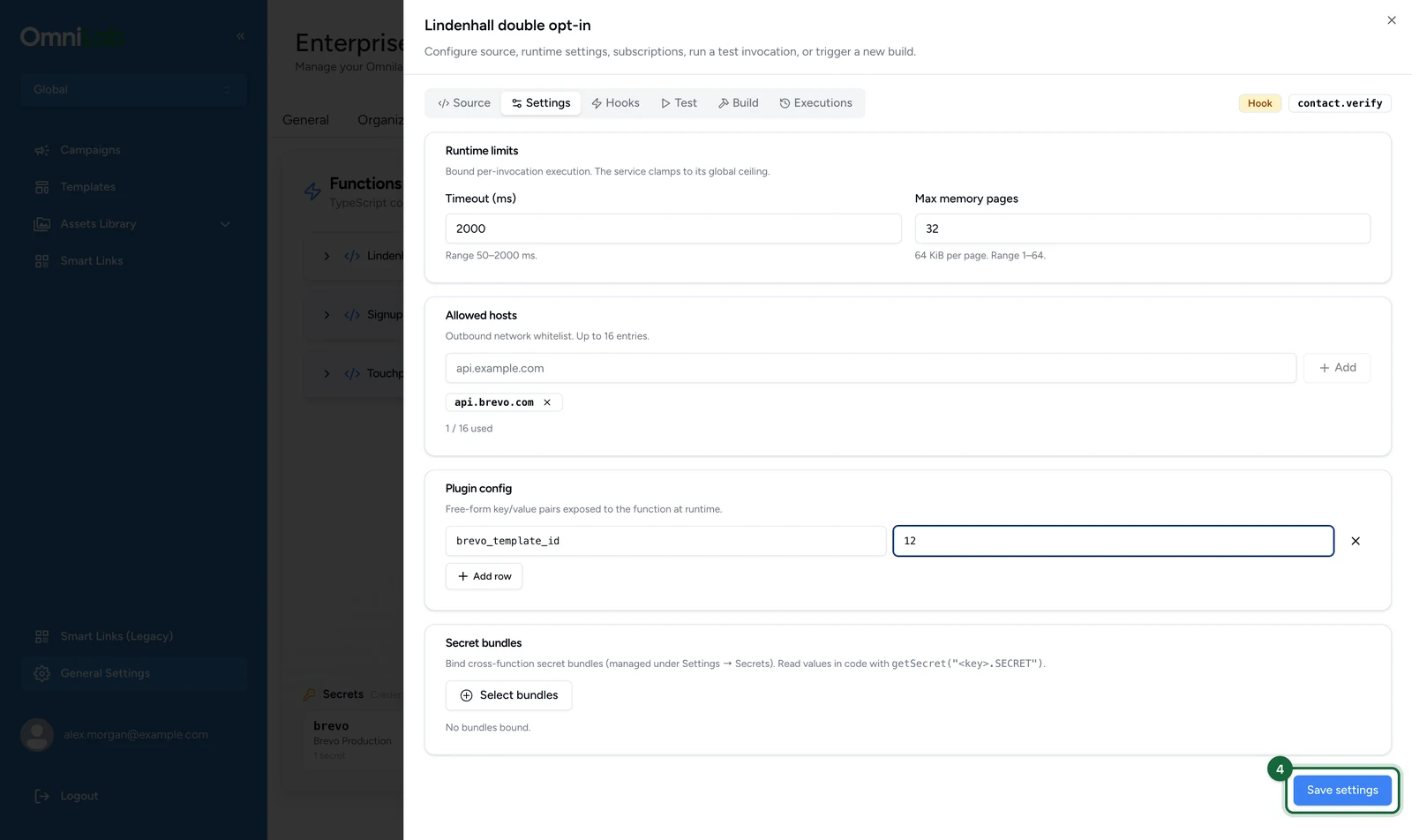
The Plugin config card holds key and value pairs your handler reads at runtime. Use it for values that differ between environments but aren't sensitive: a template id, a feature toggle, a base URL.
On the Settings tab:
-
Under Plugin config, select Add row.
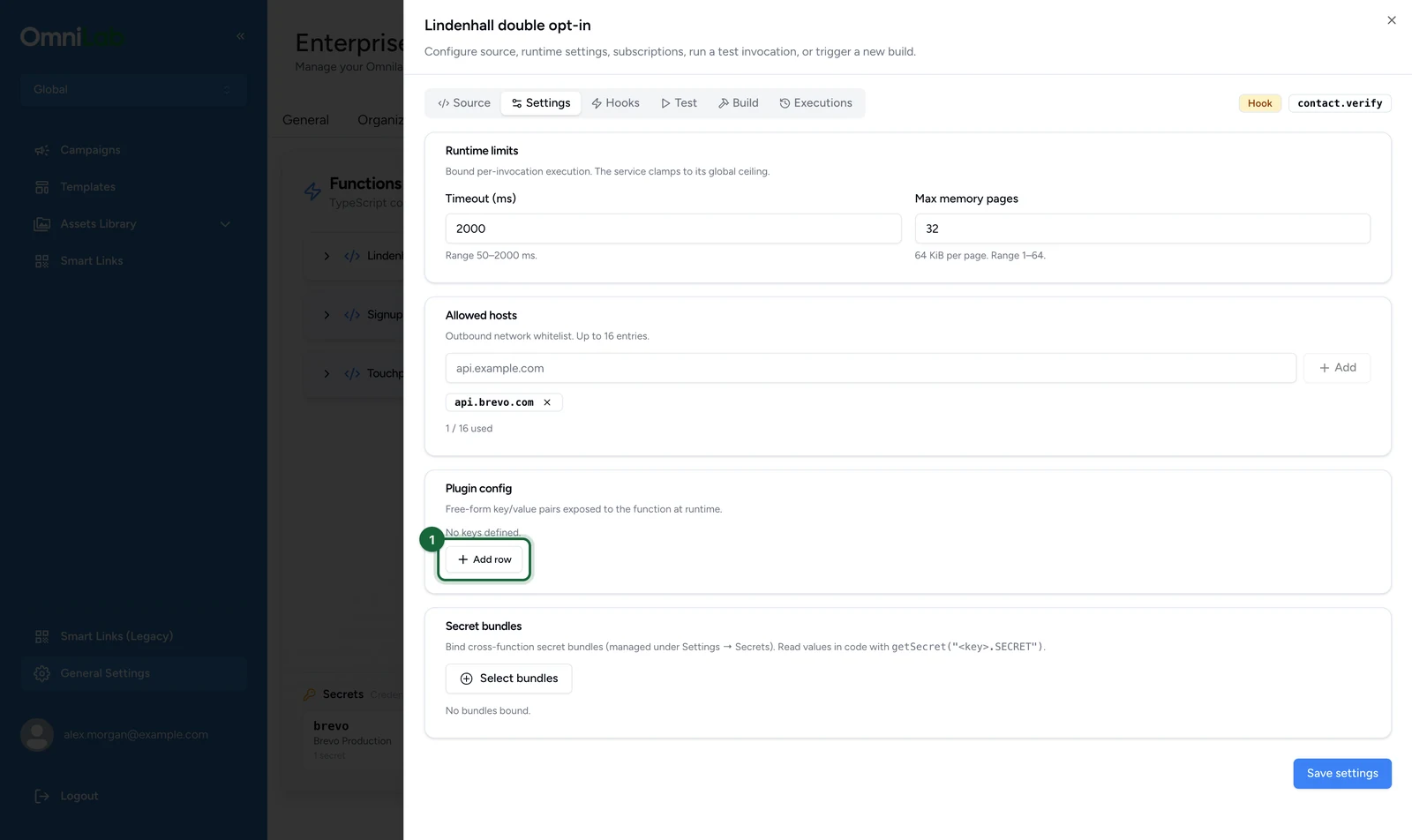
-
Enter the key, here
brevo_template_id.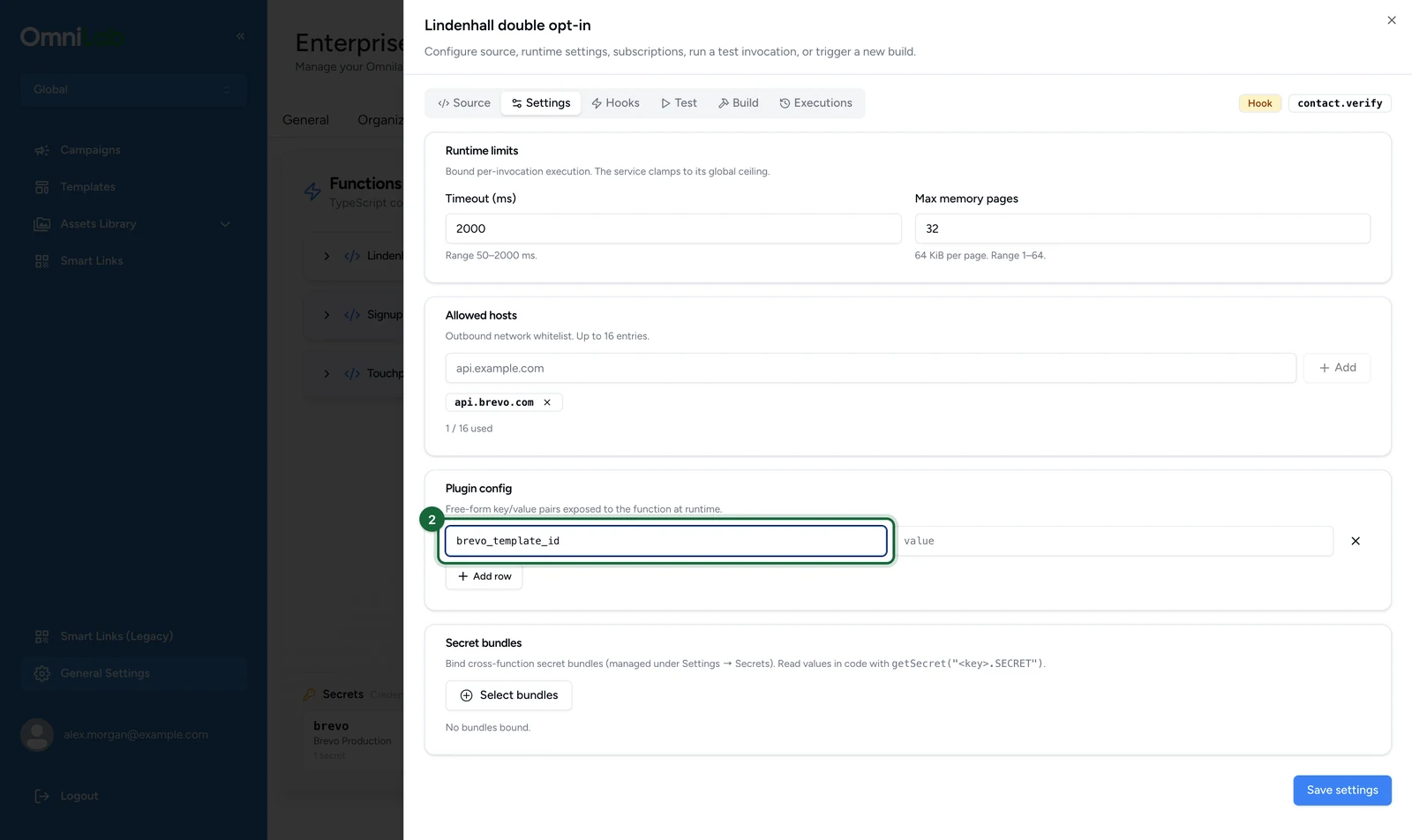
-
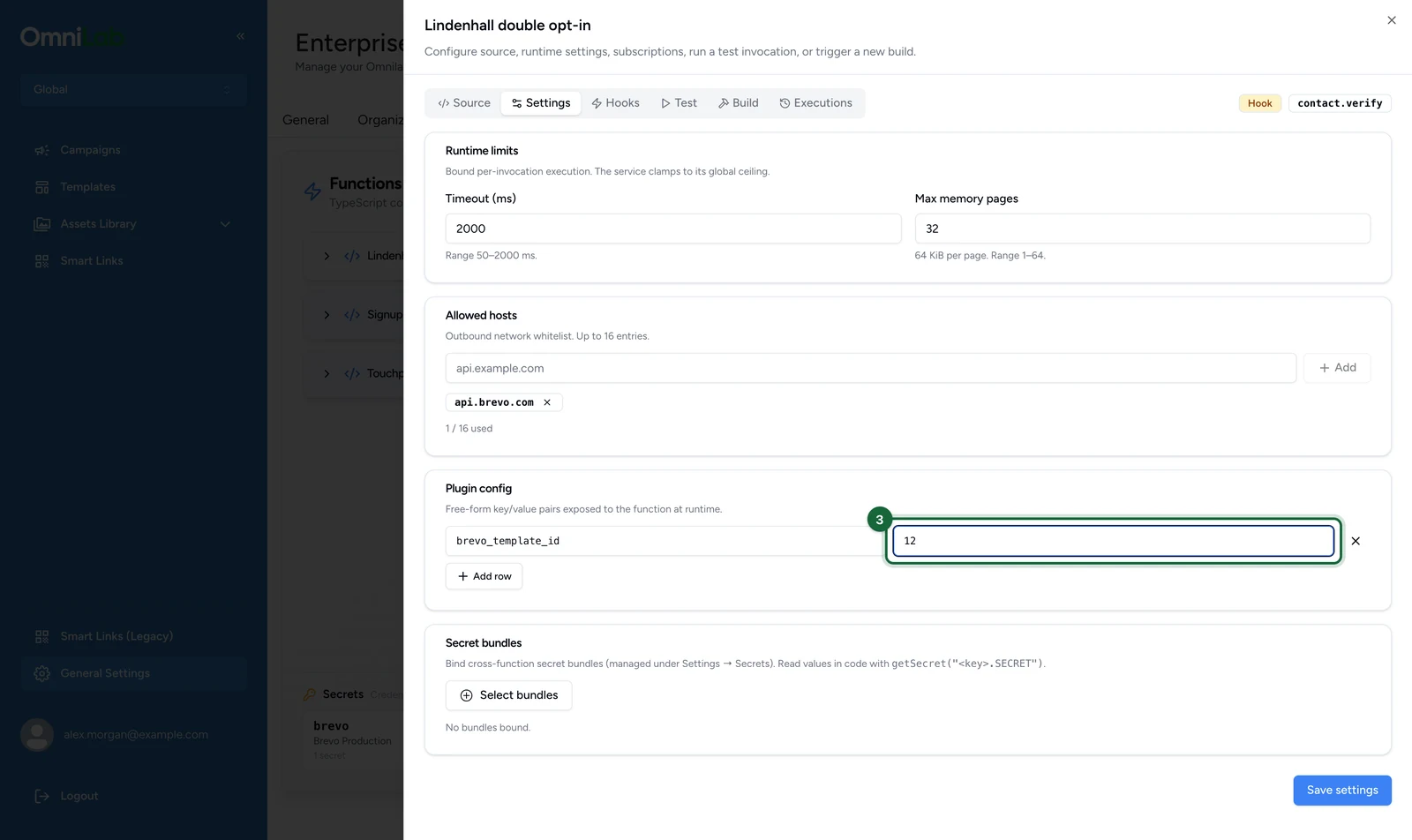
Enter its value, here
12.
-
Select Save settings.
const templateId = OmniLab.Config.get("brevo_template_id");Reading a key that isn't set returns undefined. Rows with an empty key are dropped when you save. The number of keys and their total size are capped: see Limits.
Never put credentials in plugin config
Plugin config values are stored as plain configuration, readable by anyone who can open the function. API keys, tokens and passwords belong in a secret bundle.
Secret bundles
A secret bundle groups credentials under one key: for example a brevo bundle holding API_KEY. Every function can bind the same bundle. Values are write-only: once saved, nobody can read them back.
Create a bundle
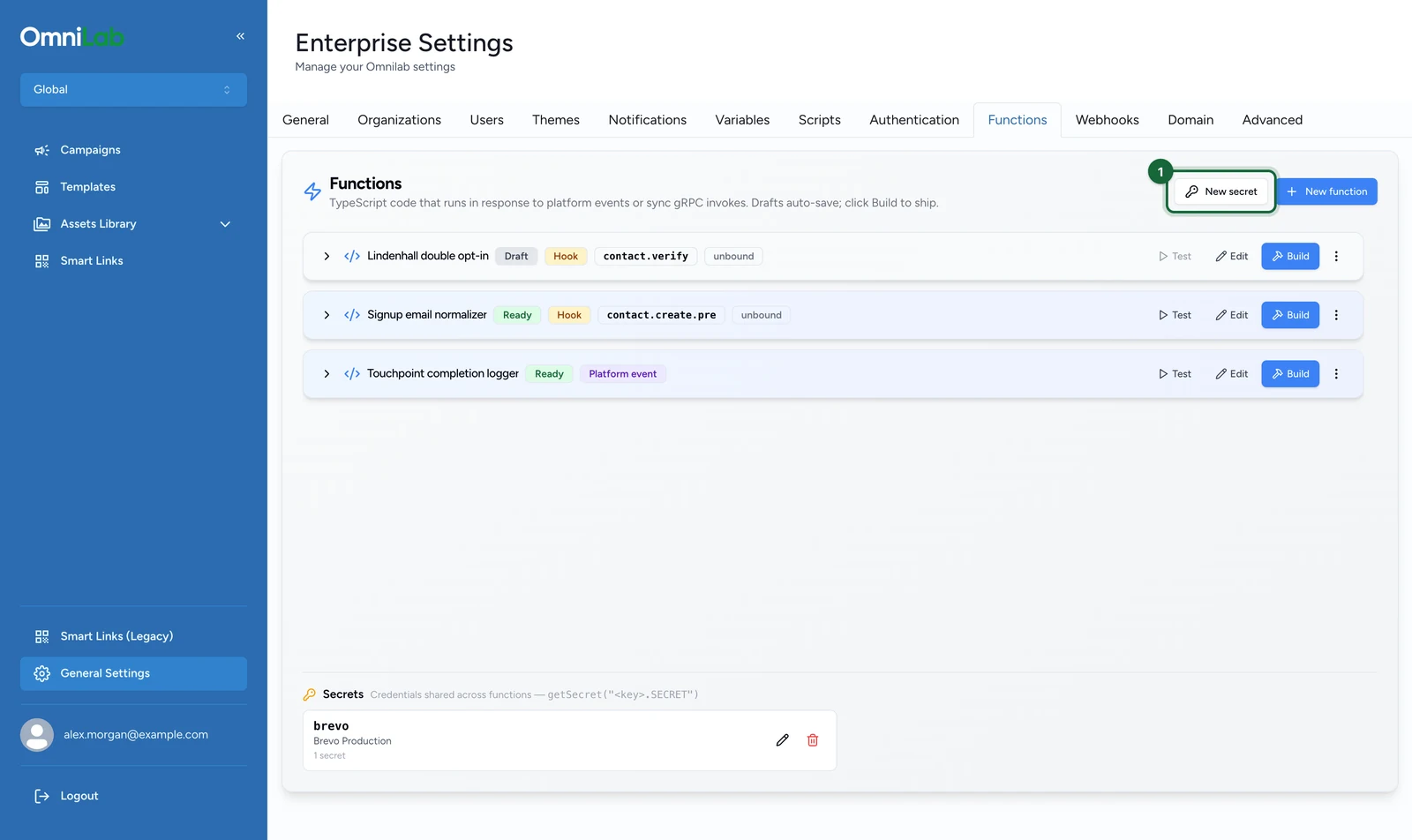
On the Functions tab:
-
Select New secret, next to New function.
-
Enter the Key, here
brevo. It can't be changed later.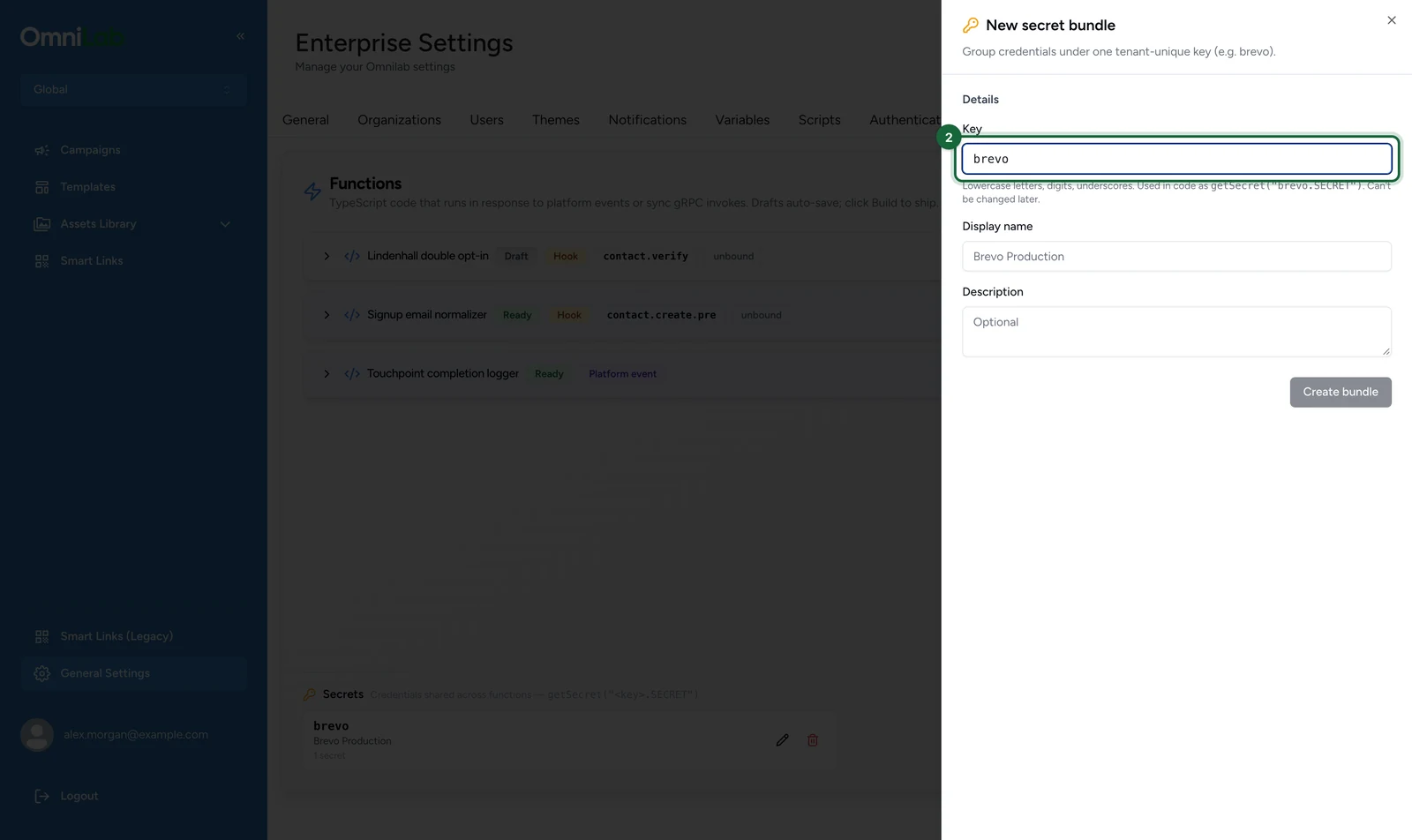
-
Enter the Display name, here
Brevo Production.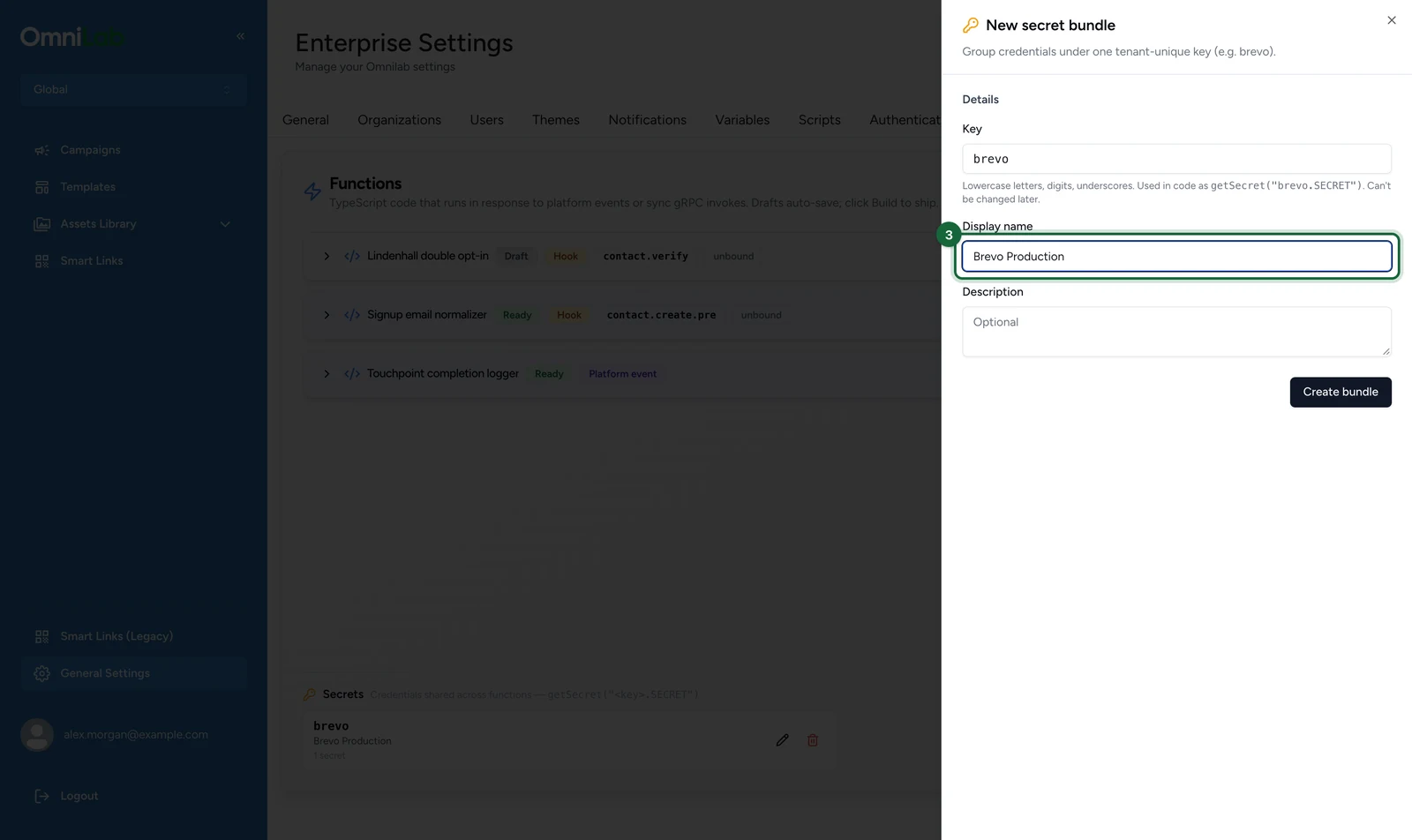
-
(Optional) Enter a Description.
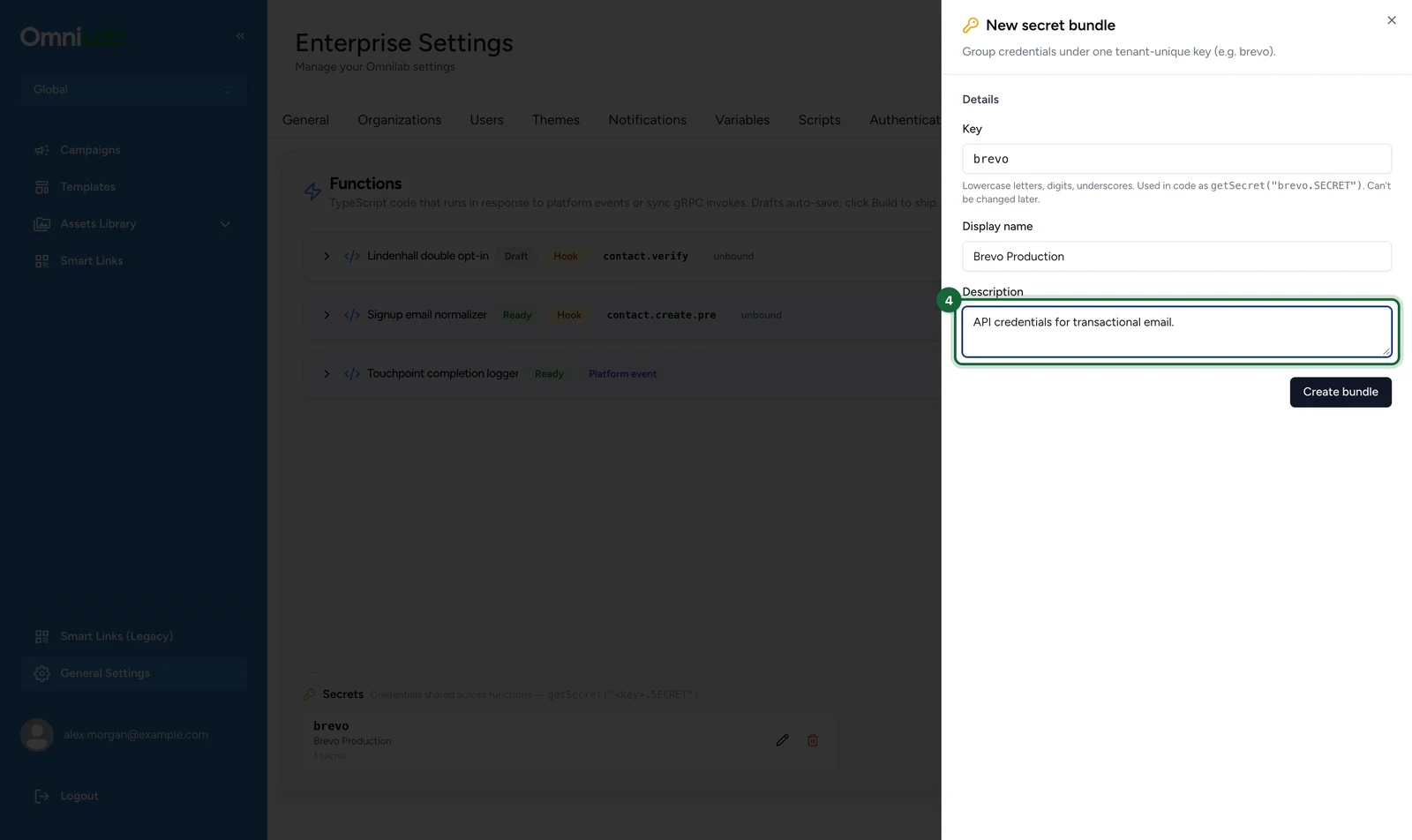
-
Select Create bundle.
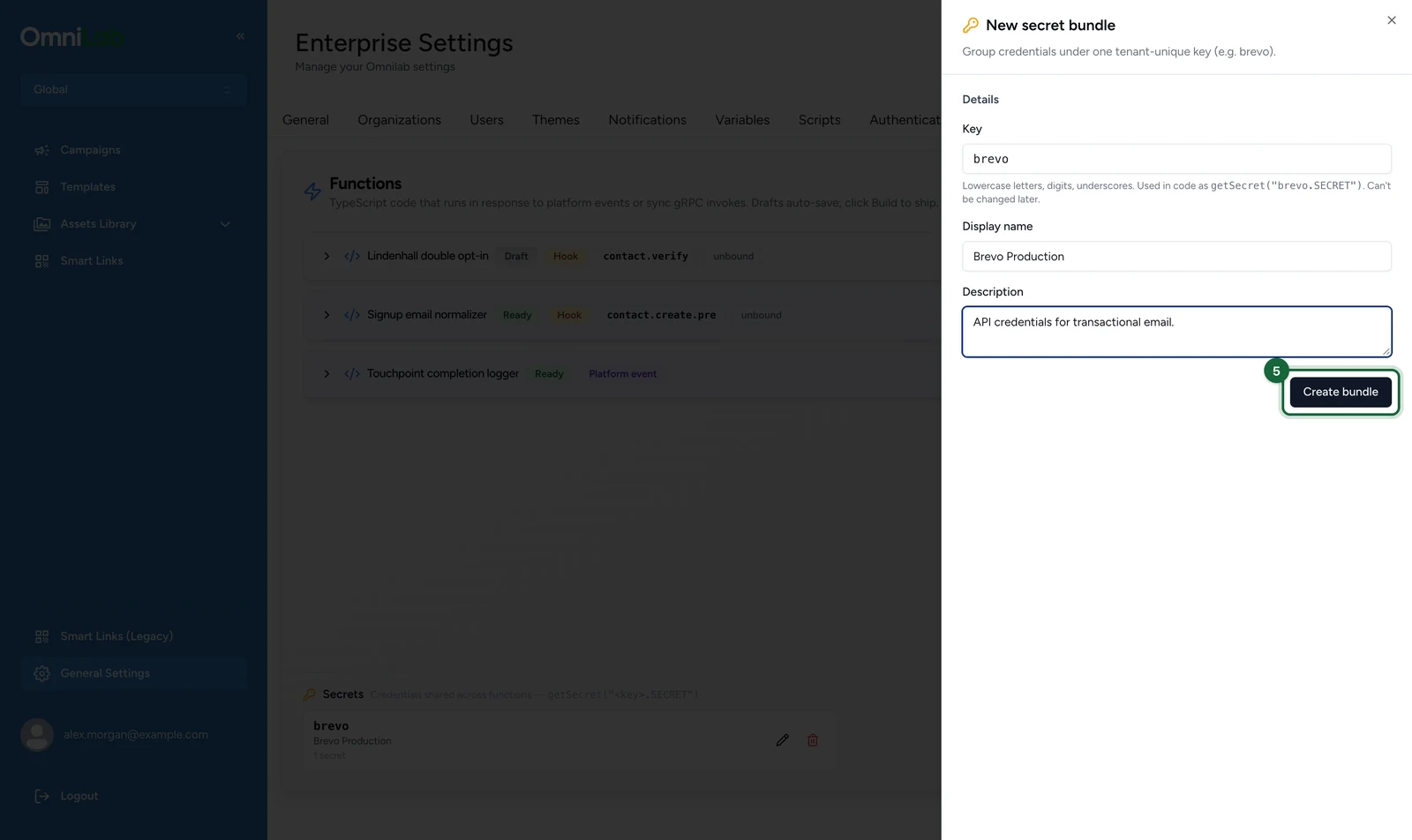
The bundle opens, ready for its secrets.
-
Select Add secret.
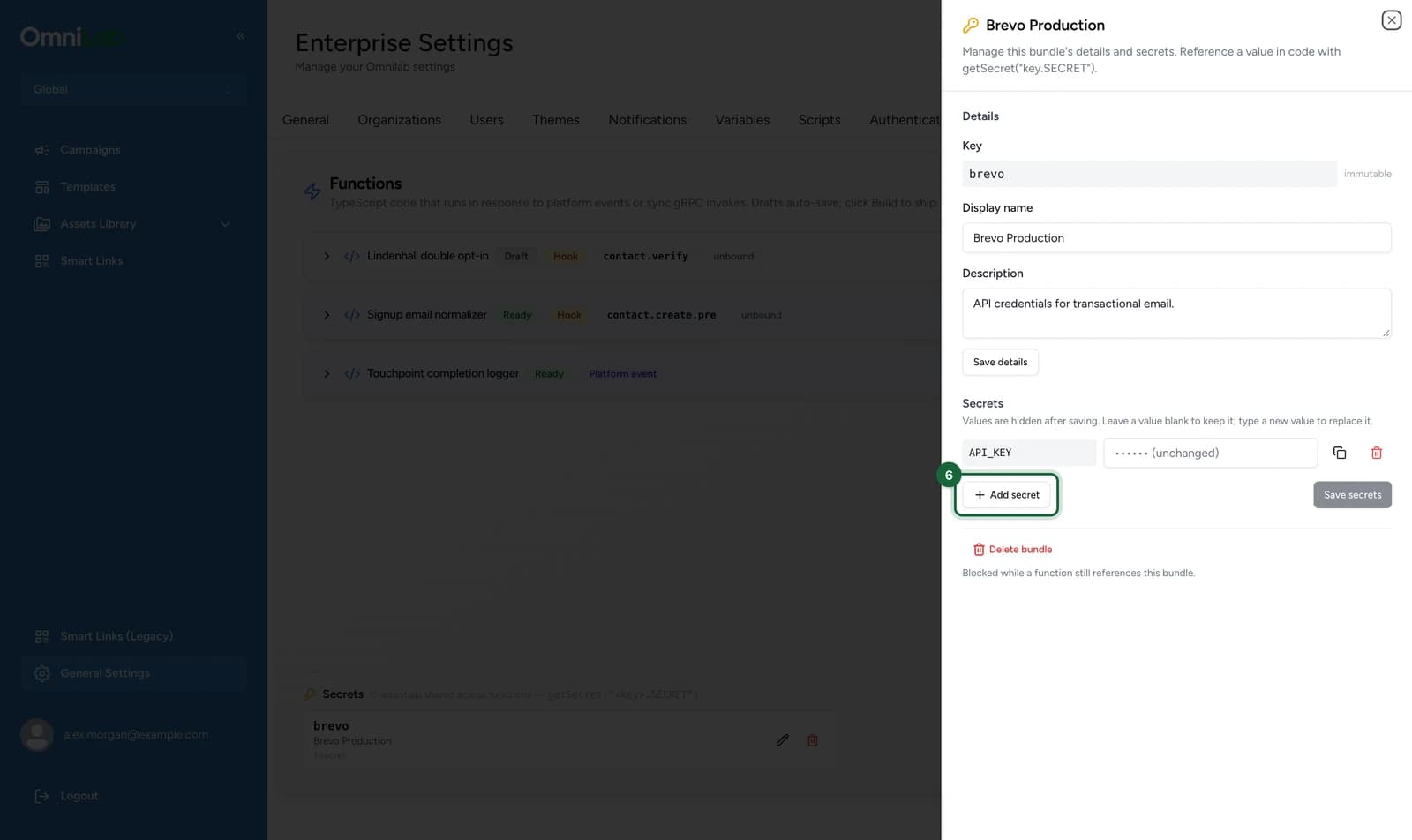
-
In the new row, enter the secret's key, here
API_KEY.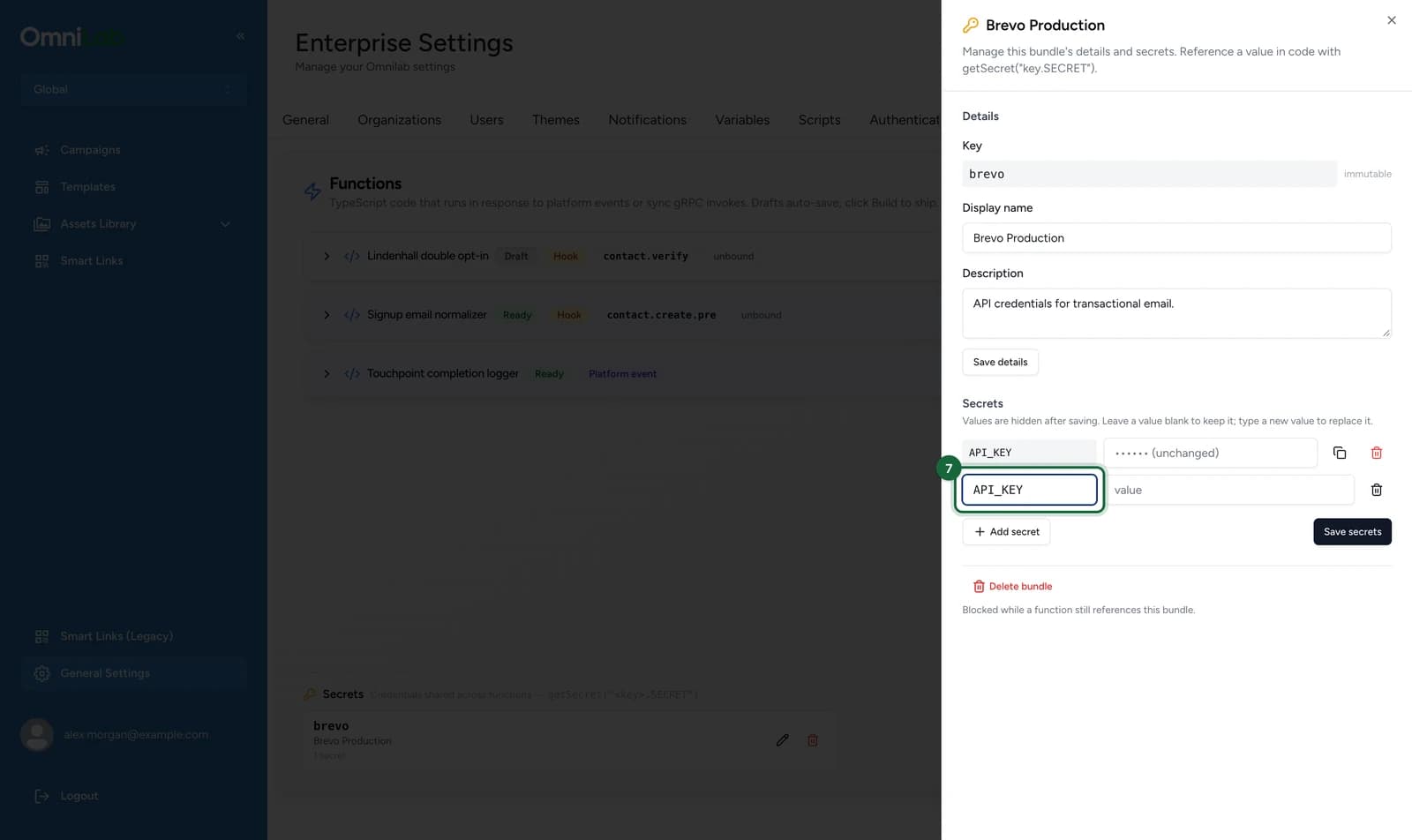
-
Enter its value: your Brevo API key.
-
Select Save secrets.
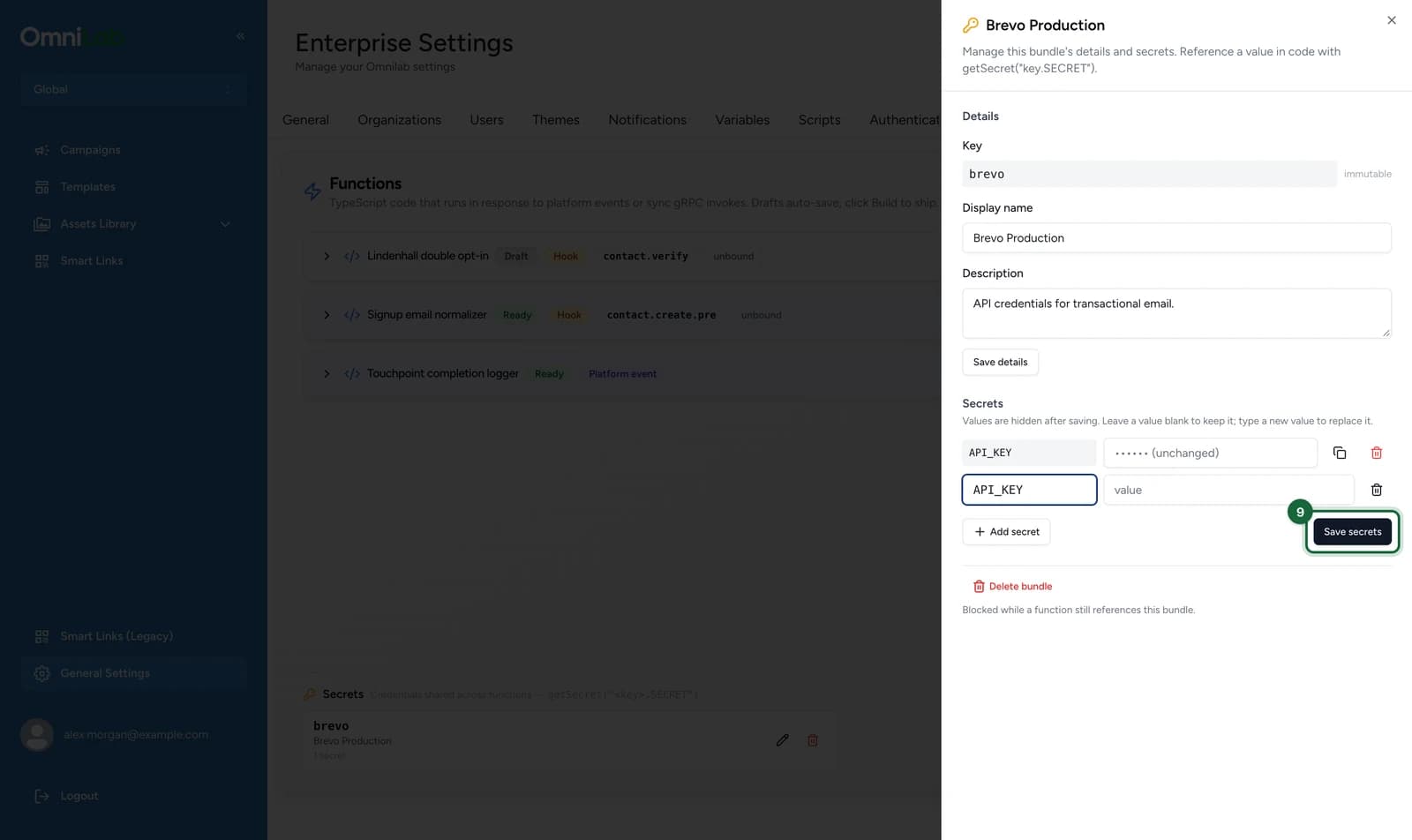
Secret keys are case-sensitive: brevo.API_KEY and brevo.api_key are different secrets. The characters and lengths allowed in bundle and secret keys, and how many bundles and secrets you can have, are under Limits.
Bind a bundle to a function
On the function's Settings tab:
-
Under Secret bundles, select Select bundles.
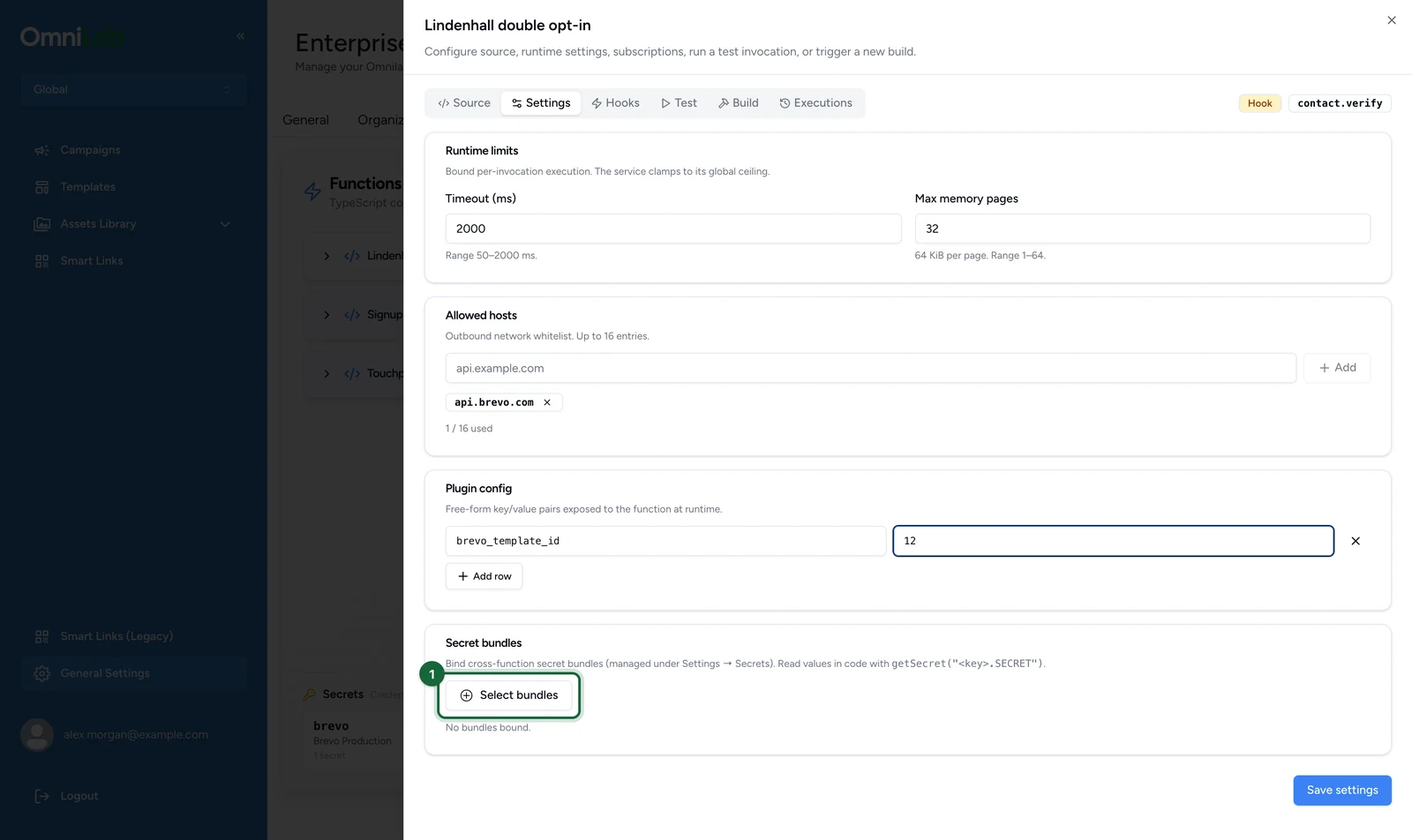
-
Choose the bundle, here brevo — Brevo Production.
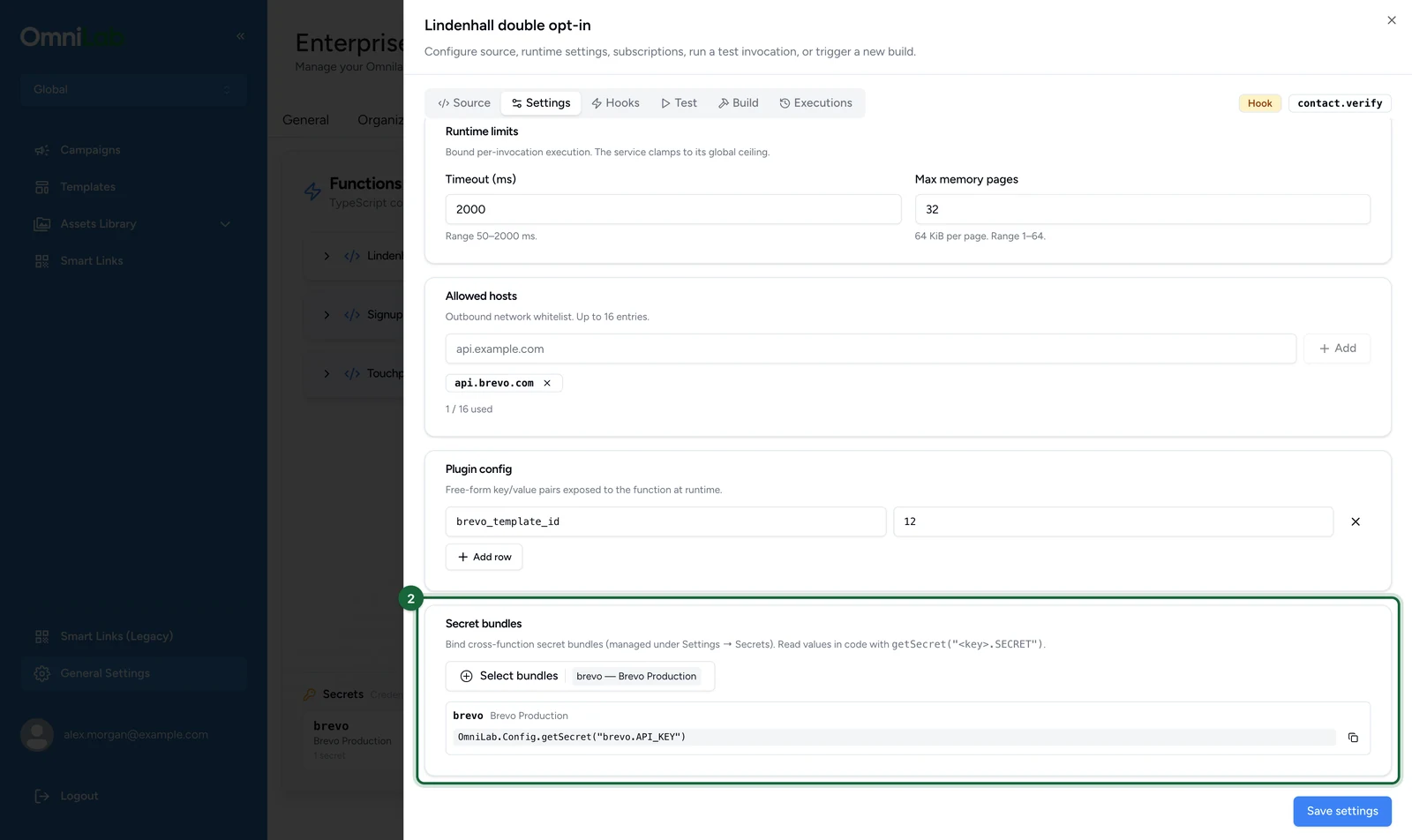
-
Select Save settings.
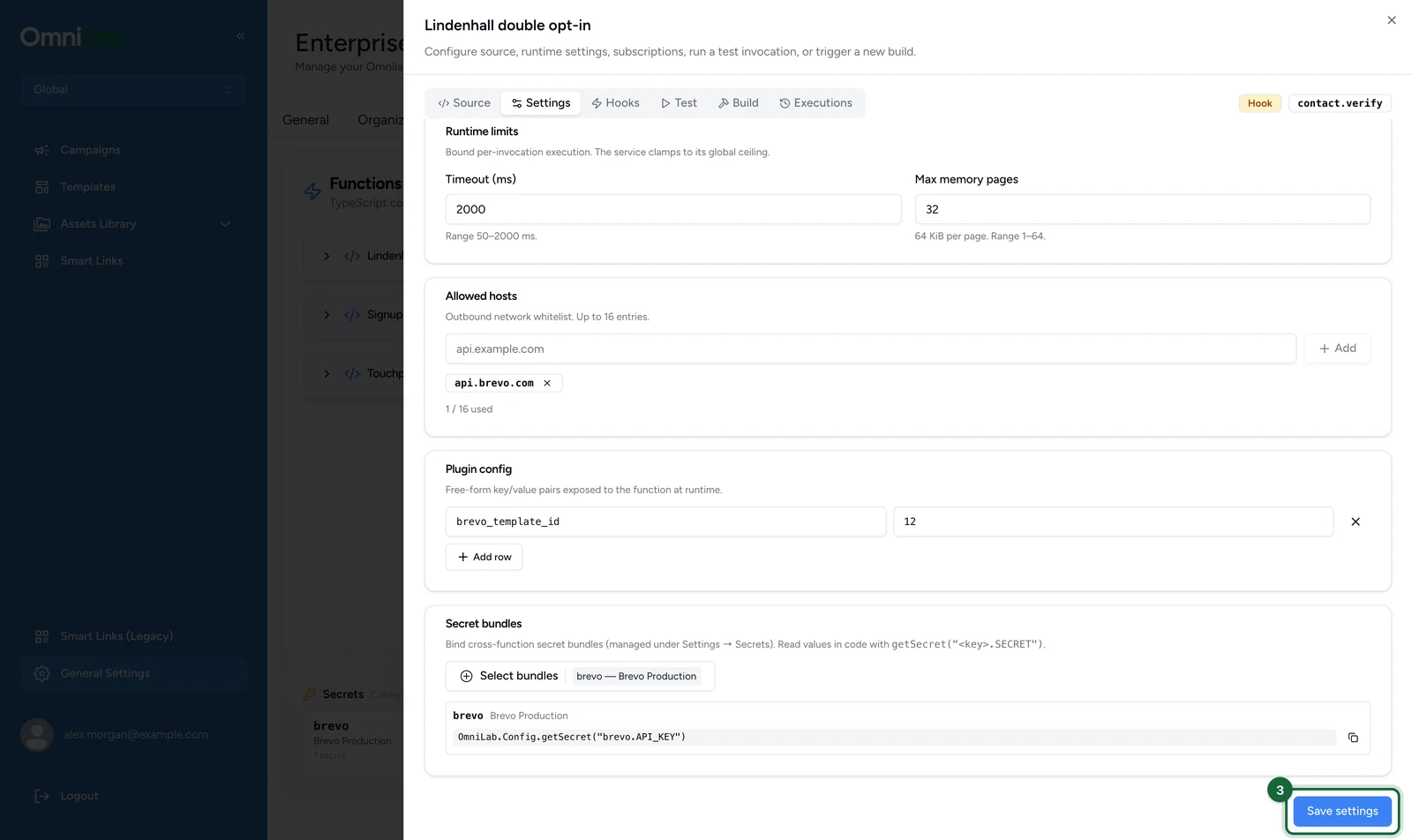
The card then lists a reference for each secret in the bundle, ready to copy. Read the value at runtime with that exact reference:
const apiKey = OmniLab.Config.getSecret("brevo.API_KEY");A function reads only the bundles bound to it. A missing key throws an error rather than returning an empty value, so a typo fails loudly: the codes are in If something's blocked.
Change or remove a secret
On the Functions tab:
-
Under Secrets, select the bundle, here brevo.
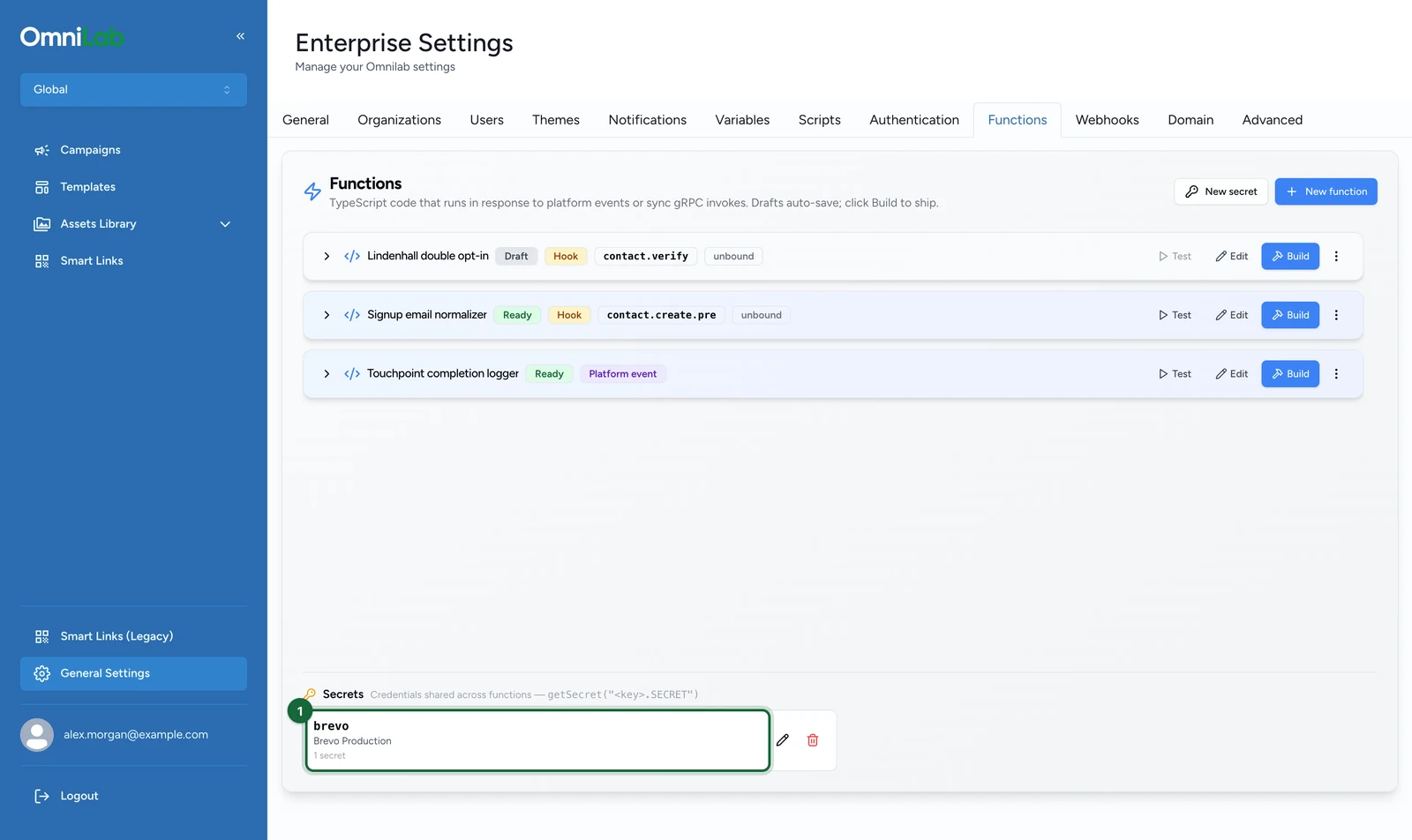
-
In the secret's row, type the new value.
-
Select Save secrets.
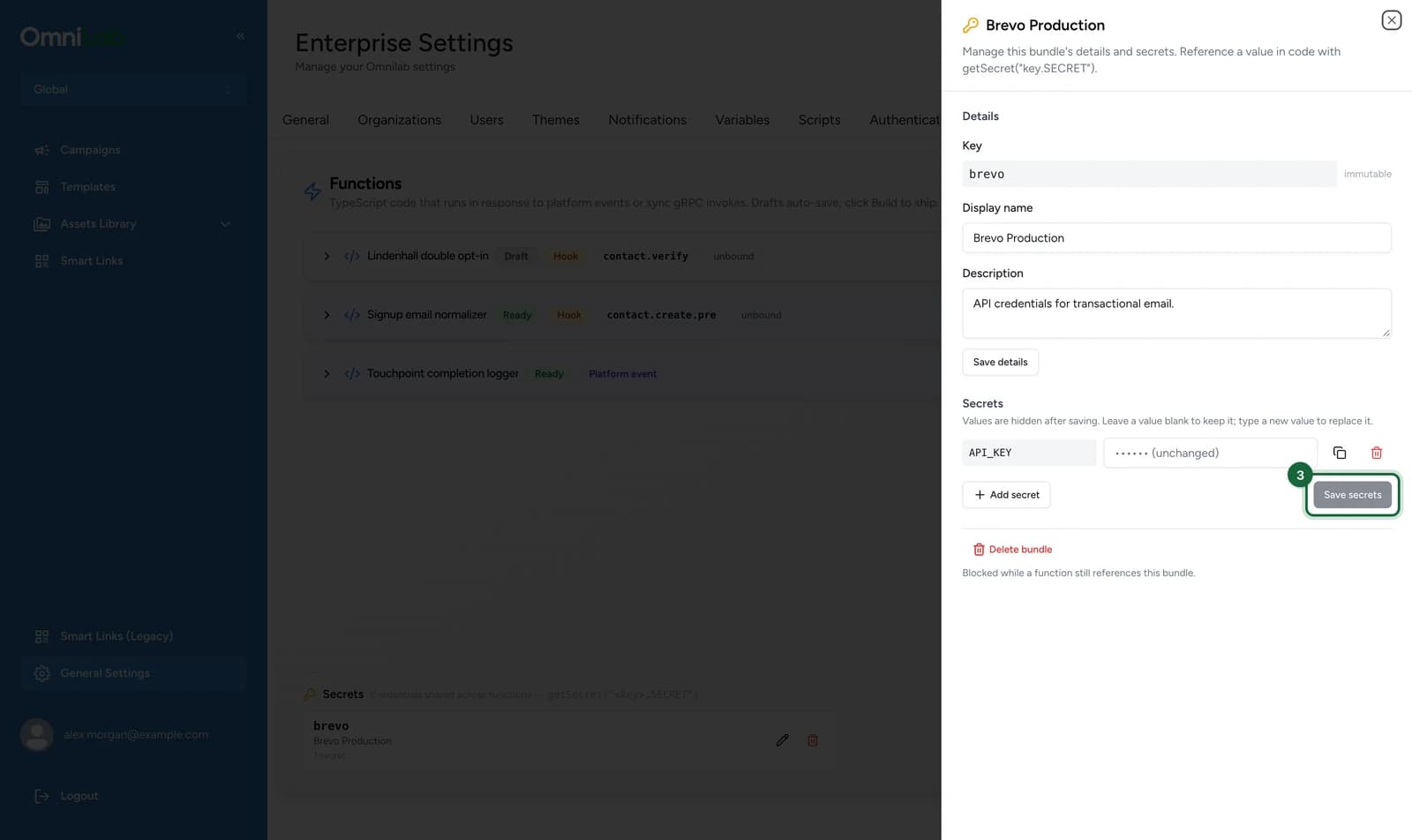
A row you leave as •••••• (unchanged) keeps its value. To delete a secret, select its bin icon before Save secrets.
If something's blocked
- An HTTP call fails with EGRESS_BLOCKED: the hostname isn't in the allow-list, is spelled differently, uses a scheme other than HTTP or HTTPS, or resolves to a private address.
- Reading a secret throws PERMISSION_DENIED: the bundle in the reference isn't bound to this function. Bind it on the Settings tab.
- Reading a secret throws NOT_FOUND: the secret key doesn't match exactly, often a case difference such as
api_keyforAPI_KEY. It's also the error when the function has no bundle bound at all. Copy the reference from the Secret bundles card. - Deleting a bundle fails with Delete failed: a function that isn't deleted still binds it, and the message says how many. Unbind the bundle on each function's Settings tab, then delete it.
- Writing a contact custom field is rejected: keys beginning
system.orfeature.are reserved. Choose a different key.