Slug conflicts
Fix a Smart Link that won't save because its slug is already taken.
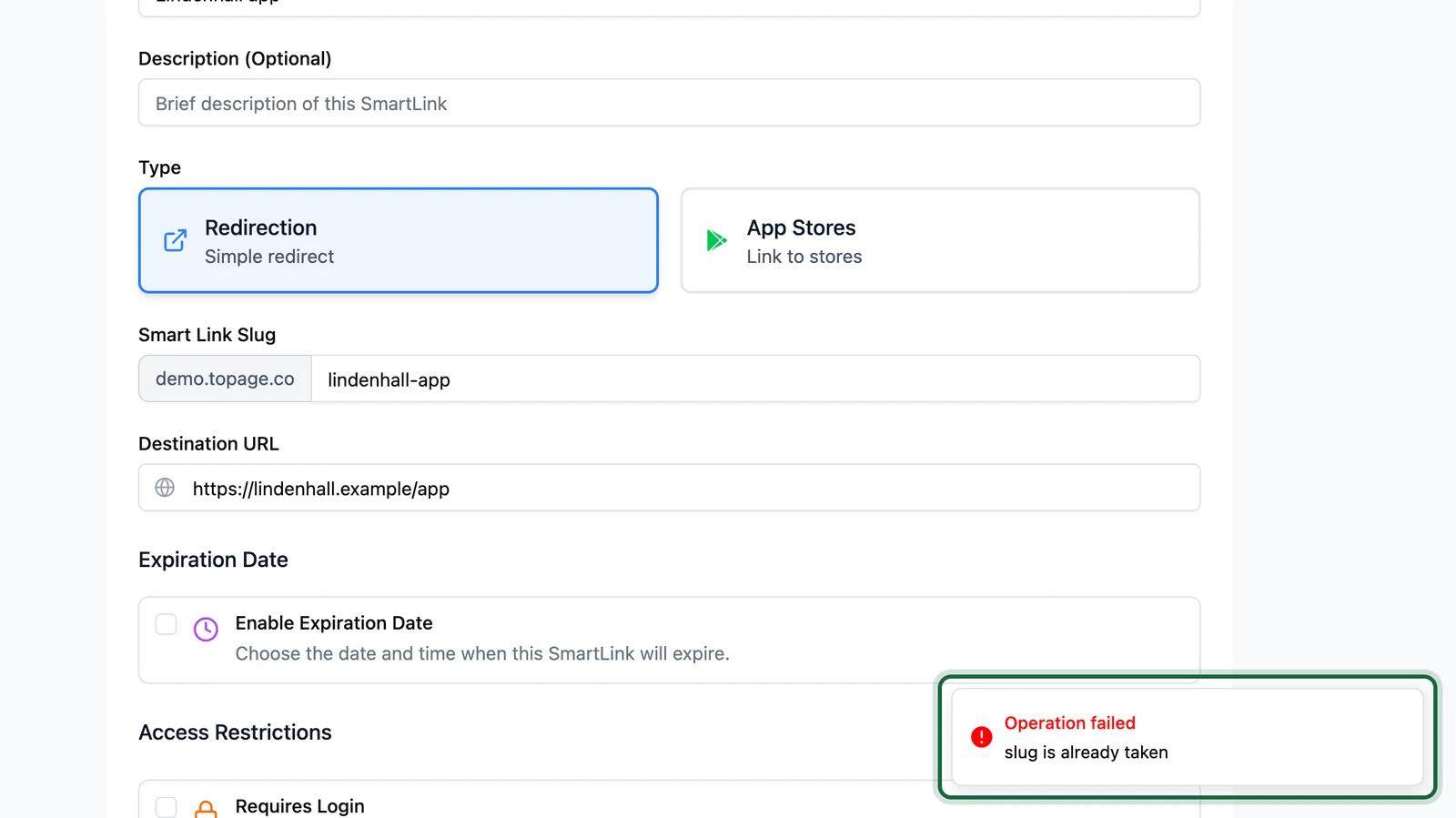
"slug is already taken"
Why this happens: another Smart Link already uses this slug. Slugs are unique across your OmniLab account, so the other link can be in another folder, or belong to another centre you can't see.
Fix it: search for the slug on the Links page, or in Reports. Both only show the centre selected at the top of the side menu, so switch centre if you have several. If the other link is yours and unused, disable and delete it to free the slug: see Disable or delete a link. Otherwise, choose a new slug, for example with your centre's name first: lindenhall-app-car-park. See Slug rules.
The slug is refused as you type
Why this happens: the field names the rule it breaks: "Slug must be at least 3 characters", "Slug must be less than 50 characters", or "Slug can only contain lowercase letters, numbers, hyphens, and underscores".
Fix it: use 3 to 50 lowercase letters, numbers and hyphens.
"slug must contain only lowercase alphanumeric characters, hyphens, and underscores"
Why this happens: the slug has an underscore. The form accepts it, but saving refuses it, whatever the message says.
Fix it: replace each underscore with a hyphen.
You changed a slug and printed codes stopped working
Why this happens: printed QR codes hold the old slug, and nothing answers on it any more.
Fix it: put the old slug back on the link. Change a slug only before anything is printed or sent.