Restrictions
Cap how many times people take part in a touchpoint, per person or across everyone, per day, per week or in total.
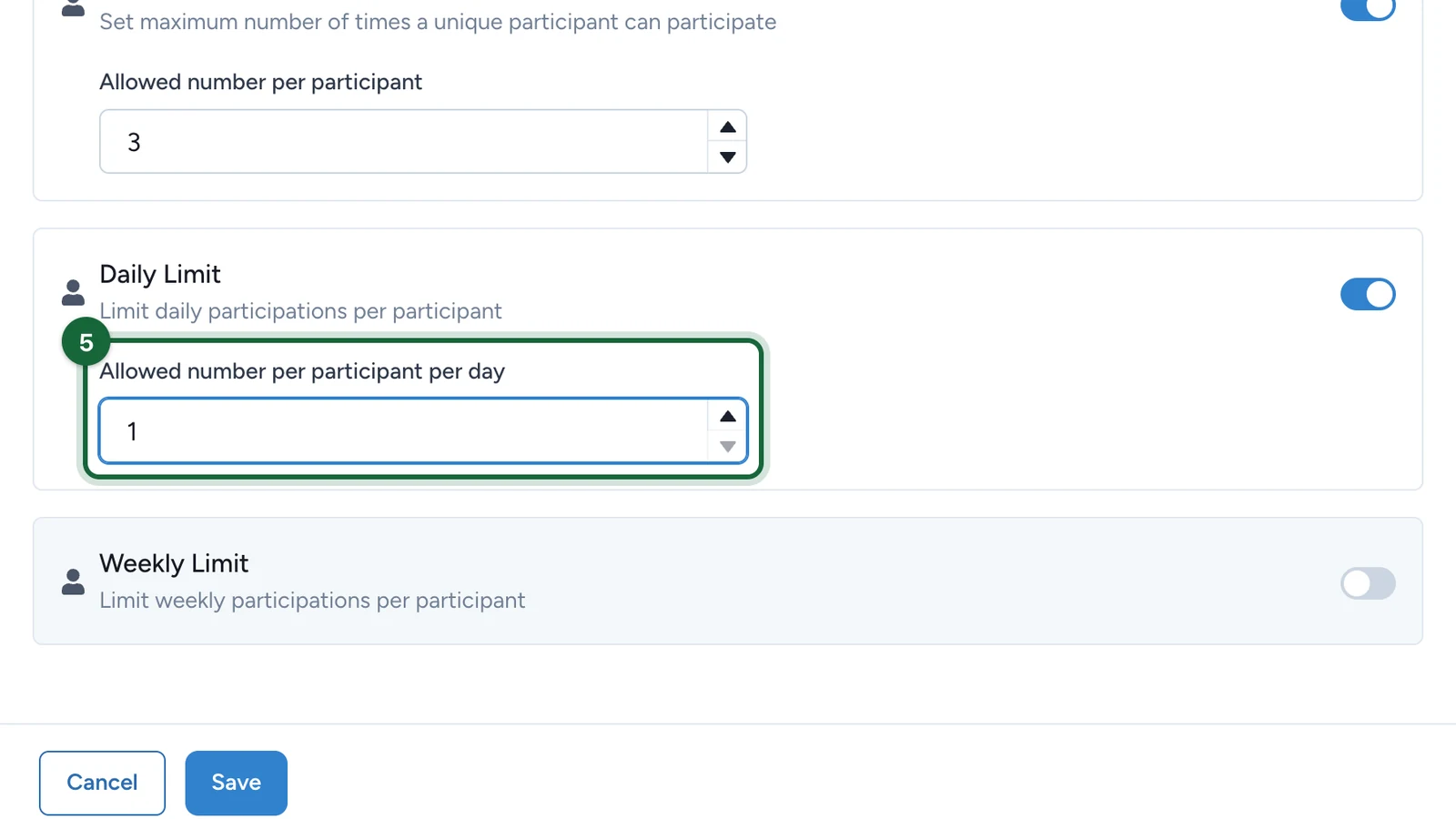
Restrictions protect a prize budget and keep a game fair: one play per person per day, or the first 500 entries only. You set them per touchpoint, in its Restrictions tab. Here, Lindenhall allows three visits to its winter programme page per person, and one a day.
Set a limit
In Build, open the Touchpoints tab and select Configure on the touchpoint.
-
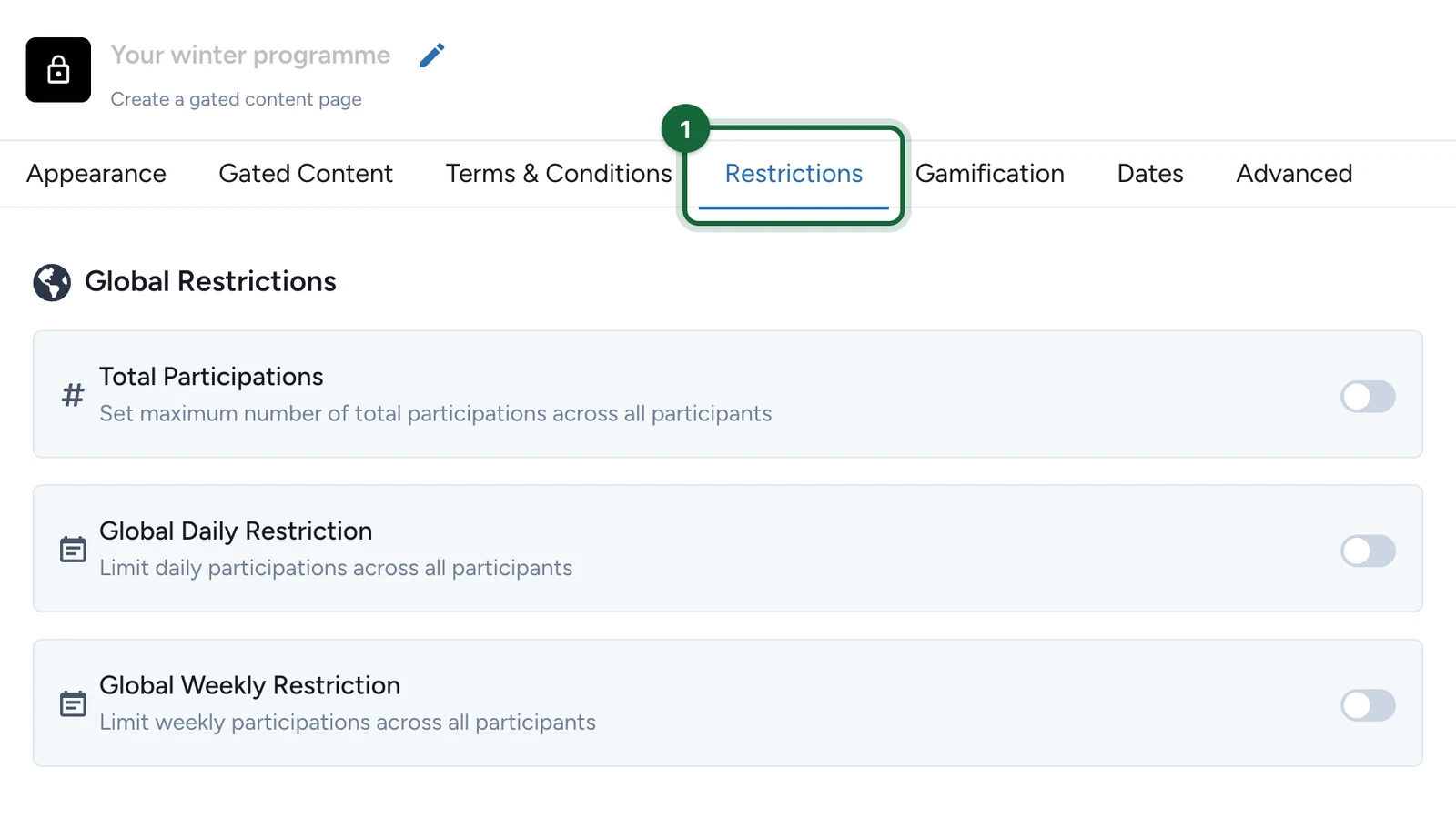
Select the Restrictions tab.
-
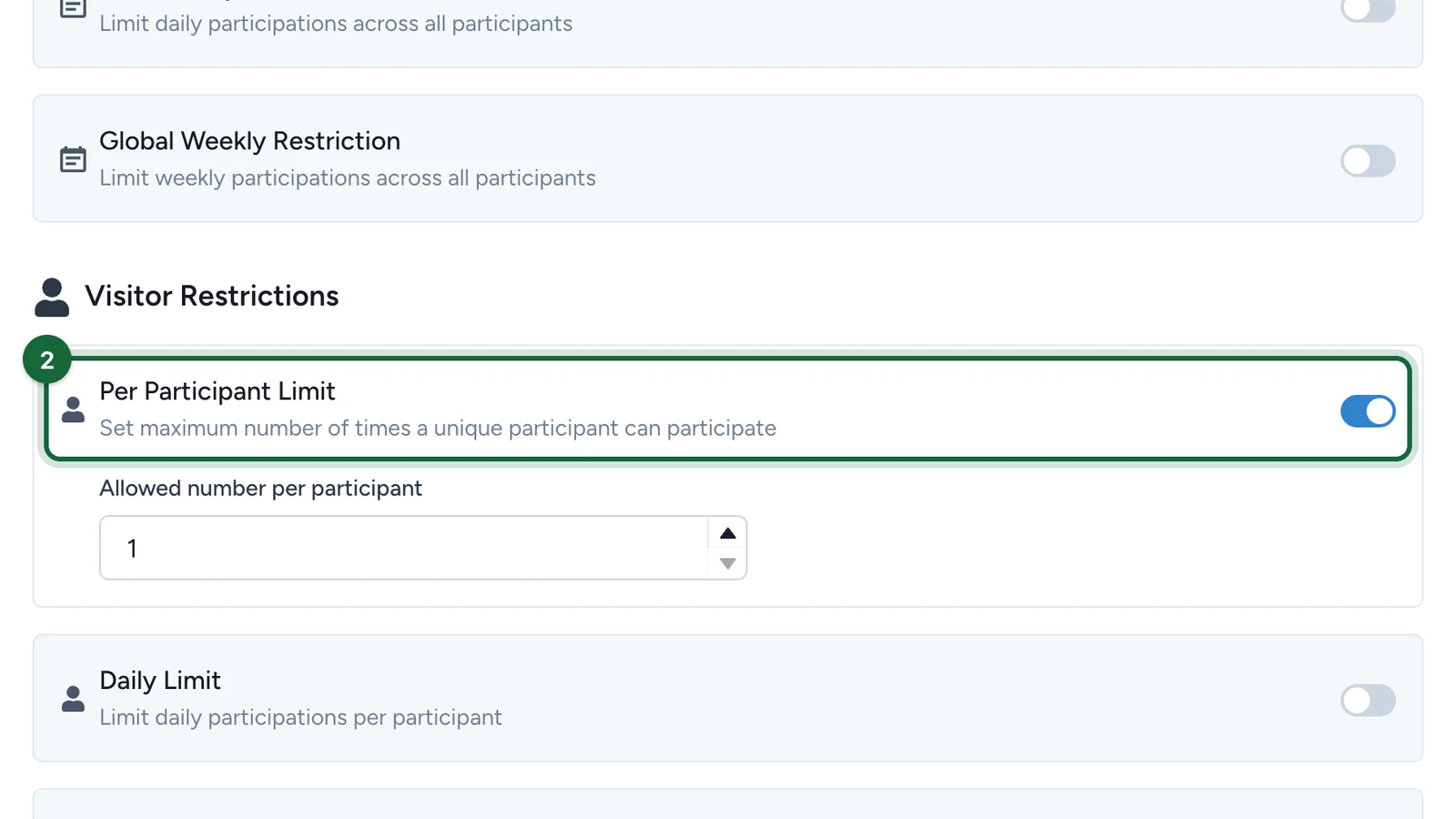
Turn on Per Participant Limit.
-
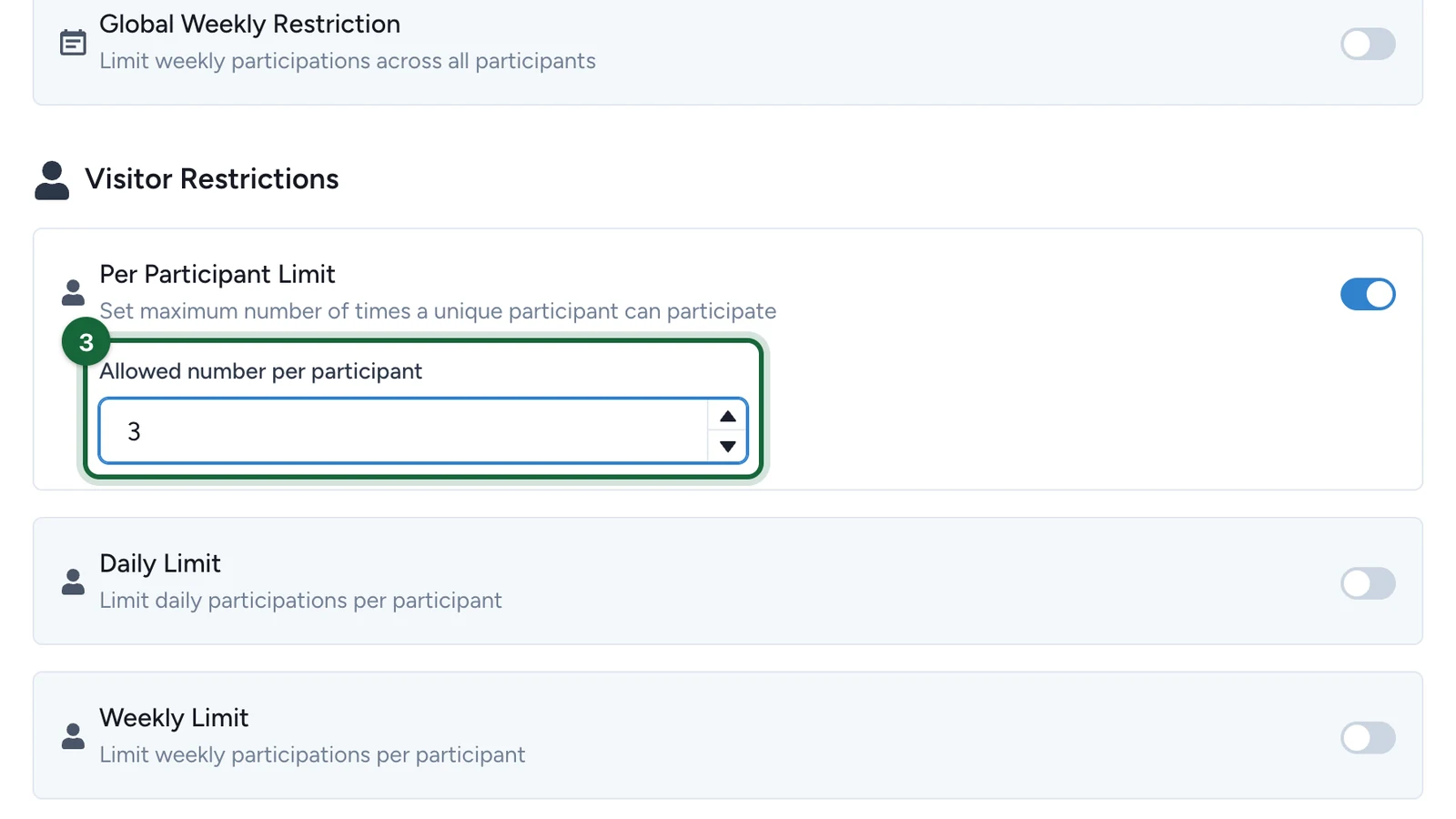
Enter the Allowed number per participant, here 3.
-
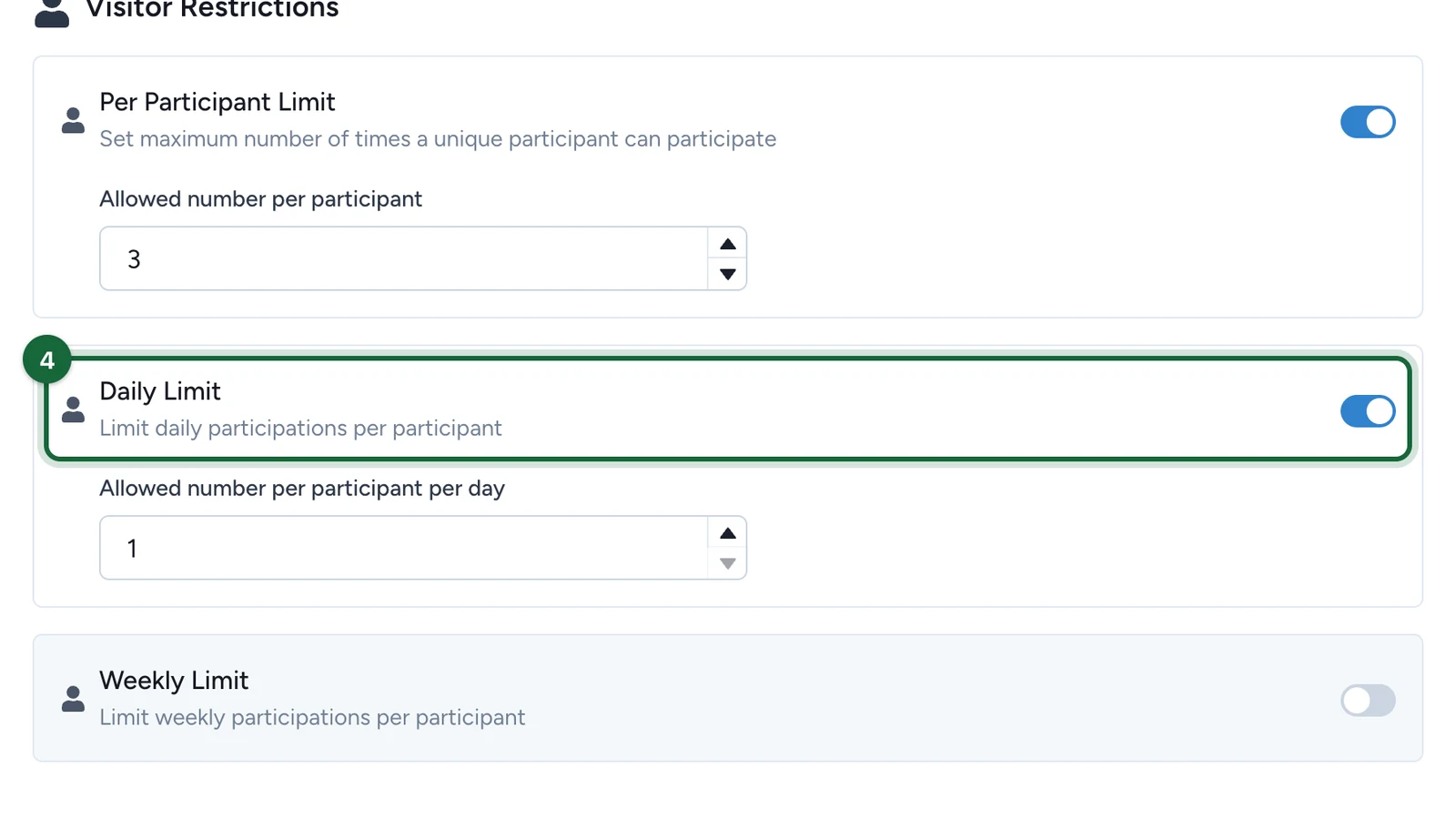
Turn on Daily Limit.
-
Enter the Allowed number per participant per day, here 1.
-
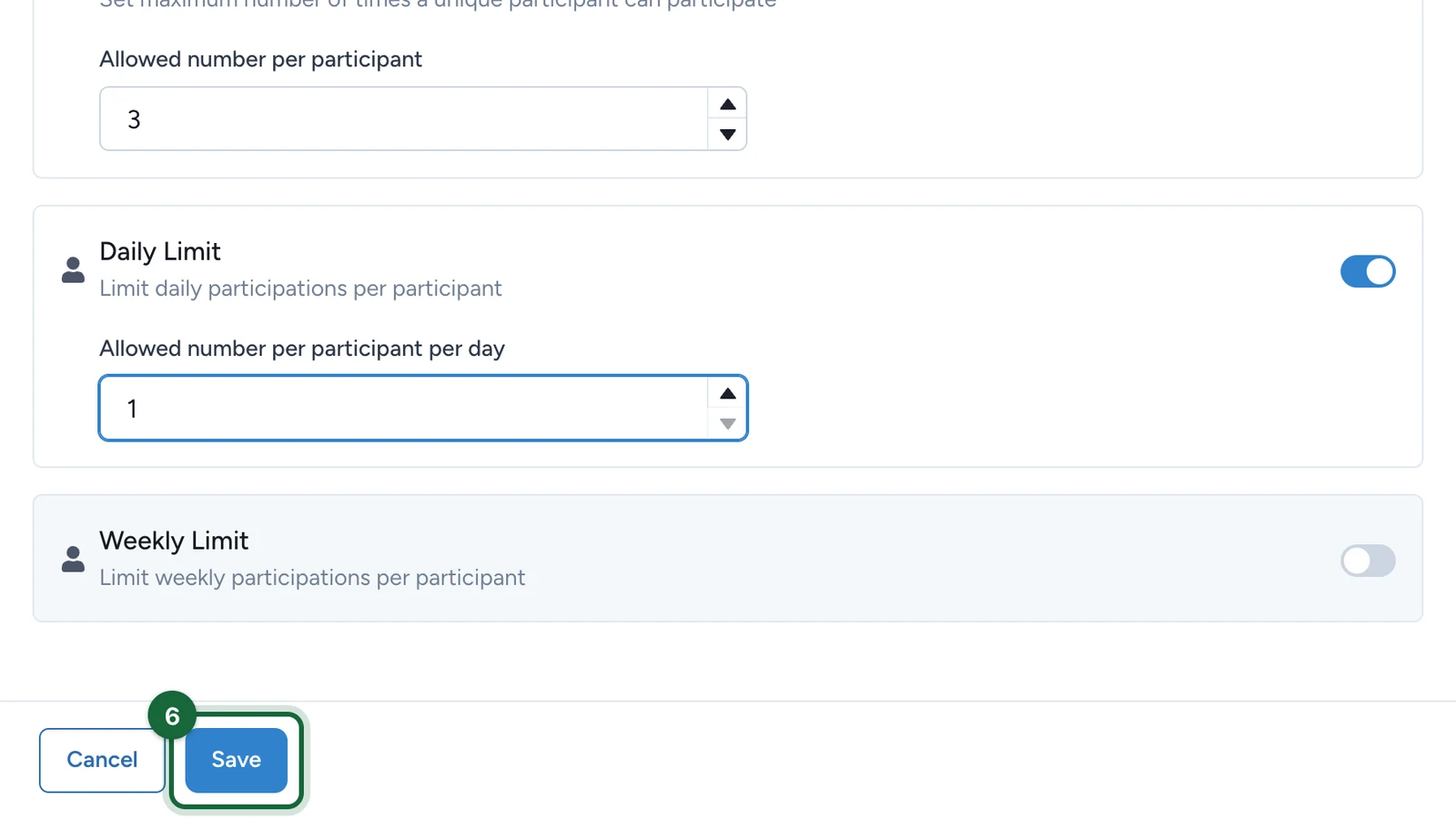
Select Save.
What each limit counts
| Limit | Counts |
|---|---|
| Total Participations | Everyone's participations, for the whole campaign |
| Global Daily Restriction | Everyone's participations in one day |
| Global Weekly Restriction | Everyone's participations in one week |
| Per Participant Limit | One person's participations, for the whole campaign |
| Daily Limit | One person's participations in one day |
| Weekly Limit | One person's participations in one week |
When a limit is reached, the touchpoint refuses new participations: until the next day or week for a daily or weekly limit, and for good for a total. Days start at midnight UTC and weeks on Sunday, whatever your centre's time zone.
Which limits each touchpoint offers
| Touchpoint | Its Restrictions tab offers |
|---|---|
| Wheel of Fortune, Scratch Game, Reveal Game, Simple Game, 3D Selection Game | All six limits, plus validation codes: see Require a validation code |
| Memory Game, Gated Content | All six limits |
| Quiz, Catcher Game, Form, Receipt Game | Per Participant Limit only |
| Offers Pass and its offers, treasure hunt objects | All six limits, plus Time Slots Restriction and Question Answer Restriction |
| Activity | Validation codes only. Booking limits are set elsewhere: see Configure booking restrictions |
A time slot is a start and an end date and time. It doesn't repeat, so a weekday lunchtime window needs one slot per day. With Question Answer Restriction, participants answer a question before they can take part.
Keep the limits consistent
Publishing checks that the limits you turned on fit together:
- Every limit is 1 or more.
- Per Participant Limit is lower than Total Participations.
- Total Participations is at least the Global Weekly Restriction and the Global Daily Restriction.
- Global Weekly Restriction is higher than Global Daily Restriction.
- Per Participant Limit is at least the Weekly Limit and the Daily Limit.
- Weekly Limit is higher than Daily Limit.
If publishing is blocked
- A limit is 0: enter 1 or more, or turn the limit off.
- Two limits contradict each other, such as a daily limit of 5 with a weekly limit of 3: raise the wider one or lower the narrower one, following the rules above.
- Time Slots Restriction is on without a slot: add a slot, or turn it off.
- A time slot ends before it starts, or two slots overlap: change the dates so each slot has its own window.