The customer activation platform.Every interaction becomes a qualified contact. Book a demo

About notifications

Learn how notification emails are triggered, scoped, and activated in OmniLab.

In this article, you'll learn how notification emails work in OmniLab, when each type is triggered, and how Global, by Reward, and by Touchpoint affect delivery.

What notifications are

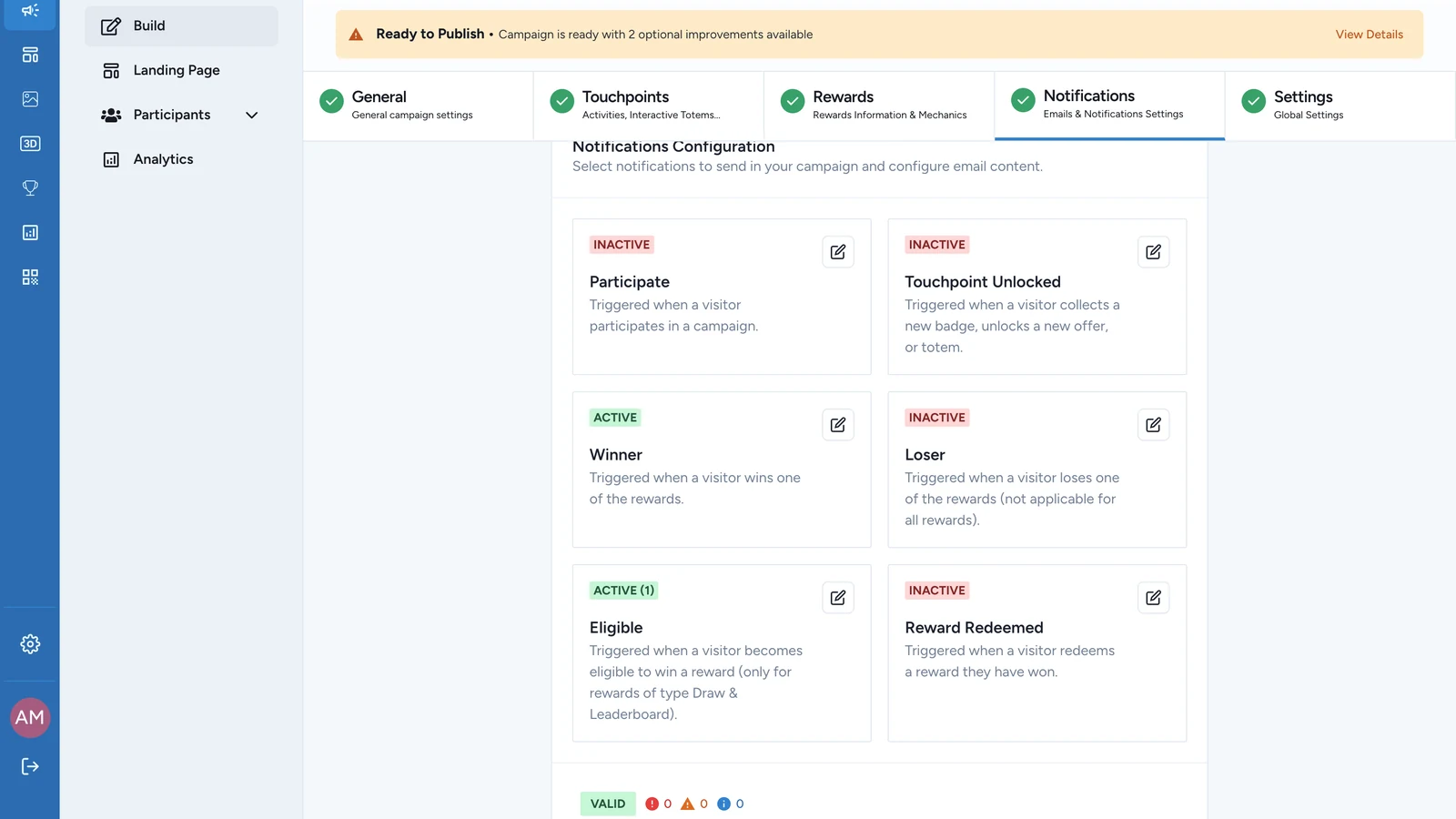
Notifications are transactional emails sent after campaign events. They let you confirm actions, announce outcomes, or remind participants about upcoming bookings.

Common examples include:

  • Touchpoint Unlocked when a participant reaches a touchpoint milestone.
  • Winner, Loser, or Eligible when a reward flow reaches an outcome.
  • Reward Redeemed when a participant redeems a reward they already won.
  • Booking Confirmation, Booking Cancellation, or Booking Confirmation Reminder for activities with booking enabled.
  • Participate in campaigns that use the landing-page participation step.

Notifications do nothing until you activate them

Every notification type starts off

Each notification type is disabled by default. If you do not turn a type on and complete its email fields, OmniLab will not send that email.

Each type is configured independently. For example, you can keep Winner active while leaving Loser off, or run Booking Confirmation per Touchpoint while keeping Reward Redeemed global.

Delivery requirements

An email platform is required

Configuring notification content is not enough on its own. If no email platform is active, validation surfaces Email notifications are configured but no email marketing addon (Cheetah or Salesforce Marketing Cloud) is active.

Before launch, make sure your organisation has a supported email platform configured. If you still need that setup, see Email & CRM.

How notification scope works

Notifications follow the same choose-one model used across other scoped Platform features, but the second tab depends on the type you are editing:

  • Global: one email setup applies everywhere that type can fire.
  • by Reward: one configuration per reward for reward-based notification types.
  • by Touchpoint: one configuration per Touchpoint for Touchpoint and booking-based notification types.
Choose a notification type Leave it inactive Use Global Use a per-object tab One email setup applies everywhere this type can send Use by Reward for reward notifications Use by Touchpoint for Touchpoint and booking notifications Each reward needs its own Active setup Each Touchpoint needs its own Active setup

Global and the per-object tab are mutually exclusive. Switching from one to the other disables the other mode, so always review the newly active tab before you publish.

Notification types at a glance

TypeWhat triggers itTypical scope
ParticipateA visitor participates from the landing-page entry flow.Global only
Touchpoint UnlockedA visitor collects a badge, unlocks an offer, or reaches a touchpoint milestone.Global or by Touchpoint
WinnerA participant wins a reward.Global or by Reward
LoserA participant does not win a reward.Global or by Reward
EligibleA participant becomes eligible before a later reward resolution.Global or by Reward
Reward RedeemedA participant redeems a reward.Global or by Reward
Booking ConfirmationA booking is created for an activity.Global or by Touchpoint
Booking CancellationA booking is cancelled.Global or by Touchpoint
Booking Confirmation ReminderA reminder is sent before the booked slot.Global or by Touchpoint

Use Notification types reference when you need the fuller trigger and applicability table.

When to choose each mode

ModeBest forWhat to watch
GlobalMost campaigns, especially when the same brand voice and CTA should apply everywhere.Changing the content affects every matching reward or Touchpoint.
by RewardRewards that need different winner, loser, eligible, or redemption messaging.Unconfigured rewards will not inherit the global email once you switch.
by TouchpointActivity emails or Touchpoint-specific messages such as venue details.Every relevant Touchpoint must be activated and completed separately.

Was this helpful?

Optional comments help us improve this page for future authors and readers.

On this page