About acquisition forms
The sign-up form every participant fills once per campaign: what it asks, its marketing choice, and where its wording lives.
1 min read
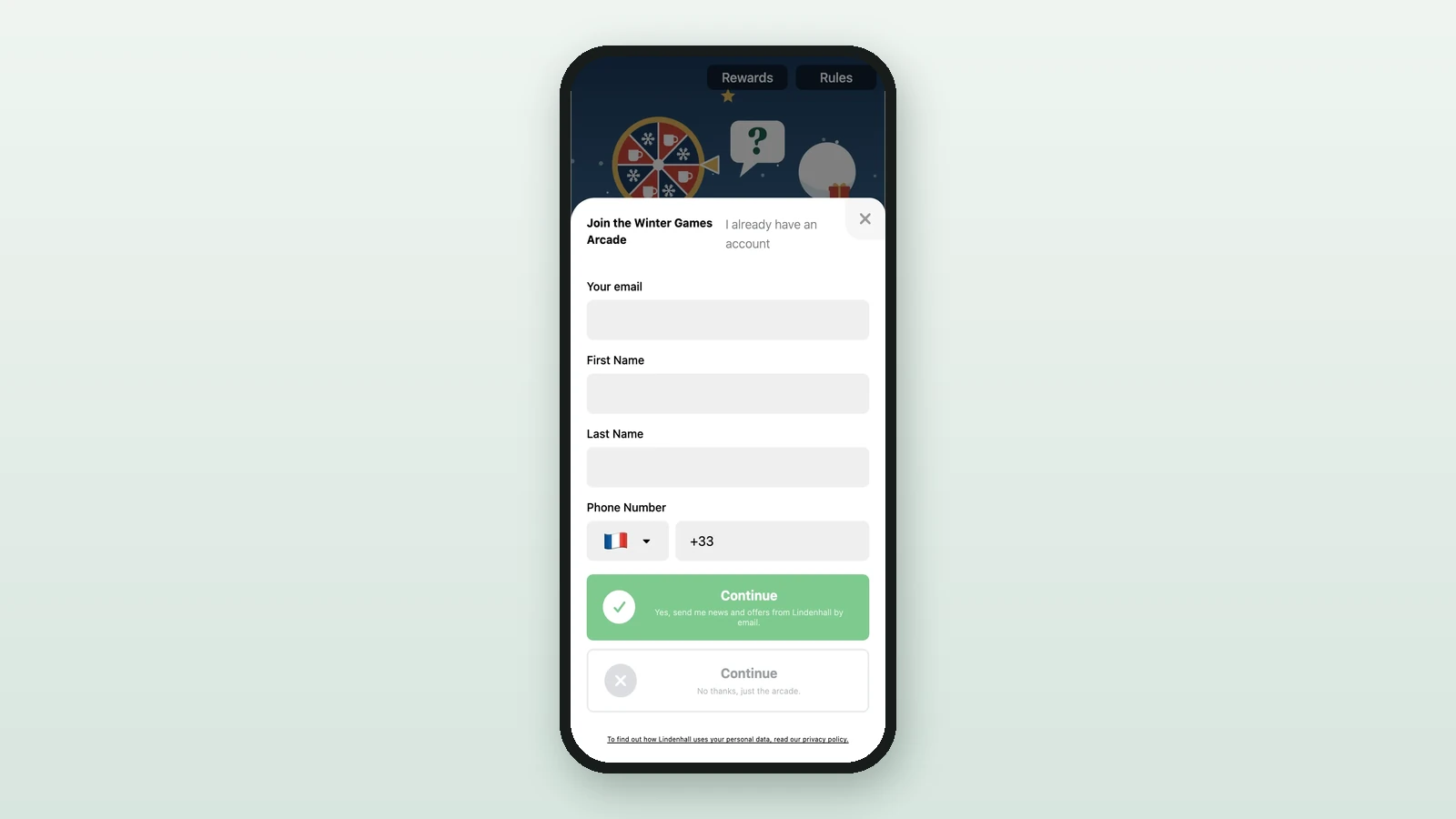
The acquisition form is the sign-up step: participants enter their email and details once, and it identifies them for the whole campaign. Its fields are fixed. You choose its wording, the marketing choice and a few settings.
What it asks
- Email, always, then First Name and Last Name (or one Full Name) and Phone Number.
- Date of birth and Gender, only if they're switched on.
- The marketing choice: a checkbox, or two buttons to accept or decline, as in the Winter Games Arcade.
- A privacy line linking to your policy.
After sign-up, participants may get a code by email to confirm their address.
Acquisition form or participation form
| Form | Asks | Set |
|---|---|---|
| Acquisition form | Who they are, and whether they want your news | Once, for the campaign |
| Participation form | Extra questions before they play | For the campaign or per touchpoint |
Terms acceptance is separate again: it's the opt-in checkbox before sign-up.
Where its wording lives
In Build > Settings > Campaign Translation, in the Acquisition Form group, one line per text. See Set up an acquisition form.