Share a template across organisations
Share an existing template with another organisation, then generate a campaign and review the destination-specific setup.
Reuse a campaign that worked well in one organisation by sharing its template with another, instead of rebuilding it from scratch.
Who should use this flow
Share a template directly when you have access to both the source and the destination organisation. If you do not, use the template ZIP workflow in Templates: export, import, and reuse instead.
Sharing takes a few steps: open the source template, share it with a destination organisation, then switch to that organisation to create a campaign from the shared template and review its dates, language, rewards, and other destination-specific settings.
Before you begin
- You have access to both the source organisation (where the template lives) and the destination organisation (which should receive it).
- The template you want to reuse already exists under Templates in the source organisation.
- You know which destination organisations should be able to generate campaigns from it.
What sharing does and does not solve
Sharing makes the reusable campaign structure available in the destination organisation under Shared Templates. It does not make destination-specific values automatically correct.
After sharing and generating a campaign, you still need to review:
- the new public link
- campaign language
- timezone
- organisation-specific variables
- add-on settings
- any reward or deployment detail tied to the destination organisation
The destination organisation can create campaigns from the shared template, but the source template remains the place where ongoing template maintenance happens.
Steps
Open the source template
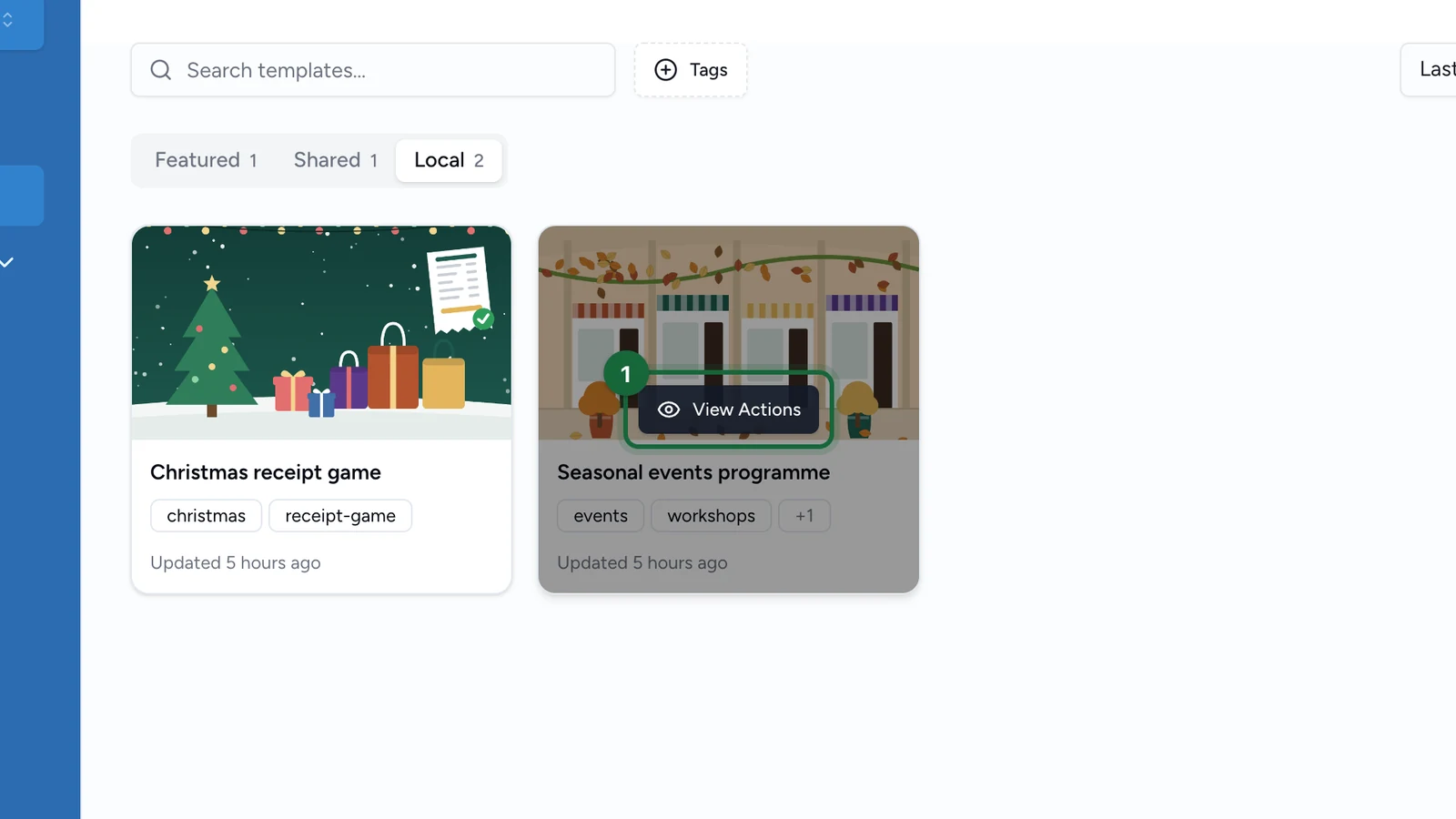
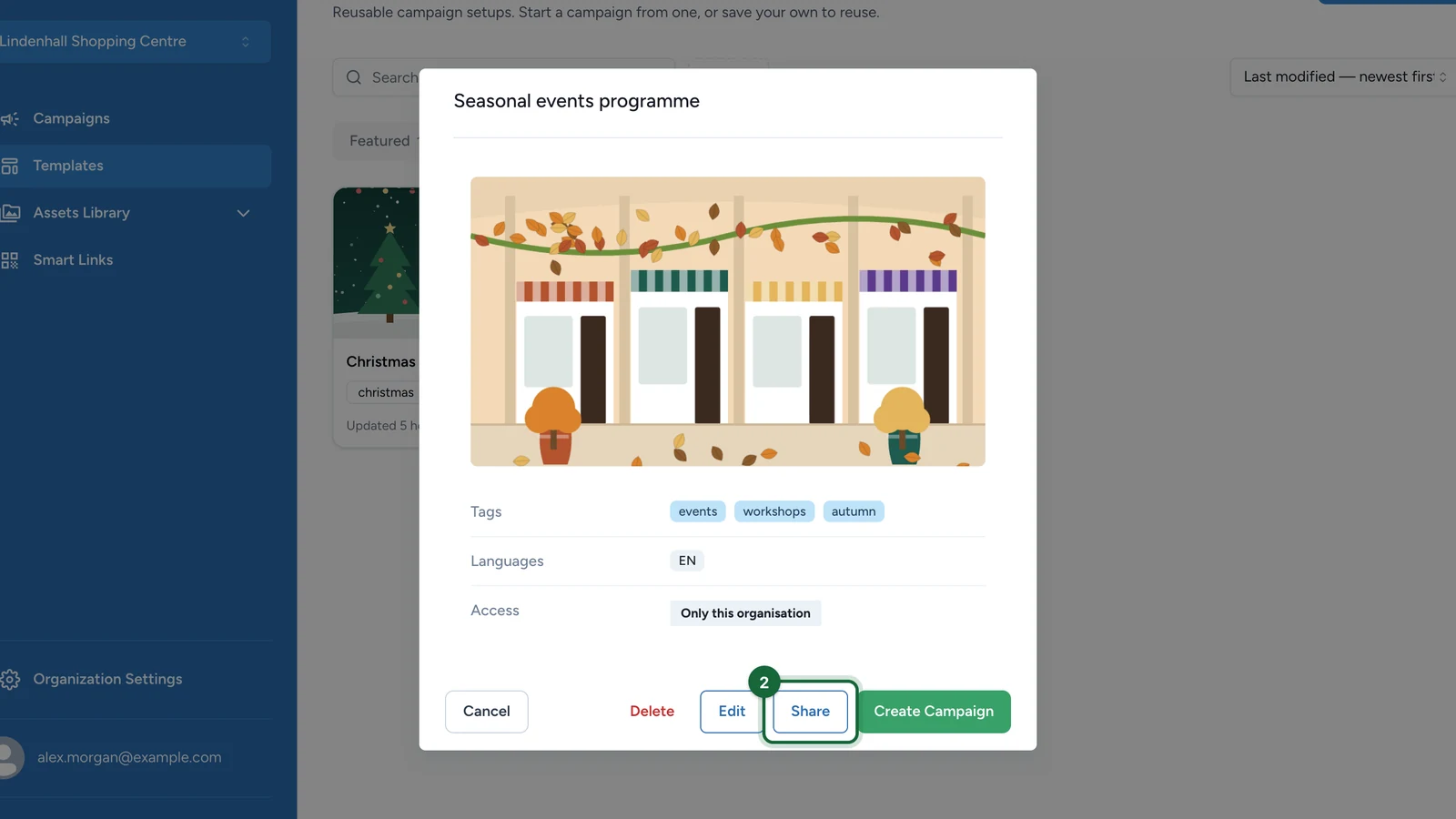
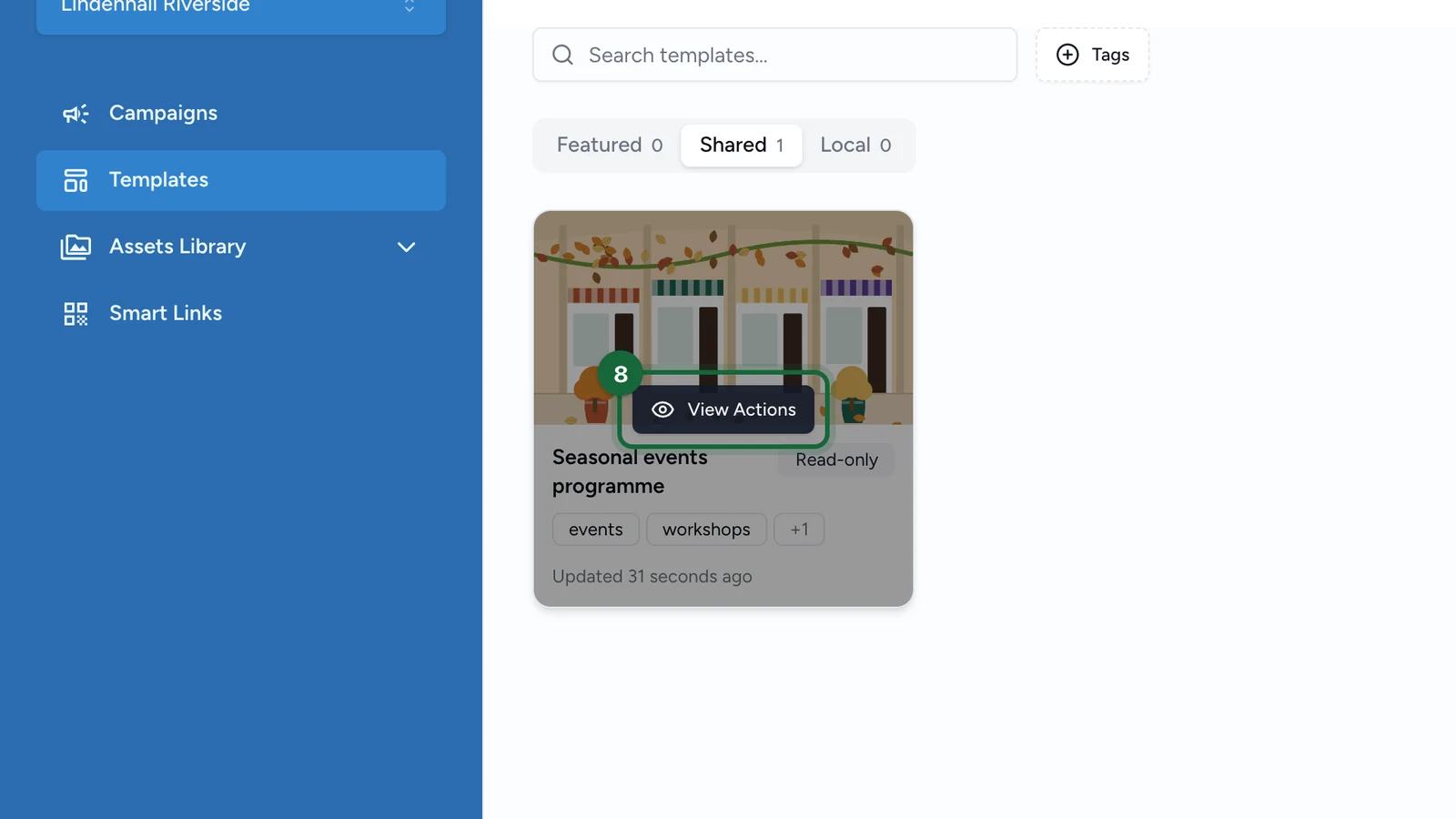
In the source organisation, go to Templates and open the template you want to reuse. Use its View Actions menu and choose Share.
Pick the destination organisations
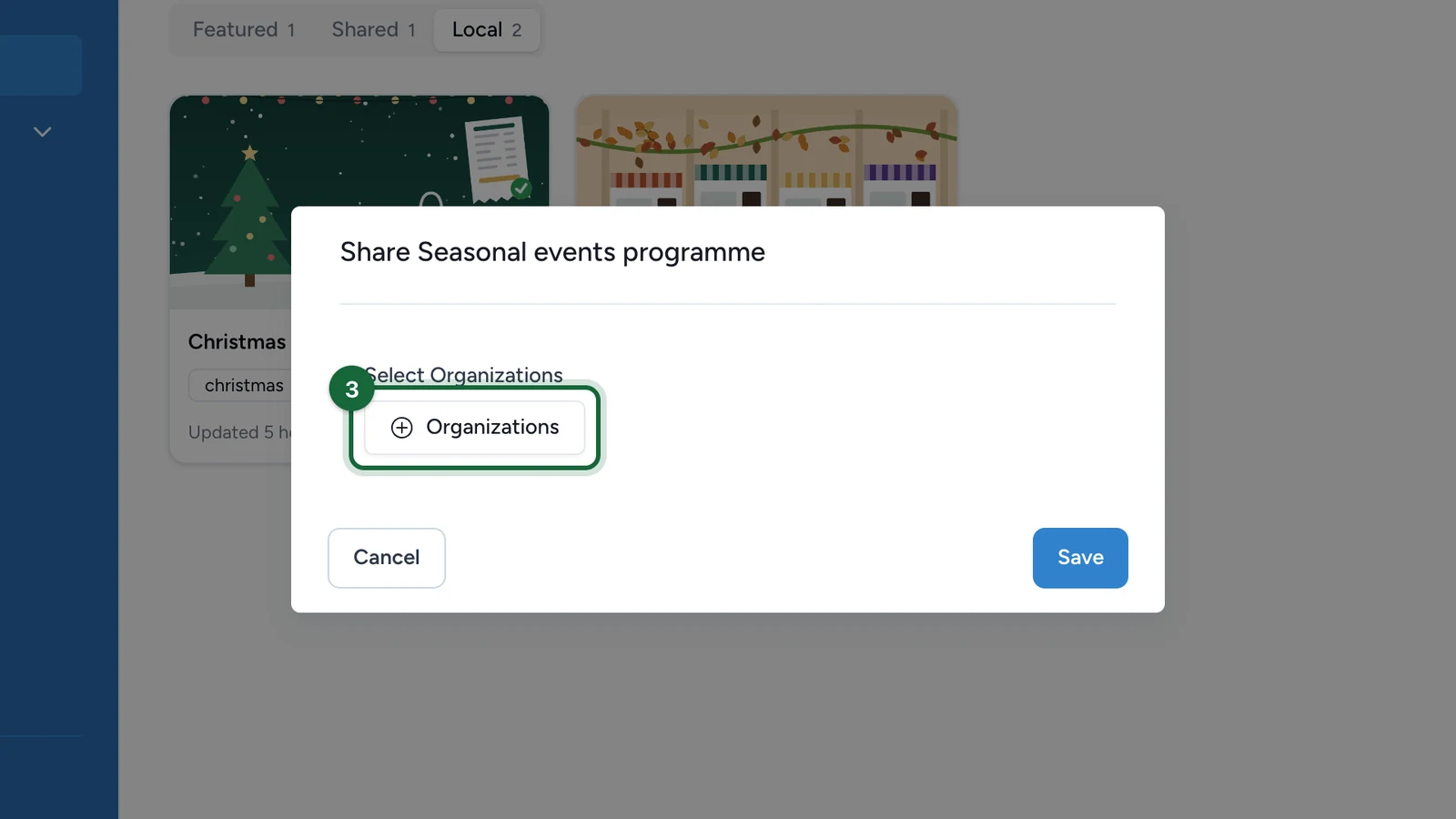
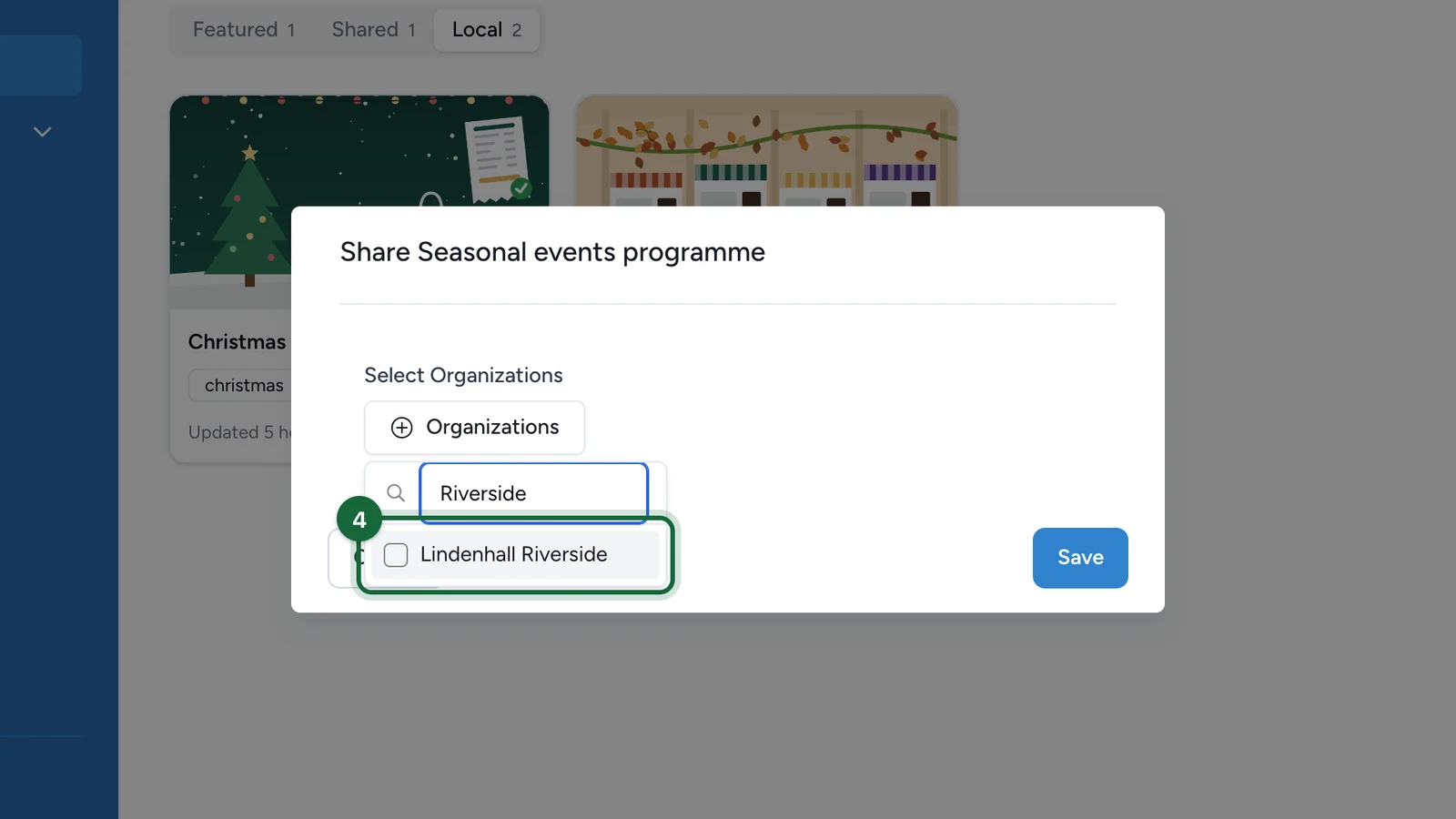
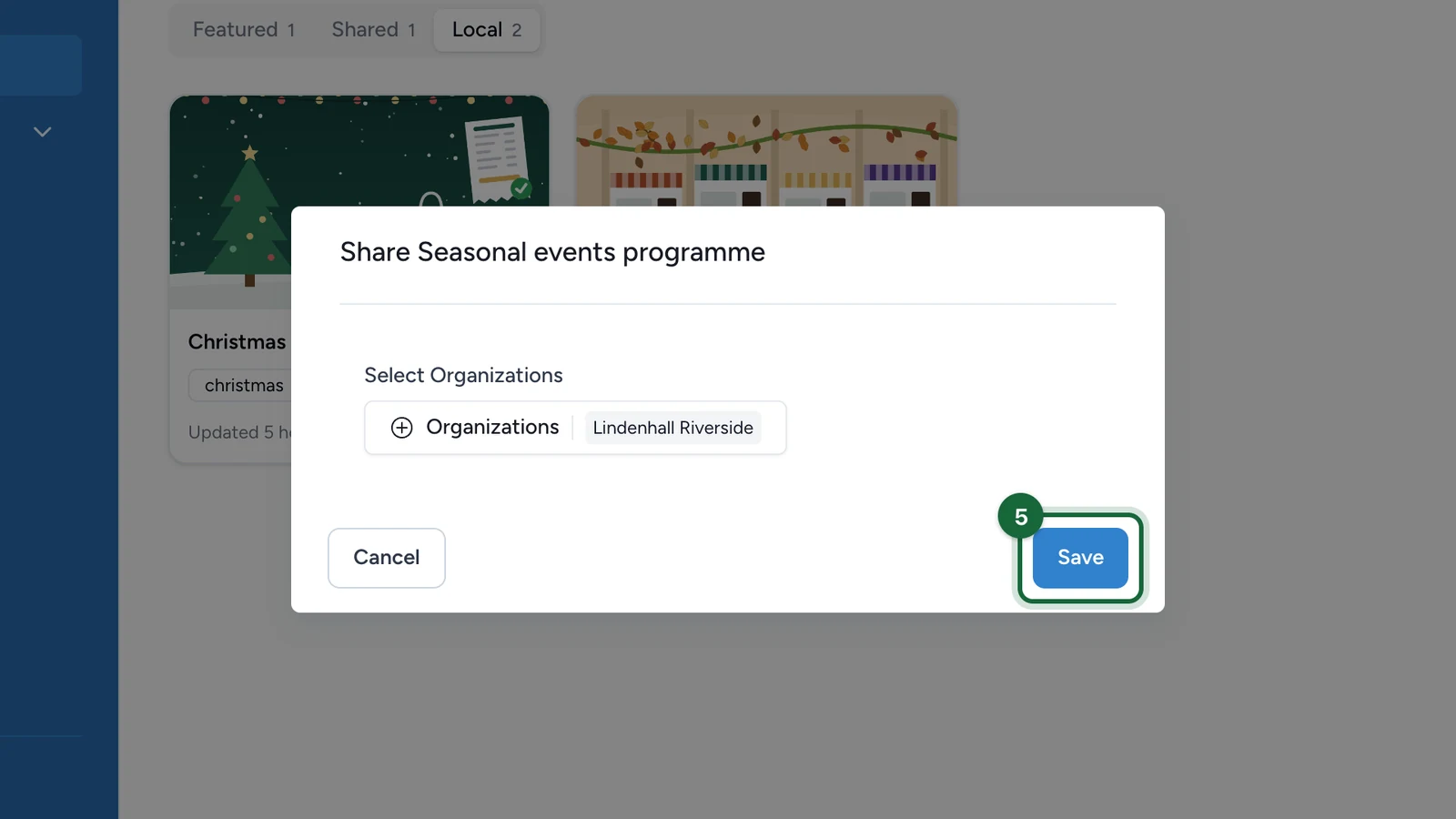
In the Share dialog, open the Select Organizations picker and tick each destination organisation that should receive the template. Selected organisations appear as chips next to the Organizations button. Click Save to confirm.

Switch to the destination organisation
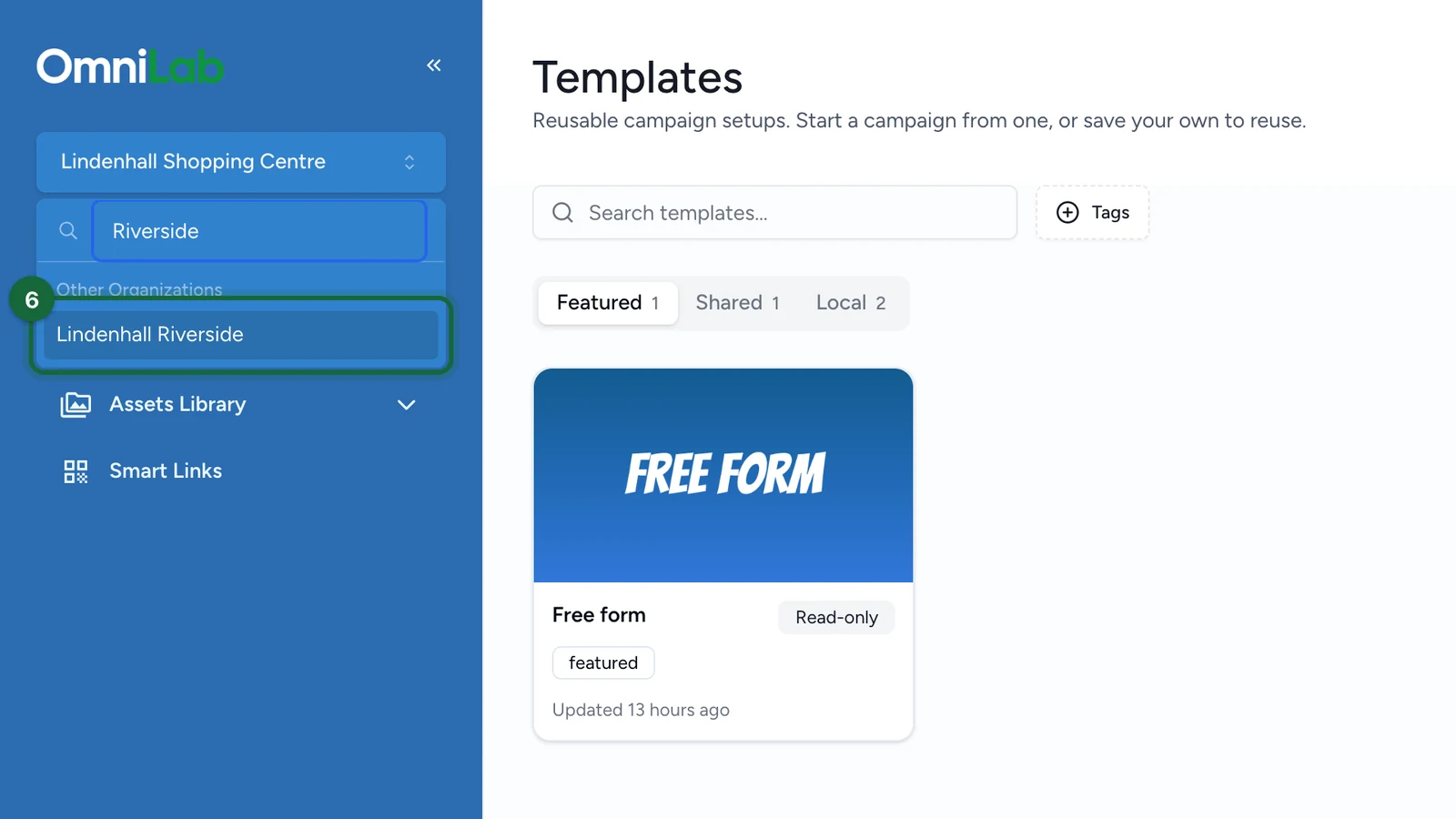
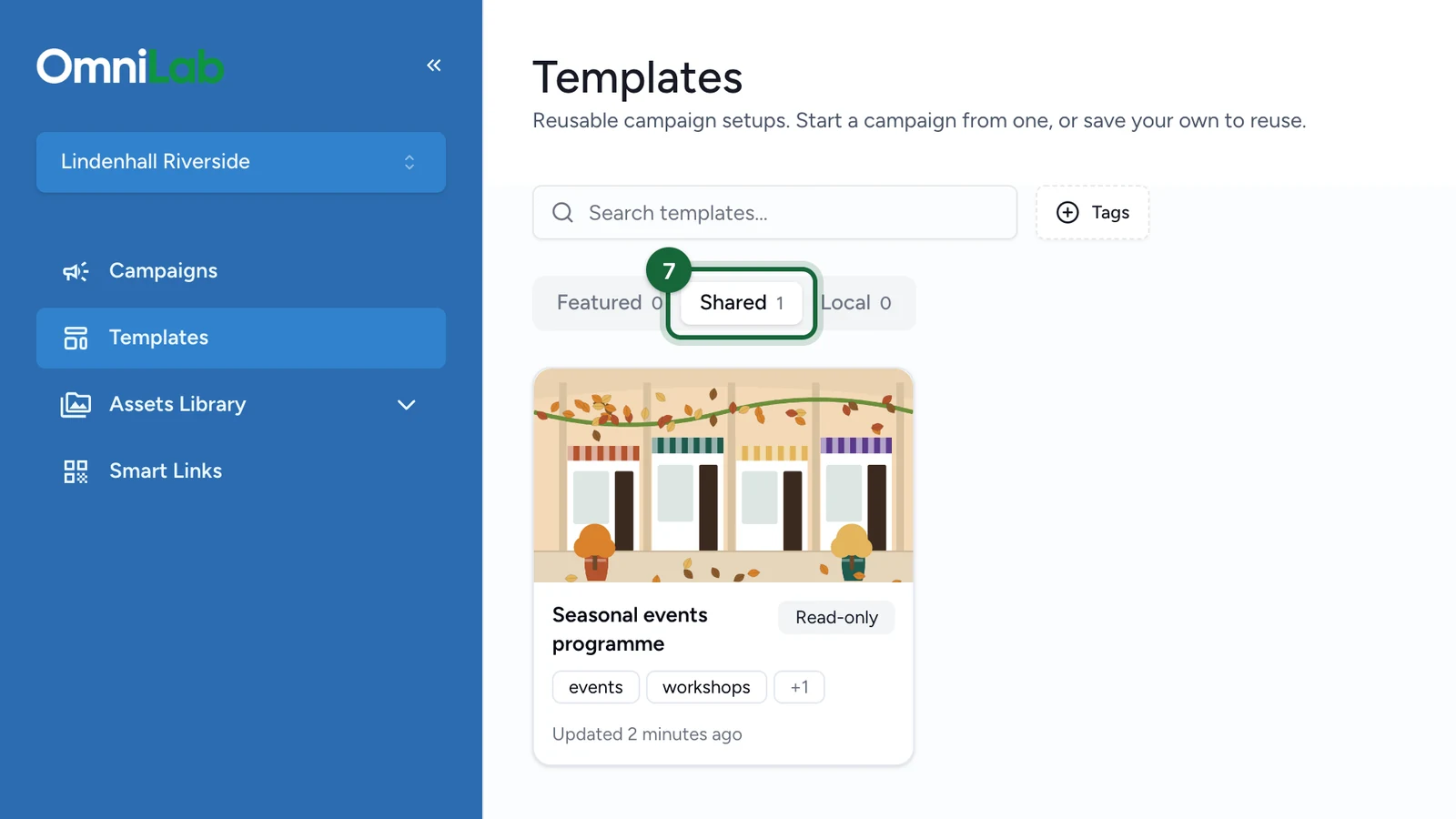
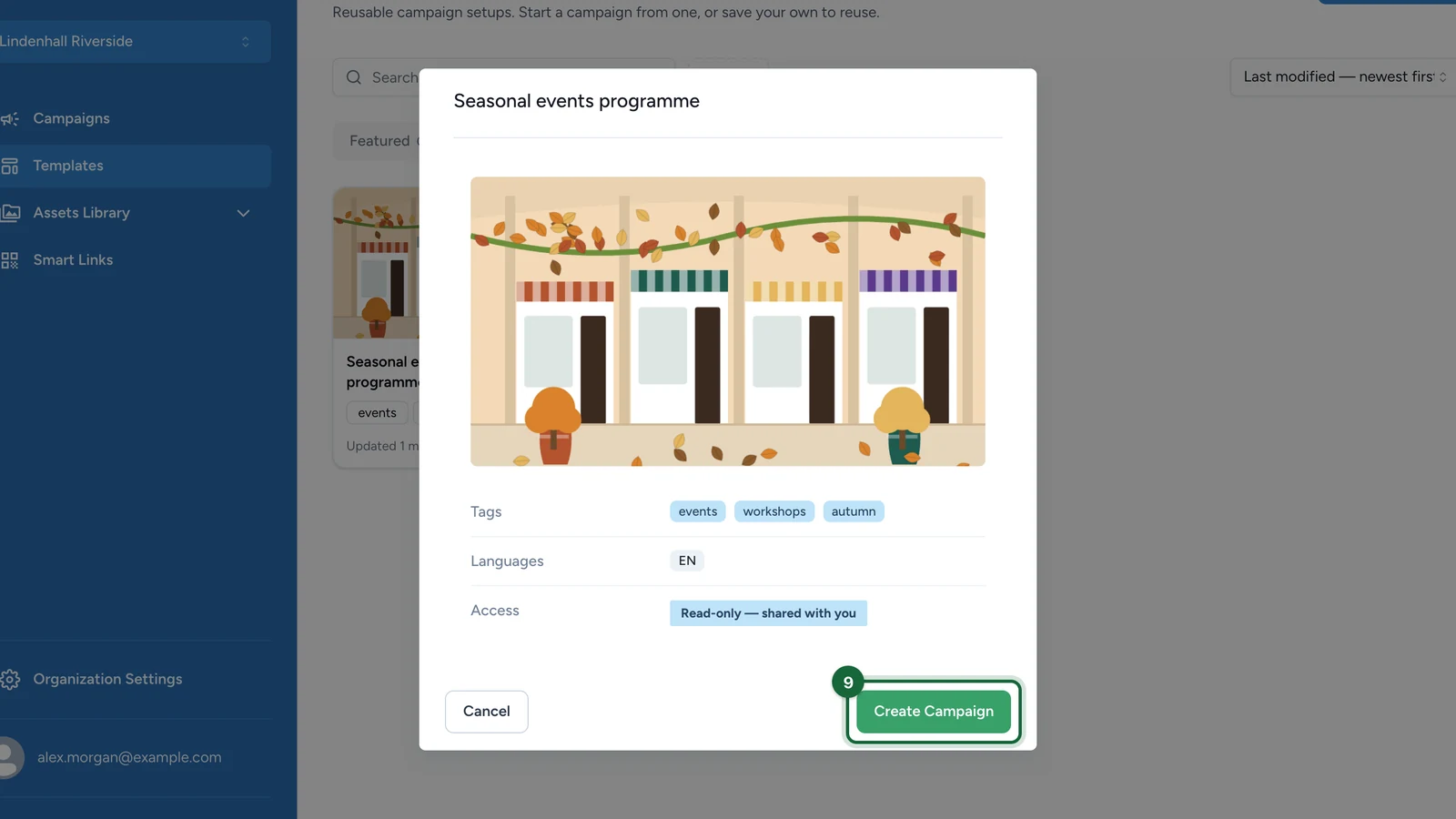
Switch to the destination organisation and open Templates. The template you shared now appears under the Shared Templates section. If it is still empty, the share has not propagated yet — re-check the destination you selected.

Generate a destination campaign
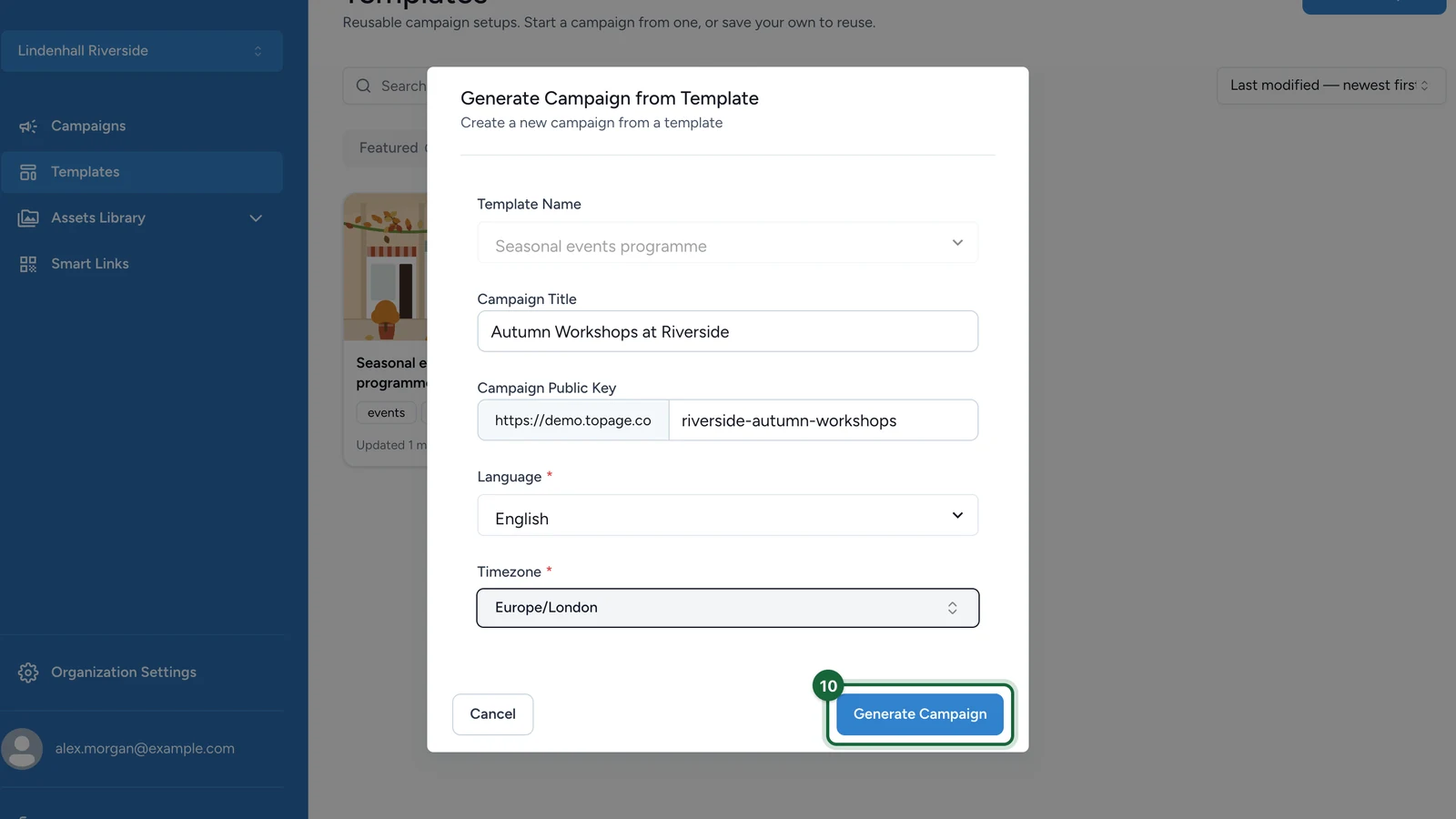
From the shared template, choose to generate a campaign. In the Generate Campaign from Template dialog, fill in the destination-specific details, then click Generate Campaign:
- Campaign Title — the name for the new destination campaign.
- Campaign Public Key — the slug appended to the destination public URL; keep it unique for this organisation.
- Language (required) — the language served to participants.
- Timezone (required) — the timezone used for scheduling. The dialog will not let you generate until both required fields are set.

Reconcile destination values
Open the generated campaign, then go to Advanced Settings > Addons. For each add-on, confirm:
- Select Addon points to the right integration for this organisation.
- Is Addon Active is toggled on if the add-on should run.
- The Options key/value pairs (such as a location or store code) use the destination organisation's own variables — not the values inherited from the source.
Use Add Item to add a missing mapping. While you are here, also review the campaign's dates, language, and rewards so they match the destination launch.

Result
The destination organisation now has its own campaign, built from the shared template, with destination-specific dates, language, timezone, and add-on values. The source template stays the single place for ongoing template maintenance.
Every organisation can have its own variables, identifiers, integrations, and scheduling context. That is why a template can be perfectly reusable while still requiring a short destination-specific setup pass.
Before you launch, the most important checks are:
- the public link is new and correct for the destination campaign
- the language matches the content you intend to serve
- the timezone matches the destination audience
- add-on values use the destination organisation's variables
- rewards and redemption setup still match the destination launch
Related
Templates: export, import, and reuse
Use the ZIP route when direct sharing is not the right option.
Organisations and scope in OmniLab
Understand why templates, users, and campaigns are organisation-scoped.
Validation & publishing
Check the generated campaign before it goes live in the destination organisation.