The customer activation platform.Every interaction becomes a qualified contact. Book a demo

Duplicate a campaign within an organisation

Clone a campaign in the same organisation when you need a fast variant with a new public link and a fresh draft.

Duplicate a campaign when you want a close variant in the same organisation. It is the fastest way to reuse a build without moving through templates or cross-organisation sharing.

Duplicate or template?

Use duplicate for quick same-organisation reuse. Use Templates: export, import, and reuse when you need reuse beyond the current organisation.

What duplication creates

Duplication carries the campaign configuration forward, including touchpoints, rewards, opt-in, and related build setup.

The new campaign still starts fresh in important ways:

  • it needs a new Campaign Public Link
  • it starts in Draft
  • it does not carry over participation data or analytics history

What to review again after duplication

Treat the duplicate as a strong starting point, not as a publish-ready copy. Pay special attention to:

  • dates copied from an older campaign
  • booking-related setup that may need to be checked again
  • reward redemption readiness, especially when secure coupon stock is involved
  • touchpoints that should change for the new variant
  • notifications and deployment details tied to the new launch window

Main task

Open the duplicate action

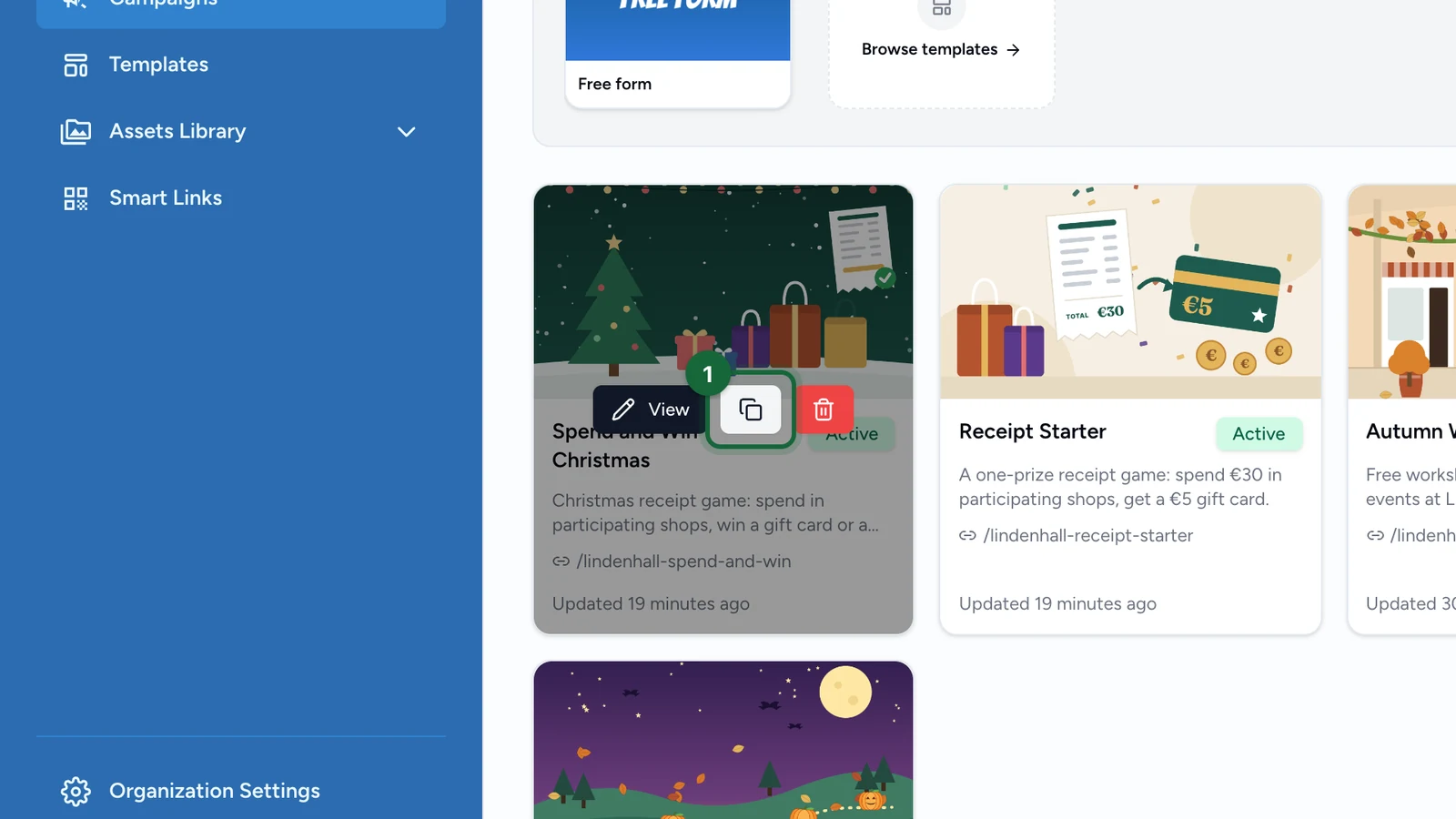
Go to All Campaigns, find the campaign you want to reuse, and open the Duplicate Campaign flow.

Review the prefilled fields

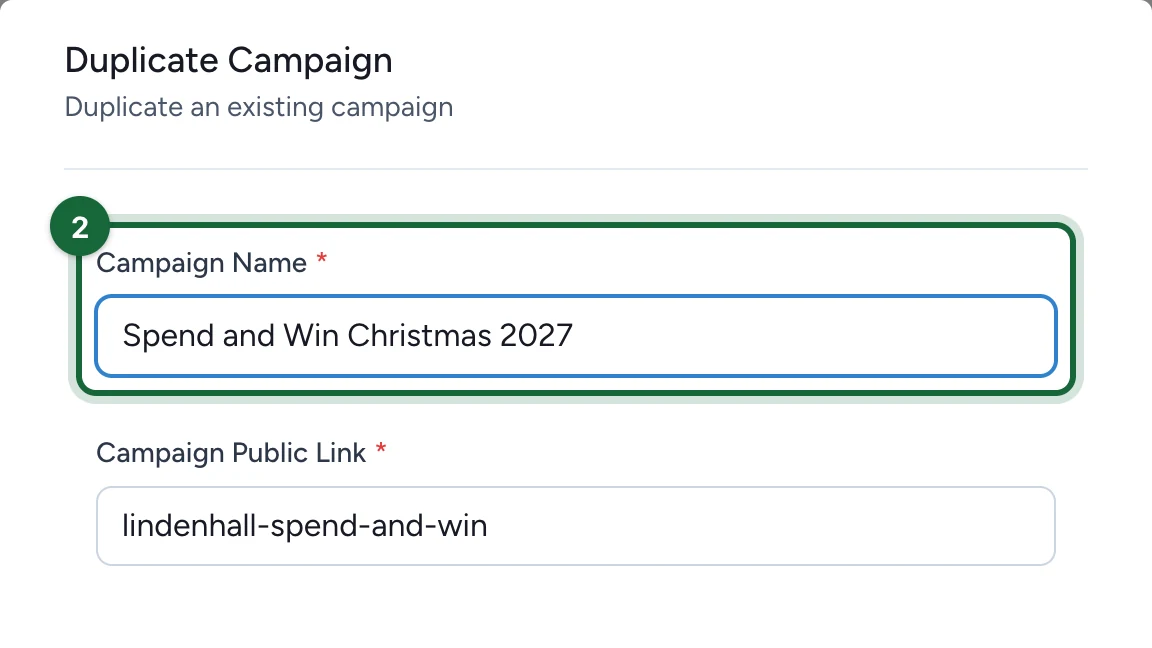
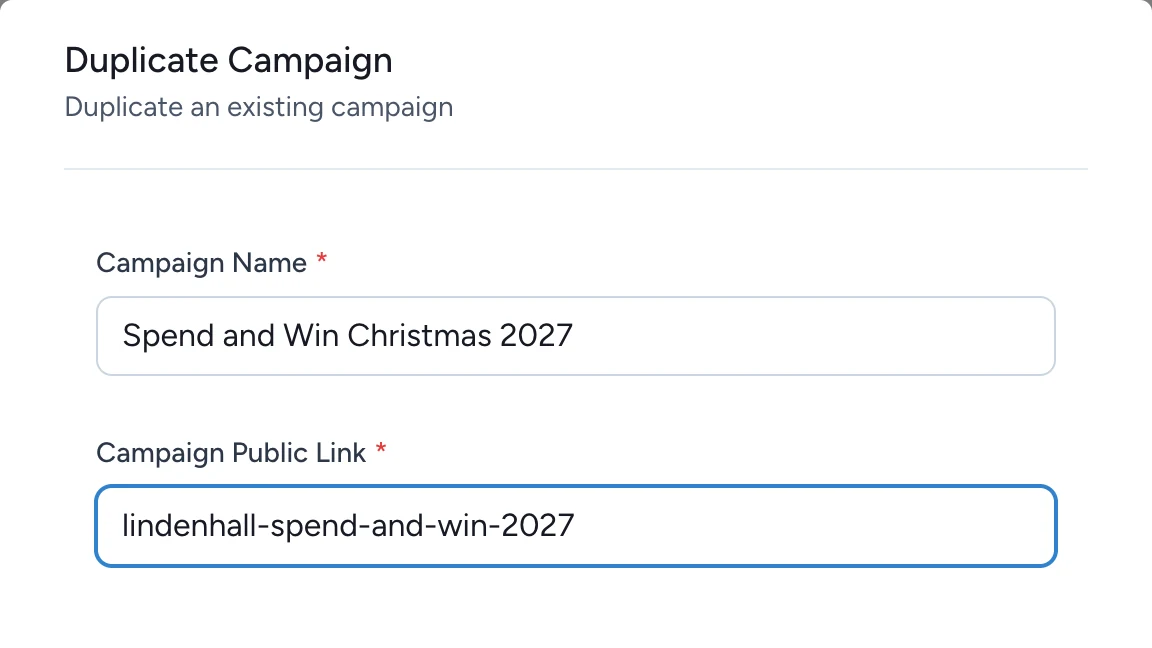
The duplicate modal pre-fills the existing values. Review both fields carefully:

  • Campaign Name
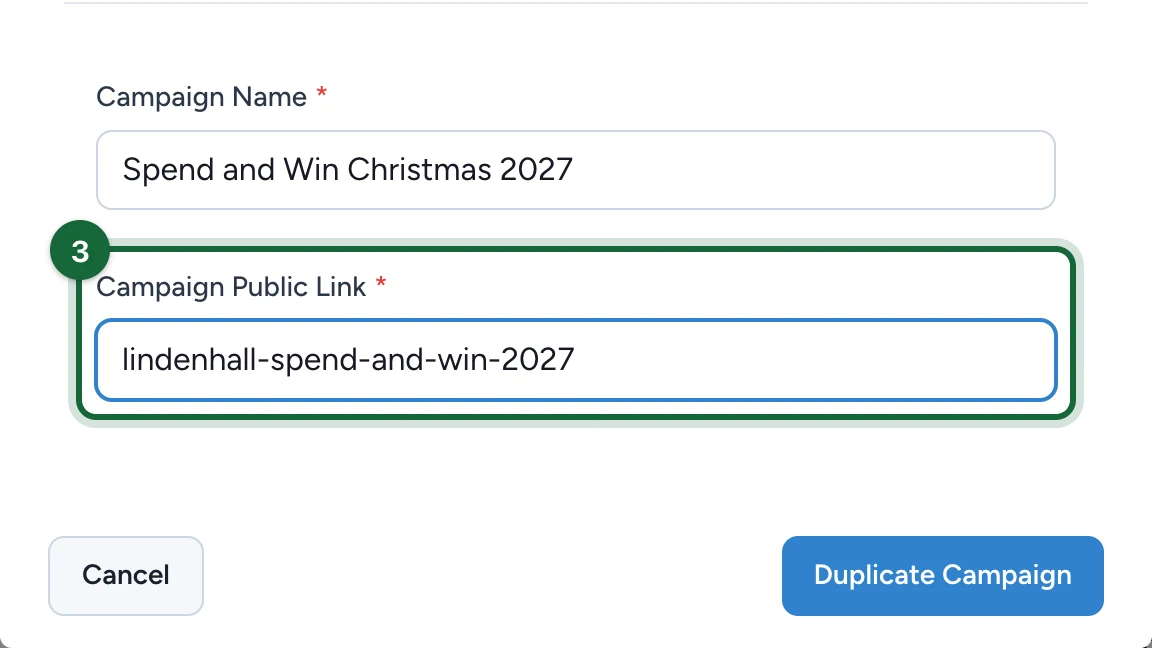
  • Campaign Public Link

Update them before you continue.

Provide a new, unique Campaign Public Link. This is the most important part of the duplication flow because the new campaign must not collide with the original public identifier.

Create the duplicate

Confirm Duplicate Campaign.

Open the new draft and review the copied setup

After duplication, return to the campaigns list and open the new draft campaign. Review it before treating it as ready:

  • update dates if the original period is now in the past
  • review rewards if you need separate pools, new quantities, or prepared coupon stock
  • confirm booking-related setup still matches the new campaign
  • confirm the touchpoints still match the new campaign goal

Result

You now have a same-organisation clone of the original campaign, ready to be edited, validated, and published independently.

Was this helpful?

Optional comments help us improve this page for future authors and readers.

On this page