The customer activation platform.Every interaction becomes a qualified contact. Book a demo

Probability weights don't sum to 100

Fix the common probability-based game error where the full option set does not total exactly 100.

If a game uses Random Chance, every option in the game must have a valid probability weight and the total across all options must equal 100.

The total must be exactly 100

Include both winning and losing options in the calculation. A valid set can look like 10 + 15 + 75, but not 10 + 15 + 70.

Symptom

You will usually see one of these validation messages:

  • Probability-based game '{{touchpoint_name}}' has invalid total probability weights: {{total_weight}} (must equal 100)
  • Probability-based game '{{touchpoint_name}}' option {{option_index}} ({{option_id}}) is missing probability weight
  • Probability-based game '{{touchpoint_name}}' option {{option_index}} ({{option_id}}) has invalid probability weight {{weight}}

Where to see the current total in Studio

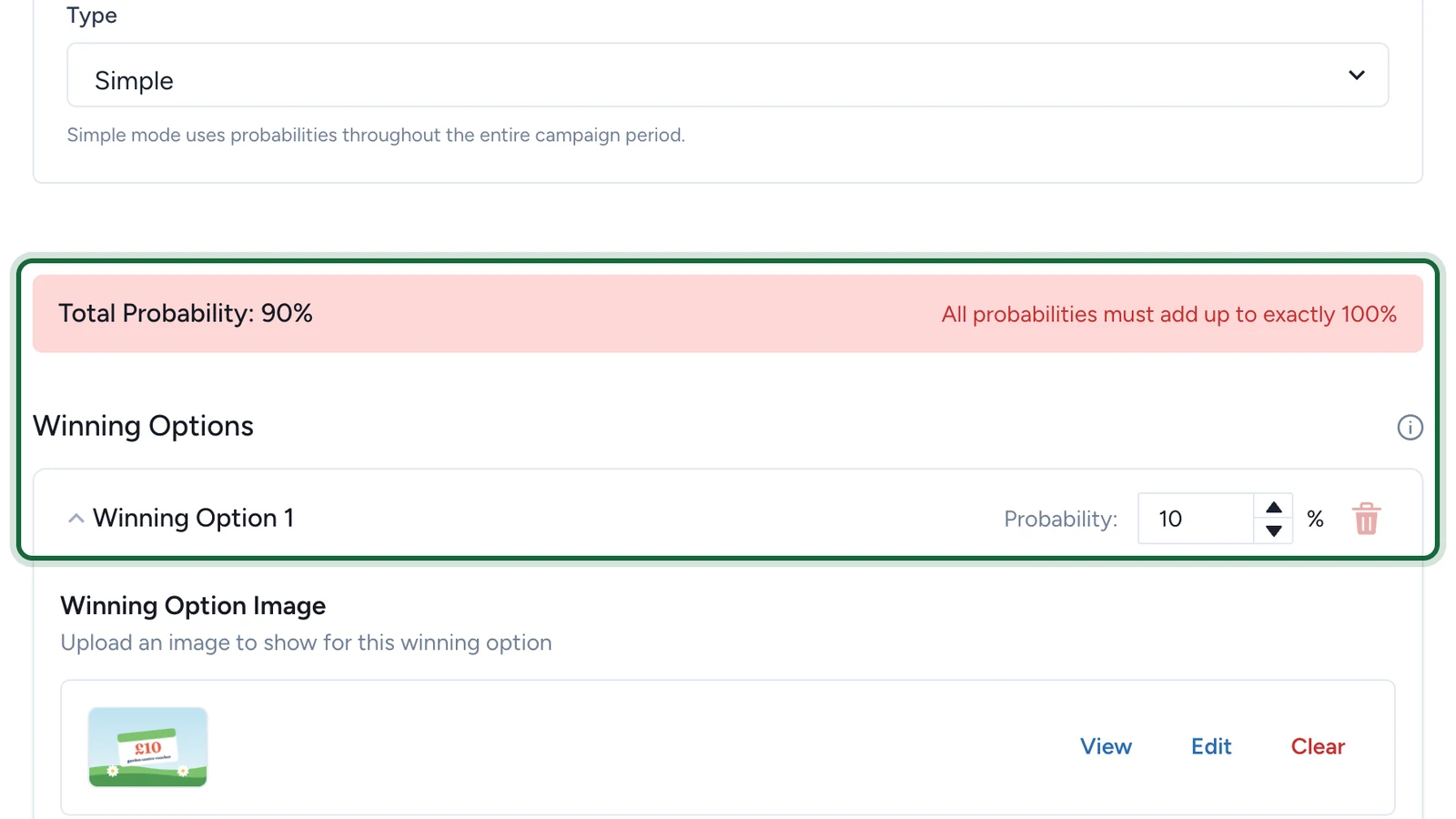
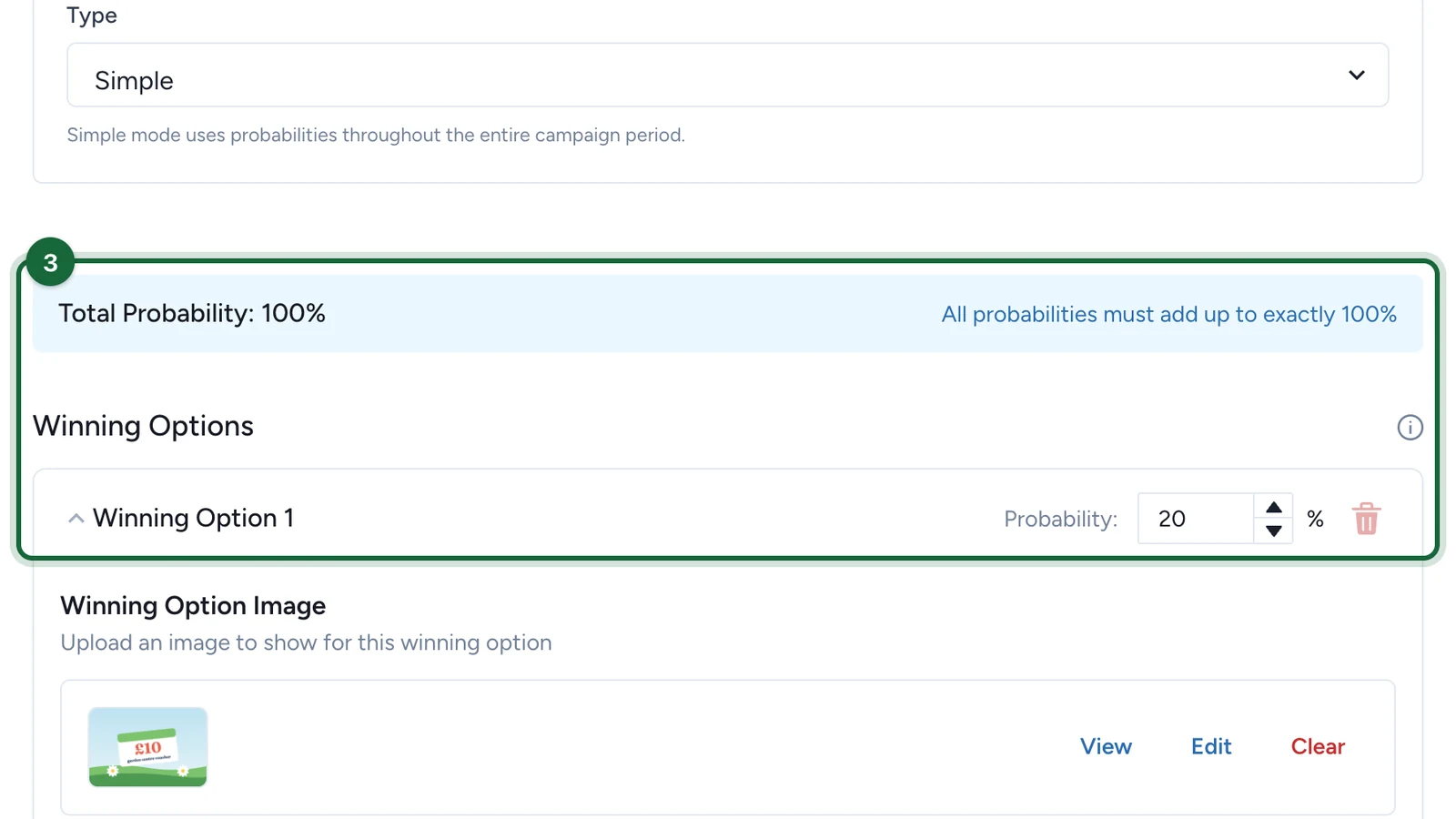
Open Build -> Touchpoints, open the game, then review Outcomes -> Random Chance. OmniLab shows a Total Probability banner above the winning and losing options. If the displayed total is anything other than 100%, validation stays blocked until you rebalance it.

Fix the total

Open the game's Random Chance setup

Go to Build -> Touchpoints, open the game, then review Outcomes -> Random Chance.

List every option in the result set

Count every option the player can hit, including the losing outcome. Do not total only the prize-bearing options.

Give each option a valid weight

Every option needs a weight between 1 and 100.

Rebalance until the total is 100

Adjust the full set until the banner shows 100%, then save and validate again.

Common causes

CauseWhat happenedFix
a new option was addedthe previous weights already totalled 100 before the new option existedreduce one or more existing weights so the new full set returns to 100
an option was removedthe remaining options were never rebalancedredistribute the removed weight across the remaining options
the losing option was forgottenonly winning options were countedadd or correct the losing option weight too
an invalid value was enteredone option was set outside the allowed 1-100 rangereplace it with a valid weight, then retotal the whole set

Quick rebalance example

If the current setup is 20 + 30 + 50 = 100 and you add a new winning option with weight 10, you must remove 10 from the other options somewhere else. For example, 20 + 25 + 45 + 10 = 100.

If you are still blocked

The sum-to-100 rule is only one part of the probability setup. You may also need to fix:

  • Probability-based game '{{touchpoint_name}}' is missing probability-based settings
  • Advanced probability-based game '{{touchpoint_name}}' is missing advanced settings configuration
  • Advanced probability-based game '{{touchpoint_name}}' winning option '{{option_name}}' with reward '{{reward_name}}' has no attribution slots defined
  • Game '{{touchpoint_name}}' uses reward '{{reward_name}}' which has unlimited quantity, but probability-based attribution slots define specific quantities

If those messages appear too, finish the weight fix first, then continue with Why didn't my reward distribute?.

Was this helpful?

Optional comments help us improve this page for future authors and readers.

On this page