Find the event URL
Copy the link that opens one event, or the landing page link when a campaign lists several.
Links appear once the campaign is published. Each Activity has its own link, which opens it directly: a single event needs nothing else.
Link to one event
-
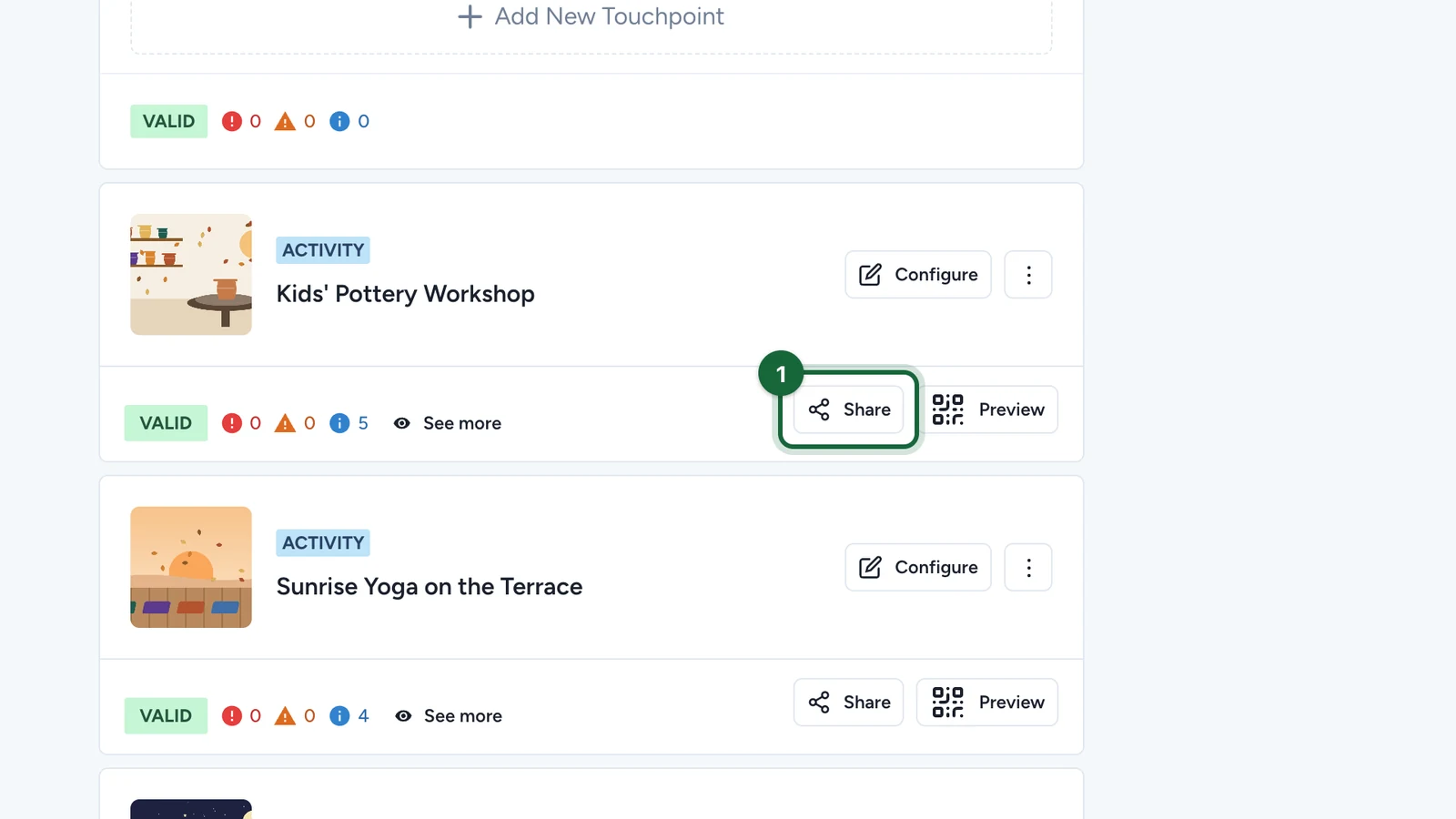
In Build > Touchpoints, select Share on the Activity.
-
Copy the first link. It opens the event directly.
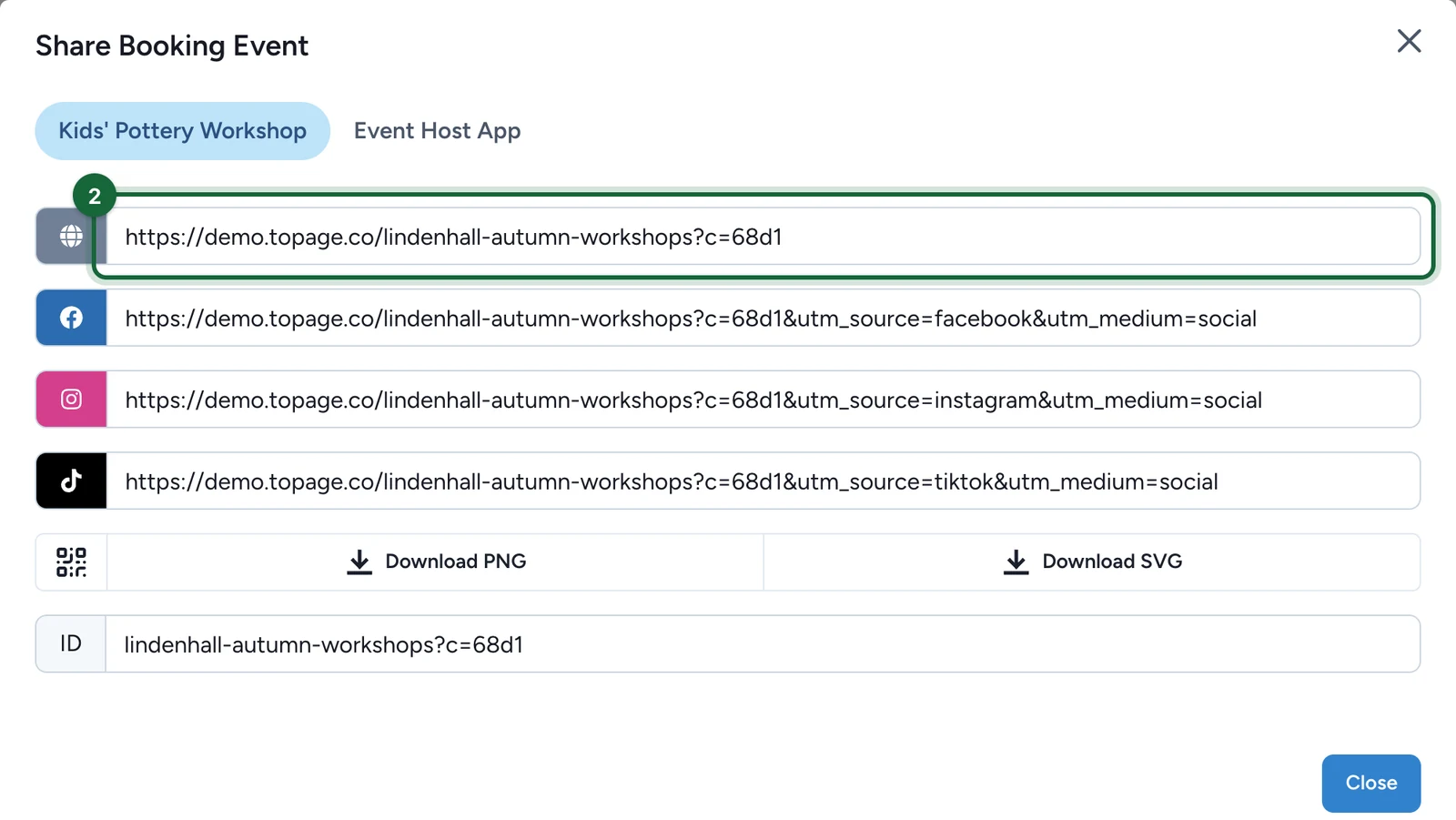
Use it in emails, on signs and in QR codes. The other links add tracking for Facebook, Instagram and TikTok: use each one only in that channel.
If the campaign has a landing page
With several events, a landing page lets attendees choose between them. Its link is the campaign's.
-
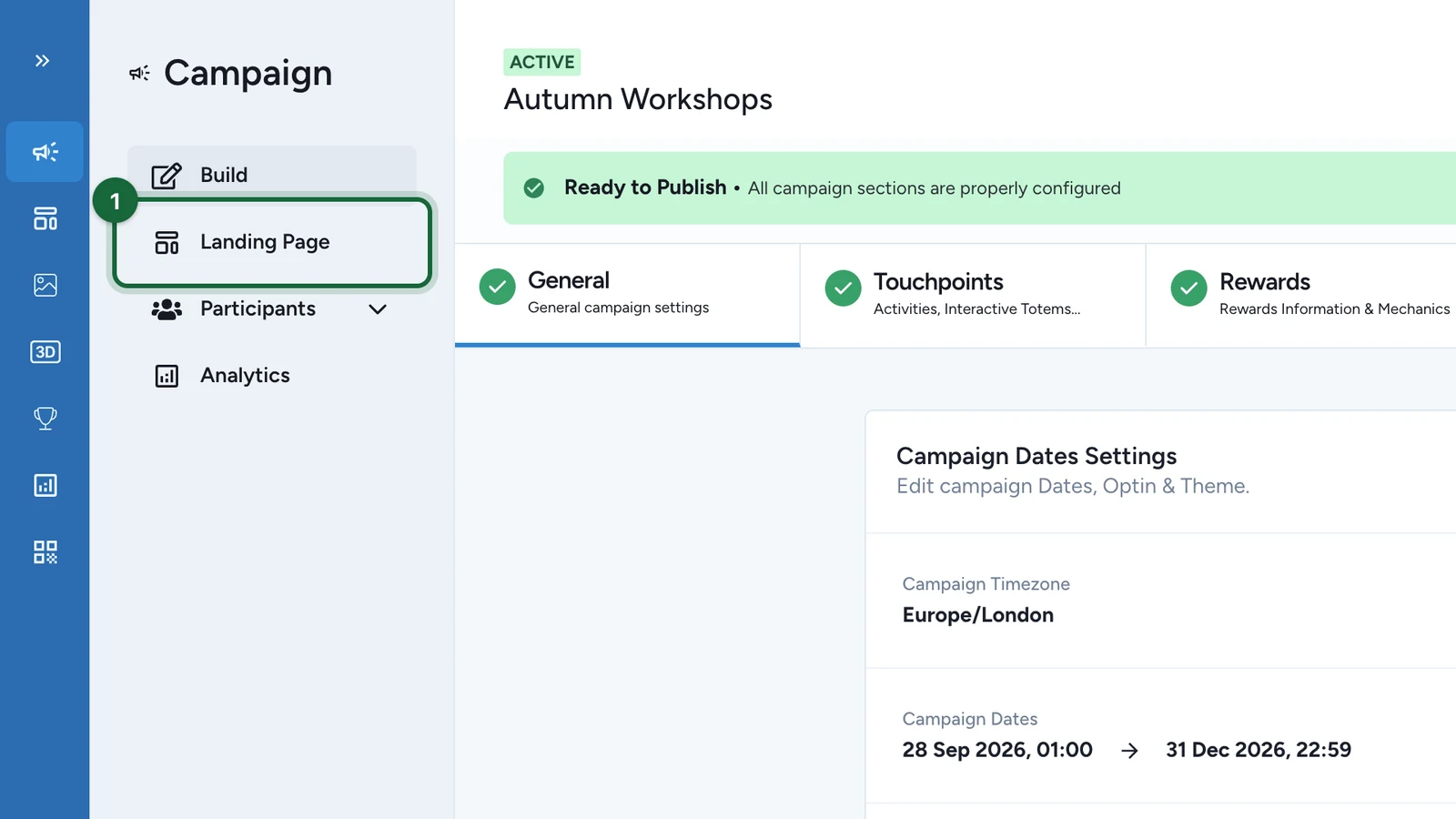
Select Landing Page.
-
Copy the address at the top: the domain, then your campaign's public link.
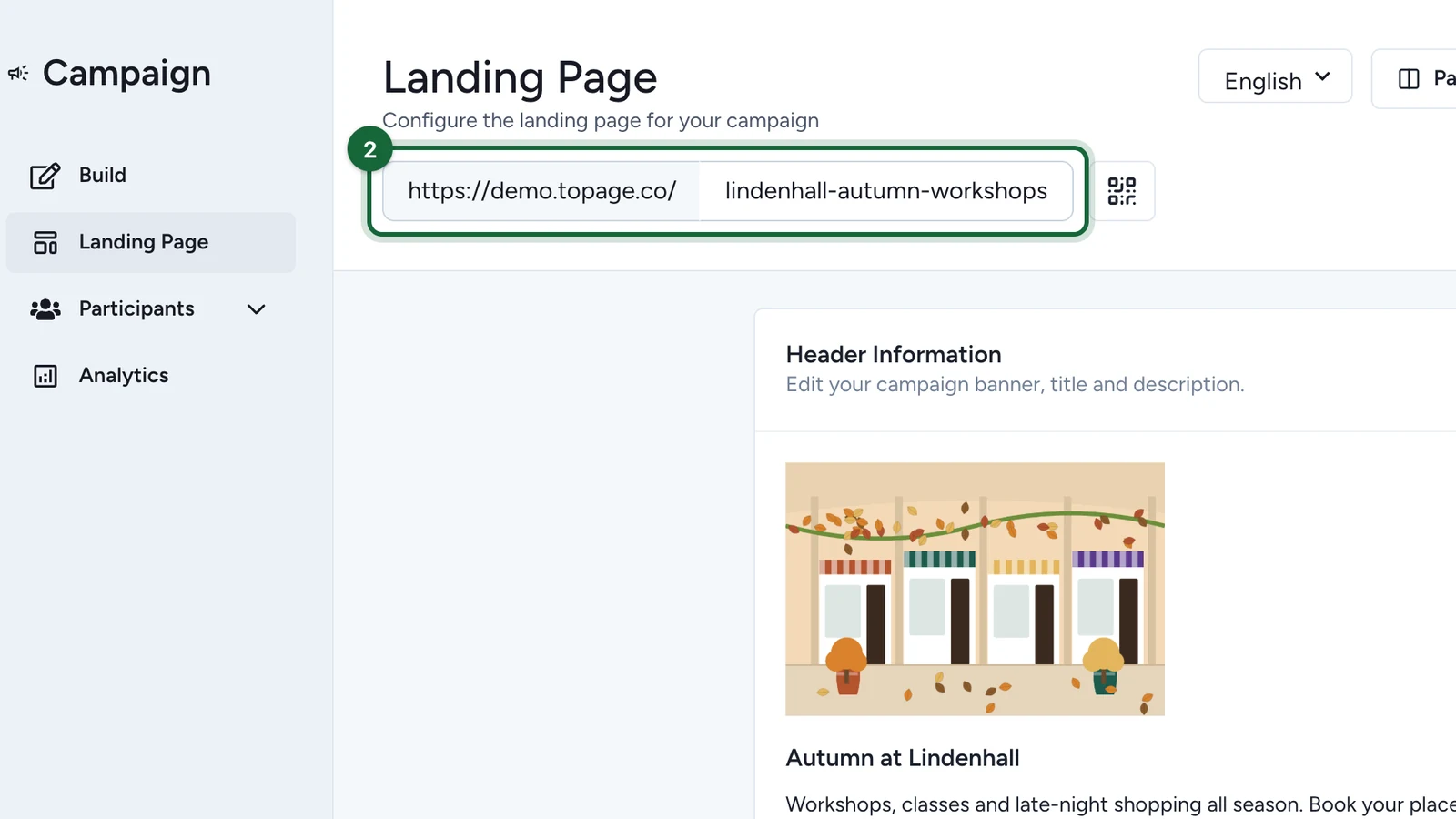
The QR button next to it gives the landing page's QR code. Enable Landing Page on the screen means it's off, so the campaign link opens nothing.