Touchpoint URLs & slugs
Learn how OmniLab builds campaign and touchpoint URLs, where to copy them, and how the Campaign Public Link works.
Find the right link to share for any campaign or touchpoint, and understand how the Campaign Public Link shapes the address participants see. This page covers how OmniLab builds those URLs and where to copy each one in OmniLab Studio.
Before you begin
- Your campaign is published. The Share, Preview, and QR tools appear on live campaigns.
- Your campaign has at least one touchpoint.
- For a campaign-level URL, your campaign landing page is enabled.
How OmniLab structures public URLs
OmniLab combines a base OmniLab Pages domain with a campaign-specific public path. Touchpoints, spaces, variants, language choices, and tracking are then added as extra parts at the end of that URL instead of becoming separate addresses.
The result is a family of related links all built from the same Campaign Public Link:
- The campaign landing page URL — the domain plus the Campaign Public Link.
- A direct touchpoint URL — the same link with a touchpoint selector added at the end.
- A Space URL — the same link with a Space selector added at the end.
- A tracking URL — any of the above with channel and language parameters appended.
Use the campaign root URL when you want participants to start on the landing page. Use a touchpoint URL when you want to send them straight into a single experience. Use a space URL when you are distributing campaign access through Spaces.
Some kiosk or scanner setups add extra tracking parameters to the link before the page opens. If you use those integrations, keep the core campaign URL intact and let the integration add the extra parameter.
Where to find the links in OmniLab Studio
Copy the campaign landing page URL
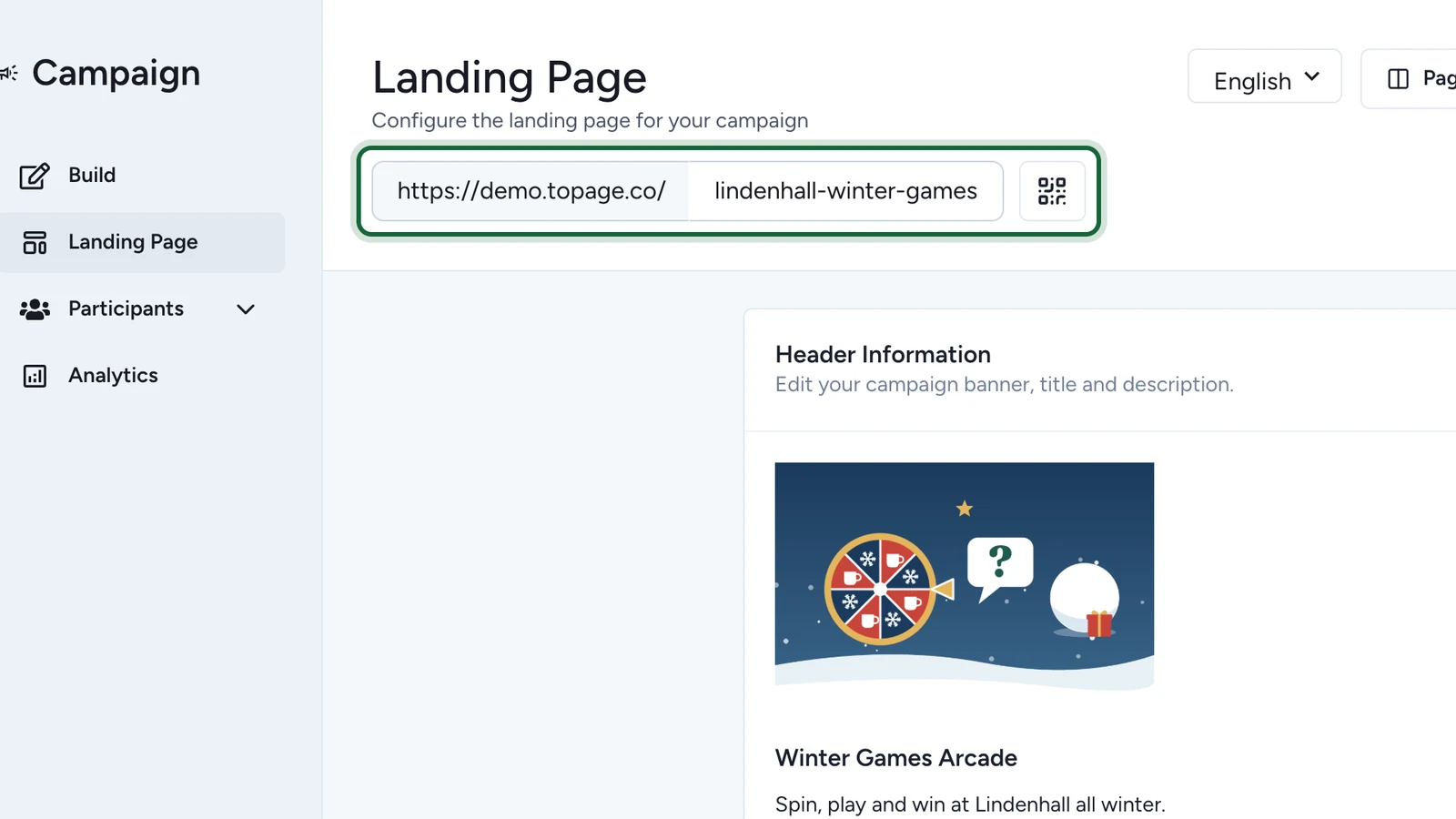
Open the campaign, then go to Landing Page. When the landing page is enabled, OmniLab shows the public URL near the top of the page: the domain on the left and your Campaign Public Link on the right, with a QR shortcut beside it. Copy this URL when you want participants to start on the landing page.

Open the Share action on a touchpoint
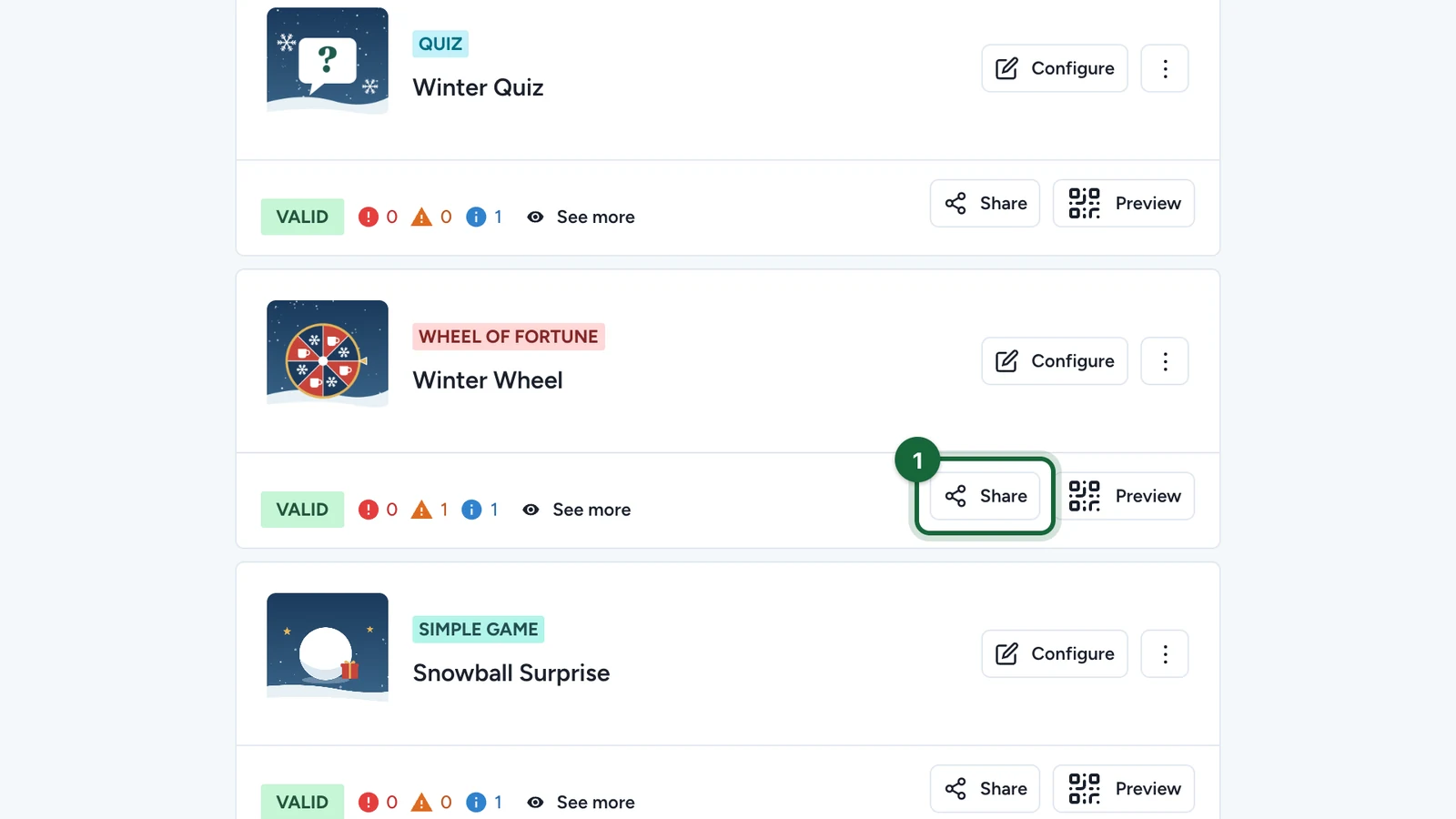
Go to Build > Touchpoints. On a published campaign, each touchpoint card shows a Share action next to Preview. Select Share to open the Share Links modal for that touchpoint.

Copy the direct touchpoint URL
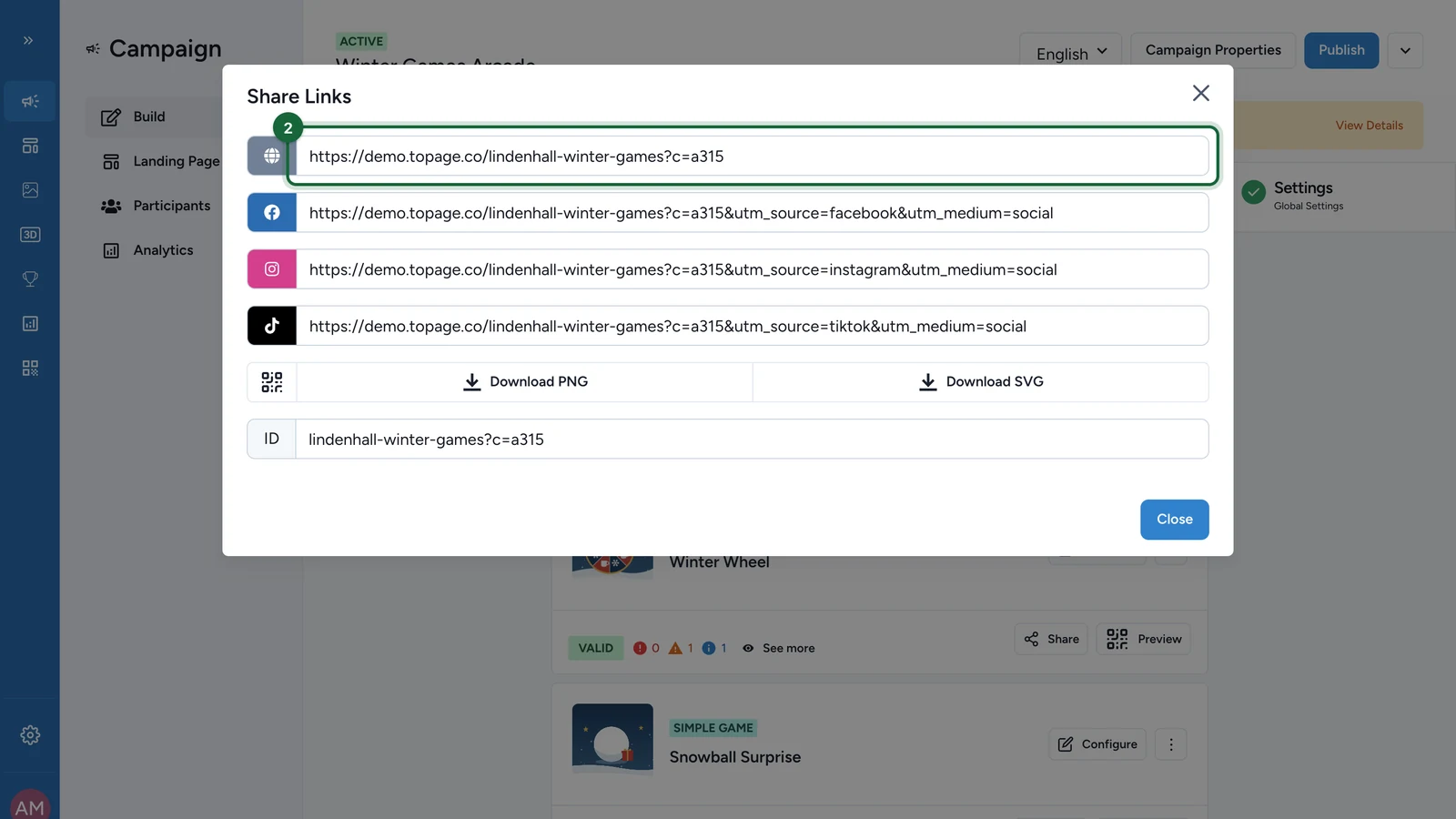
The first field in the Share Links modal is the default link. It points straight to the selected touchpoint and ends with a generated touchpoint selector such as ?c=7a7d. Copy this link when you want a direct entry point that skips the landing page.

Pick a channel-tracked link instead
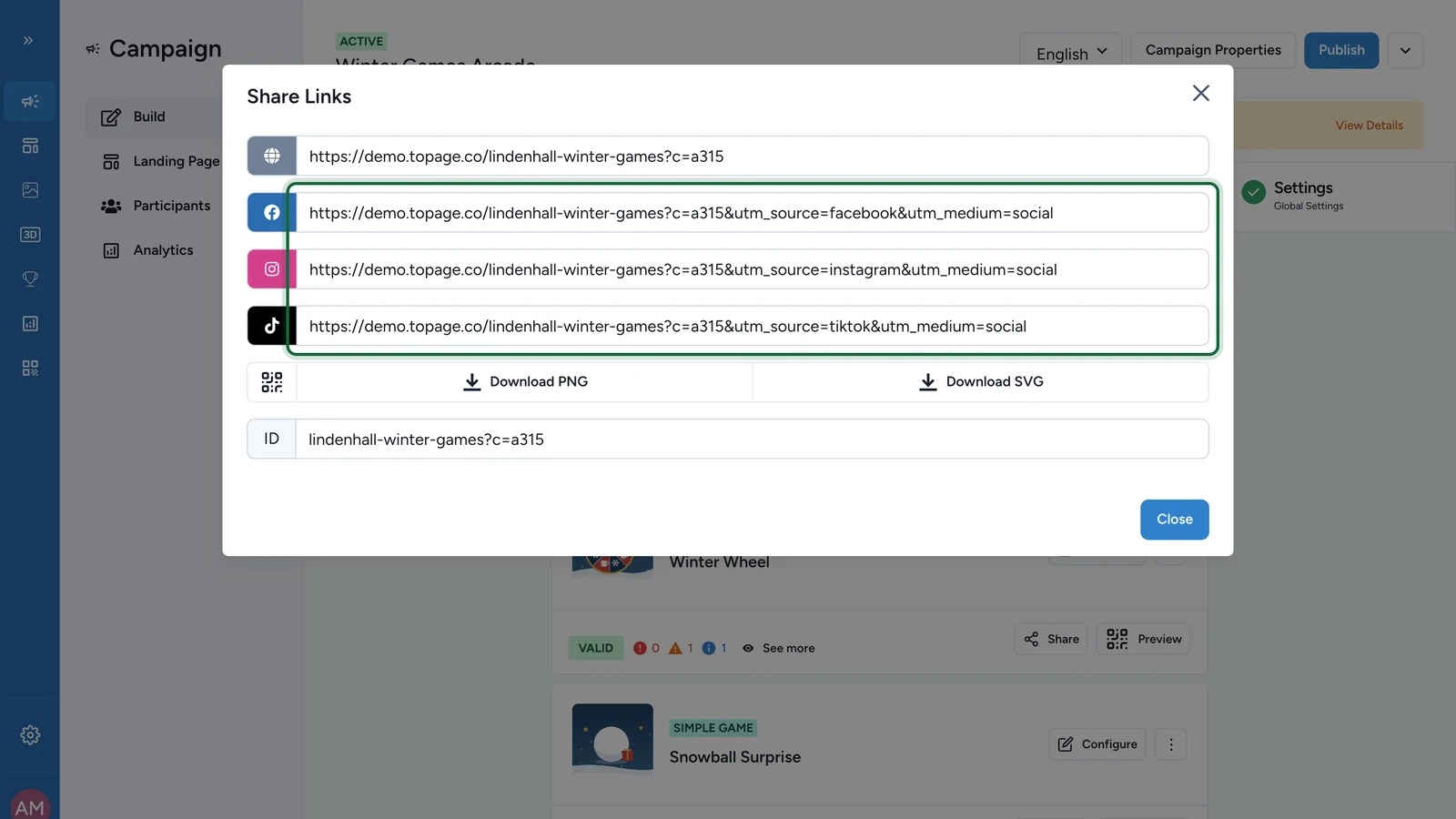
Below the default link, OmniLab prepares ready-made versions for Facebook, Instagram, and TikTok. Each one keeps the same touchpoint selector and adds built-in utm_source and utm_medium parameters so the channel shows up in your reports. The ID field at the bottom shows the public path on its own, without the domain.

Download a touchpoint QR code
To hand out a QR code for this single touchpoint, use the Download PNG or Download SVG buttons in the QR row of the Share Links modal. The QR encodes the default touchpoint URL shown above.

Find space links and bulk QR exports
From the Touchpoints section, open the menu (⋮) in the section header. Choose Dynamic QR Codes when you need the landing page and Spaces links together, or use Download All as PNG and Download All as SVG when you need campaign-wide QR exports in one file.

Recheck the public identifier before launch
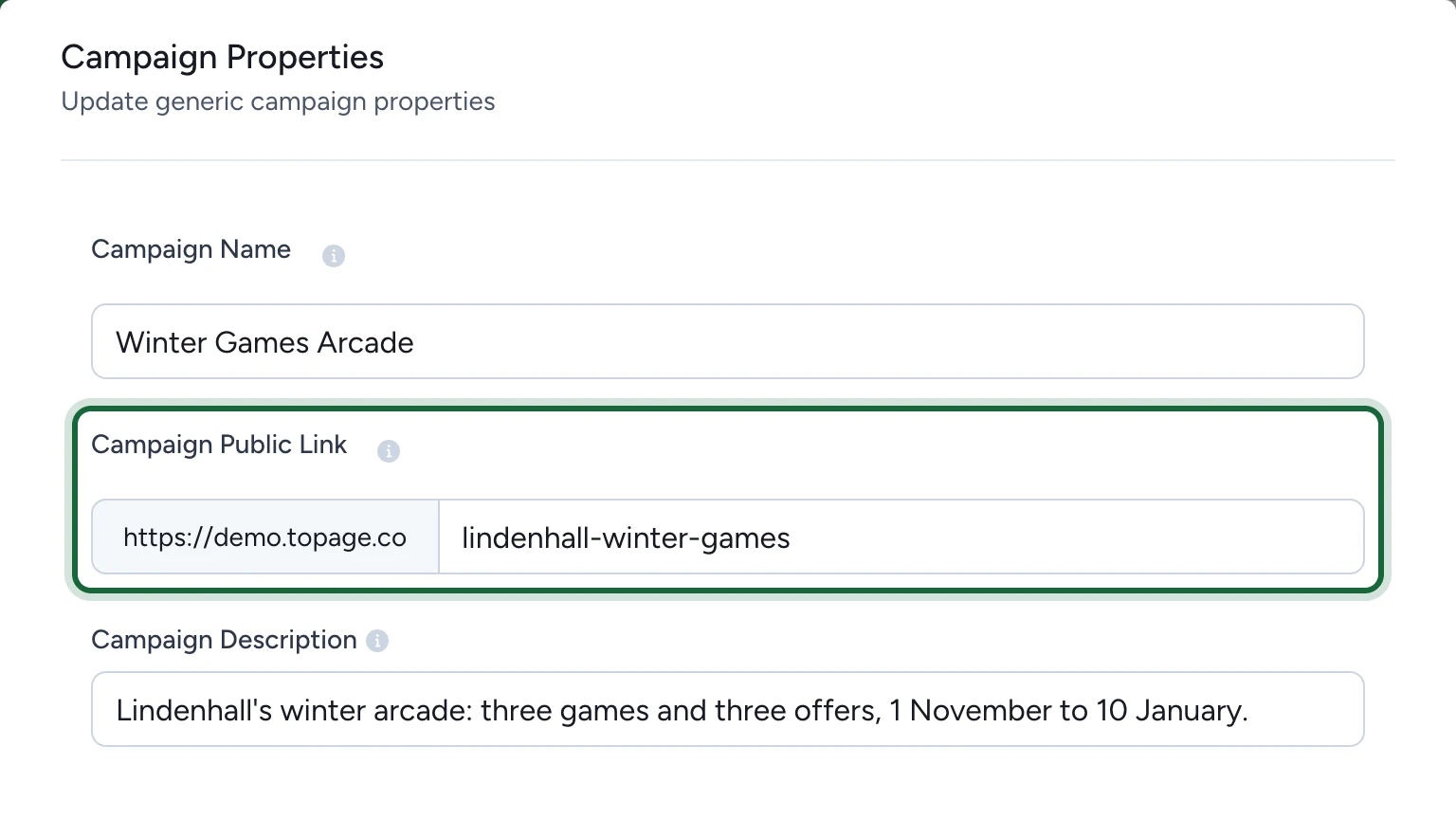
If you need to confirm the public path itself, open Campaign Properties and review the Campaign Public Link field. OmniLab adds the organisation domain in front automatically, so you enter only the campaign-specific ending.

Result
You can now copy the right link for any context — the landing page URL for a campaign start point, a direct touchpoint URL for a single experience, a channel-tracked variant for paid or social media, or a QR code for print and kiosk use.
How slugs work
The readable part of an OmniLab Pages URL is the Campaign Public Link. Touchpoints and spaces do not have their own editable slug in the URL. OmniLab selects them with generated parameters such as ?c= and ?s=.
| URL part | Who controls it | Example | Notes |
|---|---|---|---|
| Campaign Public Link | You | summer-game | Readable, public, and designed to stay stable once the campaign is live. |
| Touchpoint selector | OmniLab | ?c=abc123 | Added automatically when you share a touchpoint. |
| Space selector | OmniLab | ?s=space-1 | Used for Spaces deployments. |
| OmniLab Smart Link slug | You | /l/launch-weekend | Managed separately in OmniLab Smart Links. |
The public link is effectively permanent
The Campaign Public Link accepts only lowercase letters, numbers, and hyphens. Once the campaign is created, it becomes read-only. If you need a different public link later, duplicate the campaign and launch the copy with a new value.
Best practices
- Keep the Campaign Public Link short, readable, and brand-safe before you publish.
- Use the campaign URL when you want participants to choose among touchpoints on a landing page.
- Use a touchpoint URL when you want a direct entry point for email, paid media, or kiosk flows.
- Use the built-in channel links, or add your own UTM parameters, so each channel shows up in reporting.
- Use OmniLab Smart Links when printed assets may need to point somewhere else later.
- Do not manually rewrite the
?c=and?s=values that OmniLab generates.
Related
QR codes (download, design)
Download and distribute QR codes for landing pages, touchpoints, spaces, and OmniLab Smart Links.
Embedding
Use the same public URLs inside an embedded website or app experience.
Create a campaign
Choose the campaign name and Campaign Public Link before you build the rest of the experience.