Connect your email platform
Point OmniLab at the email service that actually delivers your messages, so triggered sends go out from your own sending domain.
Do this once for your account: the key lives in the Global organisation and serves every organisation. Triggered messages then arrive from your sending domain and show up in your existing reporting.
Before you begin
- You need Admin access to reach the settings where this is done.
- Choose the platform that sends: Brevo, Mailchimp, Salesforce Marketing Cloud, or another service with an API.
- Have someone technical available: the connection is a Function, which is code.
Store the key as a secret
In your email platform, create an API key that can only send transactional messages. A narrow key limits what a leak could do.
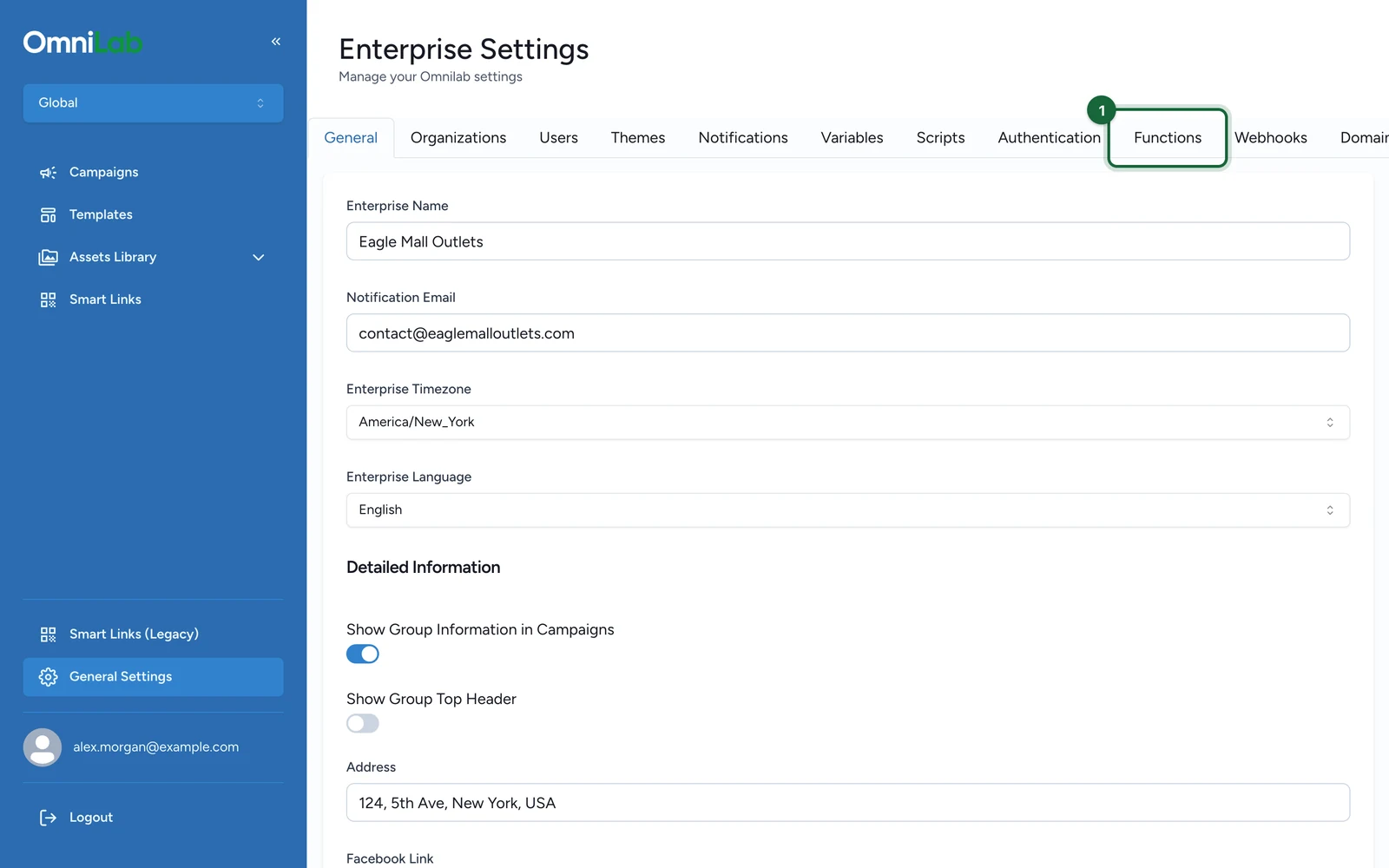
Then, in the organisation switcher, choose Global, and select General Settings:
-
Select the Functions tab.
-
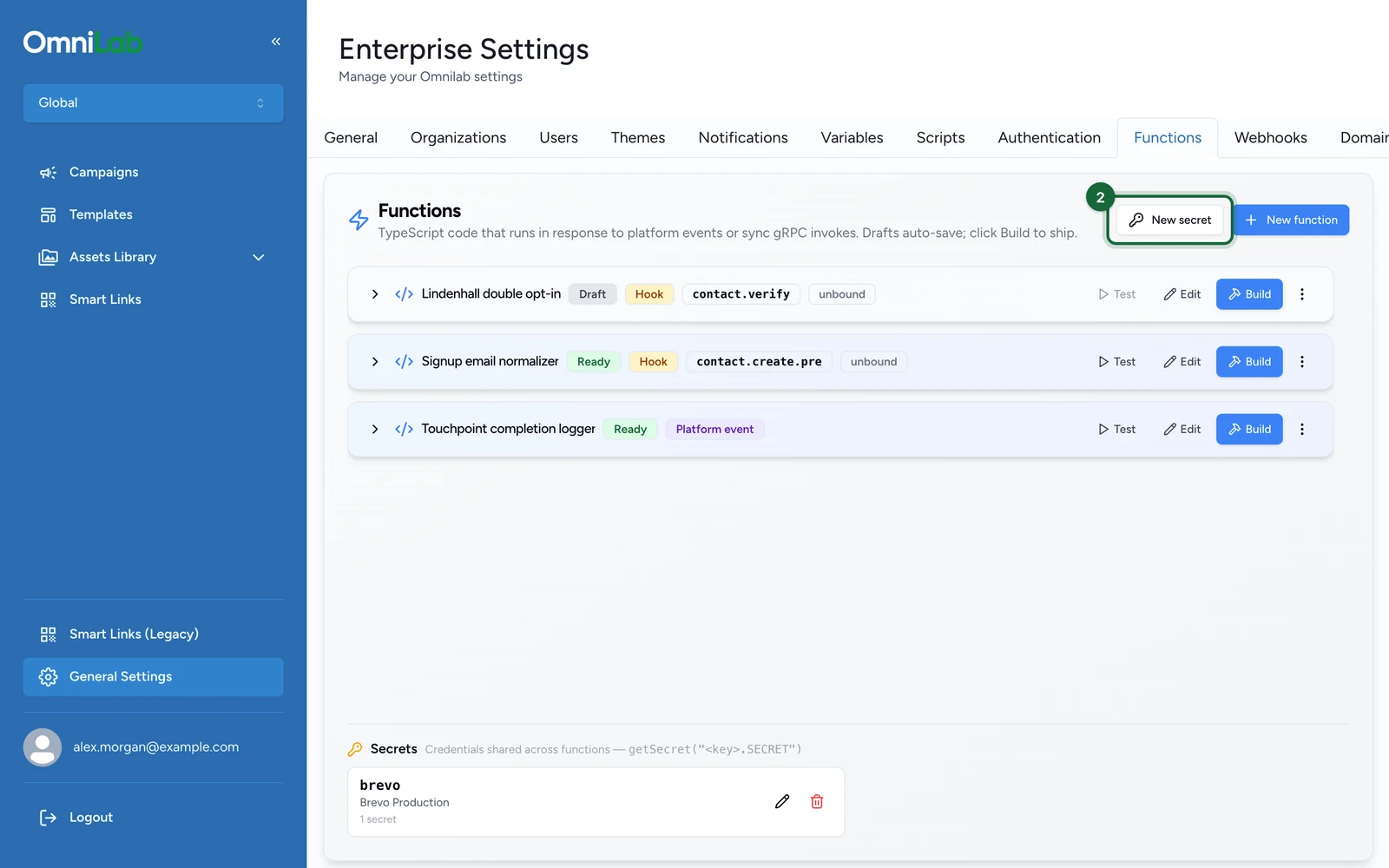
Select New secret.
-
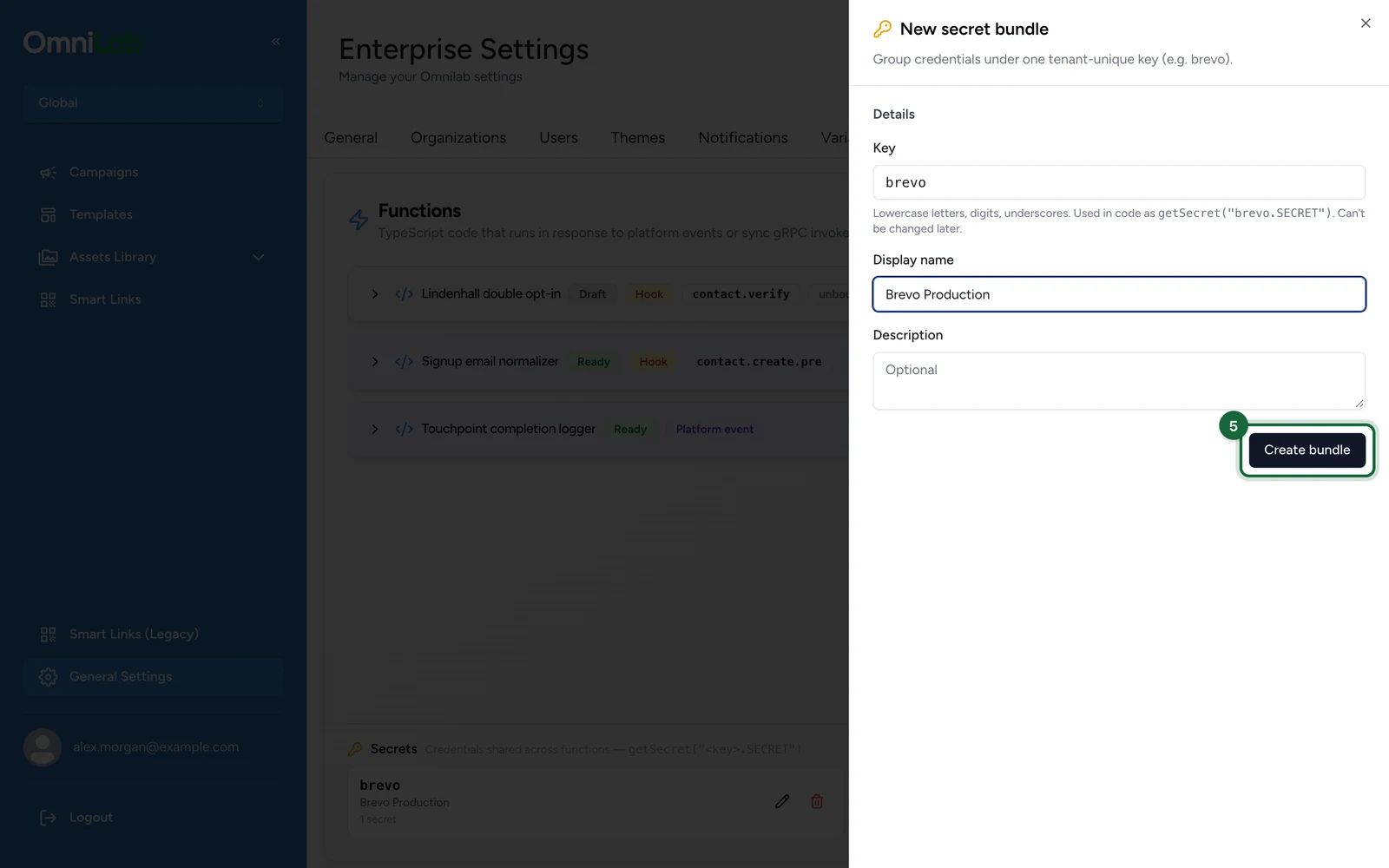
Enter a Key, here
brevo. You can't change it later.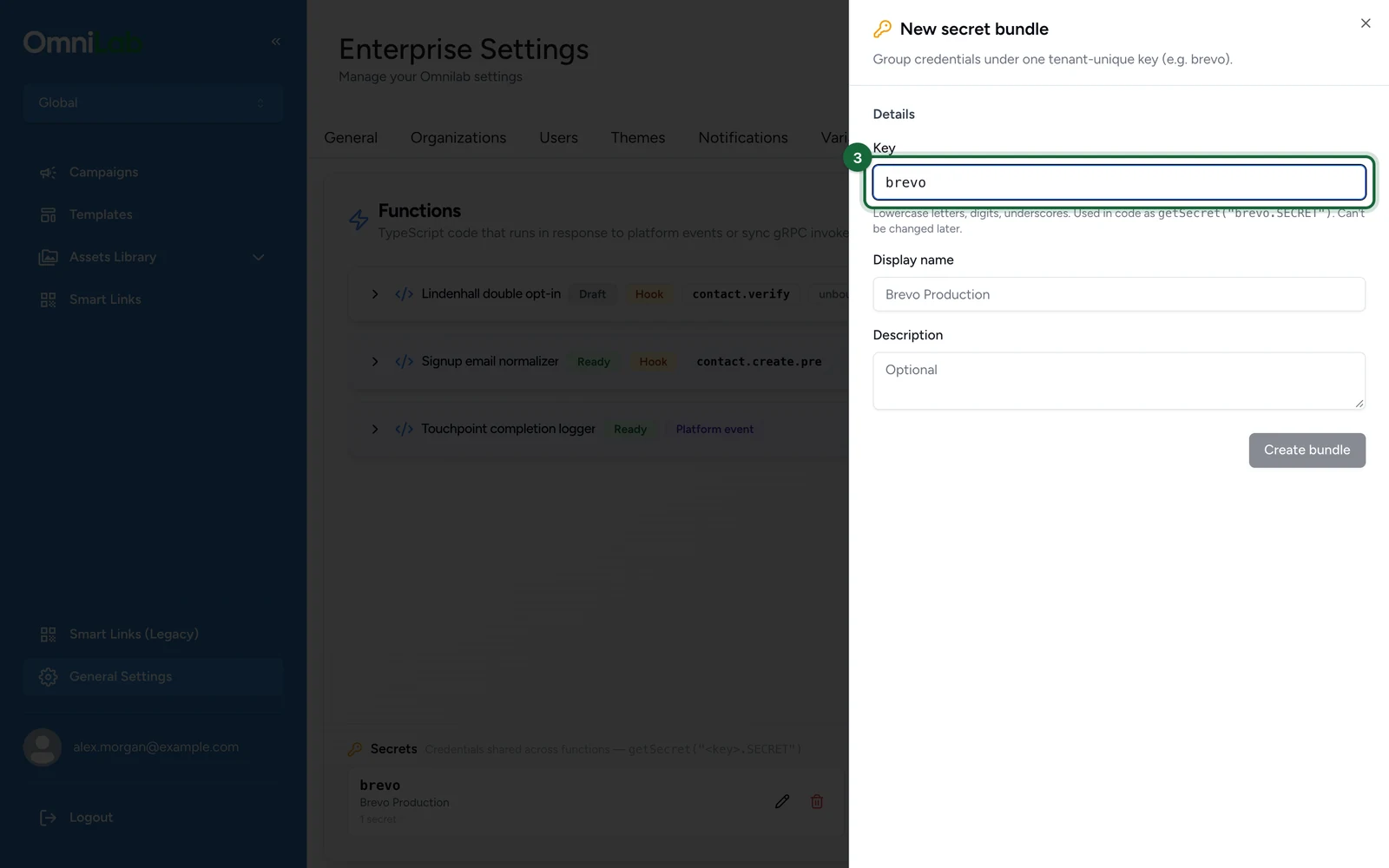
It must start with a letter, followed by lowercase letters, digits or underscores.
-
Enter a Display name, here
Brevo Production.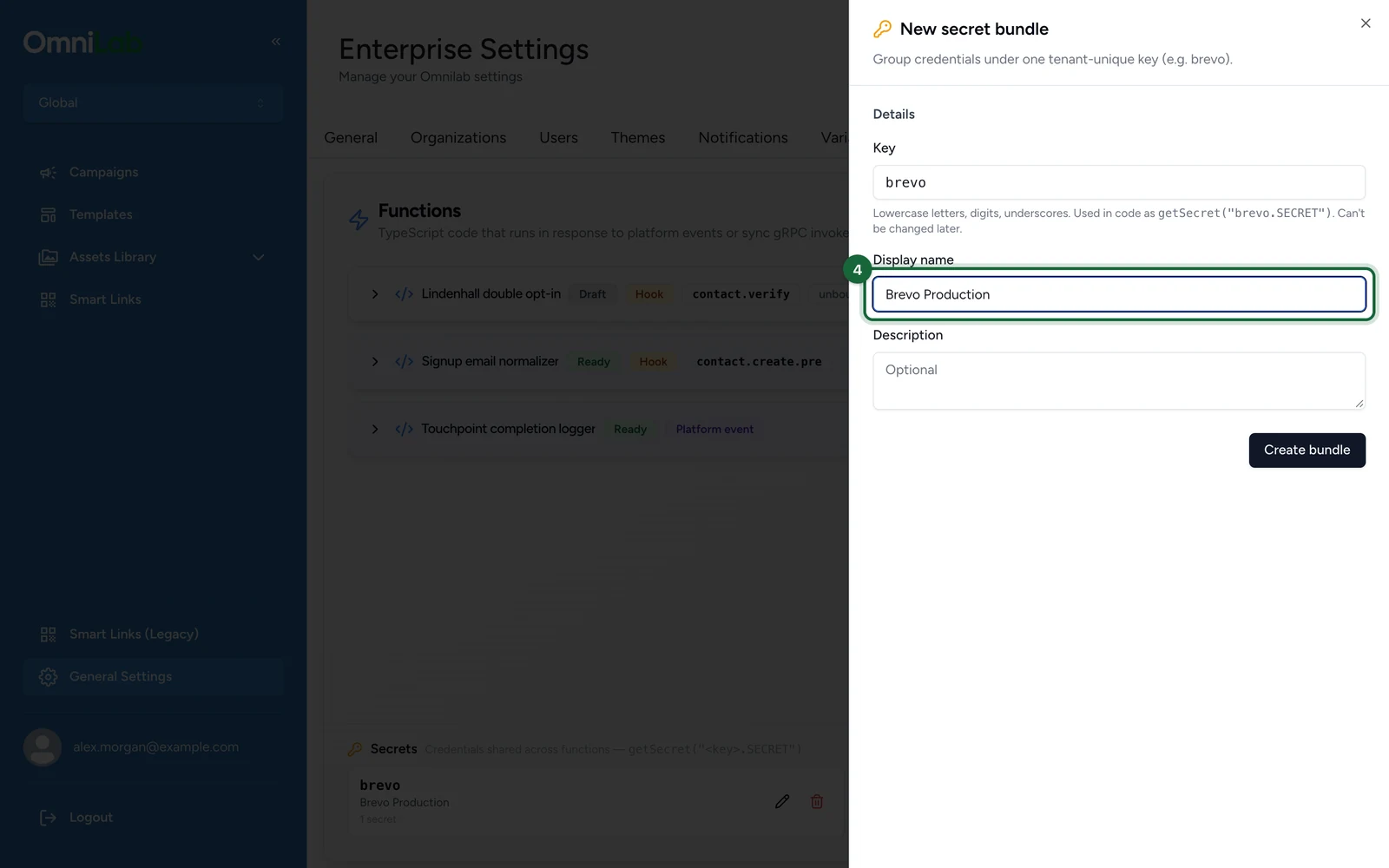
-
Select Create bundle.
Add the key to the bundle
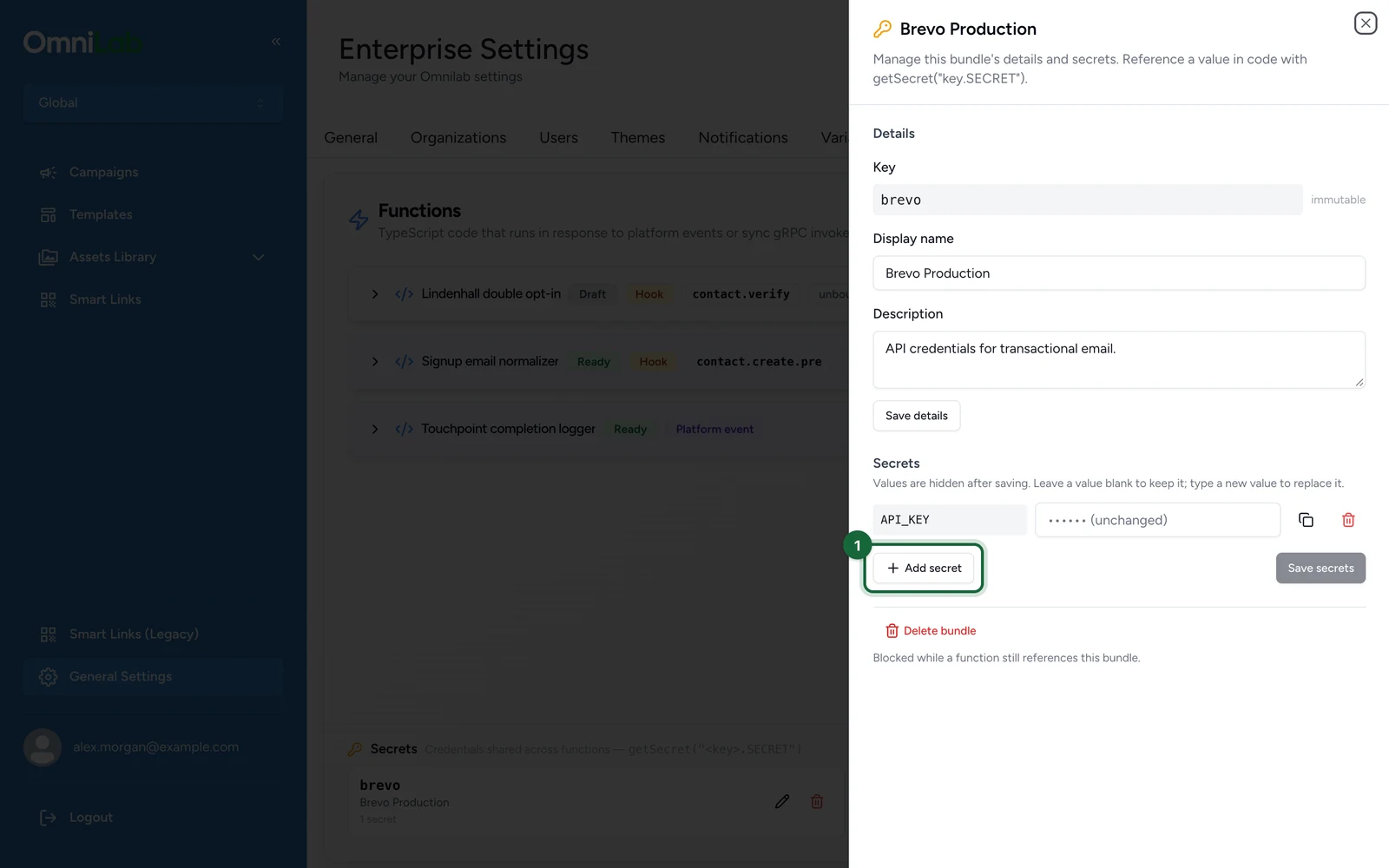
The bundle opens once it's created.
-
Select Add secret.
-
Enter
API_KEYas the key.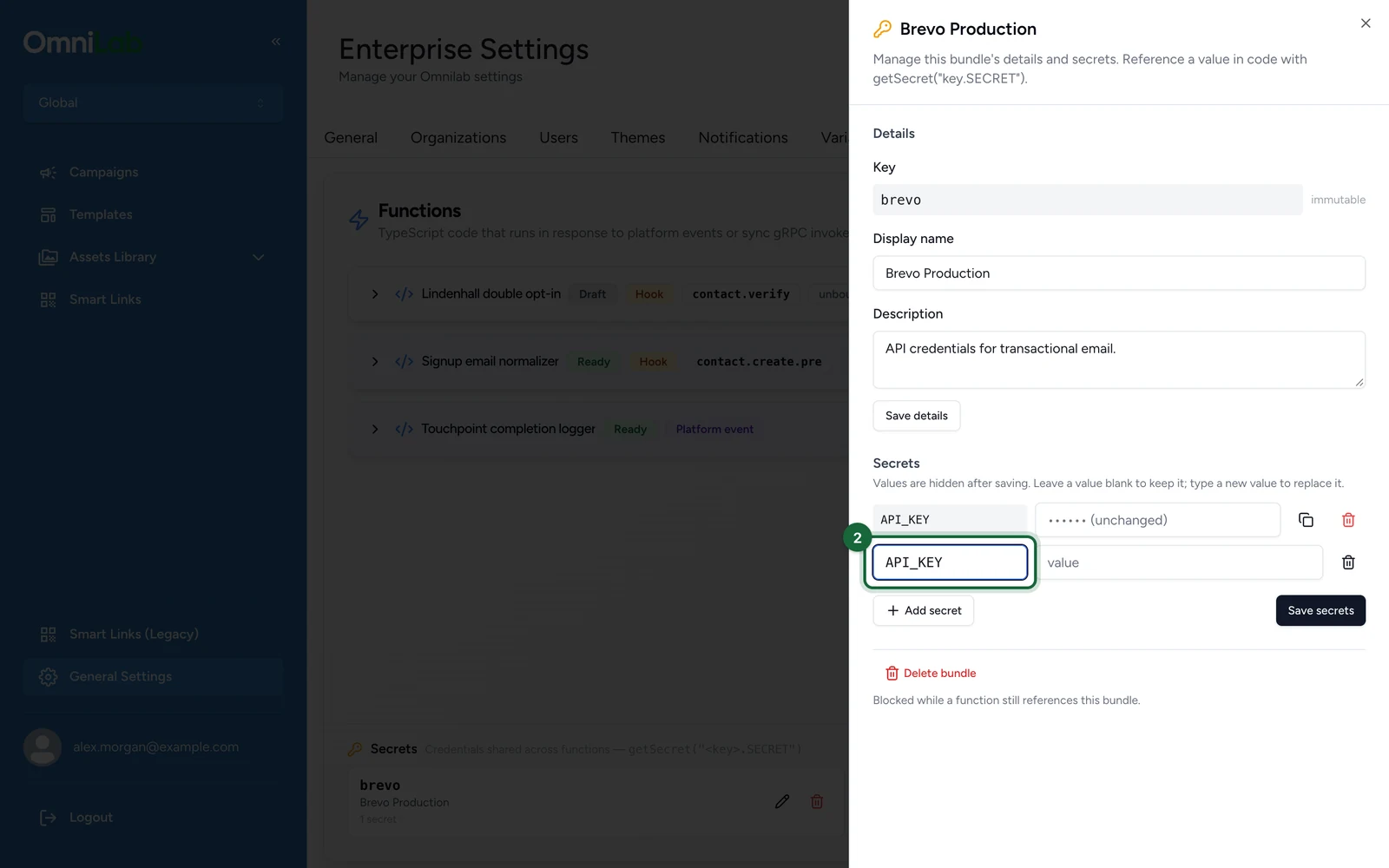
-
Enter your platform's API key as the value.
-
Select Save secrets.
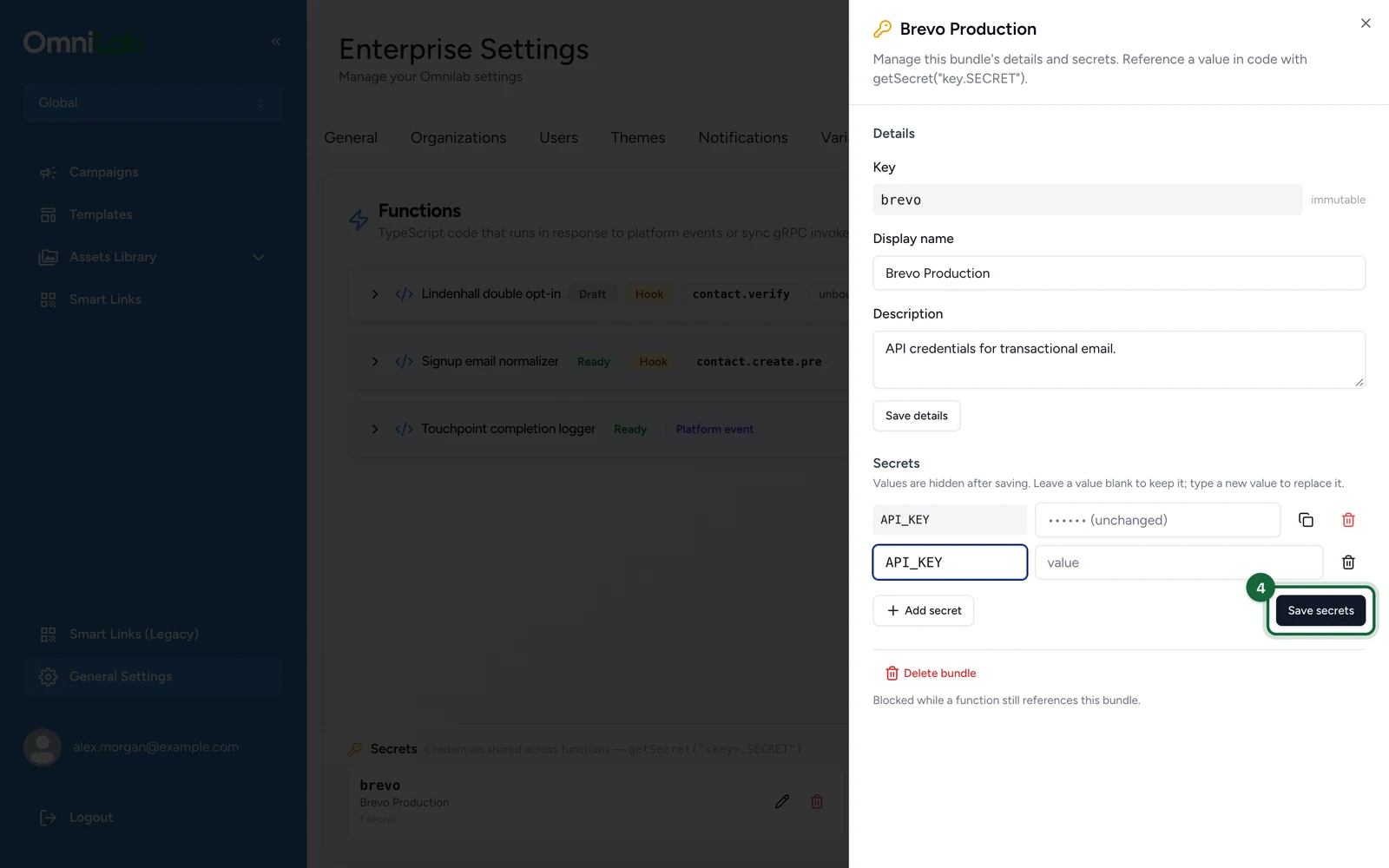
Values are hidden once saved: a Function can use them, but nobody can read them back.
Hand over to your developer
Your developer binds the bundle to a Function, on the Function's Settings tab, and writes the code that calls your platform's send API: see Configure runtime and secrets. What runs the Function depends on the email: an event such as a won reward for transactional emails, or the contact.verify hook for double opt-in.
Send yourself a test
- Trigger the action in a test campaign.
- Check the message arrives from the right sender, with the right template.
- Check it appears in your platform's own sending log.
- Check your spam folder. A new integration's first sends are often filtered.
If something's blocked
- The Function runs but nothing arrives: a successful run means your platform accepted the request, not that it delivered the message. Check your platform's delivery log next.
- Messages arrive from the wrong sender: the sender is set in your platform or in the Function's payload, not in Studio.
- It works in staging but not in production: each environment has its own bundles. Check the bundle exists in production, with the same key.