Set restrictions for a game
Limit how often each player, or everyone together, can play a game: in total, per day or per week.
1 min read
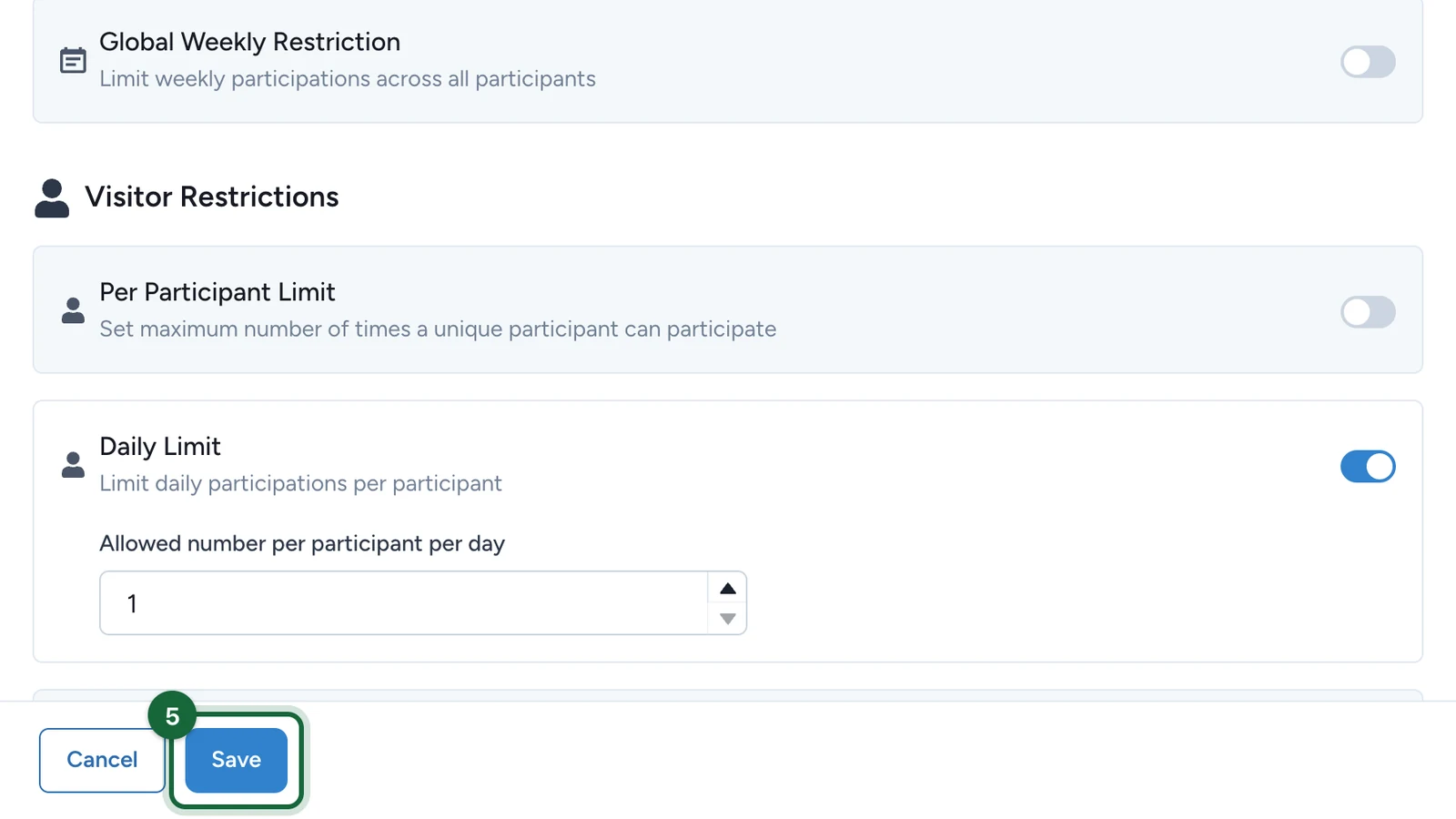
A game's Restrictions tab caps how often it can be played, to keep it fair and protect the prize budget. A new game allows each player one play in all. Here, Lindenhall gives Bloom Reveal one card a day instead.
Allow one play a day
In the game's settings:
-
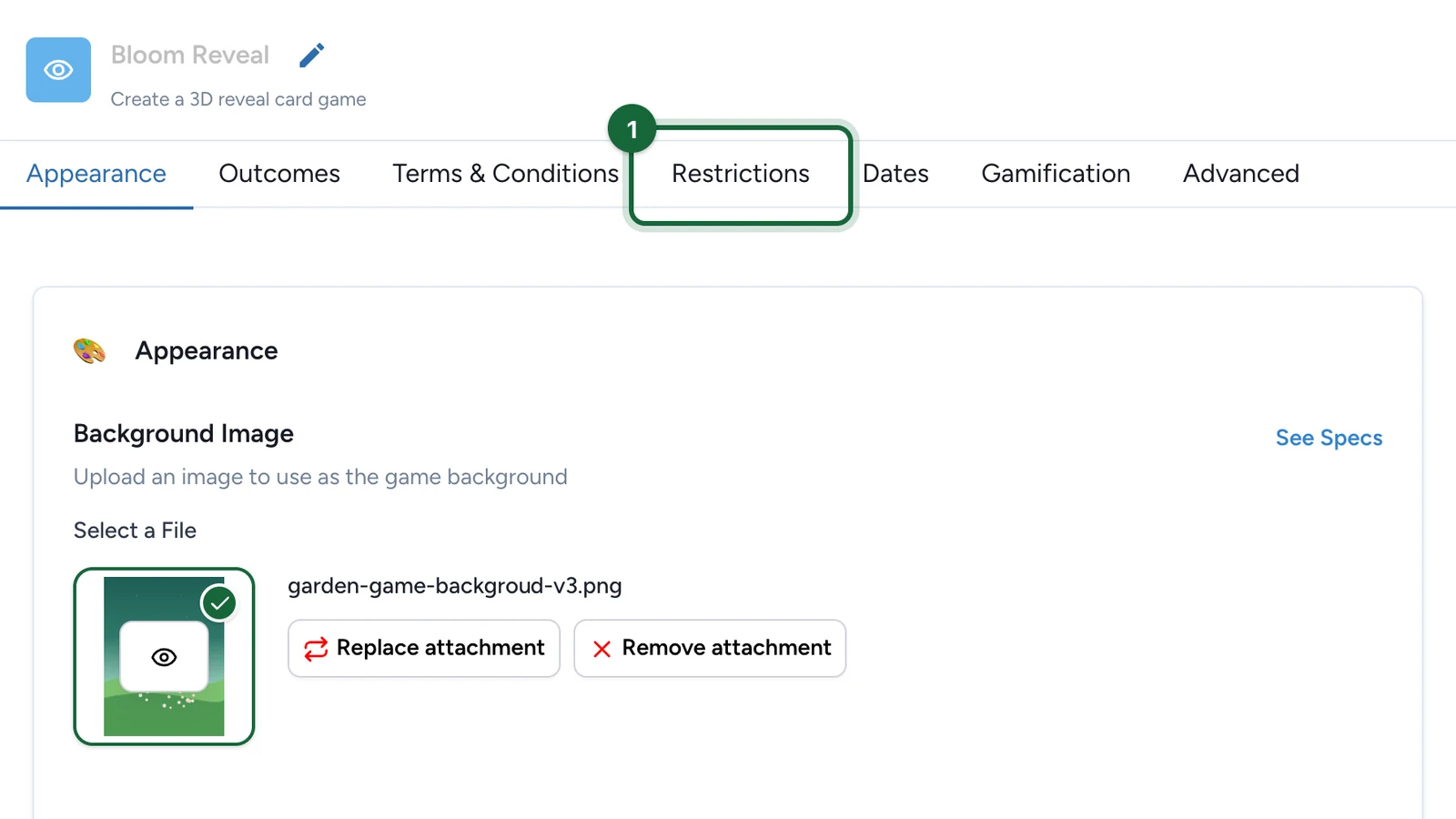
Select the Restrictions tab.
-
Turn off Per Participant Limit.
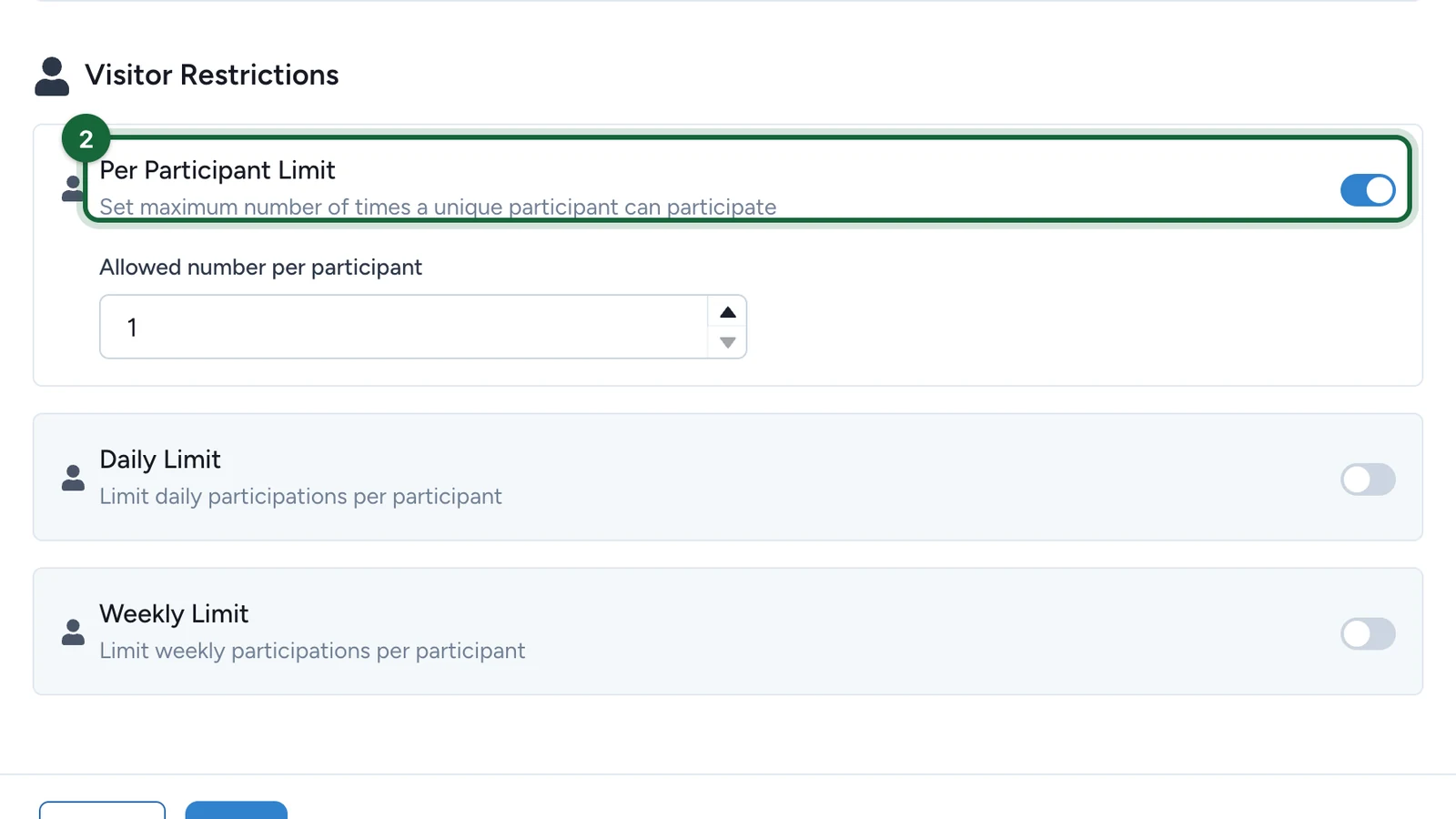
It's on at 1 in a new game, which allows one play in all.
-
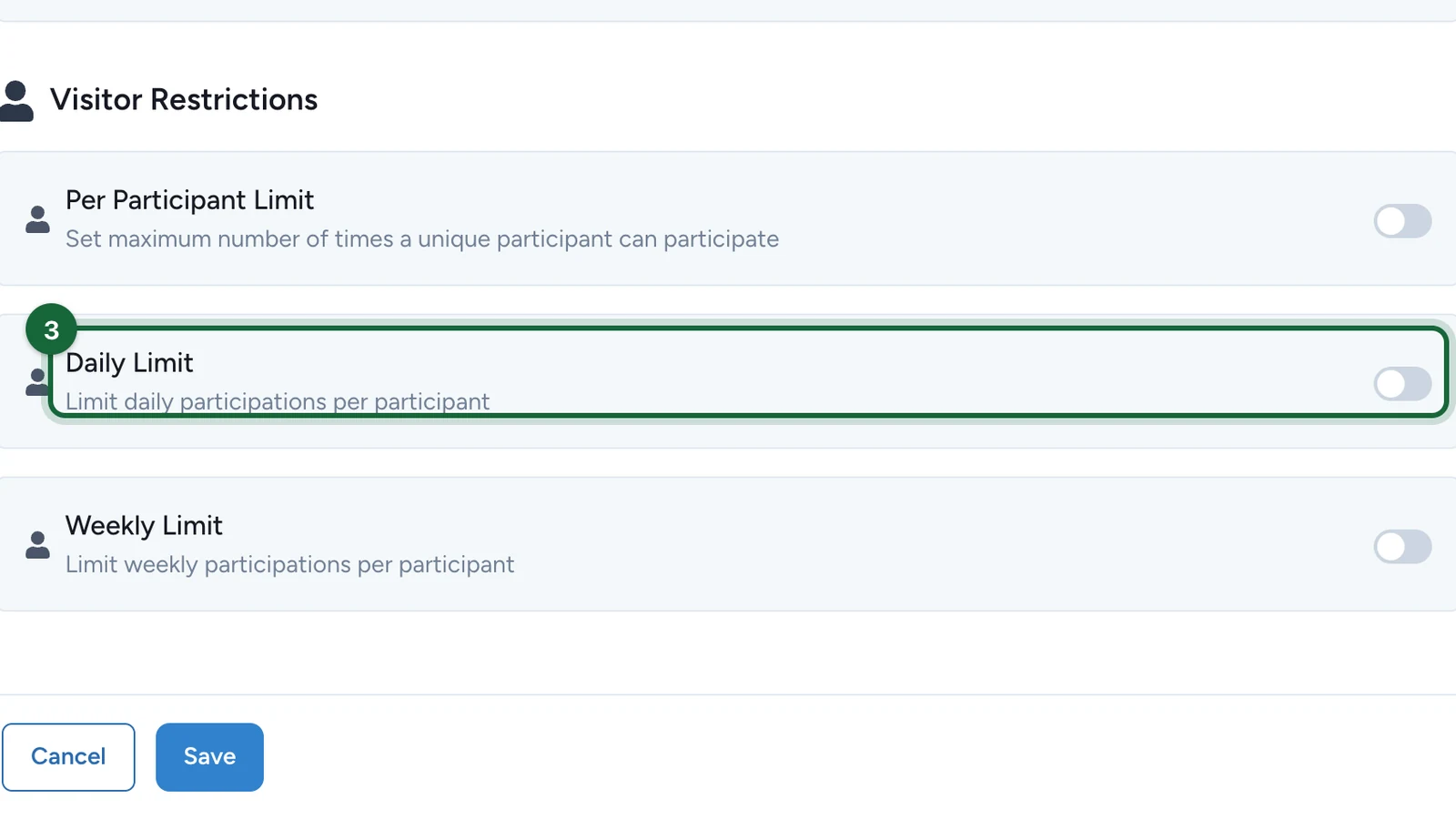
Turn on Daily Limit.
-
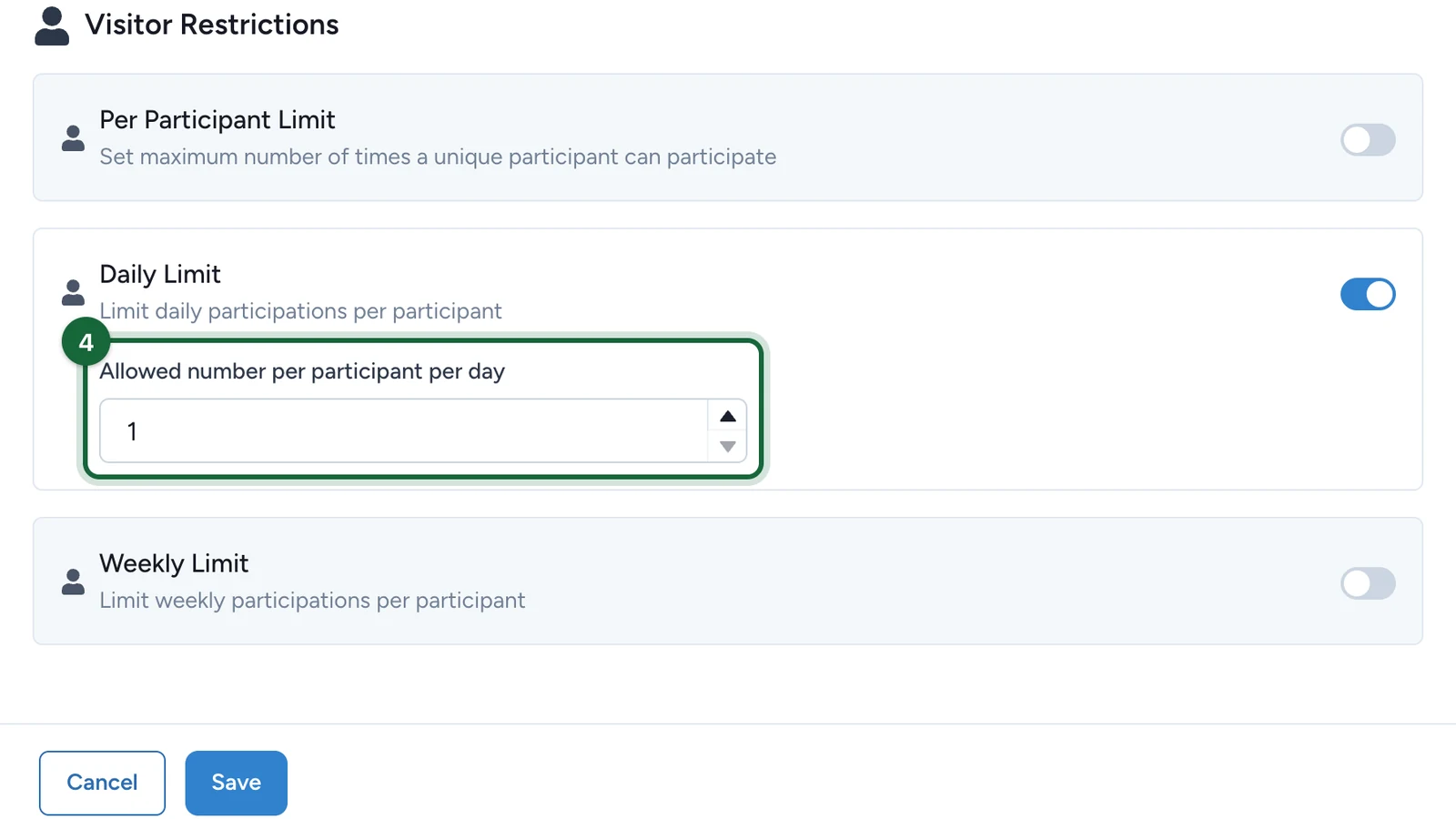
Set Allowed number per participant per day.
-
Select Save.
Say the same limit in the game's details, so players know what to expect: "one card a day".
Which limits each game offers
| Game | Limits |
|---|---|
| Wheel of Fortune, Scratch Card, Reveal Card, Simple Game, 3D Selection, Memory, Gated Content | All six: Total Participations, Global Daily Restriction and Global Weekly Restriction for everyone together; Per Participant Limit, Daily Limit and Weekly Limit for each player |
| Quiz, Catcher, Form | Per Participant Limit only |
What each limit counts, and the rules between them: see Restrictions.