Two Columns layout
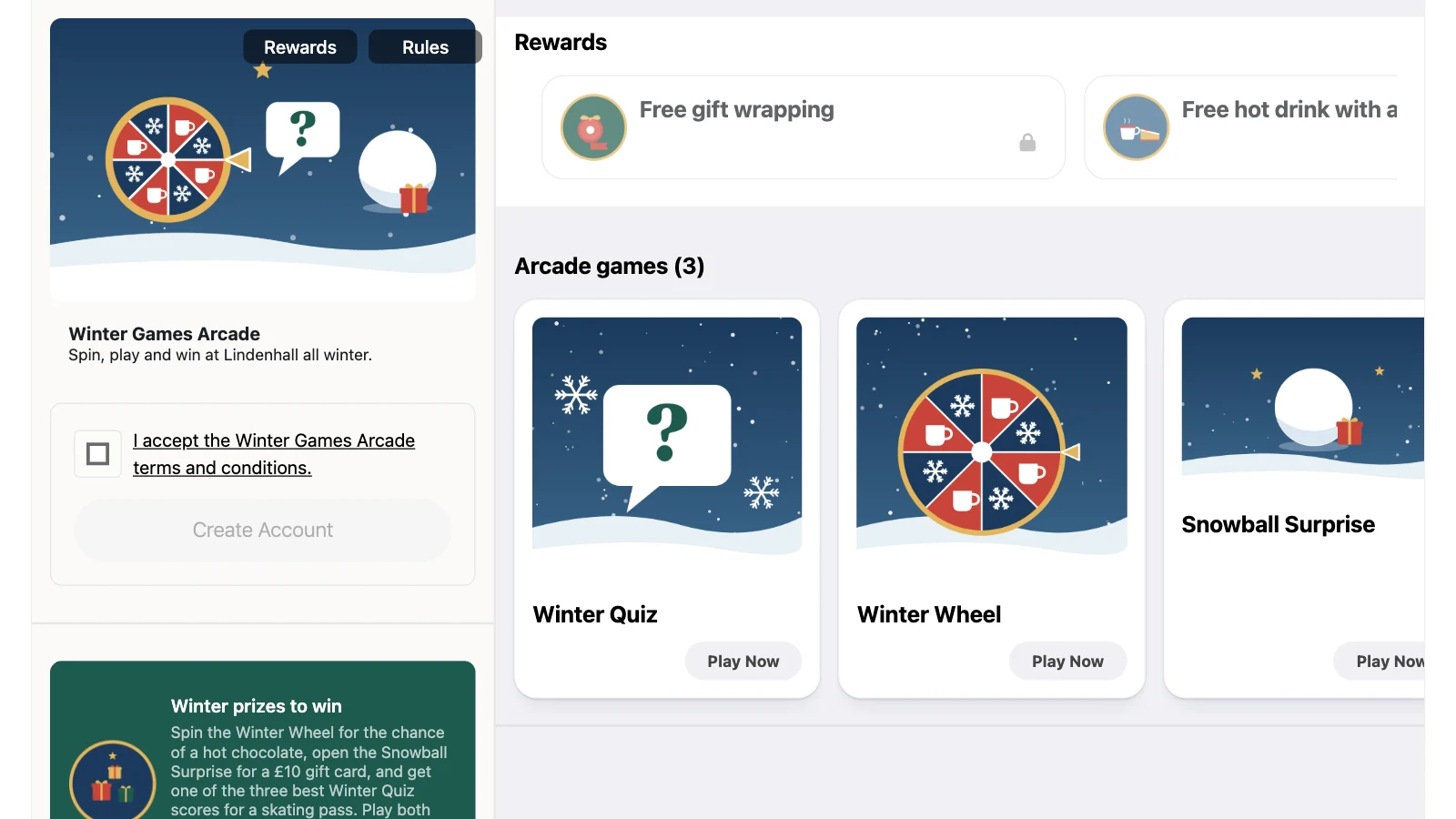
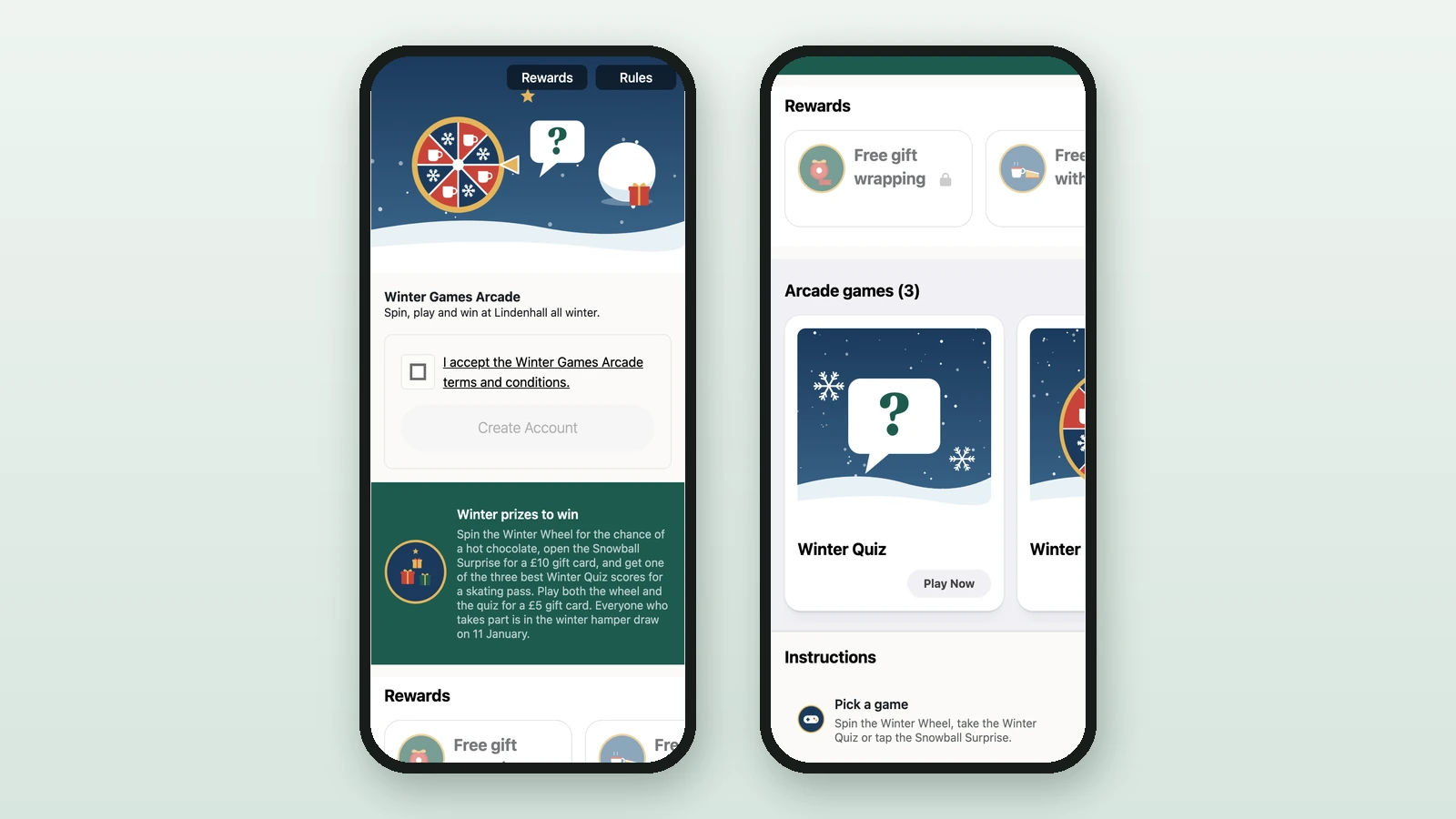
Use the Two Columns layout for a split desktop view that collapses into a single column on smaller screens.
In this article, you'll learn when to use the Two Columns landing page, how the split view behaves across devices, and which settings still control the page content.
Prerequisites
- The campaign landing page is enabled.
- You expect the desktop view to matter for this campaign.
- You want a clearer visual split between the entry content and the participant-facing sections.
Configure it
Select Two columns
Open Landing Page, use the Page Layout selector, then choose Two columns.
Keep the left-side content focused
Set the Header Section, Instructions Section, and CTA Section so the participant understands the campaign before browsing the rest of the page.
Arrange the right-side sections
Reorder or hide the rewards, activities, games, and interactive totems sections based on what should appear first in the browseable area.
Test desktop and mobile
Review the page on a large screen and again on a smaller screen. The split view is only meaningful when the desktop breakpoint is active.
Desktop versus mobile behavior
On wider screens, Two columns separates the campaign entry content from the participant-facing sections. On smaller screens, the layout collapses to one vertical stack.
What the split layout emphasizes
- The header and campaign entry area stay grouped together.
- The browseable sections sit in a dedicated area, which helps when the campaign contains several rewards or Touchpoints.
- The shared landing page content still controls the page.
Two columnschanges presentation, not the underlying content model.
Responsive behavior
- The split desktop layout activates from the current desktop breakpoint (
min-width: 1224px). - Below that breakpoint, the page falls back to a single-column flow.
- Because of that fallback, every
Two columnslanding page should still be reviewed as a mobile experience.
Best fit
Use Two columns when the landing page needs to do two jobs at once: introduce the campaign clearly and let participants browse several sections without burying them below a long header block.
Related
Choose a layout
Compare the three layouts before committing to the split view.
Configure the header
Refine the header that anchors the left side of the layout.
Configure instructions
Add the instructions block that supports the entry content.
Configure the CTA
Add the optional footer CTA that remains part of the entry path.
One Column layout
Use the simpler stack if the split view does not add enough value.