The customer activation platform.Every interaction becomes a qualified contact. Book a demo

Liquid templates and variable bindings

Personalise notification emails with Liquid variables and understand which bindings each notification type supports.

This reference explains how Liquid works in OmniLab notifications, which bindings are available for each notification type, and what validation errors usually mean.

Liquid basics

Use Liquid to insert dynamic values into notification content:

Basic Liquid example
Hi {{ contact_firstname }},

You won {{ reward_display_name }}.

Liquid can be used in:

  • Email Subject Line
  • Email Preheader
  • Email Content
  • Email CTA Label
  • Email CTA Link

If a documented variable has no value for a specific recipient, it renders as an empty string. If you use a variable name OmniLab does not know, validation flags it before launch.

Binding families

The available bindings depend on the notification type:

  • Common bindings: organisation, sender, reply-to, header, footer, social links, and contact data
  • Touchpoint-related variables: touchpoint values such as collectible_title
  • Reward bindings: reward values such as reward_display_name
  • Coupon bindings: redemption codes such as coupon_code
  • Event and booking bindings: activity details such as event_title and booking_slot_start_date

Available bindings by notification type

Notification typeAvailable bindingsTypical examples
ParticipateCommon + contactcontact_firstname, contact_email, enterprise_name
Touchpoint UnlockedCommon + contact + touchpoint contextcollectible_title, collectible_location
WinnerCommon + contact + reward + couponreward_display_name, coupon_code
LoserCommon + contact + rewardreward_display_name, reward_title
EligibleCommon + contact + rewardreward_display_name, reward_eligible_title
Reward RedeemedCommon + contact + reward + couponreward_display_name, coupon_code
Booking ConfirmationCommon + contact + touchpoint context + event + bookingevent_title, booking_slot_start_date
Booking CancellationCommon + contact + touchpoint context + event + bookingevent_title, booking_id
Booking Confirmation ReminderCommon + contact + touchpoint context + event + bookingevent_title, booking_slot_start_date

Worked examples

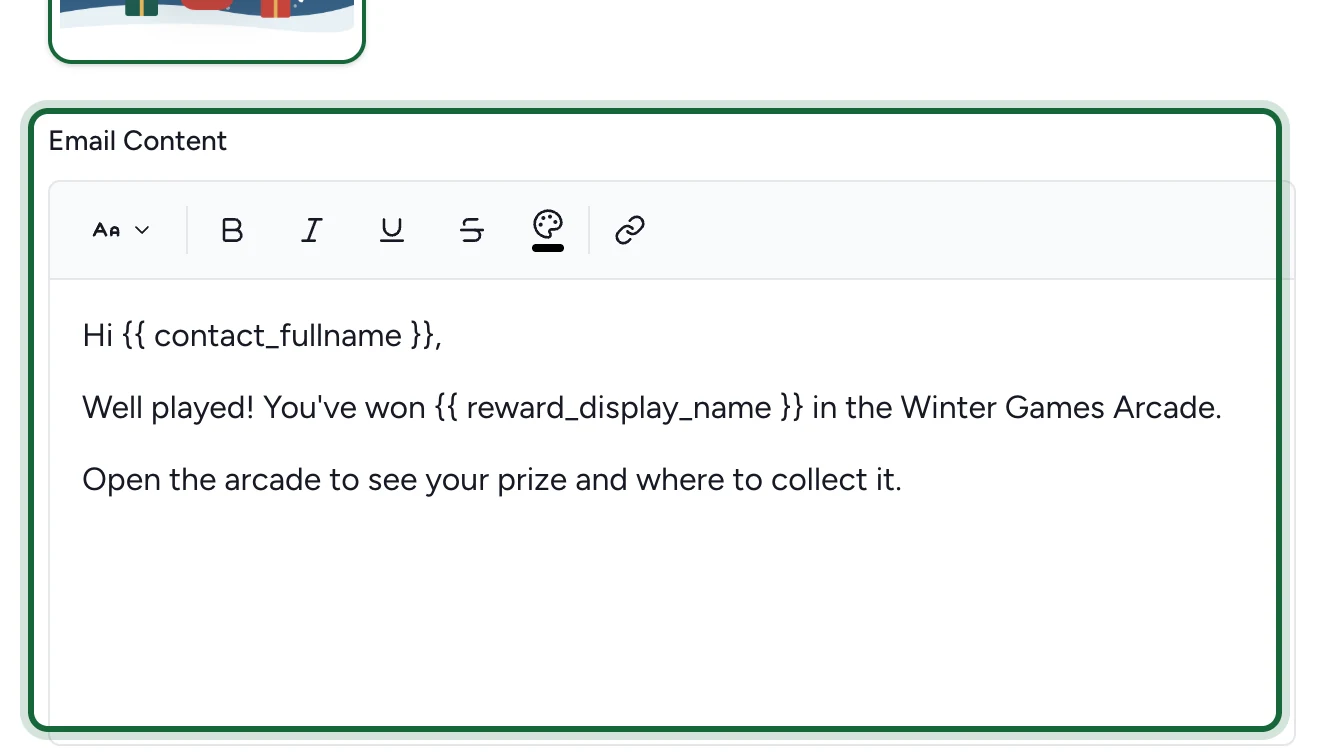
Winner email example
Hi {{ contact_firstname }},

Congratulations. You won {{ reward_display_name }}.

Your code: {{ coupon_code }}
Booking confirmation example
Hi {{ contact_firstname }},

Your booking for {{ event_title }} is confirmed.
Start time: {{ booking_slot_start_date }}
Location: {{ event_location }}
Dynamic CTA link example
https://example.com/rewards/{{ reward_id }}?contact={{ contact_external_id }}

Correct and incorrect patterns

Use HTML outside the Liquid delimiters:

Correct HTML and Liquid combination
<span>{{ contact_firstname }}</span>

Do not place HTML inside {{ }}:

Incorrect Liquid example
{{ <span>contact_firstname</span> }}

Keep variable names simple and documented. Do not invent custom binding names unless they are already available in your environment.

Common Liquid validation messages

ProblemExampleValidation message
HTML inside Liquid{{ <span>contact_firstname</span> }}{{notification_type}} {{field}} contains HTML tags inside liquid template: {{example}}
Invalid syntaxUnbalanced braces or malformed variable syntax{{notification_type}} {{field}} has invalid liquid template syntax: {{error}}
Undefined binding{{ reward_code }}Undefined liquid variable '{{variable}}' used in {{notification_type}} {{field}}
Binding not allowed for this type{{ collectible_title }} inside WinnerLiquid variable '{{variable}}' ({{category}} binding) cannot be used in {{notification_type}} notification {{field}}
Render errorTemplate logic parses but fails at render time{{notification_type}} {{field}} liquid template failed to render: {{error}}

Safe authoring rules

  • Keep templates readable even if one variable becomes empty.
  • Prefer short, direct expressions over complex nested logic.
  • Use the bindings that match the notification type you are editing.
  • Re-test copied templates when you move them from one notification type to another.

Was this helpful?

Optional comments help us improve this page for future authors and readers.

On this page