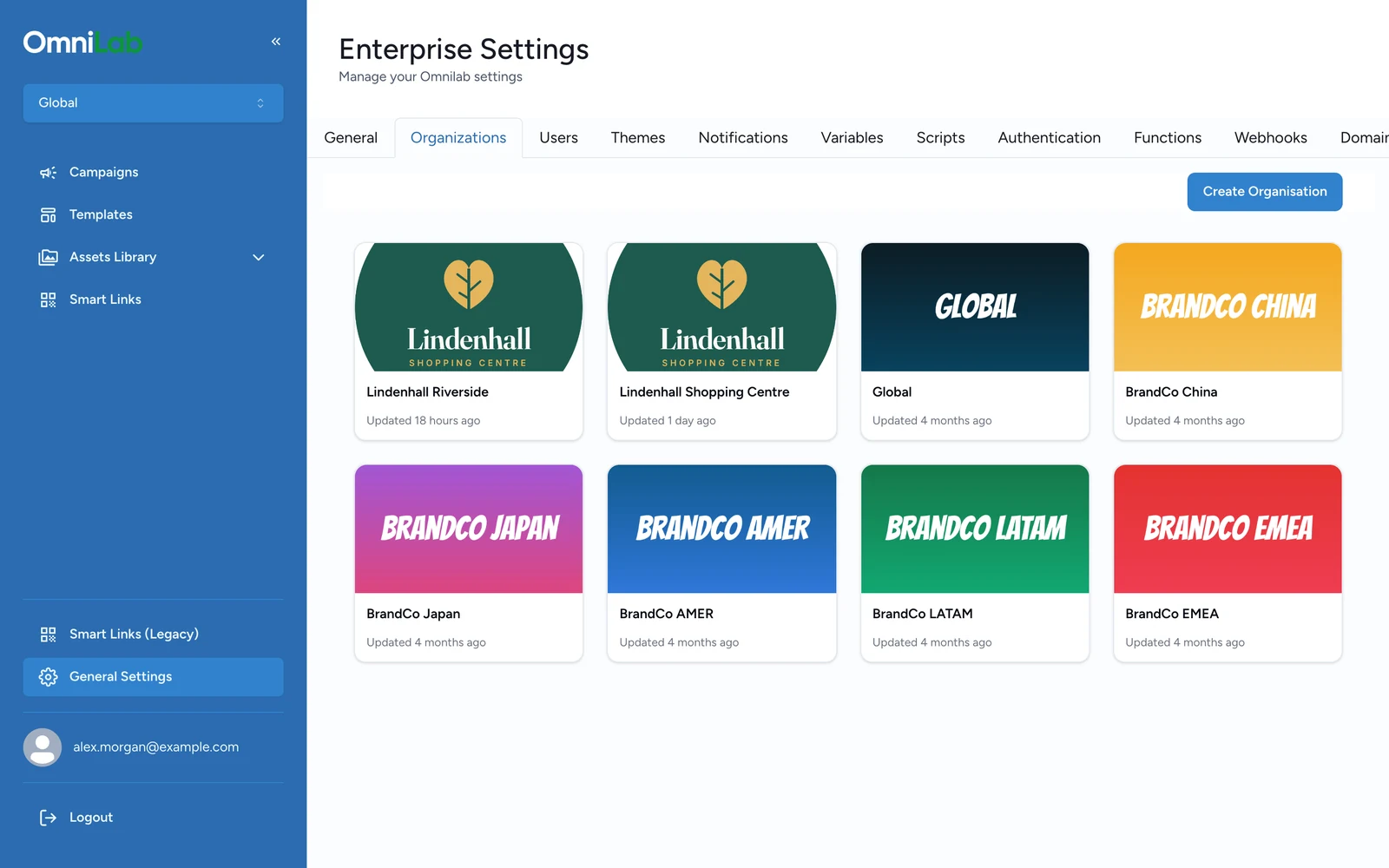
How organisation scope works
Understand how Global and local organisations can be structured, and when to split by country, region, or venue in OmniLab.
OmniLab uses one Global organisation for shared governance and separate organisations for local work. This article explains how to structure that hierarchy, what changes when you move between organisations, and how to choose an organisation boundary that matches the way your teams operate.
Use Global for governance
Use the Global organisation for shared administration, shared defaults, and central governance. Keep campaigns and day-to-day work in the organisation that actually owns the live experience.
What each organisation level is used for
| Organisation type | What it is used for |
|---|---|
| Global organisation | Shared governance, organisation creation, user management, shared defaults, and global scripts |
| Regular organisation | Local campaign ownership, local variables, local domain settings, and organisation-specific administration |
Users can belong to one organisation or to several. What they can see depends on both their assignments and the organisation currently selected in Studio.
Common hierarchy patterns
One organisation per venue
Use this model when each shopping centre, venue, or location runs its own campaigns and needs its own local settings.

One organisation per country or region
Use this model when teams are organised by geography and campaigns, users, or reporting lines are managed at country or regional level.

Multi-layer governance
Use a multi-layer hierarchy when you need regional governance and local execution at the same time, for example a country team managing several venues.

How to choose the right organisation boundary
A regular organisation should map to a real operating boundary: a brand, region, venue, shopping centre, country, or other unit that needs its own campaign ownership or local configuration.
Use separate organisations when teams need different:
- users or approval ownership
- local variables or local links
- Pages domain settings
- language or timezone defaults
If two teams need different governance or different local configuration, they usually should not share the same organisation.
What admins see in Studio
When the selected organisation is Global, admin users get the broader General Settings area.
When the selected organisation is not Global, admin users get Organization Settings for that specific organisation.
This matters because the available tabs are different:
| Selected organisation | Settings surface |
|---|---|
| Global | General, Organisations, Users, Themes, Notifications, Variables, Scripts, Domain |
| Regular organisation | General, Notifications, Variables, Domain |
What can inherit from Global
Inheritance exists, but only in targeted places.
| Area | Current behaviour |
|---|---|
| General settings | A regular organisation can inherit the General tab values from Global |
| Notifications | A regular organisation can also inherit sender, header, and footer settings from Global |
| Variables | Stored per organisation as a flat key-value map, without a Variables inheritance toggle |
| Domain settings | Managed per organisation |
| Scripts | Managed from the Global organisation settings surface |
Cross-organisation work still needs review
Users can switch between multiple assigned organisations, and templates can still move across organisation boundaries when they are explicitly shared or recreated.
That flexibility is useful, but every cross-organisation workflow should include a quick check of:
- the organisation unique key
- local variables
- domain settings
- language and timezone defaults
Related
Create an organisation
Create a new organisation from the Global organisation and complete its local setup.
Organisation settings (general defaults)
Review which settings stay local and which settings can inherit from Global.
Organisations and scope in OmniLab
Go back to the cross-product explanation of scope and visibility.