Configure webhooks
Register a callback in Studio, subscribe it to events, authenticate it and verify every delivery.
Here, Lindenhall sends prize wins to its CRM as they happen, so nobody has to poll for them. You do the whole setup yourself in Enterprise Settings > Webhooks.
Before you begin
- An admin account in Studio. The Webhooks tab only appears when Global is chosen in the organisation switcher.
- A public HTTPS endpoint. Plain
http, and hosts that resolve to a private address, are refused. - Somewhere safe to store the signing secret, which is shown once.
- Separate endpoints for staging and production, so test traffic never reaches live systems.
Create the callback
In the organisation switcher, choose Global, and select General Settings. Then:
-
Select the Webhooks tab.
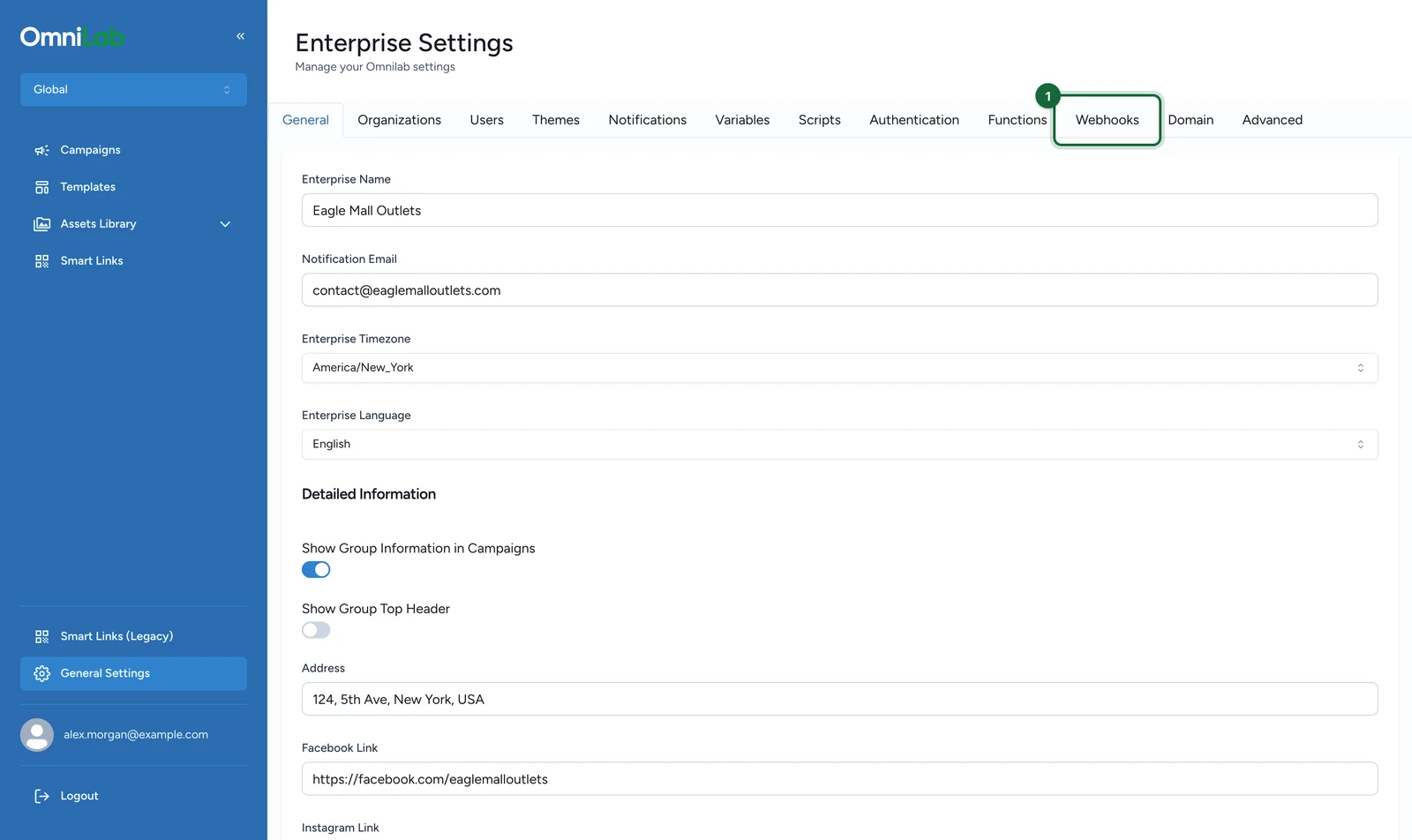
-
Select New webhook.
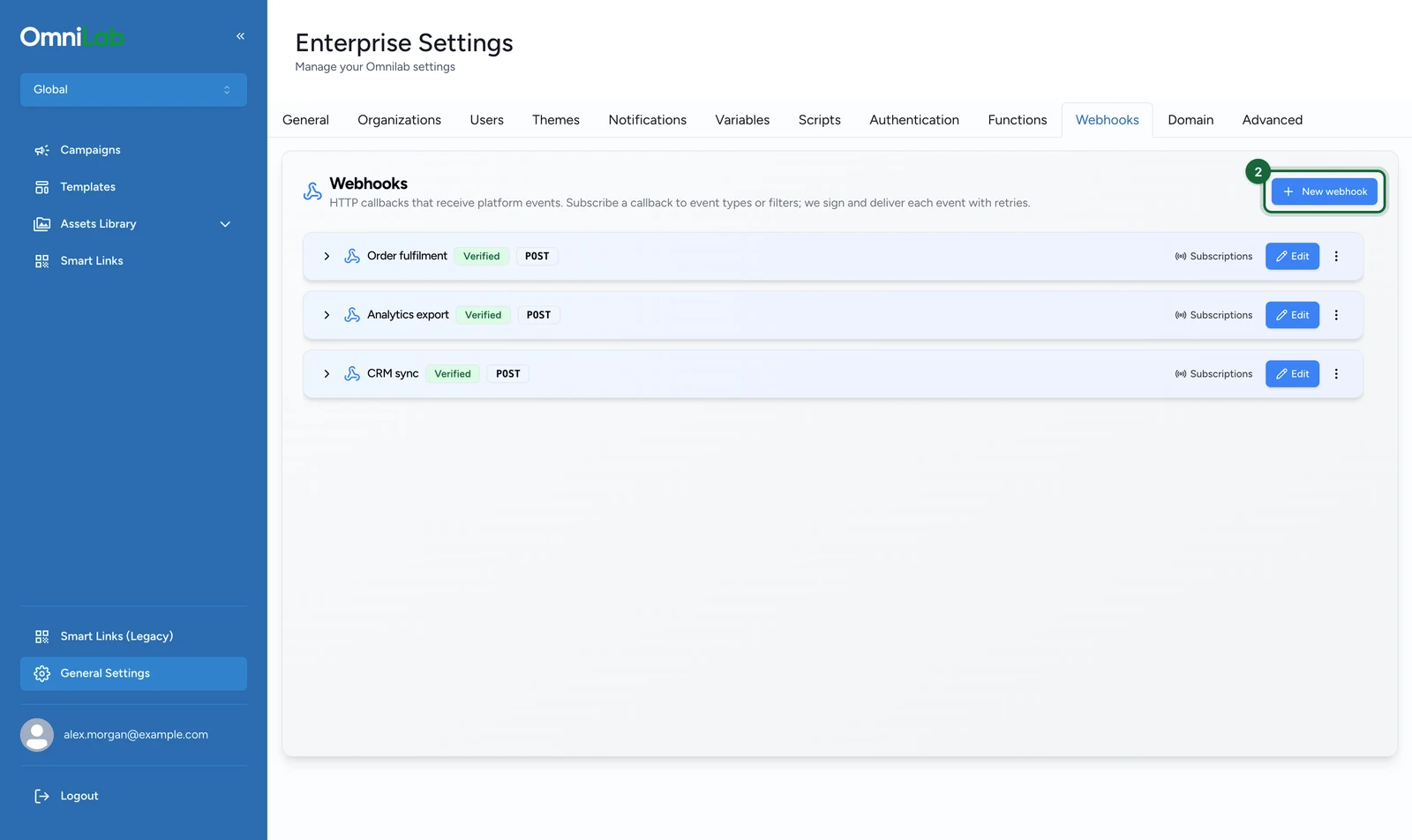
-
Enter a Name, here
Lindenhall CRM.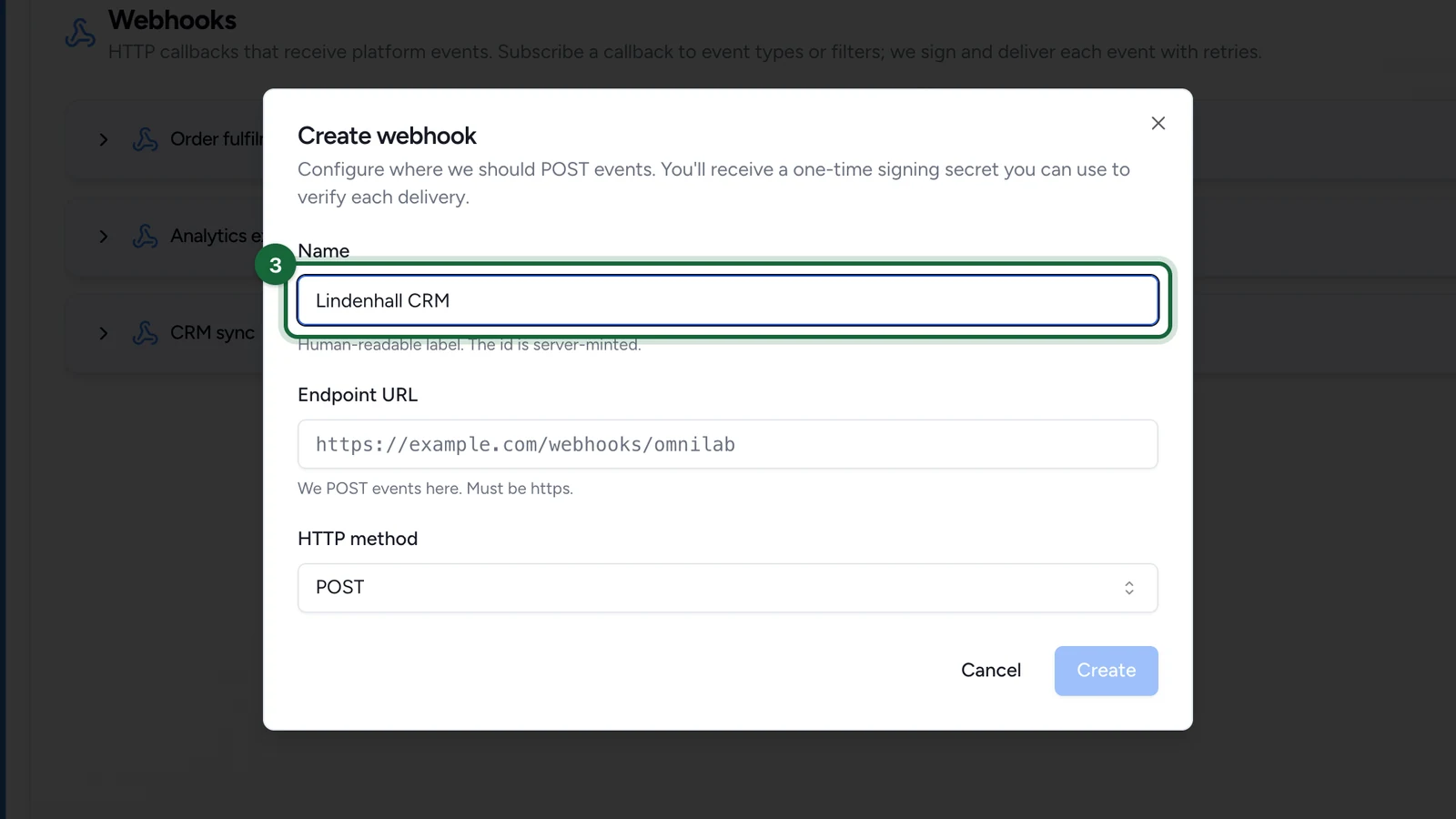
One callback per downstream system keeps failures isolated.
-
Enter the Endpoint URL, here
https://crm.lindenhall.example/omnilab/events.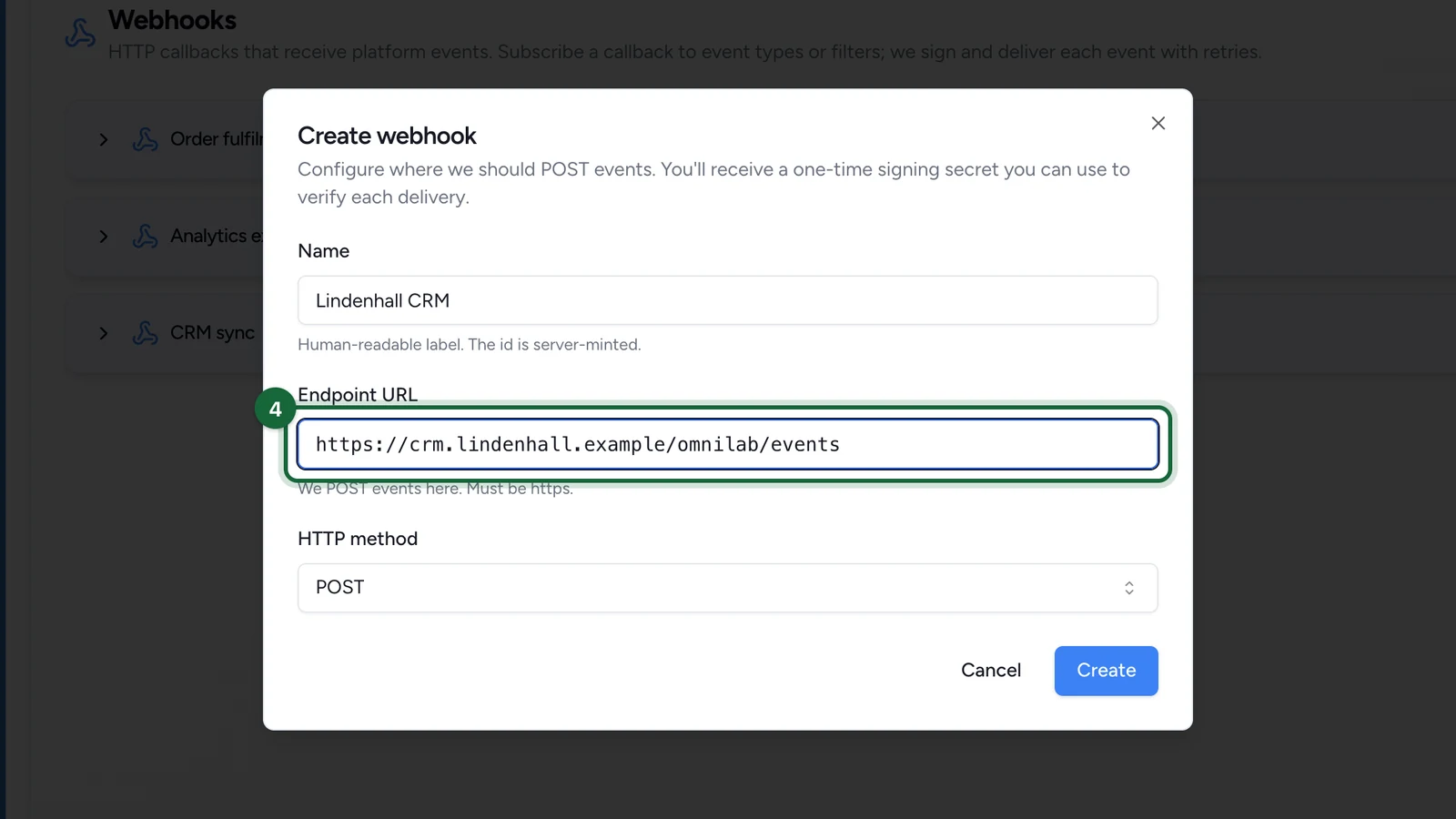
-
Keep HTTP method on
POST, unless the receiving system needs another.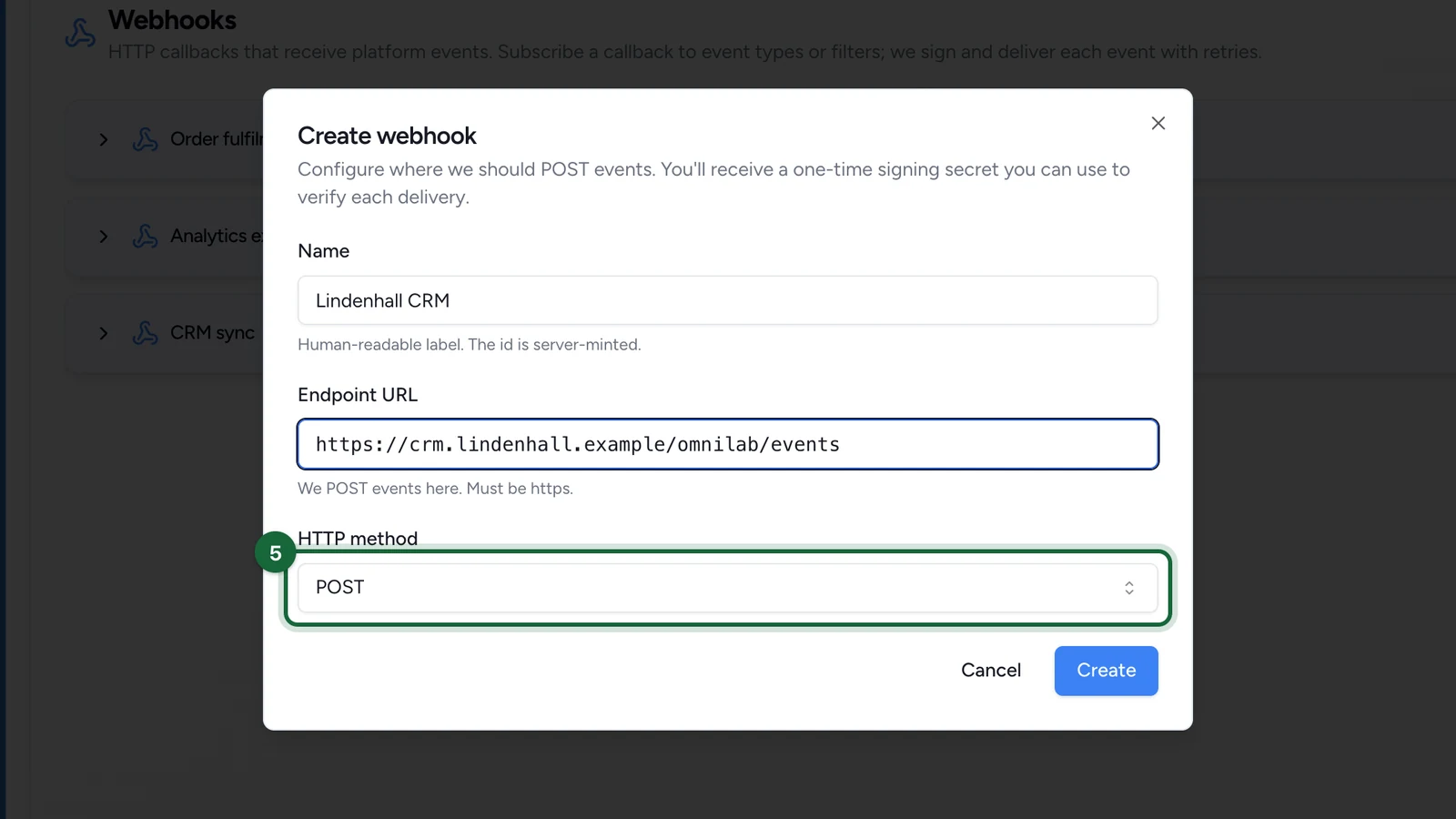
-
Select Create.
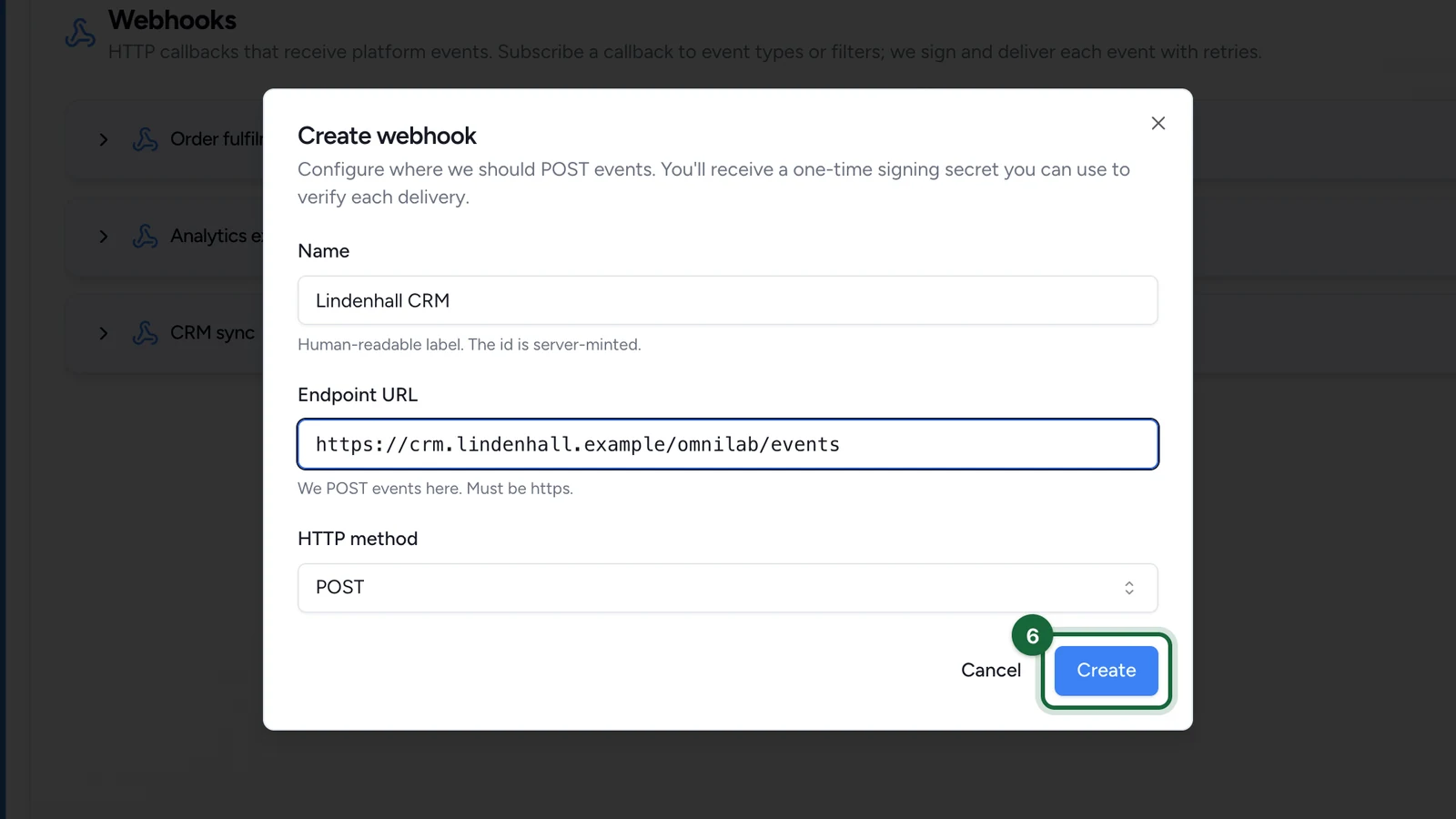
-
Copy the signing secret into your secret storage before you close the window.
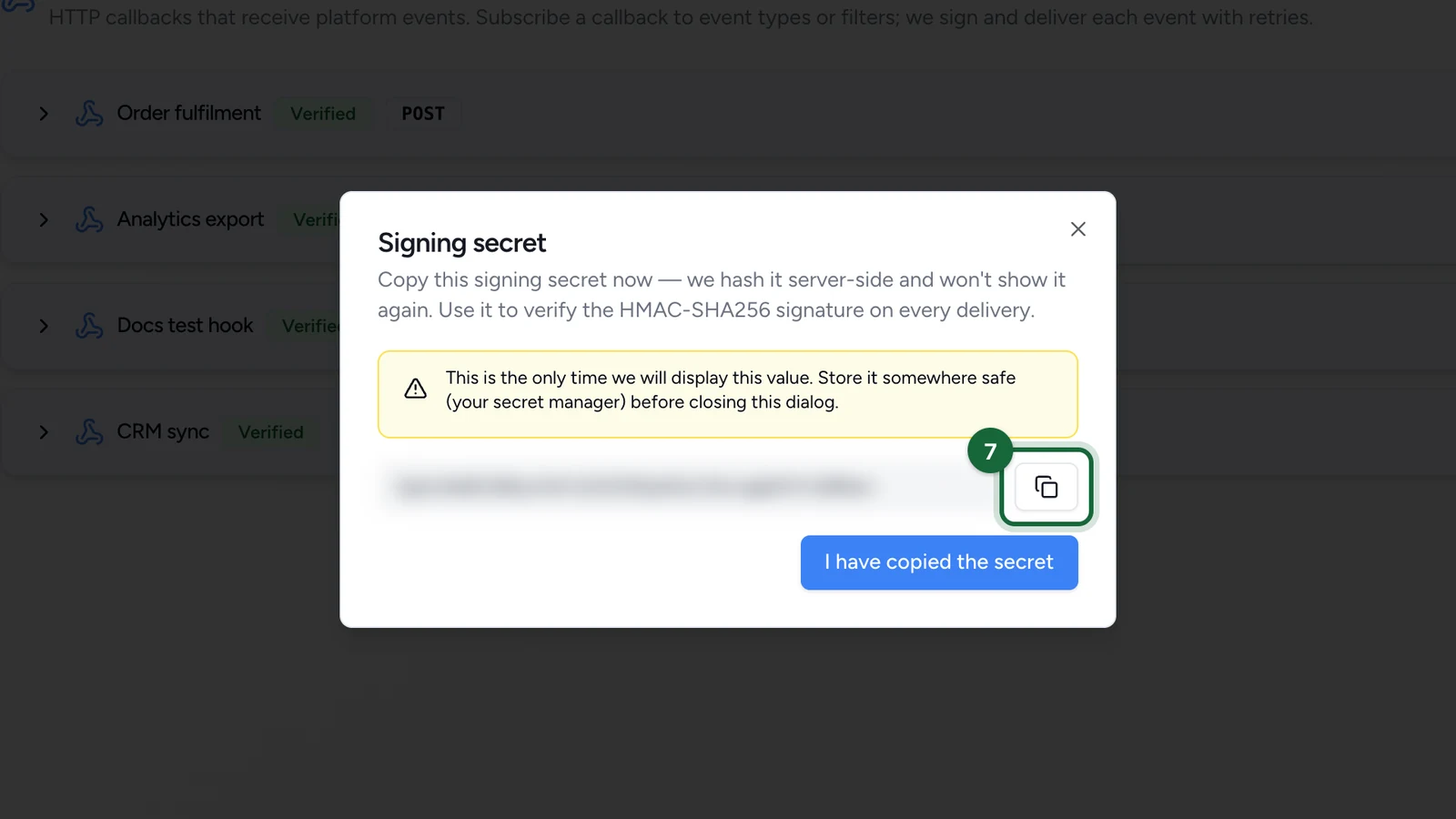
If you closed the window without copying it, rotate the signing secret to get a new one.
Subscribe the callback to events
A new callback receives nothing until it has at least one subscription. On the Webhooks tab:
-
On the callback's row, select Subscriptions.
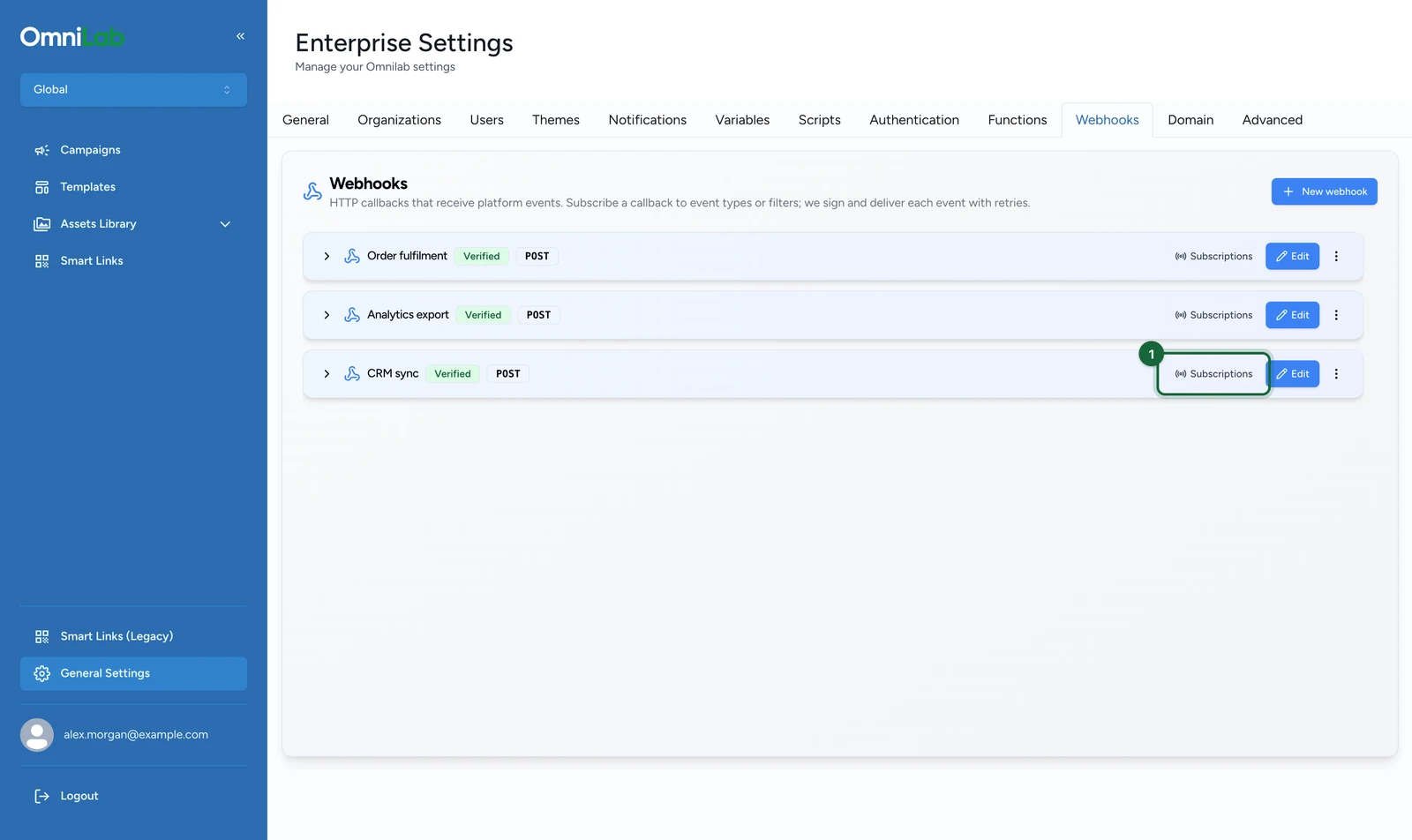
-
Select Add subscription.
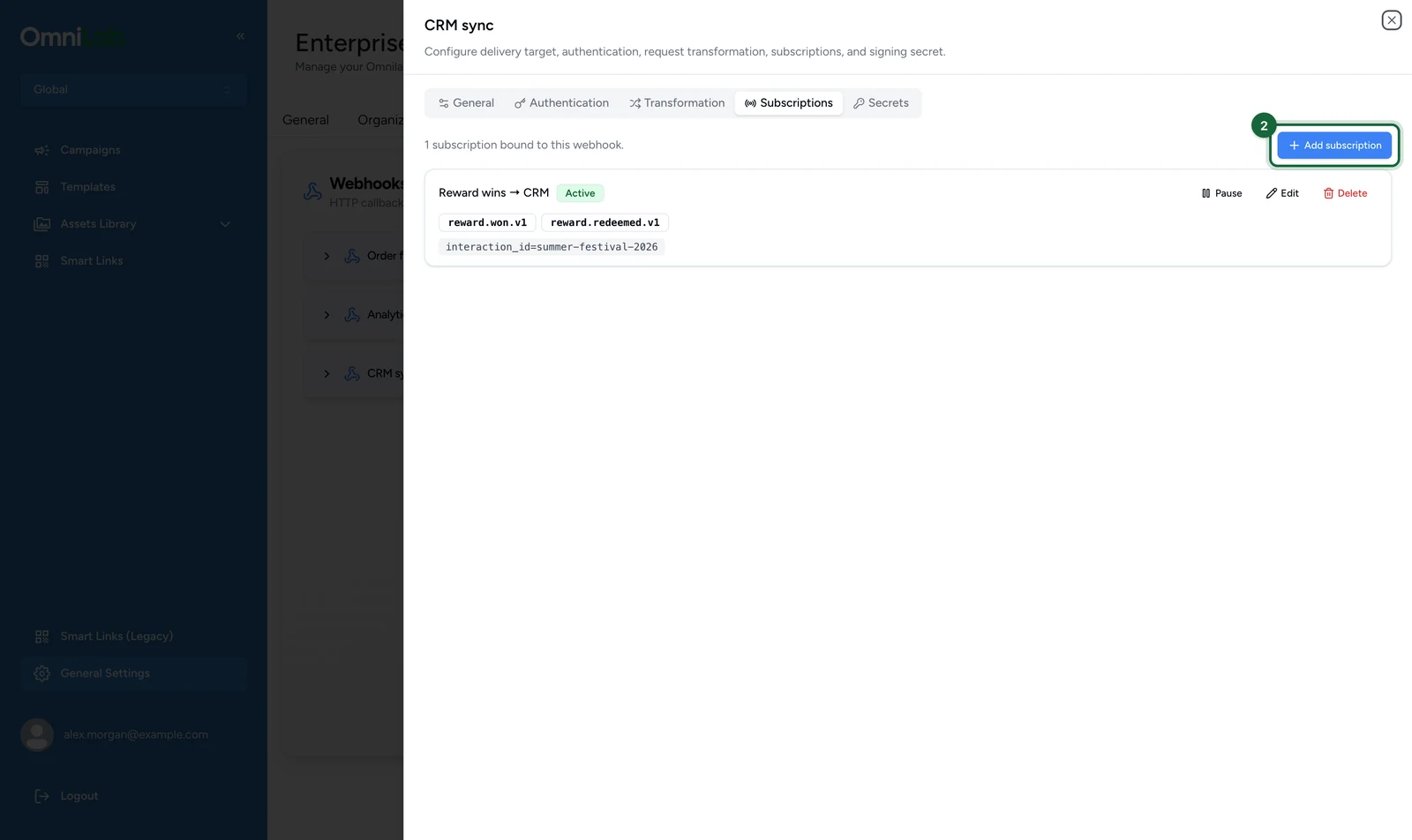
-
Enter a Name for this slice of traffic, here
CRM sync — reward wins only.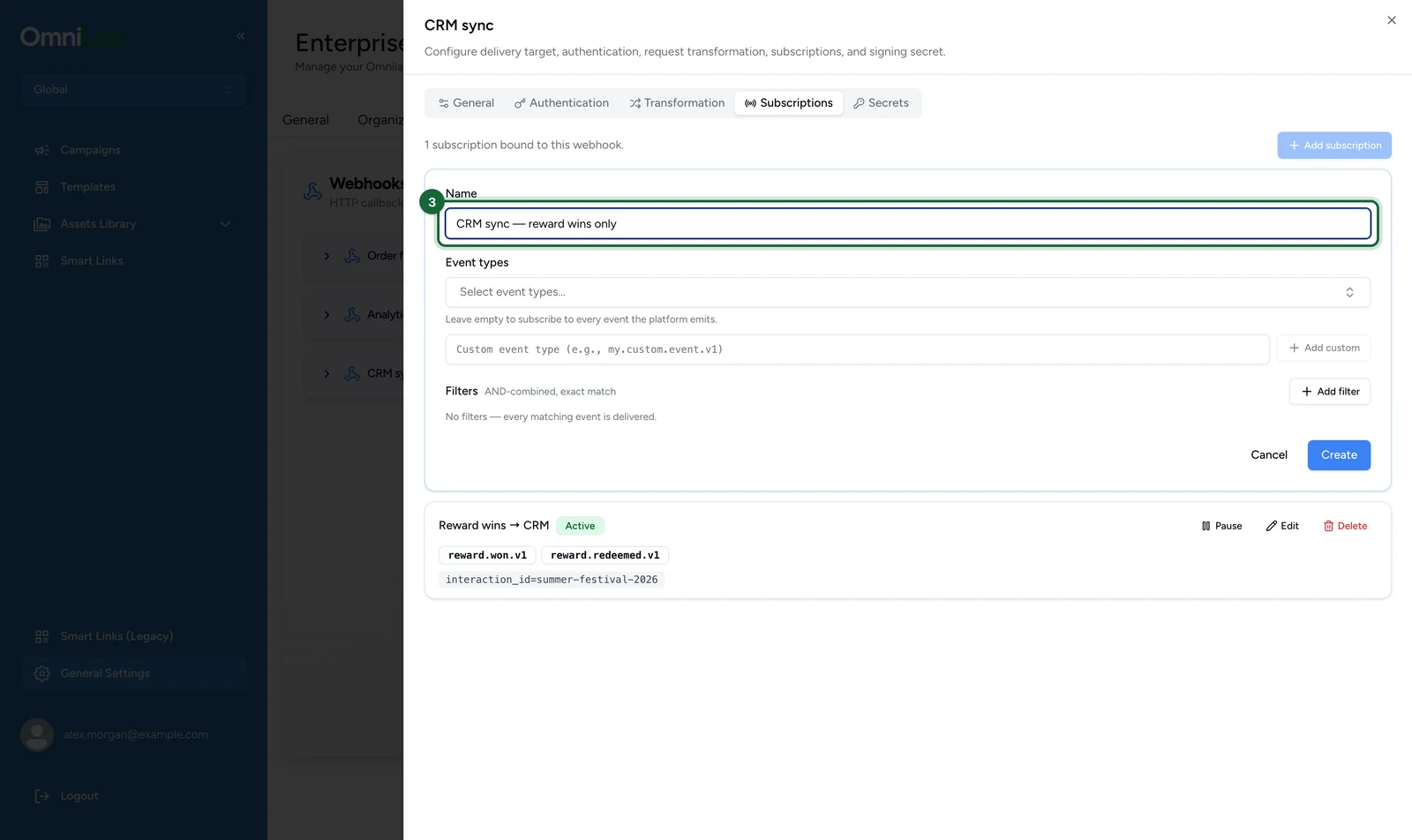
-
In Event types, select the events you want, here Won and Redeemed.
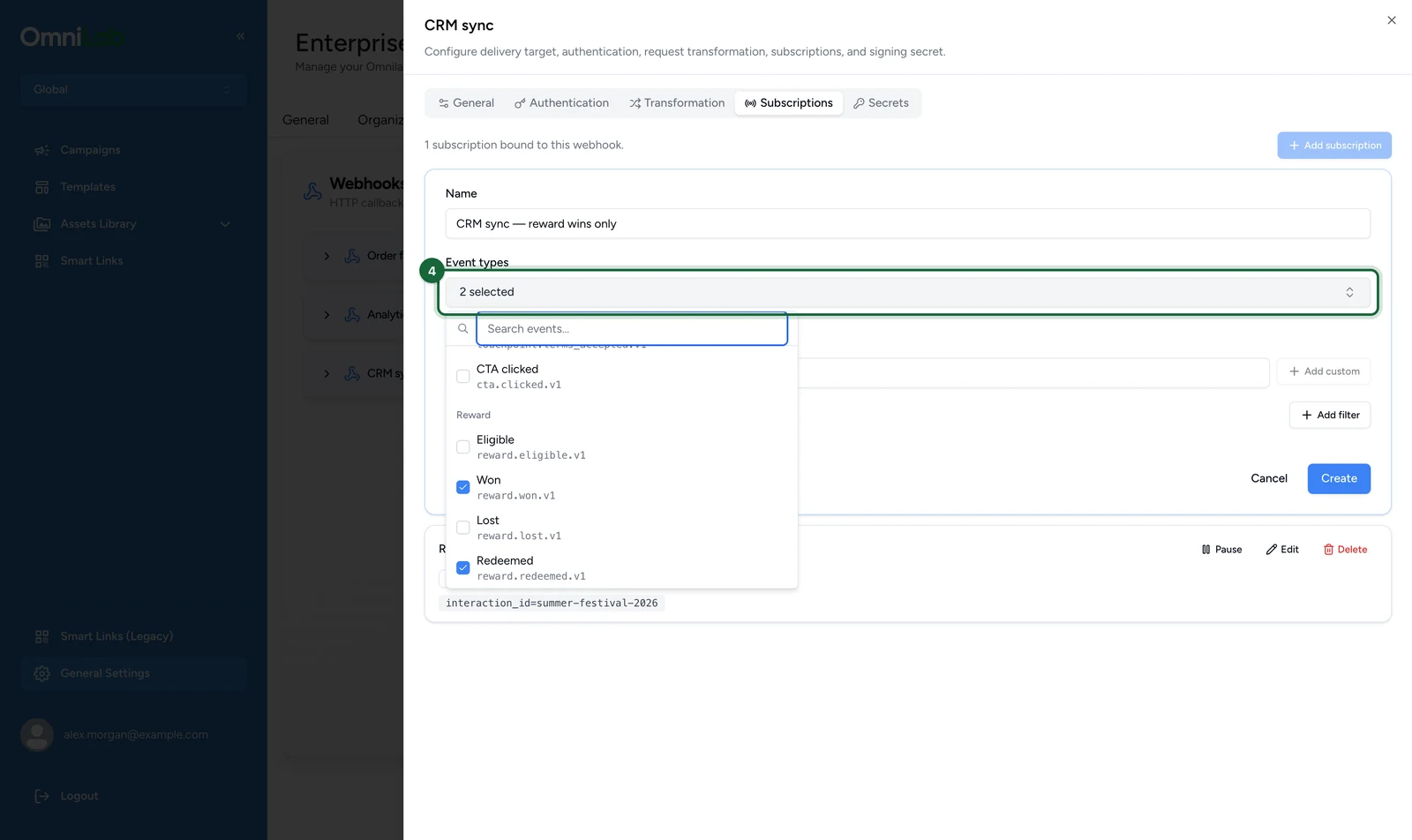
The picker groups events by family, such as Touchpoint, Reward and Booking & Ticket, and you can search it. Leave it empty only if you want every event type: an empty list subscribes to all of them.
-
(Optional) Enter a type the picker doesn't list in Custom event type, here
submission.created.v1.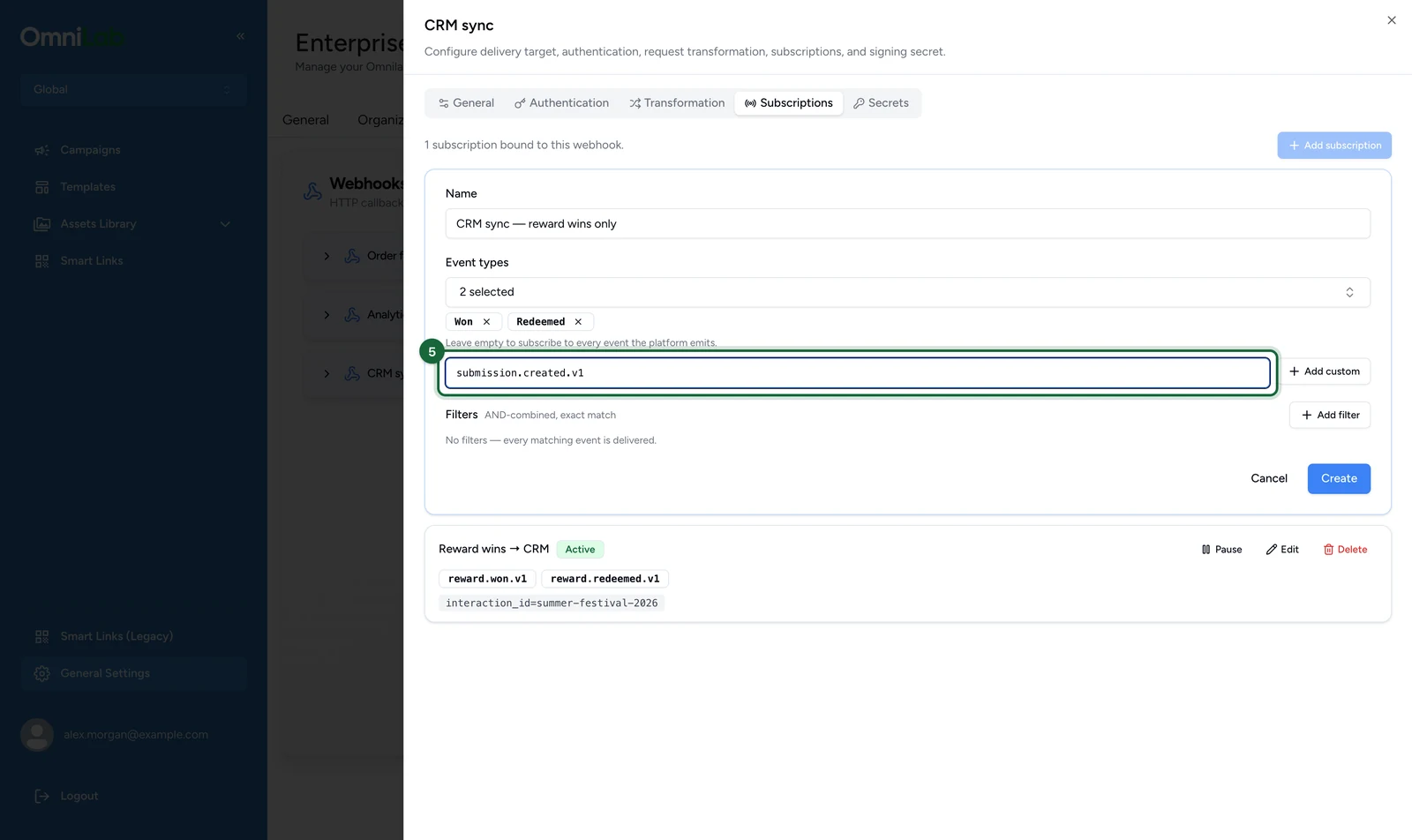
-
(Optional) Select Add custom.
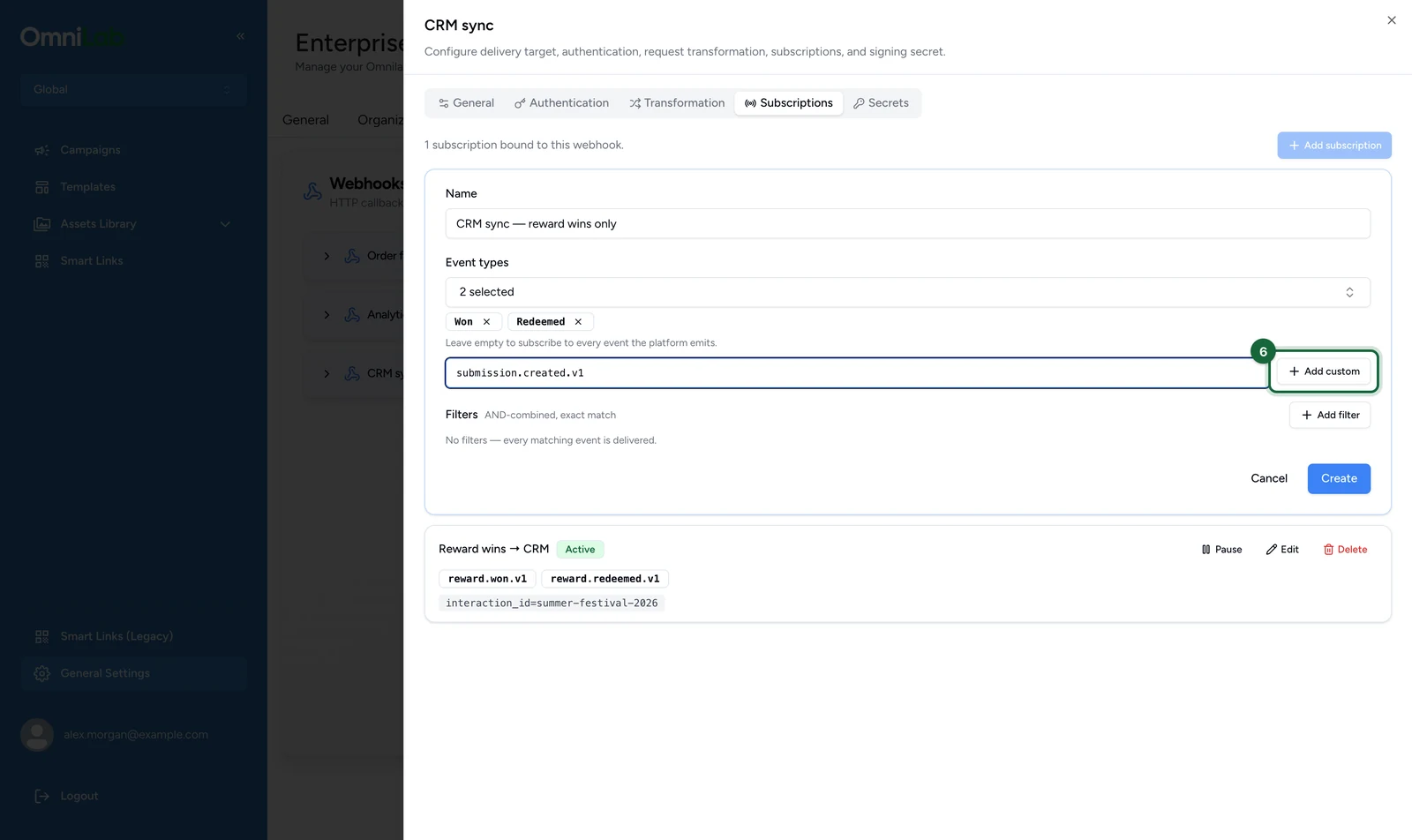
The type joins Event types with a dashed outline. Copy names from the event reference.
-
(Optional) To narrow delivery to one organisation, select Add filter.
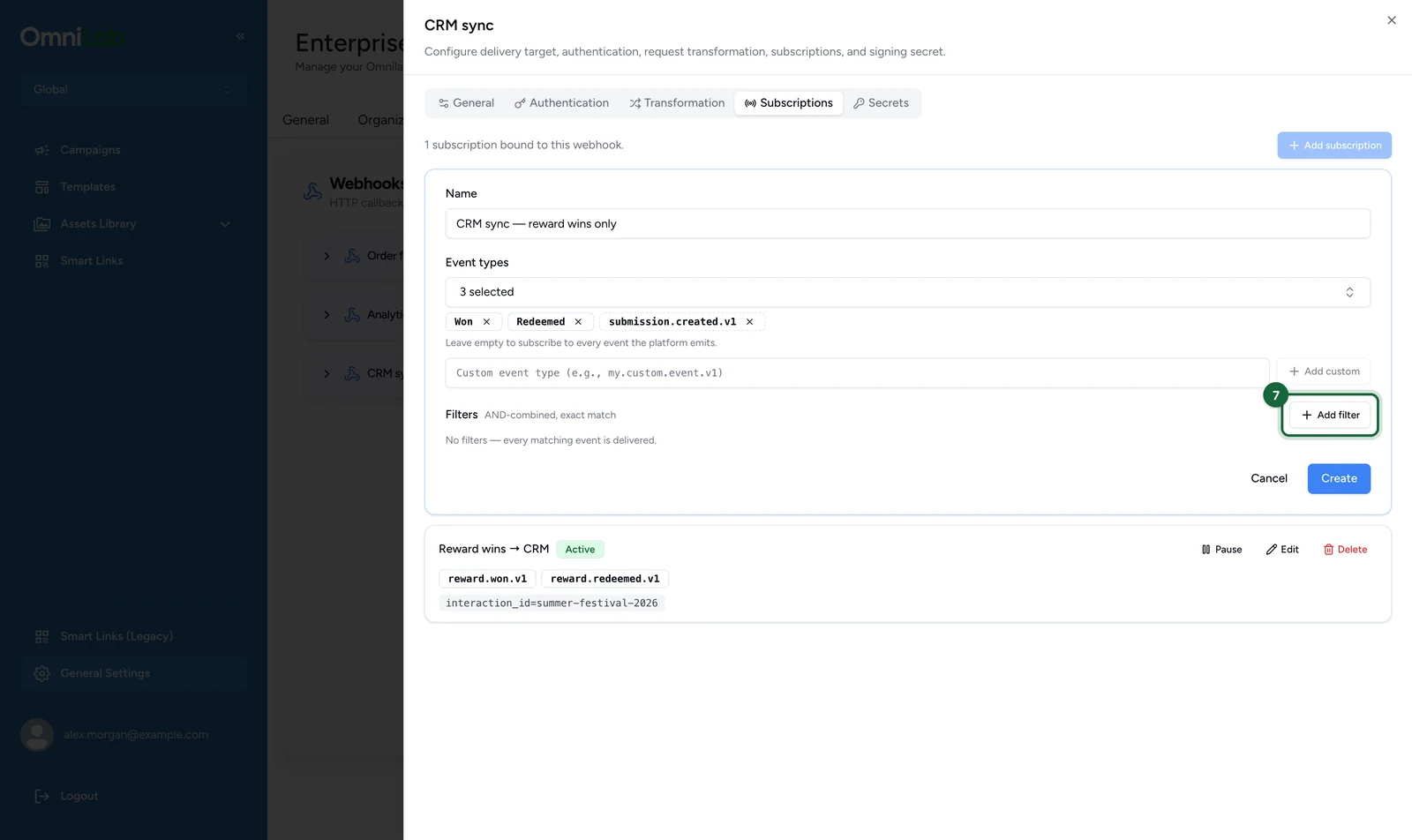
-
(Optional) In the new filter row, replace the key
tenant_idwithgroup_id.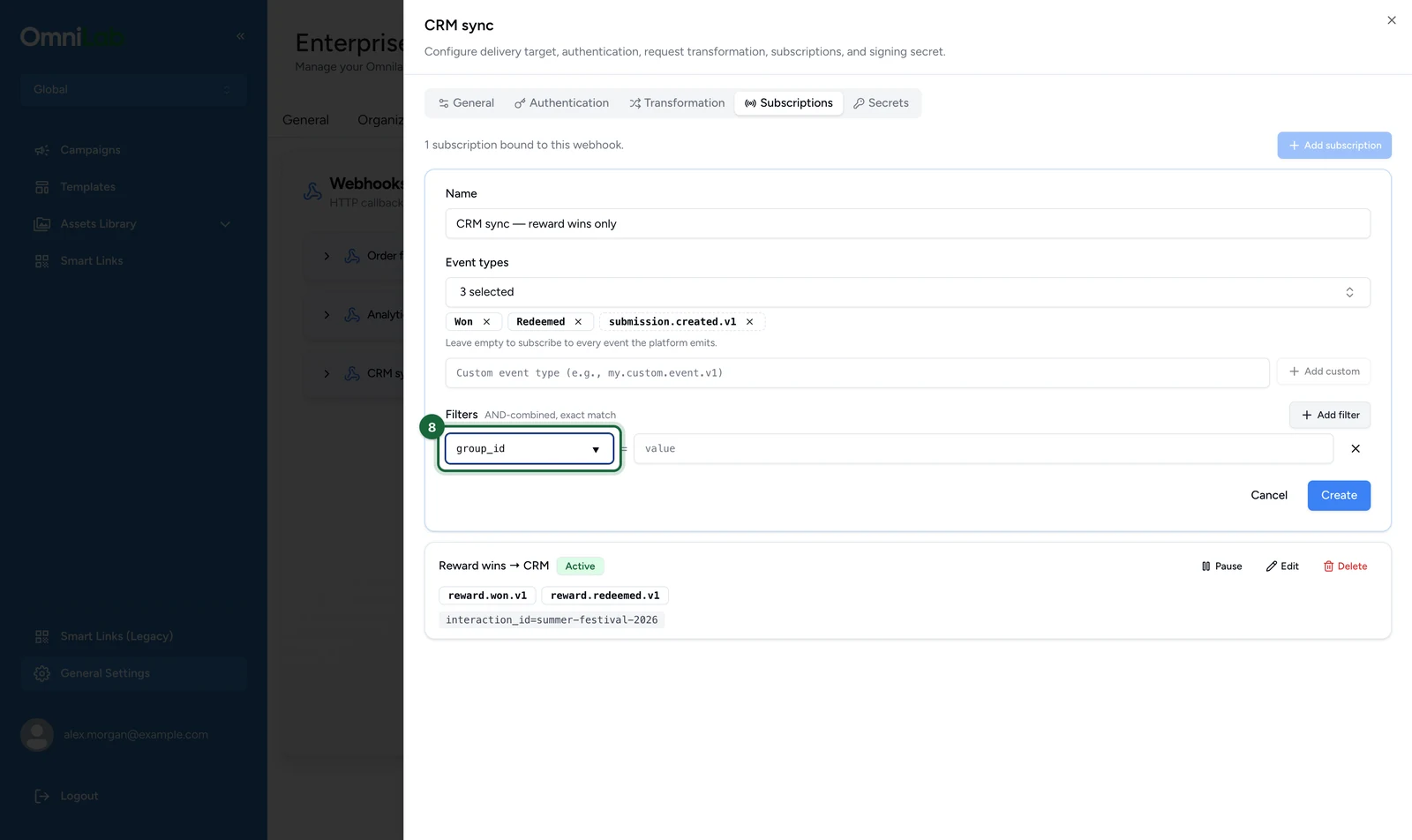
-
(Optional) Enter the organisation's ID as the value, here
groups/6946c01f-8542-471c-9e2f-dac2661027c6.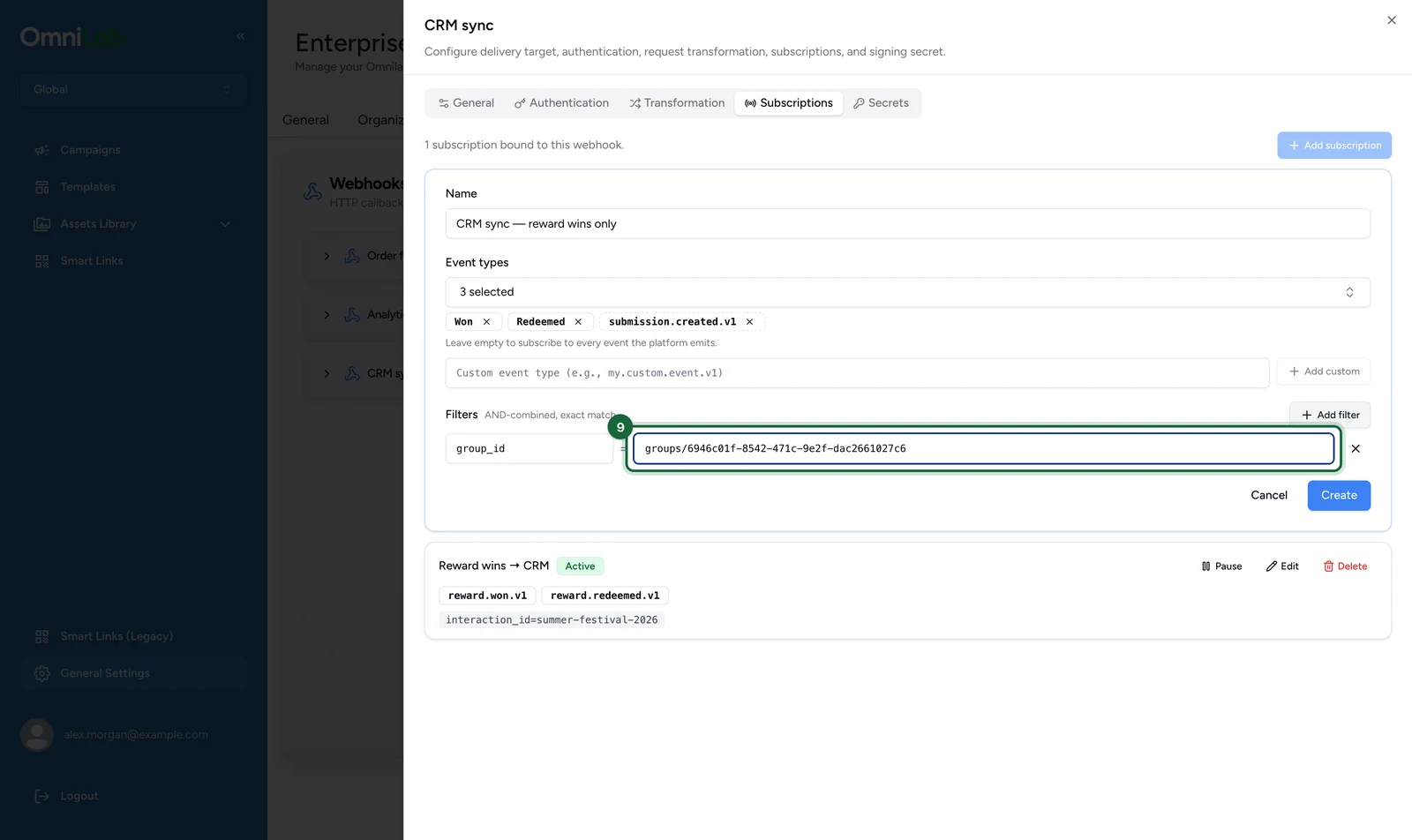
Filters combine with AND and match exactly. How filters match lists what each key matches today.
-
Select Create.
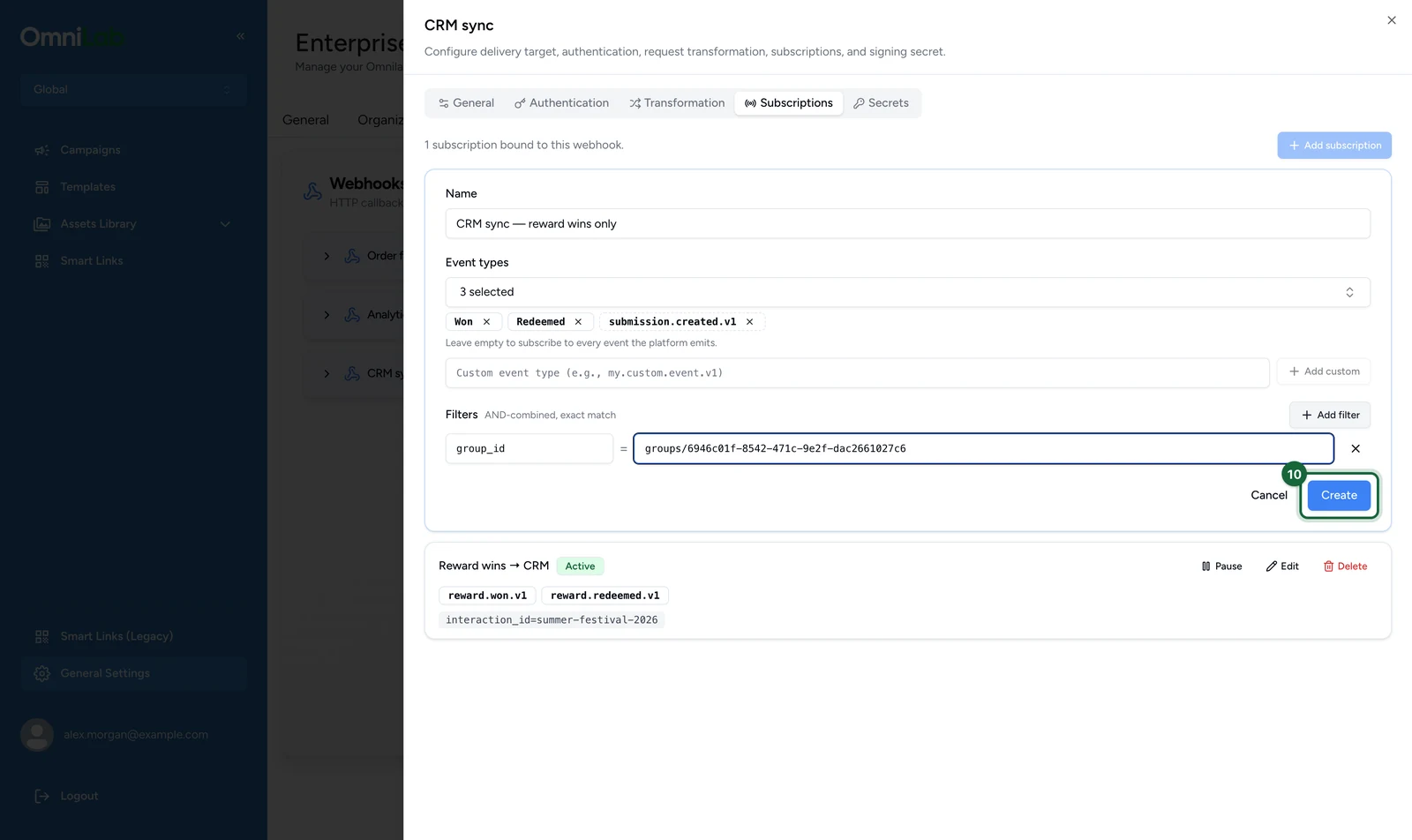
The subscription appears in the list marked Active, with its event types and filters.
Use Pause to stop delivery while keeping the configuration, and Resume to switch it back on.
Receive your first event
Studio has no test send and no delivery log, so your receiver's own log is where deliveries show up. This Node.js receiver checks each request, skips repeats and answers straight away.
It needs Node.js 18 or later, and the verifier from Verify the signature saved as verify.js in the same folder. Set up the project:
npm init -y
npm pkg set type=module
npm install expressimport express from "express";
import { isValidOmniLabSignature } from "./verify.js";
const signingSecret = process.env.OMNILAB_SIGNING_SECRET;
if (!signingSecret) {
throw new Error("Set OMNILAB_SIGNING_SECRET to the callback's signing secret");
}
// Use your own database in production: this set empties on every restart.
const handledIds = new Set();
const app = express();
// express.raw keeps the exact bytes the signature covers. Events reach 256 KB.
app.post(
"/omnilab/events",
express.raw({ type: "*/*", limit: "1mb" }),
(req, res) => {
const webhookId = req.get("webhook-id");
const webhookTimestamp = req.get("webhook-timestamp");
const header = req.get("webhook-signature");
const rawBody = Buffer.isBuffer(req.body) ? req.body.toString("utf8") : "";
if (!webhookId || !webhookTimestamp || !header) {
return res.status(400).send("Missing webhook headers");
}
const valid = isValidOmniLabSignature({
header,
webhookId,
webhookTimestamp,
rawBody,
signingSecret,
});
if (!valid) {
return res.status(400).send("Invalid signature");
}
// A retry carries the same webhook-id: acknowledge it, don't handle it twice.
if (handledIds.has(webhookId)) {
return res.sendStatus(204);
}
let event;
try {
event = JSON.parse(rawBody);
} catch {
return res.status(400).send("Body is not JSON");
}
handledIds.add(webhookId);
// Answer before doing any work: the platform waits 30 seconds at most.
res.sendStatus(204);
// Hand the event to your own queue here. This example only logs it.
console.log(`Received ${event.type} (${event.id})`, event.data);
},
);
app.listen(3000, () => {
console.log("Listening on http://localhost:3000/omnilab/events");
});Start it with the signing secret you copied when you created the callback:
OMNILAB_SIGNING_SECRET='<your signing secret>' node server.jsThe callback's Endpoint URL must reach this server over public HTTPS. During development, put a tunnelling service in front of port 3000. Then set its address, ending in /omnilab/events, as the Endpoint URL on the General tab.
To send a first event, play a published campaign on your staging account and win its prize. The win sends reward.won.v1, and the receiver logs its type and ID.
A 4xx other than 429 is never retried, so a receiver that answers 400 loses that event. Return a 5xx when you want a delivery back. Every case is in Delivery guarantees.
Authenticate to your endpoint
If your receiver needs credentials of its own, give the callback an authentication mode. Each mode asks for these fields:
| Mode | Good fit | What you enter |
|---|---|---|
| None | The endpoint relies on signature verification alone | Nothing |
| Basic | Endpoints that expect a username and password | Username, then Password under Secret credentials |
| Bearer token | Services that accept a static API token | Optional Custom header name, then Bearer token under Secret credentials. The header value is always Bearer <token>. |
| OAuth2 (client credentials) | Platforms that issue short-lived tokens | Client ID, Token endpoint, Scopes, Client auth method, optional Audience, then Client secret under Secret credentials |
For OAuth2, Client auth method is required and takes one of two values. client_secret_basic sends the client ID and secret in an Authorization header, and client_secret_post sends them in the token request body. Any other value is refused when you save.
Save the mode before its secret: a secret is only accepted for the mode already saved. On the Webhooks tab:
-
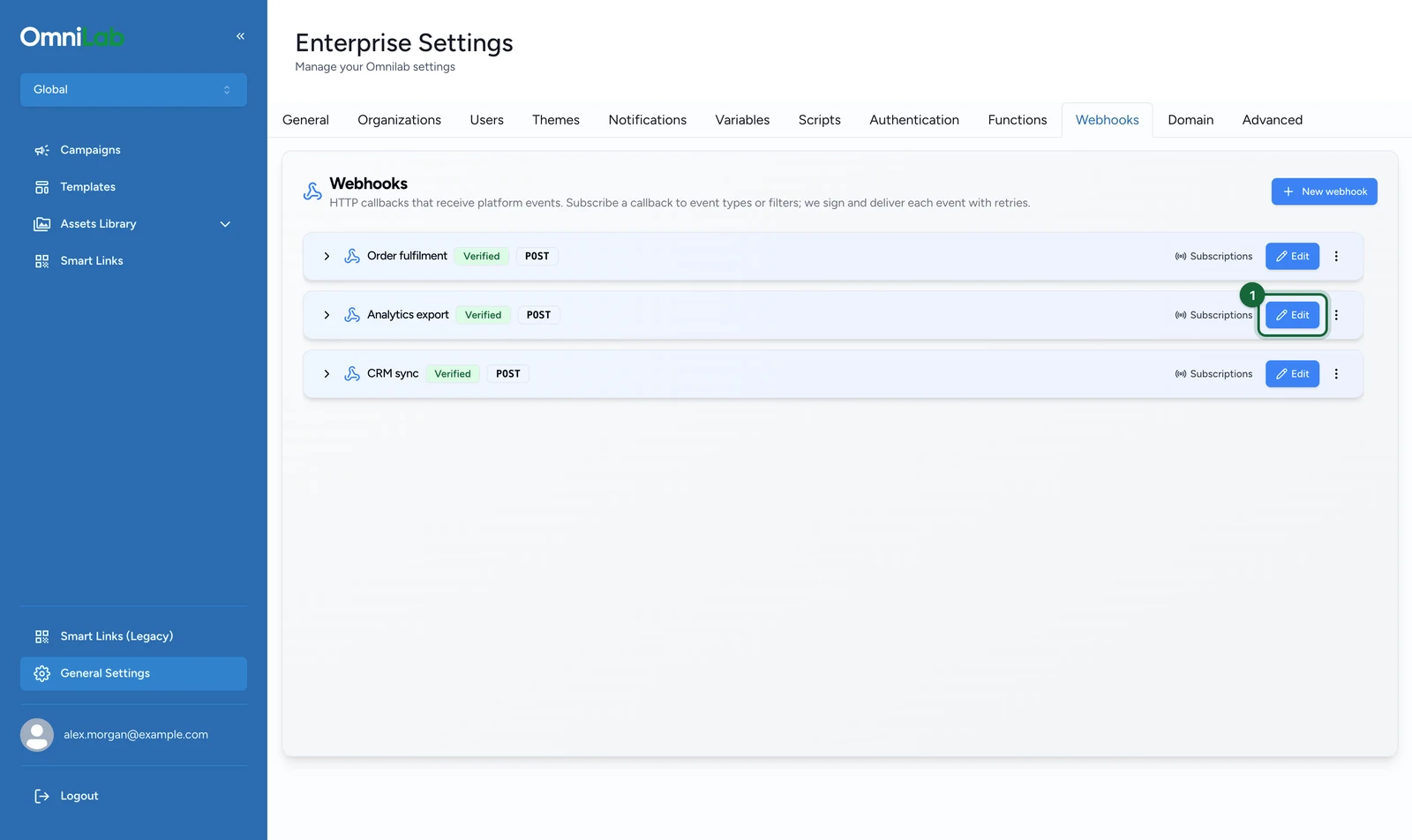
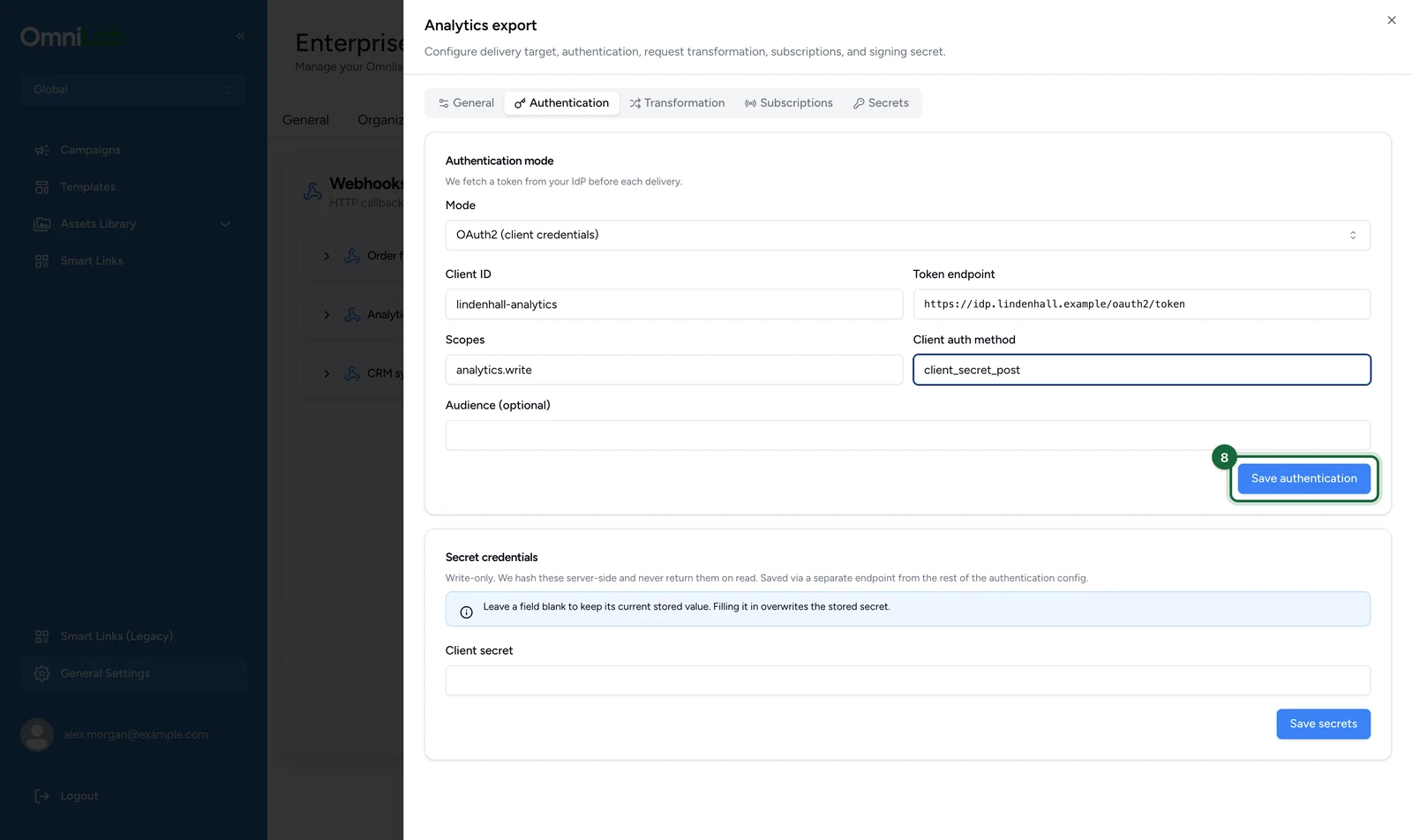
On the callback's row, select Edit, here on Analytics export.
-
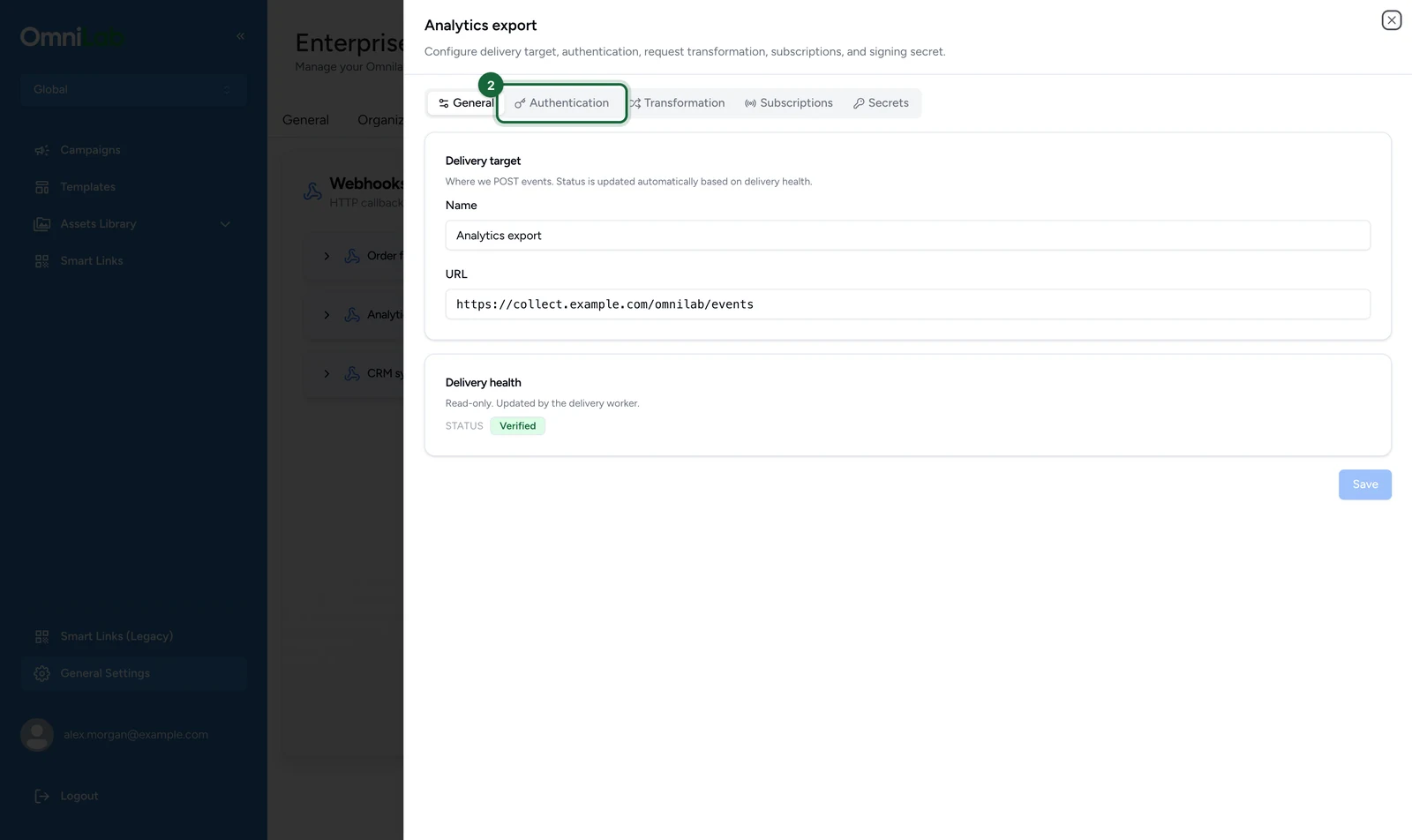
Select the Authentication tab.
-
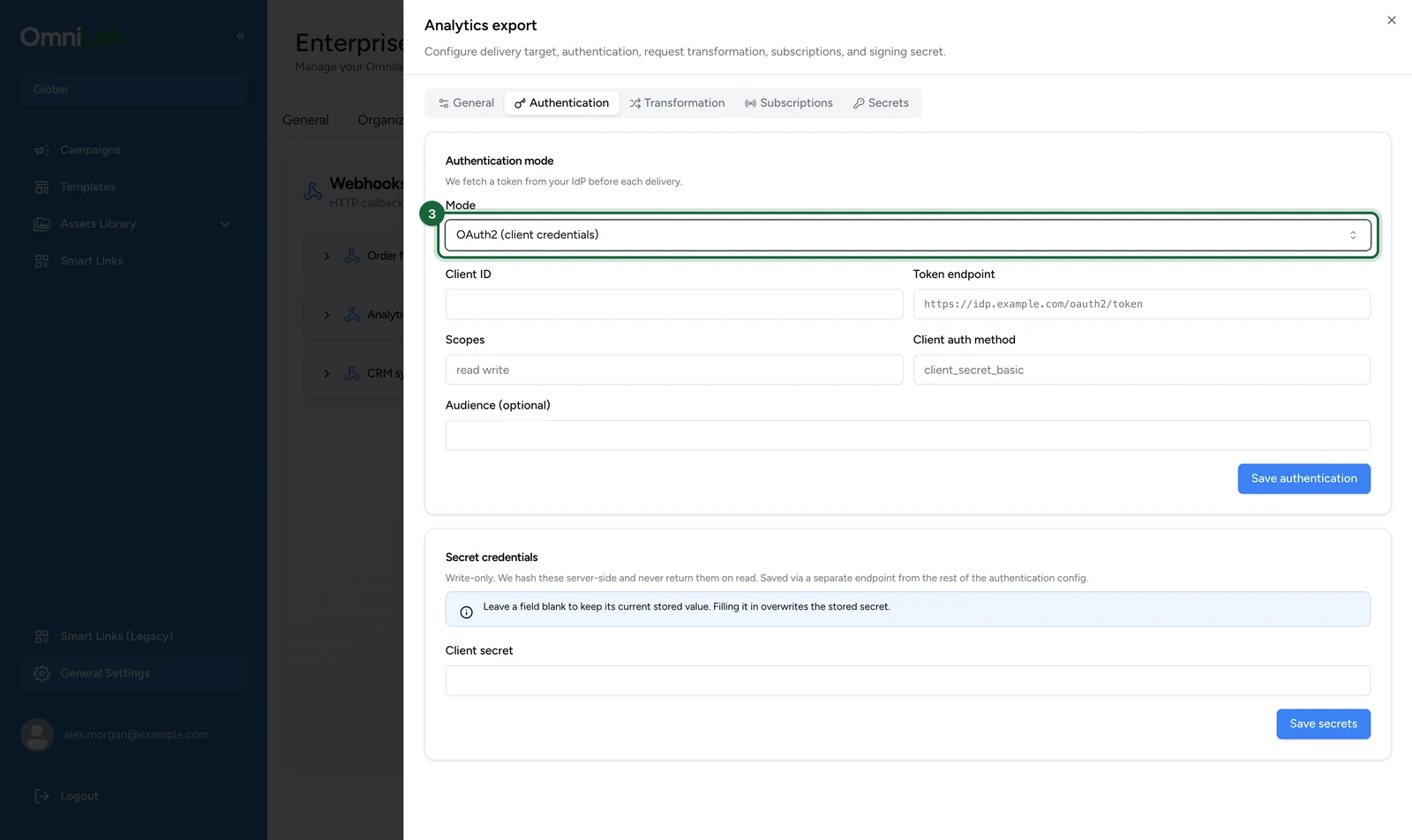
In Mode, choose the mode your endpoint expects, here OAuth2 (client credentials).
-
Enter the Client ID, here
lindenhall-analytics.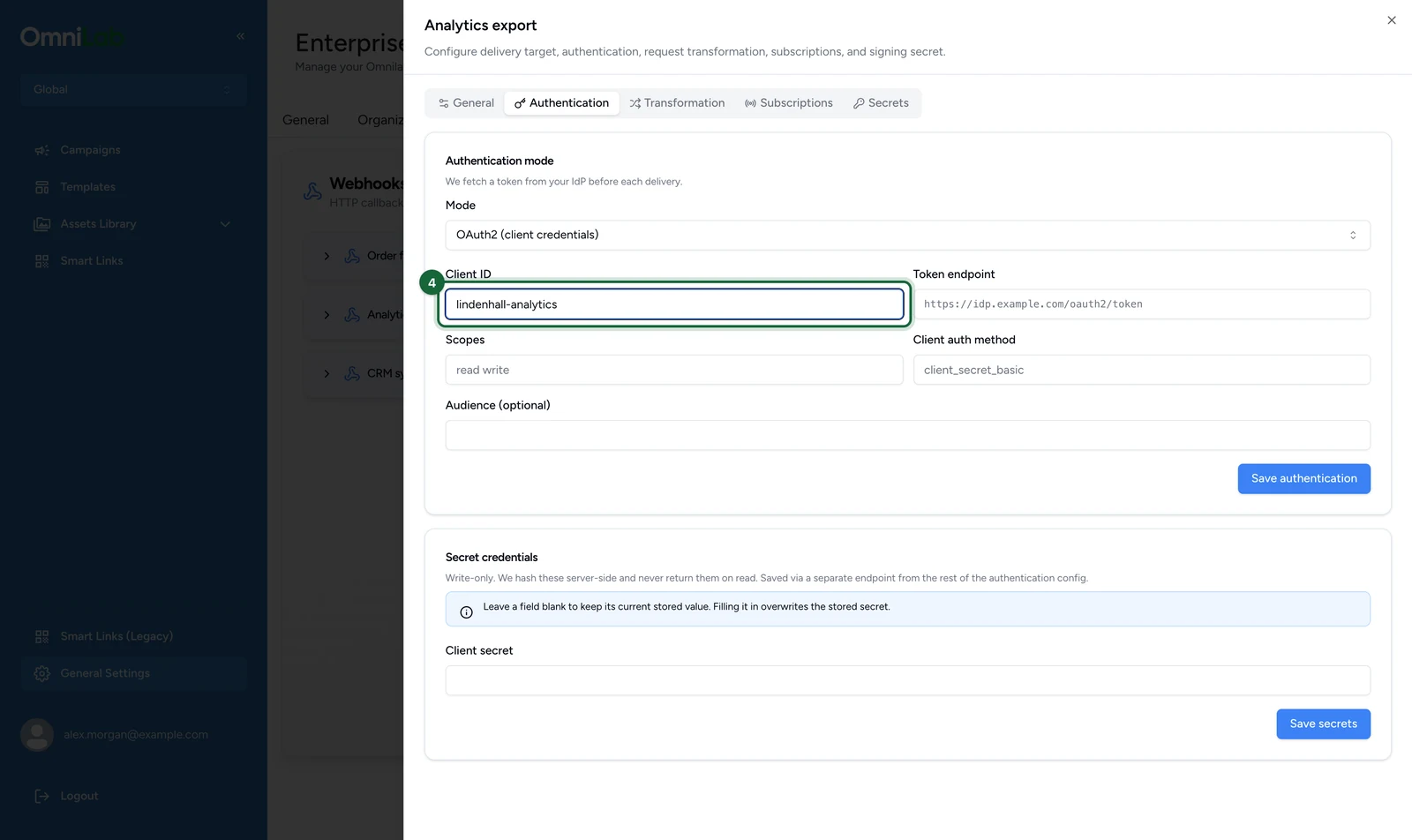
-
Enter the Token endpoint, here
https://idp.lindenhall.example/oauth2/token.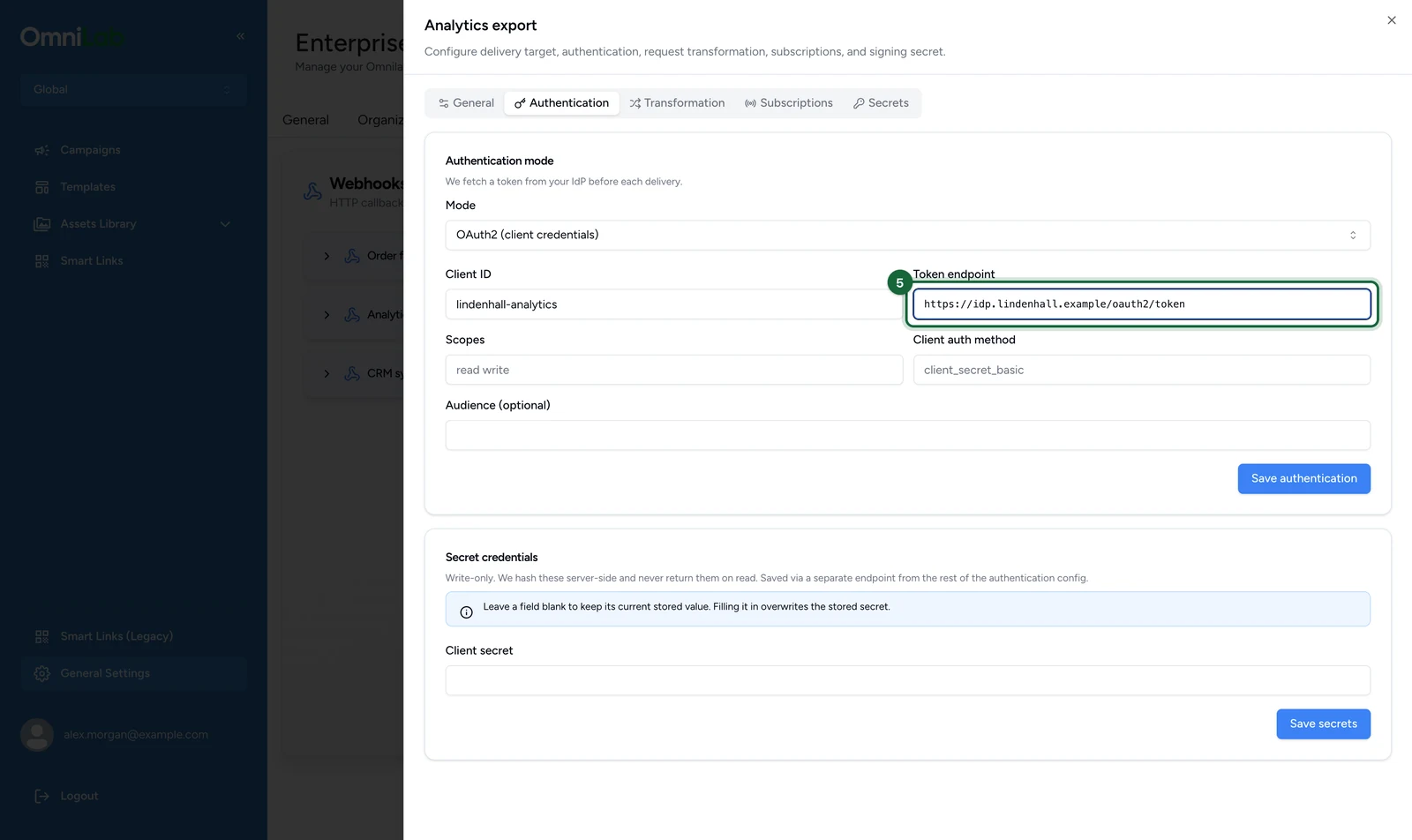
-
Enter the Scopes, here
analytics.write.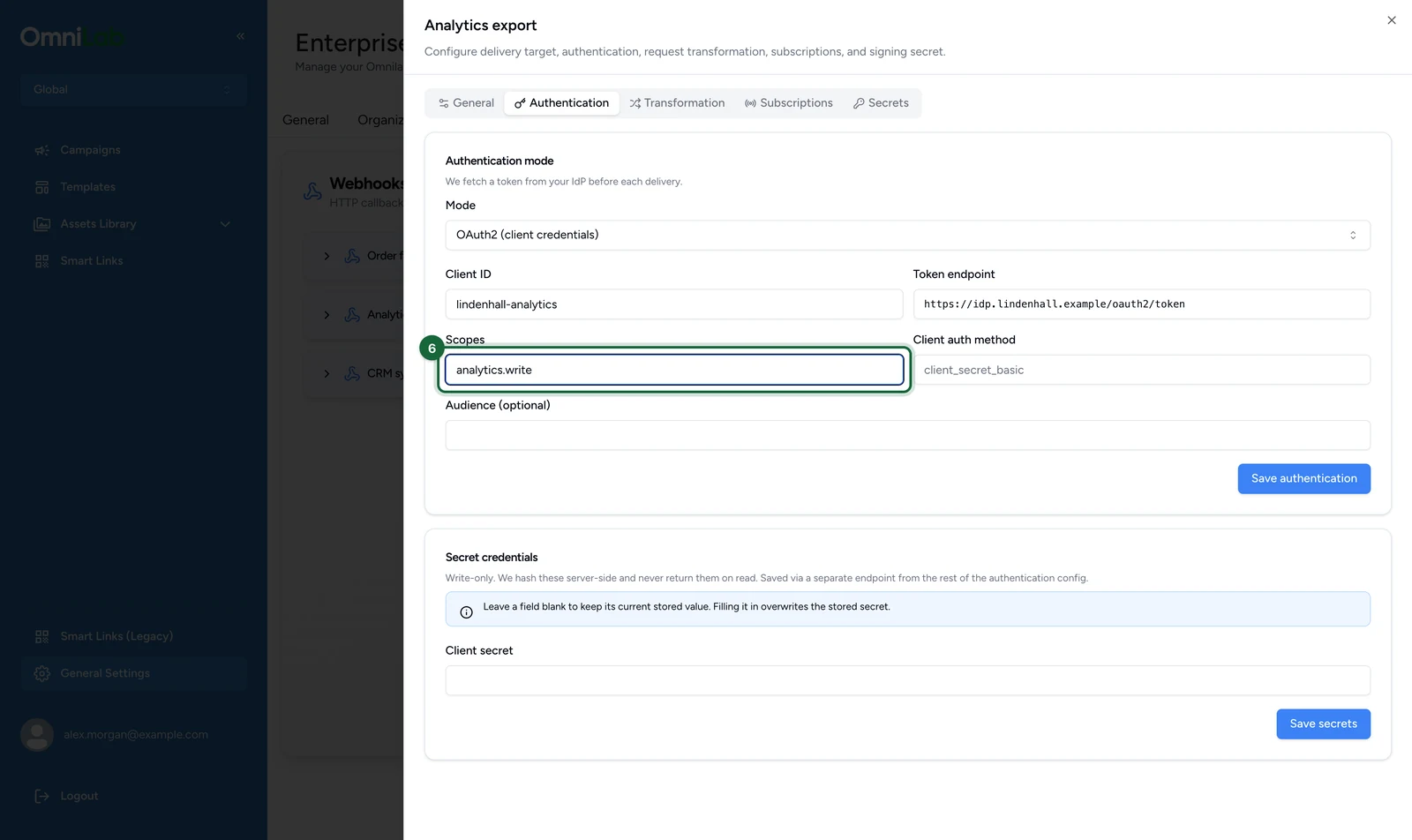
-
Enter the Client auth method, here
client_secret_post.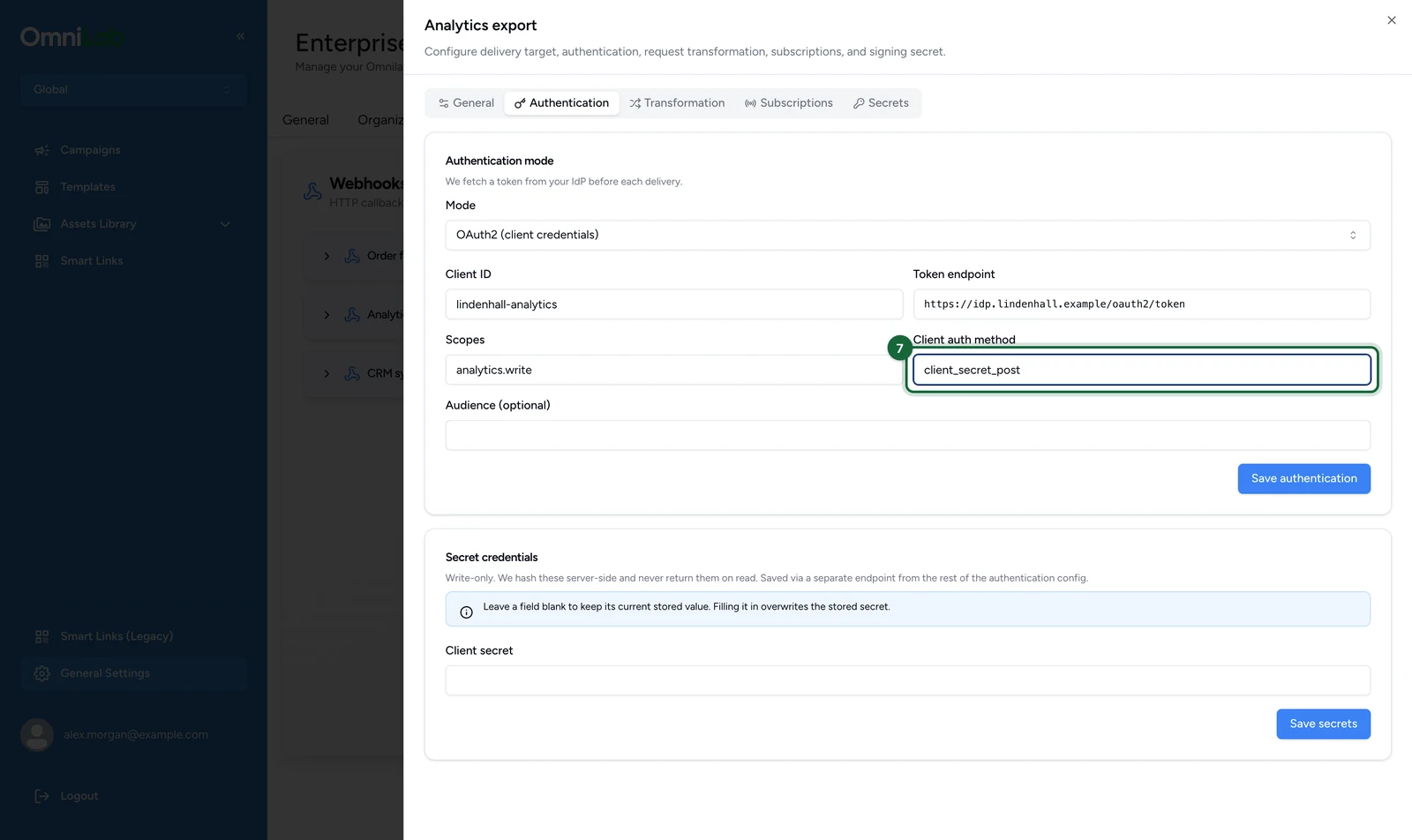
-
Select Save authentication.
-
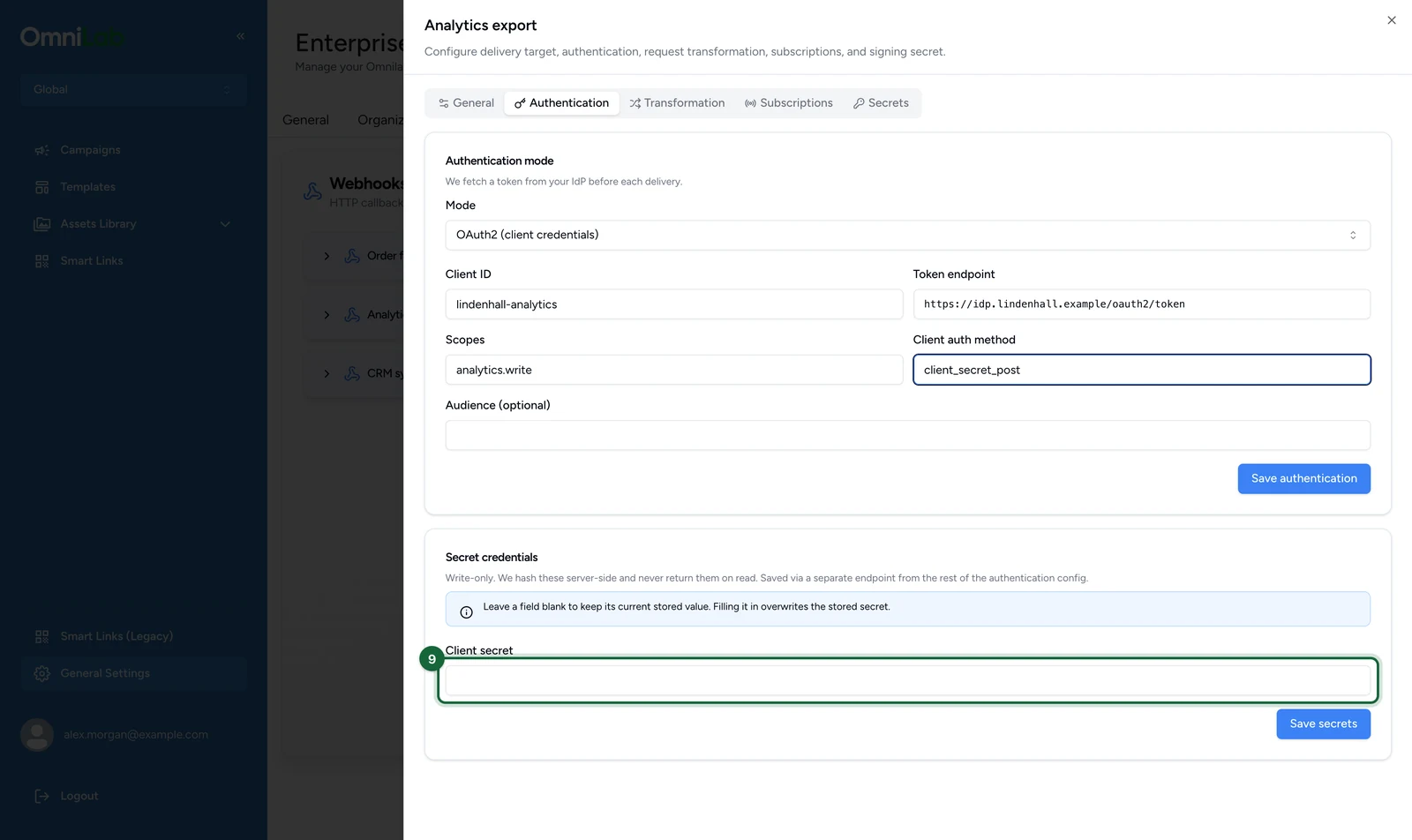
Under Secret credentials, enter the password, token or client secret.
-
Select Save secrets.
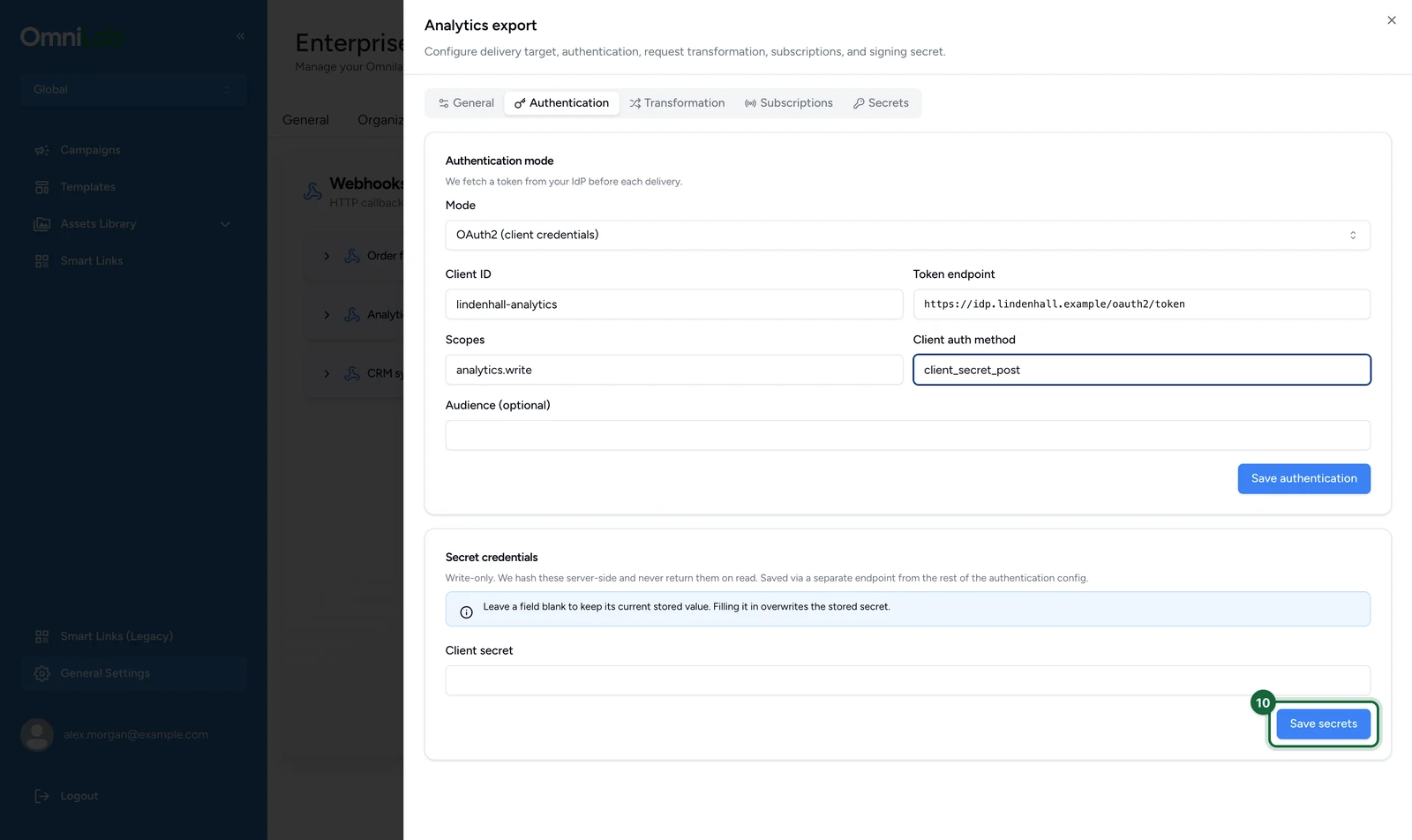
Secrets are never shown again. Leaving a secret field blank later keeps the stored value.
Rotate the signing secret
After a rotation, every delivery is signed with the new secret and with the previous one, until the next rotation. A verifier still holding the old secret keeps passing, so you can switch without missing events.
Retiring a leaked secret takes two rotations
After one rotation, the leaked secret still signs every delivery as the previous secret. Rotate twice to stop it signing anything, then give your verifier the newest secret.
On the Webhooks tab:
-
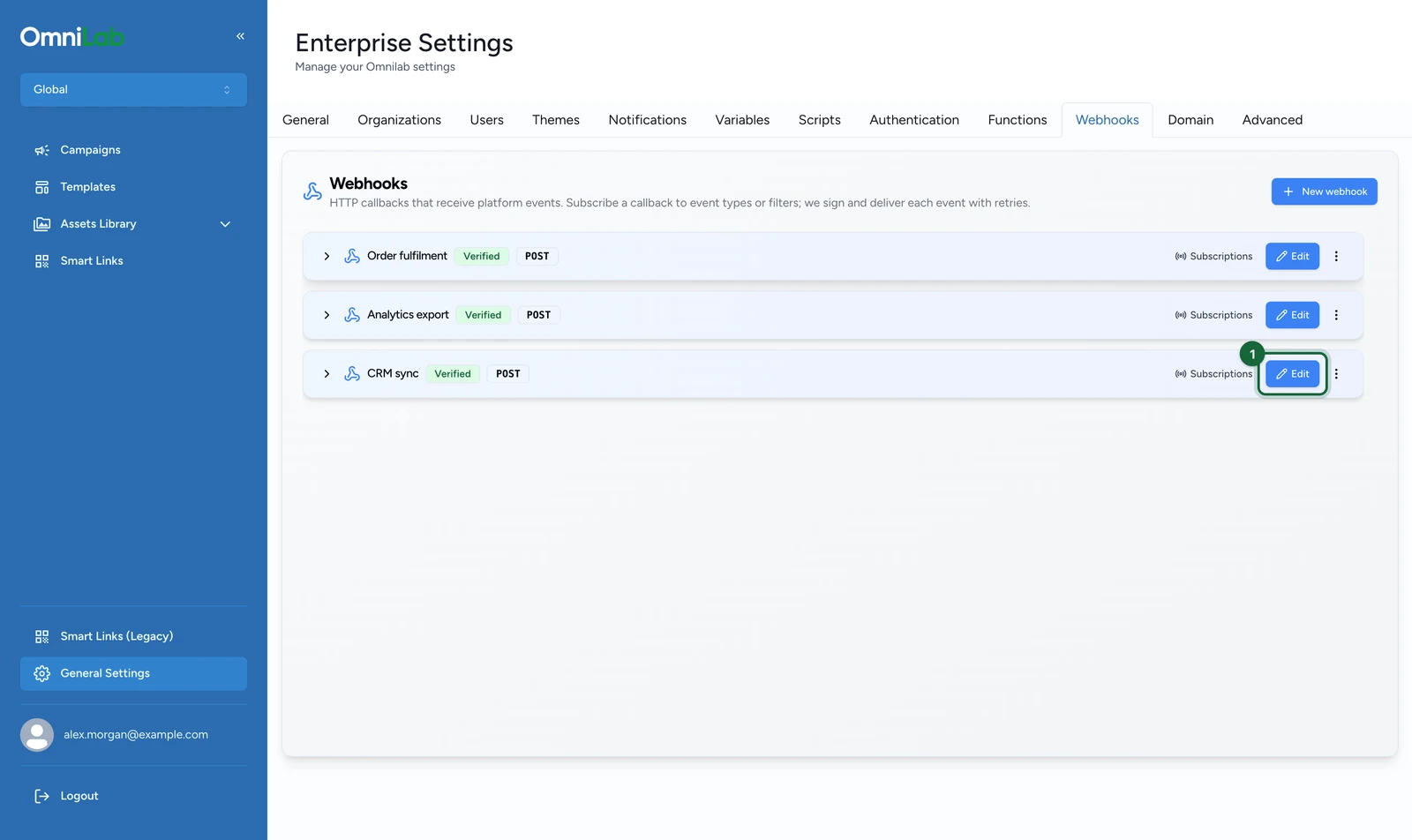
On the callback's row, select Edit.
-
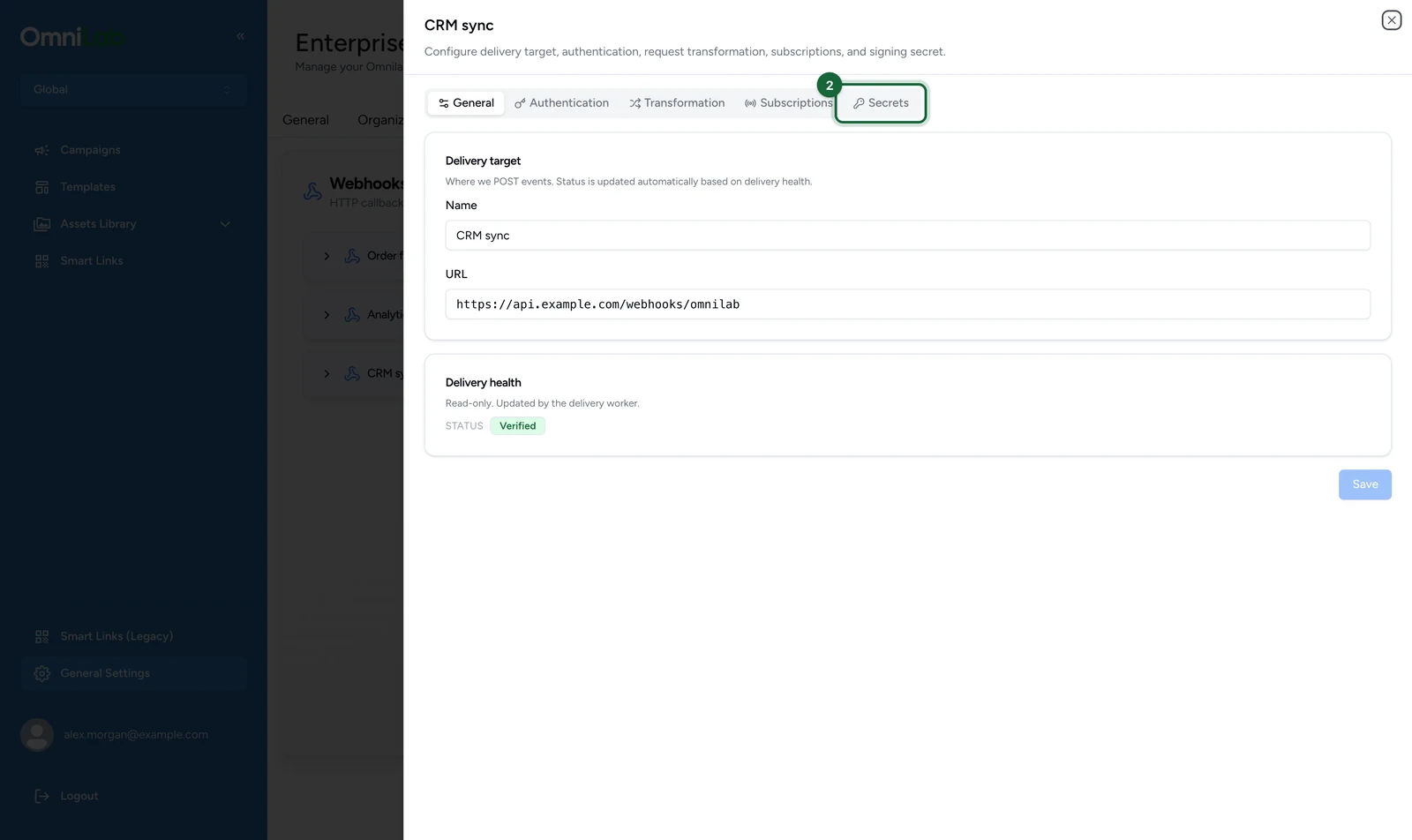
Select the Secrets tab.
-
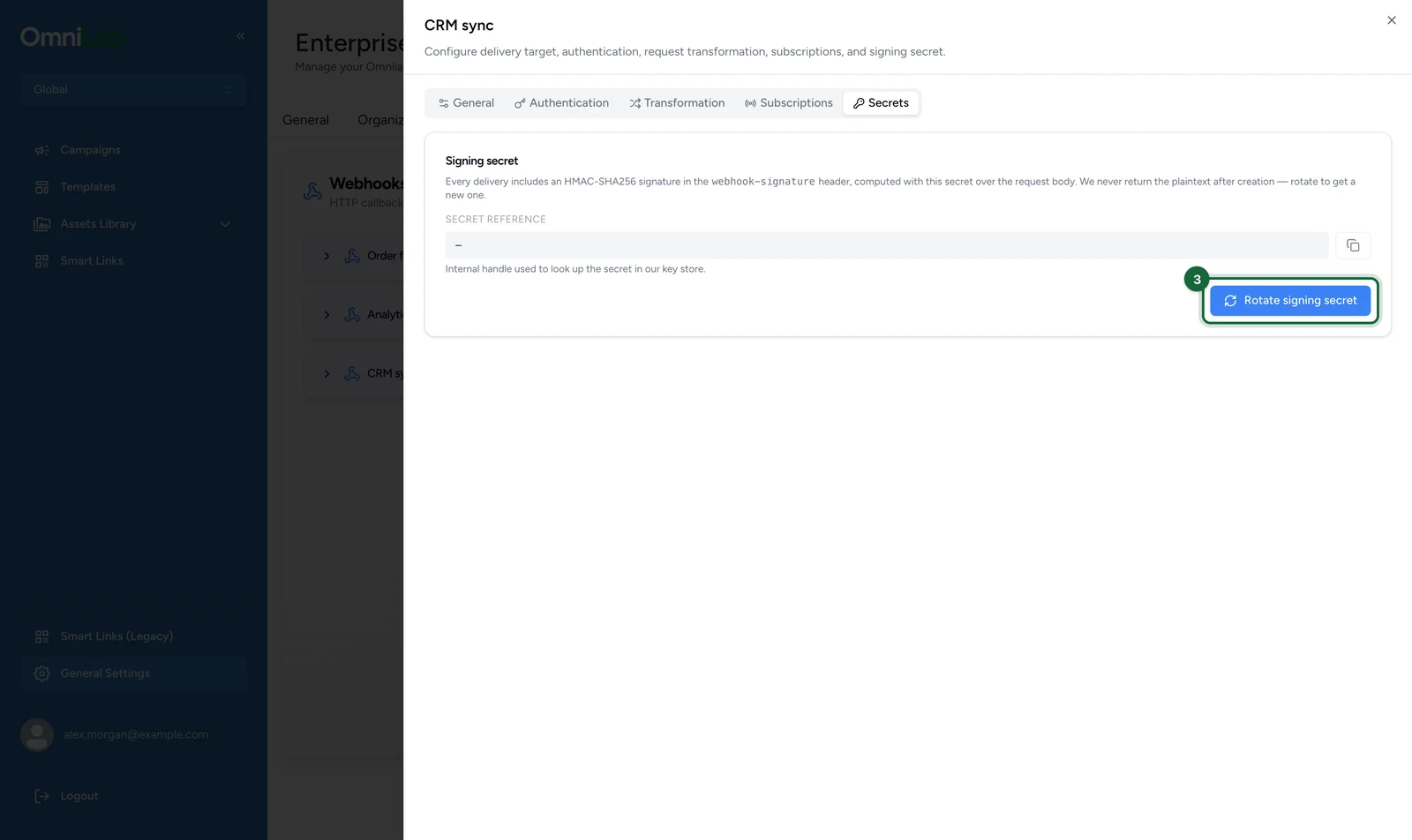
Select Rotate signing secret.
-
Confirm the rotation in the browser prompt.
The prompt says verifiers using the old secret start failing straight away. They keep passing until the next rotation.
-
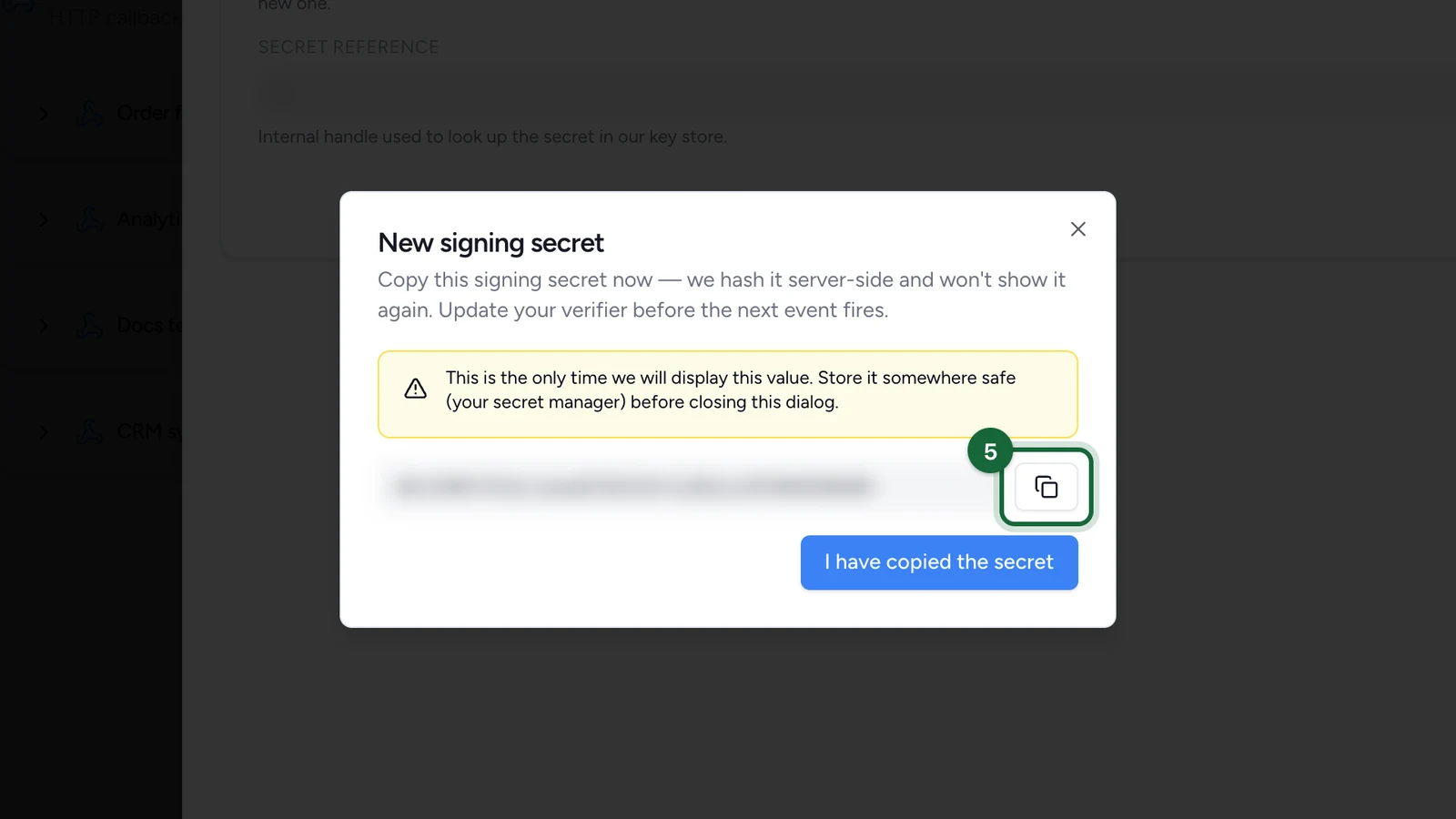
Copy the secret from the New signing secret window into your secret storage.
-
Update your verifier with the new secret.
The Secrets tab also shows a Secret reference. It identifies the secret in support conversations, and can't sign or verify anything.
Reshape the request (optional)
Most receivers take the event as sent. When yours needs a different shape, use the Transformation tab:
- HTTP method and Content type for the outgoing request.
- URL template (optional): overrides the endpoint on the General tab. Useful for routing event types to different paths.
- Body template (optional): leave it blank to send the raw event JSON.
- Custom headers: sent on every delivery.
Templates reference event fields with {{event.<field>}}, and event.payload holds the event's data:
{
  "eventId": "{{event.id}}",
  "eventType": "{{event.type}}",
  "rewardId": "{{event.payload.reward_id}}"
}
A custom header named Authorization, Proxy-Authorization, webhook-id, webhook-timestamp or webhook-signature, in any case, is refused when you select Save transformation. Set credentials on the Authentication tab instead. Leave out User-Agent too: the platform sets its own. The signature covers the body your template produces.
Monitor delivery health
Each callback card carries a status badge:
- Verified: the normal state. A callback is created Verified and stays so while it accepts deliveries. It doesn't mean traffic has been tested.
- Failing: your endpoint answered
410 Gone. Expand the card, or open the General tab, to read the reason recorded.
A 410 Gone response stops delivery for good
410 Gone tells the platform the endpoint is retired. The callback stops receiving events, and nothing in Studio switches it back on. Return 410 only when you mean it. If it happens by accident, create a replacement callback and add its subscriptions again.
If something's blocked
- The callback receives nothing: check that it has a subscription, that the subscription is Active, and that each event type is one the event reference lists as delivered. A misspelt custom event saves without complaint and never matches. An
interaction_idfilter matches no event today. - A subscription won't save: every filter needs a key and a value, and the key must be
tenant_id,group_idorinteraction_id. The key field also suggestscontact_id, which is refused. - Signature checks started failing: the secret was rotated twice since your verifier last changed, or the body was parsed before verification. Use the newest secret and the raw body.
- Deliveries stopped after an incident: events that failed for good, or ran out of retries, are not sent again. If the endpoint answered
410 Gone, the callback is now Failing and needs replacing. - The URL is refused when you save: the endpoint must start with
https://and resolve to a public address.